# Kubb
> Kubb is an open source code generator that turns an API spec into TypeScript types, API clients, TanStack Query hooks, Zod schemas and mocks.
Canonical Origin: https://kubb.dev/
## LLM Resources
- [Full Content](https://kubb.dev/llms-full.txt): Complete page content in markdown format.
---
- **Page:** Kubb registry · Kubb
- **Source:** https://kubb.dev/registry
- **Description:** The list of Kubb extensions that the Kubb CLI, Kubb Studio and kubb.dev read. It is a set of static JSON documents under one base URL.
```yaml
meta:
og:image: https://kubb.dev/_og/s/o_5df8ae67953ba91c.png
og:image:height: "630"
og:image:type: image/png
og:image:width: "1200"
twitter:image: https://kubb.dev/_og/s/o_5df8ae67953ba91c.png
```
**Extensions**
# **Kubb registry**
[Browse extensions](https://kubb.dev/extensions) [Submit an extension](https://kubb.dev/docs/5.x/how-to/submit-to-the-registry)
The list of Kubb extensions that the Kubb CLI, Kubb Studio and kubb.dev read. It is a set of static JSON documents under one base URL.
- [**Plugins****14**](https://kubb.dev/extensions/kind/plugins)
- [**Adapters****1**](https://kubb.dev/extensions/kind/adapters)
- [**Parsers****2**](https://kubb.dev/extensions/kind/parsers)
- **Last build**Oct 27, 2026
**$**curl https://kubb.dev/registry/index.jsoncurl https://kubb.dev/registry/index.json
## **Recently added**
- [**Axios**@kubb/plugin-axiosOct 12, 2026](https://kubb.dev/extensions/kubb-labs/plugin-axios)
- [**Barrel**@kubb/plugin-barrelOct 12, 2026](https://kubb.dev/extensions/kubb-labs/plugin-barrel)
- [**Client**@kubb/plugin-clientOct 12, 2026](https://kubb.dev/extensions/kubb-labs/plugin-client)
- [**Cypress**@kubb/plugin-cypressOct 12, 2026](https://kubb.dev/extensions/kubb-labs/plugin-cypress)
- [**Faker**@kubb/plugin-fakerOct 12, 2026](https://kubb.dev/extensions/kubb-labs/plugin-faker)
```json
{"@context":"https://schema.org","@graph":[{"@id":"https://kubb.dev/#website","@type":"WebSite","description":"Kubb is an open source code generator that turns an API spec into TypeScript types, API clients, TanStack Query hooks, Zod schemas and mocks.","name":"Kubb","url":"https://kubb.dev/","publisher":{"@id":"https://kubb.dev/#identity"}},{"@id":"https://kubb.dev/registry#webpage","@type":"WebPage","description":"The list of Kubb extensions that the Kubb CLI, Kubb Studio and kubb.dev read. It is a set of static JSON documents under one base URL.","name":"Kubb registry · Kubb","url":"https://kubb.dev/registry","isPartOf":{"@id":"https://kubb.dev/#website"},"potentialAction":[{"@type":"ReadAction","target":["https://kubb.dev/registry"]}],"primaryImageOfPage":{"@id":"https://kubb.dev/#logo"}},{"@id":"https://kubb.dev/#identity","@type":"Organization","description":"Kubb is an open source code generator. It turns an API spec, such as OpenAPI, into TypeScript types, API clients, TanStack Query hooks, Zod schemas and mocks.","email":"kubb@kubb.dev","name":"Kubb","url":"https://kubb.dev","founder":{"@id":"https://kubb.dev/#founder"},"logo":{"@id":"https://kubb.dev/#logo"},"sameAs":["https://github.com/kubb-labs/kubb","https://discord.gg/shfBFeczrm","https://www.linkedin.com/company/kubb-labs"]},{"@id":"https://kubb.dev/#logo","@type":"ImageObject","caption":"Kubb","contentUrl":"https://kubb.dev/logo.png","inLanguage":"en","url":"https://kubb.dev/logo.png"}]}
```
---
- **Page:** Extensions for your API spec · Kubb
- **Source:** https://kubb.dev/extensions
- **Description:** Browse Kubb plugins that generate TypeScript types, API clients, TanStack Query hooks, Zod schemas and mocks from your API spec, plus adapters and parsers.
```yaml
meta:
og:image: https://kubb.dev/_og/s/o_95db36f0ed524ce6.png
og:image:height: "630"
og:image:type: image/png
og:image:width: "1200"
twitter:image: https://kubb.dev/_og/s/o_95db36f0ed524ce6.png
```
**Extensions**
# **All extensions**
Browse Kubb plugins that generate TypeScript types, API clients, TanStack Query hooks, Zod schemas and mocks from your API spec, plus adapters and parsers.
17 extensions · updated Oct 27, 2026
[`plugins: [pluginTs()]`
**TypeScript**
Official@kubb/plugin-ts · v5.2.0UpdatedOct 25 Generates TypeScript types and interfaces from your OpenAPI spec, the typed foundation the other Kubb plugins build on.typescripttypesinterfacesStijn Van Hulle 698.0K 9](https://kubb.dev/extensions/kubb-labs/plugin-ts) [`plugins: [pluginZod()]`
**Zod**
Official@kubb/plugin-zod · v5.7.2UpdatedOct 25 Generates Zod v4 schemas from your OpenAPI spec so you validate API responses, form input, and query params at runtime.zodvalidationschemaStijn Van Hulle 611.0K 9](https://kubb.dev/extensions/kubb-labs/plugin-zod) [`plugins: [pluginClient()]`
**Client**
Official@kubb/plugin-client · v5.7.2UpdatedOct 25 Generates typed operation functions from your OpenAPI spec that call a client module you own, so you decide the transport, auth, and error handling.api-clienthttp-clientcodegenStijn Van Hulle 451.1K 9](https://kubb.dev/extensions/kubb-labs/plugin-client) [`plugins: [pluginReactQuery()]`
**React Query**
Official@kubb/plugin-react-query · v5.6.2UpdatedOct 25 Generates typed TanStack Query helpers for React from your OpenAPI spec: queryOptions and mutationOptions factories with their cache keys. Set hooks to also get useQuery and useMutation hooks, plus useInfiniteQuery when infinite is set.react-querytanstack-queryreactStijn Van Hulle 336.2K 9](https://kubb.dev/extensions/kubb-labs/plugin-react-query) [`parsers: [parserTs()]`
**TypeScript**
Official@kubb/parser-ts · v5.14.4UpdatedOct 27 Prints the Kubb AST as TypeScript source and rewrites the extensions of relative imports and exports.typescripttsxparserStijn Van Hulle 320.5K 1.8K](https://kubb.dev/extensions/kubb-labs/parser-ts) [`plugins: [pluginFaker()]`
**Faker**
Official@kubb/plugin-faker · v5.2.1UpdatedOct 25 Generates a Faker.js mock-data factory for every schema in your OpenAPI spec.fakermock-datamocksStijn Van Hulle 160.7K 9](https://kubb.dev/extensions/kubb-labs/plugin-faker) [`plugins: [pluginMsw()]`
**MSW**
Official@kubb/plugin-msw · v6.0.1UpdatedOct 25 Generates MSW request handlers from your OpenAPI spec so you can mock the API in tests and during local development.mswmock-service-workerapi-mockingStijn Van Hulle 128.8K 9](https://kubb.dev/extensions/kubb-labs/plugin-msw) [`plugins: [pluginRedoc()]`
**Redoc**
Official@kubb/plugin-redoc · v5.1.1UpdatedOct 25 Generates a single-file HTML page from your OpenAPI spec with Redoc, rebuilt on every Kubb run so the docs match the spec your code comes from.redocapi-docsdocumentationStijn Van Hulle 39.8K 9](https://kubb.dev/extensions/kubb-labs/plugin-redoc) [`plugins: [pluginMcp()]`
**MCP**
Official@kubb/plugin-mcp · v5.3.2UpdatedOct 25 Generates a Model Context Protocol server from your OpenAPI spec, so AI assistants can call each operation as a typed tool.mcpmodel-context-protocolaiStijn Van Hulle 38.4K 9](https://kubb.dev/extensions/kubb-labs/plugin-mcp) [`plugins: [pluginSwr()]`
**SWR**
Official@kubb/plugin-swr · v5.5.2UpdatedOct 25 Generates typed SWR hooks from your OpenAPI spec, so data fetching stays in sync with the API.swrreacthooksStijn Van Hulle 35.9K 9](https://kubb.dev/extensions/kubb-labs/plugin-swr) [`plugins: [pluginVueQuery()]`
**Vue Query**
Official@kubb/plugin-vue-query · v5.6.2UpdatedOct 25 Generates typed TanStack Query helpers for Vue from your OpenAPI spec: queryOptions factories with their query and mutation keys. Set hooks to also get useQuery and useMutation composables, plus useInfiniteQuery when infinite is set.vue-querytanstack-queryvueStijn Van Hulle 35.1K 9](https://kubb.dev/extensions/kubb-labs/plugin-vue-query) [`plugins: [pluginCypress()]`
**Cypress**
Official@kubb/plugin-cypress · v5.1.1UpdatedOct 25 Generates a typed cy.request() wrapper per OpenAPI operation so your Cypress tests call the API through generated helpers and catch broken calls at compile time.cypresse2e-testingapi-testingStijn Van Hulle 34.4K 9](https://kubb.dev/extensions/kubb-labs/plugin-cypress) [`adapter: adapterOas()`
**OpenAPI**
Official@kubb/adapter-oas · v5.14.4UpdatedOct 27 Reads an OpenAPI 2.0, 3.0, or 3.1 spec and converts every schema and operation into the AST that Kubb plugins generate from.openapiswaggerapi-specStijn Van Hulle 17.2K 1.8K](https://kubb.dev/extensions/kubb-labs/adapter-oas) [`parsers: [parserMd()]`
**Markdown**
Official@kubb/parser-md · v5.14.4UpdatedOct 27 Writes .md and .markdown files from the Kubb AST, with YAML frontmatter from a file's meta.markdownfrontmatterparserStijn Van Hulle 11.0K 1.8K](https://kubb.dev/extensions/kubb-labs/parser-md) [`plugins: [pluginBarrel()]`
**Barrel**
Official@kubb/plugin-barrel · v5.14.4UpdatedOct 27 Generates index.ts barrel files for every plugin output, plus a root barrel when output.barrel is set on defineConfig.barrelindexexportsStijn Van Hulle 6.5K 1.8K](https://kubb.dev/extensions/kubb-labs/plugin-barrel) [`plugins: [pluginFetch()]`
**Fetch**
Official@kubb/plugin-fetch · v5.9.2UpdatedOct 25 Generates a type-safe Fetch API client from your OpenAPI spec, one async function per operation, so each call stays in sync with the API.api-clientfetchhttp-clientStijn Van Hulle 837 9](https://kubb.dev/extensions/kubb-labs/plugin-fetch) [`plugins: [pluginAxios()]`
**Axios**
Official@kubb/plugin-axios · v5.9.2UpdatedOct 25 Generates a type-safe axios client from your OpenAPI spec, one async function per operation, so each call stays in sync with the API.api-clientaxioshttp-clientStijn Van Hulle 826 9](https://kubb.dev/extensions/kubb-labs/plugin-axios) [`@your/extension`
**Bring your own**
Write a plugin, adapter or parser in TypeScript, ship a kubb-extension.json, and submit it to the registry.](https://kubb.dev/docs/5.x/tutorials/creating-plugins)
```json
{"@context":"https://schema.org","@graph":[{"@id":"https://kubb.dev/#website","@type":"WebSite","description":"Kubb is an open source code generator that turns an API spec into TypeScript types, API clients, TanStack Query hooks, Zod schemas and mocks.","name":"Kubb","url":"https://kubb.dev/","publisher":{"@id":"https://kubb.dev/#identity"}},{"@id":"https://kubb.dev/extensions#webpage","@type":"WebPage","description":"Browse Kubb plugins that generate TypeScript types, API clients, TanStack Query hooks, Zod schemas and mocks from your API spec, plus adapters and parsers.","name":"Extensions for your API spec · Kubb","url":"https://kubb.dev/extensions","isPartOf":{"@id":"https://kubb.dev/#website"},"potentialAction":[{"@type":"ReadAction","target":["https://kubb.dev/extensions"]}],"primaryImageOfPage":{"@id":"https://kubb.dev/#logo"}},{"@id":"https://kubb.dev/#identity","@type":"Organization","description":"Kubb is an open source code generator. It turns an API spec, such as OpenAPI, into TypeScript types, API clients, TanStack Query hooks, Zod schemas and mocks.","email":"kubb@kubb.dev","name":"Kubb","url":"https://kubb.dev","founder":{"@id":"https://kubb.dev/#founder"},"logo":{"@id":"https://kubb.dev/#logo"},"sameAs":["https://github.com/kubb-labs/kubb","https://discord.gg/shfBFeczrm","https://www.linkedin.com/company/kubb-labs"]},{"@id":"https://kubb.dev/#logo","@type":"ImageObject","caption":"Kubb","contentUrl":"https://kubb.dev/logo.png","inLanguage":"en","url":"https://kubb.dev/logo.png"}]}
```
---
- **Page:** Plugins for your API spec · Kubb
- **Source:** https://kubb.dev/extensions/kind/plugins
- **Description:** Plugins generate TypeScript types, fetch and axios clients, TanStack Query and SWR hooks, Zod schemas and MSW mocks from your API spec. Pick what you need.
```yaml
meta:
og:image: https://kubb.dev/_og/s/o_fe20c01abb8350ed.png
og:image:height: "630"
og:image:type: image/png
og:image:width: "1200"
twitter:image: https://kubb.dev/_og/s/o_fe20c01abb8350ed.png
```
**Extensions**
# **Plugins**
Plugins generate TypeScript types, fetch and axios clients, TanStack Query and SWR hooks, Zod schemas and MSW mocks from your API spec. Pick what you need.
14 extensions · updated Oct 27, 2026
Filtered by
[`plugins: [pluginTs()]`
**TypeScript**
Official@kubb/plugin-ts · v5.2.0UpdatedOct 25 Generates TypeScript types and interfaces from your OpenAPI spec, the typed foundation the other Kubb plugins build on.typescripttypesinterfacesStijn Van Hulle 698.0K 9](https://kubb.dev/extensions/kubb-labs/plugin-ts) [`plugins: [pluginZod()]`
**Zod**
Official@kubb/plugin-zod · v5.7.2UpdatedOct 25 Generates Zod v4 schemas from your OpenAPI spec so you validate API responses, form input, and query params at runtime.zodvalidationschemaStijn Van Hulle 611.0K 9](https://kubb.dev/extensions/kubb-labs/plugin-zod) [`plugins: [pluginClient()]`
**Client**
Official@kubb/plugin-client · v5.7.2UpdatedOct 25 Generates typed operation functions from your OpenAPI spec that call a client module you own, so you decide the transport, auth, and error handling.api-clienthttp-clientcodegenStijn Van Hulle 451.1K 9](https://kubb.dev/extensions/kubb-labs/plugin-client) [`plugins: [pluginReactQuery()]`
**React Query**
Official@kubb/plugin-react-query · v5.6.2UpdatedOct 25 Generates typed TanStack Query helpers for React from your OpenAPI spec: queryOptions and mutationOptions factories with their cache keys. Set hooks to also get useQuery and useMutation hooks, plus useInfiniteQuery when infinite is set.react-querytanstack-queryreactStijn Van Hulle 336.2K 9](https://kubb.dev/extensions/kubb-labs/plugin-react-query) [`plugins: [pluginFaker()]`
**Faker**
Official@kubb/plugin-faker · v5.2.1UpdatedOct 25 Generates a Faker.js mock-data factory for every schema in your OpenAPI spec.fakermock-datamocksStijn Van Hulle 160.7K 9](https://kubb.dev/extensions/kubb-labs/plugin-faker) [`plugins: [pluginMsw()]`
**MSW**
Official@kubb/plugin-msw · v6.0.1UpdatedOct 25 Generates MSW request handlers from your OpenAPI spec so you can mock the API in tests and during local development.mswmock-service-workerapi-mockingStijn Van Hulle 128.8K 9](https://kubb.dev/extensions/kubb-labs/plugin-msw) [`plugins: [pluginRedoc()]`
**Redoc**
Official@kubb/plugin-redoc · v5.1.1UpdatedOct 25 Generates a single-file HTML page from your OpenAPI spec with Redoc, rebuilt on every Kubb run so the docs match the spec your code comes from.redocapi-docsdocumentationStijn Van Hulle 39.8K 9](https://kubb.dev/extensions/kubb-labs/plugin-redoc) [`plugins: [pluginMcp()]`
**MCP**
Official@kubb/plugin-mcp · v5.3.2UpdatedOct 25 Generates a Model Context Protocol server from your OpenAPI spec, so AI assistants can call each operation as a typed tool.mcpmodel-context-protocolaiStijn Van Hulle 38.4K 9](https://kubb.dev/extensions/kubb-labs/plugin-mcp) [`plugins: [pluginSwr()]`
**SWR**
Official@kubb/plugin-swr · v5.5.2UpdatedOct 25 Generates typed SWR hooks from your OpenAPI spec, so data fetching stays in sync with the API.swrreacthooksStijn Van Hulle 35.9K 9](https://kubb.dev/extensions/kubb-labs/plugin-swr) [`plugins: [pluginVueQuery()]`
**Vue Query**
Official@kubb/plugin-vue-query · v5.6.2UpdatedOct 25 Generates typed TanStack Query helpers for Vue from your OpenAPI spec: queryOptions factories with their query and mutation keys. Set hooks to also get useQuery and useMutation composables, plus useInfiniteQuery when infinite is set.vue-querytanstack-queryvueStijn Van Hulle 35.1K 9](https://kubb.dev/extensions/kubb-labs/plugin-vue-query) [`plugins: [pluginCypress()]`
**Cypress**
Official@kubb/plugin-cypress · v5.1.1UpdatedOct 25 Generates a typed cy.request() wrapper per OpenAPI operation so your Cypress tests call the API through generated helpers and catch broken calls at compile time.cypresse2e-testingapi-testingStijn Van Hulle 34.4K 9](https://kubb.dev/extensions/kubb-labs/plugin-cypress) [`plugins: [pluginBarrel()]`
**Barrel**
Official@kubb/plugin-barrel · v5.14.4UpdatedOct 27 Generates index.ts barrel files for every plugin output, plus a root barrel when output.barrel is set on defineConfig.barrelindexexportsStijn Van Hulle 6.5K 1.8K](https://kubb.dev/extensions/kubb-labs/plugin-barrel) [`plugins: [pluginFetch()]`
**Fetch**
Official@kubb/plugin-fetch · v5.9.2UpdatedOct 25 Generates a type-safe Fetch API client from your OpenAPI spec, one async function per operation, so each call stays in sync with the API.api-clientfetchhttp-clientStijn Van Hulle 837 9](https://kubb.dev/extensions/kubb-labs/plugin-fetch) [`plugins: [pluginAxios()]`
**Axios**
Official@kubb/plugin-axios · v5.9.2UpdatedOct 25 Generates a type-safe axios client from your OpenAPI spec, one async function per operation, so each call stays in sync with the API.api-clientaxioshttp-clientStijn Van Hulle 826 9](https://kubb.dev/extensions/kubb-labs/plugin-axios) [`@your/extension`
**Bring your own**
Write a plugin, adapter or parser in TypeScript, ship a kubb-extension.json, and submit it to the registry.](https://kubb.dev/docs/5.x/tutorials/creating-plugins)
```json
{"@context":"https://schema.org","@graph":[{"@id":"https://kubb.dev/#website","@type":"WebSite","description":"Kubb is an open source code generator that turns an API spec into TypeScript types, API clients, TanStack Query hooks, Zod schemas and mocks.","name":"Kubb","url":"https://kubb.dev/","publisher":{"@id":"https://kubb.dev/#identity"}},{"@id":"https://kubb.dev/extensions/kind/plugins#webpage","@type":"WebPage","description":"Plugins generate TypeScript types, fetch and axios clients, TanStack Query and SWR hooks, Zod schemas and MSW mocks from your API spec. Pick what you need.","name":"Plugins for your API spec · Kubb","url":"https://kubb.dev/extensions/kind/plugins","isPartOf":{"@id":"https://kubb.dev/#website"},"potentialAction":[{"@type":"ReadAction","target":["https://kubb.dev/extensions/kind/plugins"]}],"primaryImageOfPage":{"@id":"https://kubb.dev/#logo"}},{"@id":"https://kubb.dev/#identity","@type":"Organization","description":"Kubb is an open source code generator. It turns an API spec, such as OpenAPI, into TypeScript types, API clients, TanStack Query hooks, Zod schemas and mocks.","email":"kubb@kubb.dev","name":"Kubb","url":"https://kubb.dev","founder":{"@id":"https://kubb.dev/#founder"},"logo":{"@id":"https://kubb.dev/#logo"},"sameAs":["https://github.com/kubb-labs/kubb","https://discord.gg/shfBFeczrm","https://www.linkedin.com/company/kubb-labs"]},{"@id":"https://kubb.dev/#logo","@type":"ImageObject","caption":"Kubb","contentUrl":"https://kubb.dev/logo.png","inLanguage":"en","url":"https://kubb.dev/logo.png"}]}
```
---
- **Page:** Adapters for your API spec · Kubb
- **Source:** https://kubb.dev/extensions/kind/adapters
- **Description:** Adapters read your API spec, such as OpenAPI 2.0 (Swagger), 3.0 or 3.1, into the AST that every Kubb plugin generates from.
```yaml
meta:
og:image: https://kubb.dev/_og/s/o_a28fa7c15ba4d1e7.png
og:image:height: "630"
og:image:type: image/png
og:image:width: "1200"
twitter:image: https://kubb.dev/_og/s/o_a28fa7c15ba4d1e7.png
```
**Extensions**
# **Adapters**
Adapters read your API spec, such as OpenAPI 2.0 (Swagger), 3.0 or 3.1, into the AST that every Kubb plugin generates from.
1 extension · updated Oct 27, 2026
Filtered by
[`adapter: adapterOas()`
**OpenAPI**
Official@kubb/adapter-oas · v5.14.4UpdatedOct 27 Reads an OpenAPI 2.0, 3.0, or 3.1 spec and converts every schema and operation into the AST that Kubb plugins generate from.openapiswaggerapi-specStijn Van Hulle 17.2K 1.8K](https://kubb.dev/extensions/kubb-labs/adapter-oas) [`@your/extension`
**Bring your own**
Write a plugin, adapter or parser in TypeScript, ship a kubb-extension.json, and submit it to the registry.](https://kubb.dev/docs/5.x/tutorials/creating-plugins)
```json
{"@context":"https://schema.org","@graph":[{"@id":"https://kubb.dev/#website","@type":"WebSite","description":"Kubb is an open source code generator that turns an API spec into TypeScript types, API clients, TanStack Query hooks, Zod schemas and mocks.","name":"Kubb","url":"https://kubb.dev/","publisher":{"@id":"https://kubb.dev/#identity"}},{"@id":"https://kubb.dev/extensions/kind/adapters#webpage","@type":"WebPage","description":"Adapters read your API spec, such as OpenAPI 2.0 (Swagger), 3.0 or 3.1, into the AST that every Kubb plugin generates from.","name":"Adapters for your API spec · Kubb","url":"https://kubb.dev/extensions/kind/adapters","isPartOf":{"@id":"https://kubb.dev/#website"},"potentialAction":[{"@type":"ReadAction","target":["https://kubb.dev/extensions/kind/adapters"]}],"primaryImageOfPage":{"@id":"https://kubb.dev/#logo"}},{"@id":"https://kubb.dev/#identity","@type":"Organization","description":"Kubb is an open source code generator. It turns an API spec, such as OpenAPI, into TypeScript types, API clients, TanStack Query hooks, Zod schemas and mocks.","email":"kubb@kubb.dev","name":"Kubb","url":"https://kubb.dev","founder":{"@id":"https://kubb.dev/#founder"},"logo":{"@id":"https://kubb.dev/#logo"},"sameAs":["https://github.com/kubb-labs/kubb","https://discord.gg/shfBFeczrm","https://www.linkedin.com/company/kubb-labs"]},{"@id":"https://kubb.dev/#logo","@type":"ImageObject","caption":"Kubb","contentUrl":"https://kubb.dev/logo.png","inLanguage":"en","url":"https://kubb.dev/logo.png"}]}
```
---
- **Page:** Kubb · Turn your API spec into type-safe code
- **Source:** https://kubb.dev/
- **Description:** Generate TypeScript types, API clients, TanStack Query hooks, Zod schemas and MSW mocks from an API spec such as OpenAPI. Open source. Start with npx kubb init.
::home-page
::
---
- **Page:** Parsers for your API spec · Kubb
- **Source:** https://kubb.dev/extensions/kind/parsers
- **Description:** Parsers print the code Kubb plugins generate as TypeScript or Markdown files.
```yaml
meta:
og:image: https://kubb.dev/_og/s/o_b6345a576b9d3c73.png
og:image:height: "630"
og:image:type: image/png
og:image:width: "1200"
twitter:image: https://kubb.dev/_og/s/o_b6345a576b9d3c73.png
```
**Extensions**
# **Parsers**
Parsers print the code Kubb plugins generate as TypeScript or Markdown files.
2 extensions · updated Oct 27, 2026
Filtered by
[`parsers: [parserTs()]`
**TypeScript**
Official@kubb/parser-ts · v5.14.4UpdatedOct 27 Prints the Kubb AST as TypeScript source and rewrites the extensions of relative imports and exports.typescripttsxparserStijn Van Hulle 320.5K 1.8K](https://kubb.dev/extensions/kubb-labs/parser-ts) [`parsers: [parserMd()]`
**Markdown**
Official@kubb/parser-md · v5.14.4UpdatedOct 27 Writes .md and .markdown files from the Kubb AST, with YAML frontmatter from a file's meta.markdownfrontmatterparserStijn Van Hulle 11.0K 1.8K](https://kubb.dev/extensions/kubb-labs/parser-md) [`@your/extension`
**Bring your own**
Write a plugin, adapter or parser in TypeScript, ship a kubb-extension.json, and submit it to the registry.](https://kubb.dev/docs/5.x/tutorials/creating-plugins)
```json
{"@context":"https://schema.org","@graph":[{"@id":"https://kubb.dev/#website","@type":"WebSite","description":"Kubb is an open source code generator that turns an API spec into TypeScript types, API clients, TanStack Query hooks, Zod schemas and mocks.","name":"Kubb","url":"https://kubb.dev/","publisher":{"@id":"https://kubb.dev/#identity"}},{"@id":"https://kubb.dev/extensions/kind/parsers#webpage","@type":"WebPage","description":"Parsers print the code Kubb plugins generate as TypeScript or Markdown files.","name":"Parsers for your API spec · Kubb","url":"https://kubb.dev/extensions/kind/parsers","isPartOf":{"@id":"https://kubb.dev/#website"},"potentialAction":[{"@type":"ReadAction","target":["https://kubb.dev/extensions/kind/parsers"]}],"primaryImageOfPage":{"@id":"https://kubb.dev/#logo"}},{"@id":"https://kubb.dev/#identity","@type":"Organization","description":"Kubb is an open source code generator. It turns an API spec, such as OpenAPI, into TypeScript types, API clients, TanStack Query hooks, Zod schemas and mocks.","email":"kubb@kubb.dev","name":"Kubb","url":"https://kubb.dev","founder":{"@id":"https://kubb.dev/#founder"},"logo":{"@id":"https://kubb.dev/#logo"},"sameAs":["https://github.com/kubb-labs/kubb","https://discord.gg/shfBFeczrm","https://www.linkedin.com/company/kubb-labs"]},{"@id":"https://kubb.dev/#logo","@type":"ImageObject","caption":"Kubb","contentUrl":"https://kubb.dev/logo.png","inLanguage":"en","url":"https://kubb.dev/logo.png"}]}
```
---
- **Page:** AI extensions for your API spec · Kubb
- **Source:** https://kubb.dev/extensions/category/ai
- **Description:** Kubb extensions in the AI category. Compare downloads, stars and release dates, then add one to your Kubb config.
```yaml
meta:
og:image: https://kubb.dev/_og/s/o_adcf1a03f33c2bfd.png
og:image:height: "630"
og:image:type: image/png
og:image:width: "1200"
twitter:image: https://kubb.dev/_og/s/o_adcf1a03f33c2bfd.png
```
**Extensions**
# **AI**
Kubb extensions in the AI category. Compare downloads, stars and release dates, then add one to your Kubb config.
1 extension · updated Oct 27, 2026
Filtered by
[`plugins: [pluginMcp()]`
**MCP**
Official@kubb/plugin-mcp · v5.3.2UpdatedOct 25 Generates a Model Context Protocol server from your OpenAPI spec, so AI assistants can call each operation as a typed tool.mcpmodel-context-protocolaiStijn Van Hulle 38.4K 9](https://kubb.dev/extensions/kubb-labs/plugin-mcp) [`@your/extension`
**Bring your own**
Write a plugin, adapter or parser in TypeScript, ship a kubb-extension.json, and submit it to the registry.](https://kubb.dev/docs/5.x/tutorials/creating-plugins)
```json
{"@context":"https://schema.org","@graph":[{"@id":"https://kubb.dev/#website","@type":"WebSite","description":"Kubb is an open source code generator that turns an API spec into TypeScript types, API clients, TanStack Query hooks, Zod schemas and mocks.","name":"Kubb","url":"https://kubb.dev/","publisher":{"@id":"https://kubb.dev/#identity"}},{"@id":"https://kubb.dev/extensions/category/ai#webpage","@type":"WebPage","description":"Kubb extensions in the AI category. Compare downloads, stars and release dates, then add one to your Kubb config.","name":"AI extensions for your API spec · Kubb","url":"https://kubb.dev/extensions/category/ai","isPartOf":{"@id":"https://kubb.dev/#website"},"potentialAction":[{"@type":"ReadAction","target":["https://kubb.dev/extensions/category/ai"]}],"primaryImageOfPage":{"@id":"https://kubb.dev/#logo"}},{"@id":"https://kubb.dev/#identity","@type":"Organization","description":"Kubb is an open source code generator. It turns an API spec, such as OpenAPI, into TypeScript types, API clients, TanStack Query hooks, Zod schemas and mocks.","email":"kubb@kubb.dev","name":"Kubb","url":"https://kubb.dev","founder":{"@id":"https://kubb.dev/#founder"},"logo":{"@id":"https://kubb.dev/#logo"},"sameAs":["https://github.com/kubb-labs/kubb","https://discord.gg/shfBFeczrm","https://www.linkedin.com/company/kubb-labs"]},{"@id":"https://kubb.dev/#logo","@type":"ImageObject","caption":"Kubb","contentUrl":"https://kubb.dev/logo.png","inLanguage":"en","url":"https://kubb.dev/logo.png"}]}
```
---
- **Page:** Client extensions for your API spec · Kubb
- **Source:** https://kubb.dev/extensions/category/client
- **Description:** Kubb extensions in the Client category. Compare downloads, stars and release dates, then add one to your Kubb config.
```yaml
meta:
og:image: https://kubb.dev/_og/s/o_1eca041748018066.png
og:image:height: "630"
og:image:type: image/png
og:image:width: "1200"
twitter:image: https://kubb.dev/_og/s/o_1eca041748018066.png
```
**Extensions**
# **Client**
Kubb extensions in the Client category. Compare downloads, stars and release dates, then add one to your Kubb config.
3 extensions · updated Oct 27, 2026
Filtered by
[`plugins: [pluginClient()]`
**Client**
Official@kubb/plugin-client · v5.7.2UpdatedOct 25 Generates typed operation functions from your OpenAPI spec that call a client module you own, so you decide the transport, auth, and error handling.api-clienthttp-clientcodegenStijn Van Hulle 451.1K 9](https://kubb.dev/extensions/kubb-labs/plugin-client) [`plugins: [pluginFetch()]`
**Fetch**
Official@kubb/plugin-fetch · v5.9.2UpdatedOct 25 Generates a type-safe Fetch API client from your OpenAPI spec, one async function per operation, so each call stays in sync with the API.api-clientfetchhttp-clientStijn Van Hulle 837 9](https://kubb.dev/extensions/kubb-labs/plugin-fetch) [`plugins: [pluginAxios()]`
**Axios**
Official@kubb/plugin-axios · v5.9.2UpdatedOct 25 Generates a type-safe axios client from your OpenAPI spec, one async function per operation, so each call stays in sync with the API.api-clientaxioshttp-clientStijn Van Hulle 826 9](https://kubb.dev/extensions/kubb-labs/plugin-axios) [`@your/extension`
**Bring your own**
Write a plugin, adapter or parser in TypeScript, ship a kubb-extension.json, and submit it to the registry.](https://kubb.dev/docs/5.x/tutorials/creating-plugins)
```json
{"@context":"https://schema.org","@graph":[{"@id":"https://kubb.dev/#website","@type":"WebSite","description":"Kubb is an open source code generator that turns an API spec into TypeScript types, API clients, TanStack Query hooks, Zod schemas and mocks.","name":"Kubb","url":"https://kubb.dev/","publisher":{"@id":"https://kubb.dev/#identity"}},{"@id":"https://kubb.dev/extensions/category/client#webpage","@type":"WebPage","description":"Kubb extensions in the Client category. Compare downloads, stars and release dates, then add one to your Kubb config.","name":"Client extensions for your API spec · Kubb","url":"https://kubb.dev/extensions/category/client","isPartOf":{"@id":"https://kubb.dev/#website"},"potentialAction":[{"@type":"ReadAction","target":["https://kubb.dev/extensions/category/client"]}],"primaryImageOfPage":{"@id":"https://kubb.dev/#logo"}},{"@id":"https://kubb.dev/#identity","@type":"Organization","description":"Kubb is an open source code generator. It turns an API spec, such as OpenAPI, into TypeScript types, API clients, TanStack Query hooks, Zod schemas and mocks.","email":"kubb@kubb.dev","name":"Kubb","url":"https://kubb.dev","founder":{"@id":"https://kubb.dev/#founder"},"logo":{"@id":"https://kubb.dev/#logo"},"sameAs":["https://github.com/kubb-labs/kubb","https://discord.gg/shfBFeczrm","https://www.linkedin.com/company/kubb-labs"]},{"@id":"https://kubb.dev/#logo","@type":"ImageObject","caption":"Kubb","contentUrl":"https://kubb.dev/logo.png","inLanguage":"en","url":"https://kubb.dev/logo.png"}]}
```
---
- **Page:** Documentation extensions for your API spec · Kubb
- **Source:** https://kubb.dev/extensions/category/documentation
- **Description:** Kubb extensions in the Documentation category. Compare downloads, stars and release dates, then add one to your Kubb config.
```yaml
meta:
og:image: https://kubb.dev/_og/s/o_33175ed1f54034a1.png
og:image:height: "630"
og:image:type: image/png
og:image:width: "1200"
twitter:image: https://kubb.dev/_og/s/o_33175ed1f54034a1.png
```
**Extensions**
# **Documentation**
Kubb extensions in the Documentation category. Compare downloads, stars and release dates, then add one to your Kubb config.
1 extension · updated Oct 27, 2026
Filtered by
[`plugins: [pluginRedoc()]`
**Redoc**
Official@kubb/plugin-redoc · v5.1.1UpdatedOct 25 Generates a single-file HTML page from your OpenAPI spec with Redoc, rebuilt on every Kubb run so the docs match the spec your code comes from.redocapi-docsdocumentationStijn Van Hulle 39.8K 9](https://kubb.dev/extensions/kubb-labs/plugin-redoc) [`@your/extension`
**Bring your own**
Write a plugin, adapter or parser in TypeScript, ship a kubb-extension.json, and submit it to the registry.](https://kubb.dev/docs/5.x/tutorials/creating-plugins)
```json
{"@context":"https://schema.org","@graph":[{"@id":"https://kubb.dev/#website","@type":"WebSite","description":"Kubb is an open source code generator that turns an API spec into TypeScript types, API clients, TanStack Query hooks, Zod schemas and mocks.","name":"Kubb","url":"https://kubb.dev/","publisher":{"@id":"https://kubb.dev/#identity"}},{"@id":"https://kubb.dev/extensions/category/documentation#webpage","@type":"WebPage","description":"Kubb extensions in the Documentation category. Compare downloads, stars and release dates, then add one to your Kubb config.","name":"Documentation extensions for your API spec · Kubb","url":"https://kubb.dev/extensions/category/documentation","isPartOf":{"@id":"https://kubb.dev/#website"},"potentialAction":[{"@type":"ReadAction","target":["https://kubb.dev/extensions/category/documentation"]}],"primaryImageOfPage":{"@id":"https://kubb.dev/#logo"}},{"@id":"https://kubb.dev/#identity","@type":"Organization","description":"Kubb is an open source code generator. It turns an API spec, such as OpenAPI, into TypeScript types, API clients, TanStack Query hooks, Zod schemas and mocks.","email":"kubb@kubb.dev","name":"Kubb","url":"https://kubb.dev","founder":{"@id":"https://kubb.dev/#founder"},"logo":{"@id":"https://kubb.dev/#logo"},"sameAs":["https://github.com/kubb-labs/kubb","https://discord.gg/shfBFeczrm","https://www.linkedin.com/company/kubb-labs"]},{"@id":"https://kubb.dev/#logo","@type":"ImageObject","caption":"Kubb","contentUrl":"https://kubb.dev/logo.png","inLanguage":"en","url":"https://kubb.dev/logo.png"}]}
```
---
- **Page:** Framework extensions for your API spec · Kubb
- **Source:** https://kubb.dev/extensions/category/framework
- **Description:** Kubb extensions in the Framework category. Compare downloads, stars and release dates, then add one to your Kubb config.
```yaml
meta:
og:image: https://kubb.dev/_og/s/o_3c07637ae8c9c501.png
og:image:height: "630"
og:image:type: image/png
og:image:width: "1200"
twitter:image: https://kubb.dev/_og/s/o_3c07637ae8c9c501.png
```
**Extensions**
# **Framework**
Kubb extensions in the Framework category. Compare downloads, stars and release dates, then add one to your Kubb config.
3 extensions · updated Oct 27, 2026
Filtered by
[`plugins: [pluginReactQuery()]`
**React Query**
Official@kubb/plugin-react-query · v5.6.2UpdatedOct 25 Generates typed TanStack Query helpers for React from your OpenAPI spec: queryOptions and mutationOptions factories with their cache keys. Set hooks to also get useQuery and useMutation hooks, plus useInfiniteQuery when infinite is set.react-querytanstack-queryreactStijn Van Hulle 336.2K 9](https://kubb.dev/extensions/kubb-labs/plugin-react-query) [`plugins: [pluginSwr()]`
**SWR**
Official@kubb/plugin-swr · v5.5.2UpdatedOct 25 Generates typed SWR hooks from your OpenAPI spec, so data fetching stays in sync with the API.swrreacthooksStijn Van Hulle 35.9K 9](https://kubb.dev/extensions/kubb-labs/plugin-swr) [`plugins: [pluginVueQuery()]`
**Vue Query**
Official@kubb/plugin-vue-query · v5.6.2UpdatedOct 25 Generates typed TanStack Query helpers for Vue from your OpenAPI spec: queryOptions factories with their query and mutation keys. Set hooks to also get useQuery and useMutation composables, plus useInfiniteQuery when infinite is set.vue-querytanstack-queryvueStijn Van Hulle 35.1K 9](https://kubb.dev/extensions/kubb-labs/plugin-vue-query) [`@your/extension`
**Bring your own**
Write a plugin, adapter or parser in TypeScript, ship a kubb-extension.json, and submit it to the registry.](https://kubb.dev/docs/5.x/tutorials/creating-plugins)
```json
{"@context":"https://schema.org","@graph":[{"@id":"https://kubb.dev/#website","@type":"WebSite","description":"Kubb is an open source code generator that turns an API spec into TypeScript types, API clients, TanStack Query hooks, Zod schemas and mocks.","name":"Kubb","url":"https://kubb.dev/","publisher":{"@id":"https://kubb.dev/#identity"}},{"@id":"https://kubb.dev/extensions/category/framework#webpage","@type":"WebPage","description":"Kubb extensions in the Framework category. Compare downloads, stars and release dates, then add one to your Kubb config.","name":"Framework extensions for your API spec · Kubb","url":"https://kubb.dev/extensions/category/framework","isPartOf":{"@id":"https://kubb.dev/#website"},"potentialAction":[{"@type":"ReadAction","target":["https://kubb.dev/extensions/category/framework"]}],"primaryImageOfPage":{"@id":"https://kubb.dev/#logo"}},{"@id":"https://kubb.dev/#identity","@type":"Organization","description":"Kubb is an open source code generator. It turns an API spec, such as OpenAPI, into TypeScript types, API clients, TanStack Query hooks, Zod schemas and mocks.","email":"kubb@kubb.dev","name":"Kubb","url":"https://kubb.dev","founder":{"@id":"https://kubb.dev/#founder"},"logo":{"@id":"https://kubb.dev/#logo"},"sameAs":["https://github.com/kubb-labs/kubb","https://discord.gg/shfBFeczrm","https://www.linkedin.com/company/kubb-labs"]},{"@id":"https://kubb.dev/#logo","@type":"ImageObject","caption":"Kubb","contentUrl":"https://kubb.dev/logo.png","inLanguage":"en","url":"https://kubb.dev/logo.png"}]}
```
---
- **Page:** Mocks extensions for your API spec · Kubb
- **Source:** https://kubb.dev/extensions/category/mocks
- **Description:** Kubb extensions in the Mocks category. Compare downloads, stars and release dates, then add one to your Kubb config.
```yaml
meta:
og:image: https://kubb.dev/_og/s/o_f89a93e157e1cea8.png
og:image:height: "630"
og:image:type: image/png
og:image:width: "1200"
twitter:image: https://kubb.dev/_og/s/o_f89a93e157e1cea8.png
```
**Extensions**
# **Mocks**
Kubb extensions in the Mocks category. Compare downloads, stars and release dates, then add one to your Kubb config.
2 extensions · updated Oct 27, 2026
Filtered by
[`plugins: [pluginFaker()]`
**Faker**
Official@kubb/plugin-faker · v5.2.1UpdatedOct 25 Generates a Faker.js mock-data factory for every schema in your OpenAPI spec.fakermock-datamocksStijn Van Hulle 160.7K 9](https://kubb.dev/extensions/kubb-labs/plugin-faker) [`plugins: [pluginMsw()]`
**MSW**
Official@kubb/plugin-msw · v6.0.1UpdatedOct 25 Generates MSW request handlers from your OpenAPI spec so you can mock the API in tests and during local development.mswmock-service-workerapi-mockingStijn Van Hulle 128.8K 9](https://kubb.dev/extensions/kubb-labs/plugin-msw) [`@your/extension`
**Bring your own**
Write a plugin, adapter or parser in TypeScript, ship a kubb-extension.json, and submit it to the registry.](https://kubb.dev/docs/5.x/tutorials/creating-plugins)
```json
{"@context":"https://schema.org","@graph":[{"@id":"https://kubb.dev/#website","@type":"WebSite","description":"Kubb is an open source code generator that turns an API spec into TypeScript types, API clients, TanStack Query hooks, Zod schemas and mocks.","name":"Kubb","url":"https://kubb.dev/","publisher":{"@id":"https://kubb.dev/#identity"}},{"@id":"https://kubb.dev/extensions/category/mocks#webpage","@type":"WebPage","description":"Kubb extensions in the Mocks category. Compare downloads, stars and release dates, then add one to your Kubb config.","name":"Mocks extensions for your API spec · Kubb","url":"https://kubb.dev/extensions/category/mocks","isPartOf":{"@id":"https://kubb.dev/#website"},"potentialAction":[{"@type":"ReadAction","target":["https://kubb.dev/extensions/category/mocks"]}],"primaryImageOfPage":{"@id":"https://kubb.dev/#logo"}},{"@id":"https://kubb.dev/#identity","@type":"Organization","description":"Kubb is an open source code generator. It turns an API spec, such as OpenAPI, into TypeScript types, API clients, TanStack Query hooks, Zod schemas and mocks.","email":"kubb@kubb.dev","name":"Kubb","url":"https://kubb.dev","founder":{"@id":"https://kubb.dev/#founder"},"logo":{"@id":"https://kubb.dev/#logo"},"sameAs":["https://github.com/kubb-labs/kubb","https://discord.gg/shfBFeczrm","https://www.linkedin.com/company/kubb-labs"]},{"@id":"https://kubb.dev/#logo","@type":"ImageObject","caption":"Kubb","contentUrl":"https://kubb.dev/logo.png","inLanguage":"en","url":"https://kubb.dev/logo.png"}]}
```
---
- **Page:** Output extensions for your API spec · Kubb
- **Source:** https://kubb.dev/extensions/category/output
- **Description:** Kubb extensions in the Output category. Compare downloads, stars and release dates, then add one to your Kubb config.
```yaml
meta:
og:image: https://kubb.dev/_og/s/o_d2a5ebac58121bfc.png
og:image:height: "630"
og:image:type: image/png
og:image:width: "1200"
twitter:image: https://kubb.dev/_og/s/o_d2a5ebac58121bfc.png
```
**Extensions**
# **Output**
Kubb extensions in the Output category. Compare downloads, stars and release dates, then add one to your Kubb config.
1 extension · updated Oct 27, 2026
Filtered by
[`plugins: [pluginBarrel()]`
**Barrel**
Official@kubb/plugin-barrel · v5.14.4UpdatedOct 27 Generates index.ts barrel files for every plugin output, plus a root barrel when output.barrel is set on defineConfig.barrelindexexportsStijn Van Hulle 6.5K 1.8K](https://kubb.dev/extensions/kubb-labs/plugin-barrel) [`@your/extension`
**Bring your own**
Write a plugin, adapter or parser in TypeScript, ship a kubb-extension.json, and submit it to the registry.](https://kubb.dev/docs/5.x/tutorials/creating-plugins)
```json
{"@context":"https://schema.org","@graph":[{"@id":"https://kubb.dev/#website","@type":"WebSite","description":"Kubb is an open source code generator that turns an API spec into TypeScript types, API clients, TanStack Query hooks, Zod schemas and mocks.","name":"Kubb","url":"https://kubb.dev/","publisher":{"@id":"https://kubb.dev/#identity"}},{"@id":"https://kubb.dev/extensions/category/output#webpage","@type":"WebPage","description":"Kubb extensions in the Output category. Compare downloads, stars and release dates, then add one to your Kubb config.","name":"Output extensions for your API spec · Kubb","url":"https://kubb.dev/extensions/category/output","isPartOf":{"@id":"https://kubb.dev/#website"},"potentialAction":[{"@type":"ReadAction","target":["https://kubb.dev/extensions/category/output"]}],"primaryImageOfPage":{"@id":"https://kubb.dev/#logo"}},{"@id":"https://kubb.dev/#identity","@type":"Organization","description":"Kubb is an open source code generator. It turns an API spec, such as OpenAPI, into TypeScript types, API clients, TanStack Query hooks, Zod schemas and mocks.","email":"kubb@kubb.dev","name":"Kubb","url":"https://kubb.dev","founder":{"@id":"https://kubb.dev/#founder"},"logo":{"@id":"https://kubb.dev/#logo"},"sameAs":["https://github.com/kubb-labs/kubb","https://discord.gg/shfBFeczrm","https://www.linkedin.com/company/kubb-labs"]},{"@id":"https://kubb.dev/#logo","@type":"ImageObject","caption":"Kubb","contentUrl":"https://kubb.dev/logo.png","inLanguage":"en","url":"https://kubb.dev/logo.png"}]}
```
---
- **Page:** Testing extensions for your API spec · Kubb
- **Source:** https://kubb.dev/extensions/category/testing
- **Description:** Kubb extensions in the Testing category. Compare downloads, stars and release dates, then add one to your Kubb config.
```yaml
meta:
og:image: https://kubb.dev/_og/s/o_3619d12946257cf7.png
og:image:height: "630"
og:image:type: image/png
og:image:width: "1200"
twitter:image: https://kubb.dev/_og/s/o_3619d12946257cf7.png
```
**Extensions**
# **Testing**
Kubb extensions in the Testing category. Compare downloads, stars and release dates, then add one to your Kubb config.
1 extension · updated Oct 27, 2026
Filtered by
[`plugins: [pluginCypress()]`
**Cypress**
Official@kubb/plugin-cypress · v5.1.1UpdatedOct 25 Generates a typed cy.request() wrapper per OpenAPI operation so your Cypress tests call the API through generated helpers and catch broken calls at compile time.cypresse2e-testingapi-testingStijn Van Hulle 34.4K 9](https://kubb.dev/extensions/kubb-labs/plugin-cypress) [`@your/extension`
**Bring your own**
Write a plugin, adapter or parser in TypeScript, ship a kubb-extension.json, and submit it to the registry.](https://kubb.dev/docs/5.x/tutorials/creating-plugins)
```json
{"@context":"https://schema.org","@graph":[{"@id":"https://kubb.dev/#website","@type":"WebSite","description":"Kubb is an open source code generator that turns an API spec into TypeScript types, API clients, TanStack Query hooks, Zod schemas and mocks.","name":"Kubb","url":"https://kubb.dev/","publisher":{"@id":"https://kubb.dev/#identity"}},{"@id":"https://kubb.dev/extensions/category/testing#webpage","@type":"WebPage","description":"Kubb extensions in the Testing category. Compare downloads, stars and release dates, then add one to your Kubb config.","name":"Testing extensions for your API spec · Kubb","url":"https://kubb.dev/extensions/category/testing","isPartOf":{"@id":"https://kubb.dev/#website"},"potentialAction":[{"@type":"ReadAction","target":["https://kubb.dev/extensions/category/testing"]}],"primaryImageOfPage":{"@id":"https://kubb.dev/#logo"}},{"@id":"https://kubb.dev/#identity","@type":"Organization","description":"Kubb is an open source code generator. It turns an API spec, such as OpenAPI, into TypeScript types, API clients, TanStack Query hooks, Zod schemas and mocks.","email":"kubb@kubb.dev","name":"Kubb","url":"https://kubb.dev","founder":{"@id":"https://kubb.dev/#founder"},"logo":{"@id":"https://kubb.dev/#logo"},"sameAs":["https://github.com/kubb-labs/kubb","https://discord.gg/shfBFeczrm","https://www.linkedin.com/company/kubb-labs"]},{"@id":"https://kubb.dev/#logo","@type":"ImageObject","caption":"Kubb","contentUrl":"https://kubb.dev/logo.png","inLanguage":"en","url":"https://kubb.dev/logo.png"}]}
```
---
- **Page:** Types extensions for your API spec · Kubb
- **Source:** https://kubb.dev/extensions/category/types
- **Description:** Kubb extensions in the Types category. Compare downloads, stars and release dates, then add one to your Kubb config.
```yaml
meta:
og:image: https://kubb.dev/_og/s/o_e37670b506de7b38.png
og:image:height: "630"
og:image:type: image/png
og:image:width: "1200"
twitter:image: https://kubb.dev/_og/s/o_e37670b506de7b38.png
```
**Extensions**
# **Types**
Kubb extensions in the Types category. Compare downloads, stars and release dates, then add one to your Kubb config.
1 extension · updated Oct 27, 2026
Filtered by
[`plugins: [pluginTs()]`
**TypeScript**
Official@kubb/plugin-ts · v5.2.0UpdatedOct 25 Generates TypeScript types and interfaces from your OpenAPI spec, the typed foundation the other Kubb plugins build on.typescripttypesinterfacesStijn Van Hulle 698.0K 9](https://kubb.dev/extensions/kubb-labs/plugin-ts) [`@your/extension`
**Bring your own**
Write a plugin, adapter or parser in TypeScript, ship a kubb-extension.json, and submit it to the registry.](https://kubb.dev/docs/5.x/tutorials/creating-plugins)
```json
{"@context":"https://schema.org","@graph":[{"@id":"https://kubb.dev/#website","@type":"WebSite","description":"Kubb is an open source code generator that turns an API spec into TypeScript types, API clients, TanStack Query hooks, Zod schemas and mocks.","name":"Kubb","url":"https://kubb.dev/","publisher":{"@id":"https://kubb.dev/#identity"}},{"@id":"https://kubb.dev/extensions/category/types#webpage","@type":"WebPage","description":"Kubb extensions in the Types category. Compare downloads, stars and release dates, then add one to your Kubb config.","name":"Types extensions for your API spec · Kubb","url":"https://kubb.dev/extensions/category/types","isPartOf":{"@id":"https://kubb.dev/#website"},"potentialAction":[{"@type":"ReadAction","target":["https://kubb.dev/extensions/category/types"]}],"primaryImageOfPage":{"@id":"https://kubb.dev/#logo"}},{"@id":"https://kubb.dev/#identity","@type":"Organization","description":"Kubb is an open source code generator. It turns an API spec, such as OpenAPI, into TypeScript types, API clients, TanStack Query hooks, Zod schemas and mocks.","email":"kubb@kubb.dev","name":"Kubb","url":"https://kubb.dev","founder":{"@id":"https://kubb.dev/#founder"},"logo":{"@id":"https://kubb.dev/#logo"},"sameAs":["https://github.com/kubb-labs/kubb","https://discord.gg/shfBFeczrm","https://www.linkedin.com/company/kubb-labs"]},{"@id":"https://kubb.dev/#logo","@type":"ImageObject","caption":"Kubb","contentUrl":"https://kubb.dev/logo.png","inLanguage":"en","url":"https://kubb.dev/logo.png"}]}
```
---
- **Page:** Validation extensions for your API spec · Kubb
- **Source:** https://kubb.dev/extensions/category/validation
- **Description:** Kubb extensions in the Validation category. Compare downloads, stars and release dates, then add one to your Kubb config.
```yaml
meta:
og:image: https://kubb.dev/_og/s/o_5b8daae713e34869.png
og:image:height: "630"
og:image:type: image/png
og:image:width: "1200"
twitter:image: https://kubb.dev/_og/s/o_5b8daae713e34869.png
```
**Extensions**
# **Validation**
Kubb extensions in the Validation category. Compare downloads, stars and release dates, then add one to your Kubb config.
1 extension · updated Oct 27, 2026
Filtered by
[`plugins: [pluginZod()]`
**Zod**
Official@kubb/plugin-zod · v5.7.2UpdatedOct 25 Generates Zod v4 schemas from your OpenAPI spec so you validate API responses, form input, and query params at runtime.zodvalidationschemaStijn Van Hulle 611.0K 9](https://kubb.dev/extensions/kubb-labs/plugin-zod) [`@your/extension`
**Bring your own**
Write a plugin, adapter or parser in TypeScript, ship a kubb-extension.json, and submit it to the registry.](https://kubb.dev/docs/5.x/tutorials/creating-plugins)
```json
{"@context":"https://schema.org","@graph":[{"@id":"https://kubb.dev/#website","@type":"WebSite","description":"Kubb is an open source code generator that turns an API spec into TypeScript types, API clients, TanStack Query hooks, Zod schemas and mocks.","name":"Kubb","url":"https://kubb.dev/","publisher":{"@id":"https://kubb.dev/#identity"}},{"@id":"https://kubb.dev/extensions/category/validation#webpage","@type":"WebPage","description":"Kubb extensions in the Validation category. Compare downloads, stars and release dates, then add one to your Kubb config.","name":"Validation extensions for your API spec · Kubb","url":"https://kubb.dev/extensions/category/validation","isPartOf":{"@id":"https://kubb.dev/#website"},"potentialAction":[{"@type":"ReadAction","target":["https://kubb.dev/extensions/category/validation"]}],"primaryImageOfPage":{"@id":"https://kubb.dev/#logo"}},{"@id":"https://kubb.dev/#identity","@type":"Organization","description":"Kubb is an open source code generator. It turns an API spec, such as OpenAPI, into TypeScript types, API clients, TanStack Query hooks, Zod schemas and mocks.","email":"kubb@kubb.dev","name":"Kubb","url":"https://kubb.dev","founder":{"@id":"https://kubb.dev/#founder"},"logo":{"@id":"https://kubb.dev/#logo"},"sameAs":["https://github.com/kubb-labs/kubb","https://discord.gg/shfBFeczrm","https://www.linkedin.com/company/kubb-labs"]},{"@id":"https://kubb.dev/#logo","@type":"ImageObject","caption":"Kubb","contentUrl":"https://kubb.dev/logo.png","inLanguage":"en","url":"https://kubb.dev/logo.png"}]}
```
---
- **Page:** OpenAPI extensions for your API spec · Kubb
- **Source:** https://kubb.dev/extensions/category/openapi
- **Description:** Kubb extensions in the OpenAPI category. Compare downloads, stars and release dates, then add one to your Kubb config.
```yaml
meta:
og:image: https://kubb.dev/_og/s/o_2058ca7714d2b57b.png
og:image:height: "630"
og:image:type: image/png
og:image:width: "1200"
twitter:image: https://kubb.dev/_og/s/o_2058ca7714d2b57b.png
```
**Extensions**
# **OpenAPI**
Kubb extensions in the OpenAPI category. Compare downloads, stars and release dates, then add one to your Kubb config.
1 extension · updated Oct 27, 2026
Filtered by
[`adapter: adapterOas()`
**OpenAPI**
Official@kubb/adapter-oas · v5.14.4UpdatedOct 27 Reads an OpenAPI 2.0, 3.0, or 3.1 spec and converts every schema and operation into the AST that Kubb plugins generate from.openapiswaggerapi-specStijn Van Hulle 17.2K 1.8K](https://kubb.dev/extensions/kubb-labs/adapter-oas) [`@your/extension`
**Bring your own**
Write a plugin, adapter or parser in TypeScript, ship a kubb-extension.json, and submit it to the registry.](https://kubb.dev/docs/5.x/tutorials/creating-plugins)
```json
{"@context":"https://schema.org","@graph":[{"@id":"https://kubb.dev/#website","@type":"WebSite","description":"Kubb is an open source code generator that turns an API spec into TypeScript types, API clients, TanStack Query hooks, Zod schemas and mocks.","name":"Kubb","url":"https://kubb.dev/","publisher":{"@id":"https://kubb.dev/#identity"}},{"@id":"https://kubb.dev/extensions/category/openapi#webpage","@type":"WebPage","description":"Kubb extensions in the OpenAPI category. Compare downloads, stars and release dates, then add one to your Kubb config.","name":"OpenAPI extensions for your API spec · Kubb","url":"https://kubb.dev/extensions/category/openapi","isPartOf":{"@id":"https://kubb.dev/#website"},"potentialAction":[{"@type":"ReadAction","target":["https://kubb.dev/extensions/category/openapi"]}],"primaryImageOfPage":{"@id":"https://kubb.dev/#logo"}},{"@id":"https://kubb.dev/#identity","@type":"Organization","description":"Kubb is an open source code generator. It turns an API spec, such as OpenAPI, into TypeScript types, API clients, TanStack Query hooks, Zod schemas and mocks.","email":"kubb@kubb.dev","name":"Kubb","url":"https://kubb.dev","founder":{"@id":"https://kubb.dev/#founder"},"logo":{"@id":"https://kubb.dev/#logo"},"sameAs":["https://github.com/kubb-labs/kubb","https://discord.gg/shfBFeczrm","https://www.linkedin.com/company/kubb-labs"]},{"@id":"https://kubb.dev/#logo","@type":"ImageObject","caption":"Kubb","contentUrl":"https://kubb.dev/logo.png","inLanguage":"en","url":"https://kubb.dev/logo.png"}]}
```
---
- **Page:** Docs extensions for your API spec · Kubb
- **Source:** https://kubb.dev/extensions/category/docs
- **Description:** Kubb extensions in the Docs category. Compare downloads, stars and release dates, then add one to your Kubb config.
```yaml
meta:
og:image: https://kubb.dev/_og/s/o_8a14552abe4d03f0.png
og:image:height: "630"
og:image:type: image/png
og:image:width: "1200"
twitter:image: https://kubb.dev/_og/s/o_8a14552abe4d03f0.png
```
**Extensions**
# **Docs**
Kubb extensions in the Docs category. Compare downloads, stars and release dates, then add one to your Kubb config.
1 extension · updated Oct 27, 2026
Filtered by
[`parsers: [parserMd()]`
**Markdown**
Official@kubb/parser-md · v5.14.4UpdatedOct 27 Writes .md and .markdown files from the Kubb AST, with YAML frontmatter from a file's meta.markdownfrontmatterparserStijn Van Hulle 11.0K 1.8K](https://kubb.dev/extensions/kubb-labs/parser-md) [`@your/extension`
**Bring your own**
Write a plugin, adapter or parser in TypeScript, ship a kubb-extension.json, and submit it to the registry.](https://kubb.dev/docs/5.x/tutorials/creating-plugins)
```json
{"@context":"https://schema.org","@graph":[{"@id":"https://kubb.dev/#website","@type":"WebSite","description":"Kubb is an open source code generator that turns an API spec into TypeScript types, API clients, TanStack Query hooks, Zod schemas and mocks.","name":"Kubb","url":"https://kubb.dev/","publisher":{"@id":"https://kubb.dev/#identity"}},{"@id":"https://kubb.dev/extensions/category/docs#webpage","@type":"WebPage","description":"Kubb extensions in the Docs category. Compare downloads, stars and release dates, then add one to your Kubb config.","name":"Docs extensions for your API spec · Kubb","url":"https://kubb.dev/extensions/category/docs","isPartOf":{"@id":"https://kubb.dev/#website"},"potentialAction":[{"@type":"ReadAction","target":["https://kubb.dev/extensions/category/docs"]}],"primaryImageOfPage":{"@id":"https://kubb.dev/#logo"}},{"@id":"https://kubb.dev/#identity","@type":"Organization","description":"Kubb is an open source code generator. It turns an API spec, such as OpenAPI, into TypeScript types, API clients, TanStack Query hooks, Zod schemas and mocks.","email":"kubb@kubb.dev","name":"Kubb","url":"https://kubb.dev","founder":{"@id":"https://kubb.dev/#founder"},"logo":{"@id":"https://kubb.dev/#logo"},"sameAs":["https://github.com/kubb-labs/kubb","https://discord.gg/shfBFeczrm","https://www.linkedin.com/company/kubb-labs"]},{"@id":"https://kubb.dev/#logo","@type":"ImageObject","caption":"Kubb","contentUrl":"https://kubb.dev/logo.png","inLanguage":"en","url":"https://kubb.dev/logo.png"}]}
```
---
- **Page:** TypeScript extensions for your API spec · Kubb
- **Source:** https://kubb.dev/extensions/category/typescript
- **Description:** Kubb extensions in the TypeScript category. Compare downloads, stars and release dates, then add one to your Kubb config.
```yaml
meta:
og:image: https://kubb.dev/_og/s/o_47b061e324081e89.png
og:image:height: "630"
og:image:type: image/png
og:image:width: "1200"
twitter:image: https://kubb.dev/_og/s/o_47b061e324081e89.png
```
**Extensions**
# **TypeScript**
Kubb extensions in the TypeScript category. Compare downloads, stars and release dates, then add one to your Kubb config.
1 extension · updated Oct 27, 2026
Filtered by
[`parsers: [parserTs()]`
**TypeScript**
Official@kubb/parser-ts · v5.14.4UpdatedOct 27 Prints the Kubb AST as TypeScript source and rewrites the extensions of relative imports and exports.typescripttsxparserStijn Van Hulle 320.5K 1.8K](https://kubb.dev/extensions/kubb-labs/parser-ts) [`@your/extension`
**Bring your own**
Write a plugin, adapter or parser in TypeScript, ship a kubb-extension.json, and submit it to the registry.](https://kubb.dev/docs/5.x/tutorials/creating-plugins)
```json
{"@context":"https://schema.org","@graph":[{"@id":"https://kubb.dev/#website","@type":"WebSite","description":"Kubb is an open source code generator that turns an API spec into TypeScript types, API clients, TanStack Query hooks, Zod schemas and mocks.","name":"Kubb","url":"https://kubb.dev/","publisher":{"@id":"https://kubb.dev/#identity"}},{"@id":"https://kubb.dev/extensions/category/typescript#webpage","@type":"WebPage","description":"Kubb extensions in the TypeScript category. Compare downloads, stars and release dates, then add one to your Kubb config.","name":"TypeScript extensions for your API spec · Kubb","url":"https://kubb.dev/extensions/category/typescript","isPartOf":{"@id":"https://kubb.dev/#website"},"potentialAction":[{"@type":"ReadAction","target":["https://kubb.dev/extensions/category/typescript"]}],"primaryImageOfPage":{"@id":"https://kubb.dev/#logo"}},{"@id":"https://kubb.dev/#identity","@type":"Organization","description":"Kubb is an open source code generator. It turns an API spec, such as OpenAPI, into TypeScript types, API clients, TanStack Query hooks, Zod schemas and mocks.","email":"kubb@kubb.dev","name":"Kubb","url":"https://kubb.dev","founder":{"@id":"https://kubb.dev/#founder"},"logo":{"@id":"https://kubb.dev/#logo"},"sameAs":["https://github.com/kubb-labs/kubb","https://discord.gg/shfBFeczrm","https://www.linkedin.com/company/kubb-labs"]},{"@id":"https://kubb.dev/#logo","@type":"ImageObject","caption":"Kubb","contentUrl":"https://kubb.dev/logo.png","inLanguage":"en","url":"https://kubb.dev/logo.png"}]}
```
---
- **Page:** How-to guides · Client plugin · Kubb
- **Source:** https://kubb.dev/extensions/kubb-labs/plugin-client/guides
- **Description:** How-to guides for @kubb/plugin-client, the Kubb Client plugin. Each guide walks through one task.
```yaml
meta:
og:image: https://kubb.dev/_og/s/o_d329aeb55ccd196f.png
og:image:height: "630"
og:image:type: image/png
og:image:width: "1200"
twitter:image: https://kubb.dev/_og/s/o_d329aeb55ccd196f.png
```

**Client**
Officialv5.7.2
@kubb/plugin-client
**$**kubb add plugin-clientkubb add plugin-client
# **How-to guides**
4 guides
[**Authenticate**Auth lives in your client. The plugin does not send credentials itself. It tells your client which schemes each operation needs, and your client decides what to do.](https://kubb.dev/extensions/kubb-labs/plugin-client/guides/authentication) [**Call operations**Each generated function takes one grouped options object and returns your client's promise.](https://kubb.dev/extensions/kubb-labs/plugin-client/guides/calling-operations) [**Validate requests and responses**@kubb/plugin-client does not validate on its own. With validator set, it passes the schemas to your client, which runs them.](https://kubb.dev/extensions/kubb-labs/plugin-client/guides/validate-requests-and-responses) [**Write your client**The generated functions import your module through importPath. That module is the only runtime code the generated functions call, and you own it.](https://kubb.dev/extensions/kubb-labs/plugin-client/guides/write-your-client)
```json
{"@context":"https://schema.org","@graph":[{"@id":"https://kubb.dev/#website","@type":"WebSite","description":"Kubb is an open source code generator that turns an API spec into TypeScript types, API clients, TanStack Query hooks, Zod schemas and mocks.","name":"Kubb","url":"https://kubb.dev/","publisher":{"@id":"https://kubb.dev/#identity"}},{"@id":"https://kubb.dev/extensions/kubb-labs/plugin-client/guides#webpage","@type":"WebPage","description":"How-to guides for @kubb/plugin-client, the Kubb Client plugin. Each guide walks through one task.","name":"How-to guides · Client plugin · Kubb","url":"https://kubb.dev/extensions/kubb-labs/plugin-client/guides","isPartOf":{"@id":"https://kubb.dev/#website"},"potentialAction":[{"@type":"ReadAction","target":["https://kubb.dev/extensions/kubb-labs/plugin-client/guides"]}],"primaryImageOfPage":{"@id":"https://kubb.dev/#logo"}},{"@id":"https://kubb.dev/#identity","@type":"Organization","description":"Kubb is an open source code generator. It turns an API spec, such as OpenAPI, into TypeScript types, API clients, TanStack Query hooks, Zod schemas and mocks.","email":"kubb@kubb.dev","name":"Kubb","url":"https://kubb.dev","founder":{"@id":"https://kubb.dev/#founder"},"logo":{"@id":"https://kubb.dev/#logo"},"sameAs":["https://github.com/kubb-labs/kubb","https://discord.gg/shfBFeczrm","https://www.linkedin.com/company/kubb-labs"]},{"@id":"https://kubb.dev/#logo","@type":"ImageObject","caption":"Kubb","contentUrl":"https://kubb.dev/logo.png","inLanguage":"en","url":"https://kubb.dev/logo.png"}]}
```
---
- **Page:** How-to guides · Fetch plugin · Kubb
- **Source:** https://kubb.dev/extensions/kubb-labs/plugin-fetch/guides
- **Description:** How-to guides for @kubb/plugin-fetch, the Kubb Fetch plugin. Each guide walks through one task.
```yaml
meta:
og:image: https://kubb.dev/_og/s/o_271fdcb0986bb649.png
og:image:height: "630"
og:image:type: image/png
og:image:width: "1200"
twitter:image: https://kubb.dev/_og/s/o_271fdcb0986bb649.png
```

**Fetch**
Officialv5.9.2
@kubb/plugin-fetch
**$**kubb add plugin-fetchkubb add plugin-fetch
# **How-to guides**
8 guides
[**Authenticate requests**Set an auth resolver on the generated client. Operations use the security schemes declared in your OpenAPI spec. Requests remain unauthenticated until you provide credentials.](https://kubb.dev/extensions/kubb-labs/plugin-fetch/guides/authentication) [**Set the base URL**Set baseURL on the client plugin or on the generated client.](https://kubb.dev/extensions/kubb-labs/plugin-fetch/guides/base-url) [**Call operations**The generated client accepts grouped request options on every operation and returns a typed RequestResult by default.](https://kubb.dev/extensions/kubb-labs/plugin-fetch/guides/calling-operations) [**Handle errors**Handle failures from the client Kubb generates. Catch a ResponseError, switch to a returned error result with throwOnError, and tell a network failure apart from a 4xx or 5xx response.](https://kubb.dev/extensions/kubb-labs/plugin-fetch/guides/error-handling) [**Add interceptors**Register handlers on client.interceptors.request, .response, or .error to apply behavior across calls. Handlers receive the resolved request and result objects.](https://kubb.dev/extensions/kubb-labs/plugin-fetch/guides/interceptors) [**Configure serialization**The generated client encodes parameters using OpenAPI style and explode, serializes request bodies by content type, and decodes responses by media type. Each generated operation carries its parameter styles and content types, so most requests need no extra setup.](https://kubb.dev/extensions/kubb-labs/plugin-fetch/guides/serialization) [**Server-sent events**Operations returning text/event-stream produce a typed stream rather than a RequestResult.](https://kubb.dev/extensions/kubb-labs/plugin-fetch/guides/server-sent-events) [**Use a custom transport**Set a transport at runtime to replace the network send. The client still builds URLs, serializes parameters, resolves authentication, and handles results.](https://kubb.dev/extensions/kubb-labs/plugin-fetch/guides/transport)
```json
{"@context":"https://schema.org","@graph":[{"@id":"https://kubb.dev/#website","@type":"WebSite","description":"Kubb is an open source code generator that turns an API spec into TypeScript types, API clients, TanStack Query hooks, Zod schemas and mocks.","name":"Kubb","url":"https://kubb.dev/","publisher":{"@id":"https://kubb.dev/#identity"}},{"@id":"https://kubb.dev/extensions/kubb-labs/plugin-fetch/guides#webpage","@type":"WebPage","description":"How-to guides for @kubb/plugin-fetch, the Kubb Fetch plugin. Each guide walks through one task.","name":"How-to guides · Fetch plugin · Kubb","url":"https://kubb.dev/extensions/kubb-labs/plugin-fetch/guides","isPartOf":{"@id":"https://kubb.dev/#website"},"potentialAction":[{"@type":"ReadAction","target":["https://kubb.dev/extensions/kubb-labs/plugin-fetch/guides"]}],"primaryImageOfPage":{"@id":"https://kubb.dev/#logo"}},{"@id":"https://kubb.dev/#identity","@type":"Organization","description":"Kubb is an open source code generator. It turns an API spec, such as OpenAPI, into TypeScript types, API clients, TanStack Query hooks, Zod schemas and mocks.","email":"kubb@kubb.dev","name":"Kubb","url":"https://kubb.dev","founder":{"@id":"https://kubb.dev/#founder"},"logo":{"@id":"https://kubb.dev/#logo"},"sameAs":["https://github.com/kubb-labs/kubb","https://discord.gg/shfBFeczrm","https://www.linkedin.com/company/kubb-labs"]},{"@id":"https://kubb.dev/#logo","@type":"ImageObject","caption":"Kubb","contentUrl":"https://kubb.dev/logo.png","inLanguage":"en","url":"https://kubb.dev/logo.png"}]}
```
---
- **Page:** How-to guides · Axios plugin · Kubb
- **Source:** https://kubb.dev/extensions/kubb-labs/plugin-axios/guides
- **Description:** How-to guides for @kubb/plugin-axios, the Kubb Axios plugin. Each guide walks through one task.
```yaml
meta:
og:image: https://kubb.dev/_og/s/o_b377ccb97c73bde4.png
og:image:height: "630"
og:image:type: image/png
og:image:width: "1200"
twitter:image: https://kubb.dev/_og/s/o_b377ccb97c73bde4.png
```

**Axios**
Officialv5.9.2
@kubb/plugin-axios
**$**kubb add plugin-axioskubb add plugin-axios
# **How-to guides**
8 guides
[**Authenticate requests**Set an auth resolver on the generated client. Operations use the security schemes declared in your OpenAPI spec. Requests remain unauthenticated until you provide credentials.](https://kubb.dev/extensions/kubb-labs/plugin-axios/guides/authentication) [**Set the base URL**Set baseURL on the client plugin or on the generated client.](https://kubb.dev/extensions/kubb-labs/plugin-axios/guides/base-url) [**Call operations**The generated client accepts grouped request options on every operation and returns a typed RequestResult by default.](https://kubb.dev/extensions/kubb-labs/plugin-axios/guides/calling-operations) [**Handle errors**Handle failures from the client Kubb generates. Catch a ResponseError, switch to a returned error result with throwOnError, and tell a network failure apart from a 4xx or 5xx response.](https://kubb.dev/extensions/kubb-labs/plugin-axios/guides/error-handling) [**Add interceptors**Register handlers on client.interceptors.request, .response, or .error to apply behavior across calls. Handlers receive native Axios objects.](https://kubb.dev/extensions/kubb-labs/plugin-axios/guides/interceptors) [**Configure serialization**The generated client encodes parameters using OpenAPI style and explode, serializes request bodies by content type, and decodes responses by media type. Each generated operation carries its parameter styles and content types, so most requests need no extra setup.](https://kubb.dev/extensions/kubb-labs/plugin-axios/guides/serialization) [**Server-sent events**Operations returning text/event-stream produce a typed stream rather than a RequestResult. The client switches to the axios fetch adapter for these calls unless you set adapter yourself, because the default XHR adapter buffers the whole body.](https://kubb.dev/extensions/kubb-labs/plugin-axios/guides/server-sent-events) [**Use a custom transport**Set a transport at runtime to replace the network send. The client still builds URLs, serializes parameters, resolves authentication, and handles results.](https://kubb.dev/extensions/kubb-labs/plugin-axios/guides/transport)
```json
{"@context":"https://schema.org","@graph":[{"@id":"https://kubb.dev/#website","@type":"WebSite","description":"Kubb is an open source code generator that turns an API spec into TypeScript types, API clients, TanStack Query hooks, Zod schemas and mocks.","name":"Kubb","url":"https://kubb.dev/","publisher":{"@id":"https://kubb.dev/#identity"}},{"@id":"https://kubb.dev/extensions/kubb-labs/plugin-axios/guides#webpage","@type":"WebPage","description":"How-to guides for @kubb/plugin-axios, the Kubb Axios plugin. Each guide walks through one task.","name":"How-to guides · Axios plugin · Kubb","url":"https://kubb.dev/extensions/kubb-labs/plugin-axios/guides","isPartOf":{"@id":"https://kubb.dev/#website"},"potentialAction":[{"@type":"ReadAction","target":["https://kubb.dev/extensions/kubb-labs/plugin-axios/guides"]}],"primaryImageOfPage":{"@id":"https://kubb.dev/#logo"}},{"@id":"https://kubb.dev/#identity","@type":"Organization","description":"Kubb is an open source code generator. It turns an API spec, such as OpenAPI, into TypeScript types, API clients, TanStack Query hooks, Zod schemas and mocks.","email":"kubb@kubb.dev","name":"Kubb","url":"https://kubb.dev","founder":{"@id":"https://kubb.dev/#founder"},"logo":{"@id":"https://kubb.dev/#logo"},"sameAs":["https://github.com/kubb-labs/kubb","https://discord.gg/shfBFeczrm","https://www.linkedin.com/company/kubb-labs"]},{"@id":"https://kubb.dev/#logo","@type":"ImageObject","caption":"Kubb","contentUrl":"https://kubb.dev/logo.png","inLanguage":"en","url":"https://kubb.dev/logo.png"}]}
```
---
- **Page:** How-to guides · MCP plugin · Kubb
- **Source:** https://kubb.dev/extensions/kubb-labs/plugin-mcp/guides
- **Description:** How-to guides for @kubb/plugin-mcp, the Kubb MCP plugin. Each guide walks through one task.
```yaml
meta:
og:image: https://kubb.dev/_og/s/o_94ce83e7e97d6dfa.png
og:image:height: "630"
og:image:type: image/png
og:image:width: "1200"
twitter:image: https://kubb.dev/_og/s/o_94ce83e7e97d6dfa.png
```

**MCP**
Officialv5.3.2
@kubb/plugin-mcp
**$**kubb add plugin-mcpkubb add plugin-mcp
# **How-to guides**
1 guide
[**Run an MCP server**Generate and start an MCP server with typed tools and an HTTP client.](https://kubb.dev/extensions/kubb-labs/plugin-mcp/guides/server)
```json
{"@context":"https://schema.org","@graph":[{"@id":"https://kubb.dev/#website","@type":"WebSite","description":"Kubb is an open source code generator that turns an API spec into TypeScript types, API clients, TanStack Query hooks, Zod schemas and mocks.","name":"Kubb","url":"https://kubb.dev/","publisher":{"@id":"https://kubb.dev/#identity"}},{"@id":"https://kubb.dev/extensions/kubb-labs/plugin-mcp/guides#webpage","@type":"WebPage","description":"How-to guides for @kubb/plugin-mcp, the Kubb MCP plugin. Each guide walks through one task.","name":"How-to guides · MCP plugin · Kubb","url":"https://kubb.dev/extensions/kubb-labs/plugin-mcp/guides","isPartOf":{"@id":"https://kubb.dev/#website"},"potentialAction":[{"@type":"ReadAction","target":["https://kubb.dev/extensions/kubb-labs/plugin-mcp/guides"]}],"primaryImageOfPage":{"@id":"https://kubb.dev/#logo"}},{"@id":"https://kubb.dev/#identity","@type":"Organization","description":"Kubb is an open source code generator. It turns an API spec, such as OpenAPI, into TypeScript types, API clients, TanStack Query hooks, Zod schemas and mocks.","email":"kubb@kubb.dev","name":"Kubb","url":"https://kubb.dev","founder":{"@id":"https://kubb.dev/#founder"},"logo":{"@id":"https://kubb.dev/#logo"},"sameAs":["https://github.com/kubb-labs/kubb","https://discord.gg/shfBFeczrm","https://www.linkedin.com/company/kubb-labs"]},{"@id":"https://kubb.dev/#logo","@type":"ImageObject","caption":"Kubb","contentUrl":"https://kubb.dev/logo.png","inLanguage":"en","url":"https://kubb.dev/logo.png"}]}
```
---
- **Page:** How-to guides · React Query plugin · Kubb
- **Source:** https://kubb.dev/extensions/kubb-labs/plugin-react-query/guides
- **Description:** How-to guides for @kubb/plugin-react-query, the Kubb React Query plugin. Each guide walks through one task.
```yaml
meta:
og:image: https://kubb.dev/_og/s/o_362455a346abd2c3.png
og:image:height: "630"
og:image:type: image/png
og:image:width: "1200"
twitter:image: https://kubb.dev/_og/s/o_362455a346abd2c3.png
```

**React Query**
Officialv5.6.2
@kubb/plugin-react-query
**$**kubb add plugin-react-querykubb add plugin-react-query
# **How-to guides**
1 guide
[**Call operations**@kubb/plugin-react-query can generate a typed TanStack Query hook for each operation. GET operations get query hooks such as useGetPetById, and POST, PUT, PATCH, and DELETE operations get mutation hooks such as useDeletePet. Each hook calls the client function from @kubb/plugin-fetch, @kubb/plugin-axios, or @kubb/plugin-client.](https://kubb.dev/extensions/kubb-labs/plugin-react-query/guides/calling-operations)
```json
{"@context":"https://schema.org","@graph":[{"@id":"https://kubb.dev/#website","@type":"WebSite","description":"Kubb is an open source code generator that turns an API spec into TypeScript types, API clients, TanStack Query hooks, Zod schemas and mocks.","name":"Kubb","url":"https://kubb.dev/","publisher":{"@id":"https://kubb.dev/#identity"}},{"@id":"https://kubb.dev/extensions/kubb-labs/plugin-react-query/guides#webpage","@type":"WebPage","description":"How-to guides for @kubb/plugin-react-query, the Kubb React Query plugin. Each guide walks through one task.","name":"How-to guides · React Query plugin · Kubb","url":"https://kubb.dev/extensions/kubb-labs/plugin-react-query/guides","isPartOf":{"@id":"https://kubb.dev/#website"},"potentialAction":[{"@type":"ReadAction","target":["https://kubb.dev/extensions/kubb-labs/plugin-react-query/guides"]}],"primaryImageOfPage":{"@id":"https://kubb.dev/#logo"}},{"@id":"https://kubb.dev/#identity","@type":"Organization","description":"Kubb is an open source code generator. It turns an API spec, such as OpenAPI, into TypeScript types, API clients, TanStack Query hooks, Zod schemas and mocks.","email":"kubb@kubb.dev","name":"Kubb","url":"https://kubb.dev","founder":{"@id":"https://kubb.dev/#founder"},"logo":{"@id":"https://kubb.dev/#logo"},"sameAs":["https://github.com/kubb-labs/kubb","https://discord.gg/shfBFeczrm","https://www.linkedin.com/company/kubb-labs"]},{"@id":"https://kubb.dev/#logo","@type":"ImageObject","caption":"Kubb","contentUrl":"https://kubb.dev/logo.png","inLanguage":"en","url":"https://kubb.dev/logo.png"}]}
```
---
- **Page:** How-to guides · MSW plugin · Kubb
- **Source:** https://kubb.dev/extensions/kubb-labs/plugin-msw/guides
- **Description:** How-to guides for @kubb/plugin-msw, the Kubb MSW plugin. Each guide walks through one task.
```yaml
meta:
og:image: https://kubb.dev/_og/s/o_f8d6f7c53c1b8906.png
og:image:height: "630"
og:image:type: image/png
og:image:width: "1200"
twitter:image: https://kubb.dev/_og/s/o_f8d6f7c53c1b8906.png
```

**MSW**
Officialv6.0.1
@kubb/plugin-msw
**$**kubb add plugin-mswkubb add plugin-msw
# **How-to guides**
1 guide
[**Mock API responses**Configure generated MSW handlers and register them in tests or a browser worker.](https://kubb.dev/extensions/kubb-labs/plugin-msw/guides/mock-api)
```json
{"@context":"https://schema.org","@graph":[{"@id":"https://kubb.dev/#website","@type":"WebSite","description":"Kubb is an open source code generator that turns an API spec into TypeScript types, API clients, TanStack Query hooks, Zod schemas and mocks.","name":"Kubb","url":"https://kubb.dev/","publisher":{"@id":"https://kubb.dev/#identity"}},{"@id":"https://kubb.dev/extensions/kubb-labs/plugin-msw/guides#webpage","@type":"WebPage","description":"How-to guides for @kubb/plugin-msw, the Kubb MSW plugin. Each guide walks through one task.","name":"How-to guides · MSW plugin · Kubb","url":"https://kubb.dev/extensions/kubb-labs/plugin-msw/guides","isPartOf":{"@id":"https://kubb.dev/#website"},"potentialAction":[{"@type":"ReadAction","target":["https://kubb.dev/extensions/kubb-labs/plugin-msw/guides"]}],"primaryImageOfPage":{"@id":"https://kubb.dev/#logo"}},{"@id":"https://kubb.dev/#identity","@type":"Organization","description":"Kubb is an open source code generator. It turns an API spec, such as OpenAPI, into TypeScript types, API clients, TanStack Query hooks, Zod schemas and mocks.","email":"kubb@kubb.dev","name":"Kubb","url":"https://kubb.dev","founder":{"@id":"https://kubb.dev/#founder"},"logo":{"@id":"https://kubb.dev/#logo"},"sameAs":["https://github.com/kubb-labs/kubb","https://discord.gg/shfBFeczrm","https://www.linkedin.com/company/kubb-labs"]},{"@id":"https://kubb.dev/#logo","@type":"ImageObject","caption":"Kubb","contentUrl":"https://kubb.dev/logo.png","inLanguage":"en","url":"https://kubb.dev/logo.png"}]}
```
---
- **Page:** How-to guides · SWR plugin · Kubb
- **Source:** https://kubb.dev/extensions/kubb-labs/plugin-swr/guides
- **Description:** How-to guides for @kubb/plugin-swr, the Kubb SWR plugin. Each guide walks through one task.
```yaml
meta:
og:image: https://kubb.dev/_og/s/o_e9f4a2a7e218076f.png
og:image:height: "630"
og:image:type: image/png
og:image:width: "1200"
twitter:image: https://kubb.dev/_og/s/o_e9f4a2a7e218076f.png
```

**SWR**
Officialv5.5.2
@kubb/plugin-swr
**$**kubb add plugin-swrkubb add plugin-swr
# **How-to guides**
1 guide
[**Call operations**@kubb/plugin-swr generates a typed SWR hook for each operation. GET operations get useSWR hooks such as useGetPetById, and POST, PUT, PATCH, and DELETE operations get useSWRMutation hooks such as useCreatePet. Each hook calls the client function from @kubb/plugin-fetch, @kubb/plugin-axios, or @kubb/plugin-client.](https://kubb.dev/extensions/kubb-labs/plugin-swr/guides/calling-operations)
```json
{"@context":"https://schema.org","@graph":[{"@id":"https://kubb.dev/#website","@type":"WebSite","description":"Kubb is an open source code generator that turns an API spec into TypeScript types, API clients, TanStack Query hooks, Zod schemas and mocks.","name":"Kubb","url":"https://kubb.dev/","publisher":{"@id":"https://kubb.dev/#identity"}},{"@id":"https://kubb.dev/extensions/kubb-labs/plugin-swr/guides#webpage","@type":"WebPage","description":"How-to guides for @kubb/plugin-swr, the Kubb SWR plugin. Each guide walks through one task.","name":"How-to guides · SWR plugin · Kubb","url":"https://kubb.dev/extensions/kubb-labs/plugin-swr/guides","isPartOf":{"@id":"https://kubb.dev/#website"},"potentialAction":[{"@type":"ReadAction","target":["https://kubb.dev/extensions/kubb-labs/plugin-swr/guides"]}],"primaryImageOfPage":{"@id":"https://kubb.dev/#logo"}},{"@id":"https://kubb.dev/#identity","@type":"Organization","description":"Kubb is an open source code generator. It turns an API spec, such as OpenAPI, into TypeScript types, API clients, TanStack Query hooks, Zod schemas and mocks.","email":"kubb@kubb.dev","name":"Kubb","url":"https://kubb.dev","founder":{"@id":"https://kubb.dev/#founder"},"logo":{"@id":"https://kubb.dev/#logo"},"sameAs":["https://github.com/kubb-labs/kubb","https://discord.gg/shfBFeczrm","https://www.linkedin.com/company/kubb-labs"]},{"@id":"https://kubb.dev/#logo","@type":"ImageObject","caption":"Kubb","contentUrl":"https://kubb.dev/logo.png","inLanguage":"en","url":"https://kubb.dev/logo.png"}]}
```
---
- **Page:** How-to guides · TypeScript plugin · Kubb
- **Source:** https://kubb.dev/extensions/kubb-labs/plugin-ts/guides
- **Description:** How-to guides for @kubb/plugin-ts, the Kubb TypeScript plugin. Each guide walks through one task.
```yaml
meta:
og:image: https://kubb.dev/_og/s/o_24c9629e0d4ddc8b.png
og:image:height: "630"
og:image:type: image/png
og:image:width: "1200"
twitter:image: https://kubb.dev/_og/s/o_24c9629e0d4ddc8b.png
```

**TypeScript**
Officialv5.2.0
@kubb/plugin-ts
**$**kubb add plugin-tskubb add plugin-ts
# **How-to guides**
1 guide
[**Customize generated types**Prefix TypeScript names, change schema type output, and remove descriptions.](https://kubb.dev/extensions/kubb-labs/plugin-ts/guides/customization)
```json
{"@context":"https://schema.org","@graph":[{"@id":"https://kubb.dev/#website","@type":"WebSite","description":"Kubb is an open source code generator that turns an API spec into TypeScript types, API clients, TanStack Query hooks, Zod schemas and mocks.","name":"Kubb","url":"https://kubb.dev/","publisher":{"@id":"https://kubb.dev/#identity"}},{"@id":"https://kubb.dev/extensions/kubb-labs/plugin-ts/guides#webpage","@type":"WebPage","description":"How-to guides for @kubb/plugin-ts, the Kubb TypeScript plugin. Each guide walks through one task.","name":"How-to guides · TypeScript plugin · Kubb","url":"https://kubb.dev/extensions/kubb-labs/plugin-ts/guides","isPartOf":{"@id":"https://kubb.dev/#website"},"potentialAction":[{"@type":"ReadAction","target":["https://kubb.dev/extensions/kubb-labs/plugin-ts/guides"]}],"primaryImageOfPage":{"@id":"https://kubb.dev/#logo"}},{"@id":"https://kubb.dev/#identity","@type":"Organization","description":"Kubb is an open source code generator. It turns an API spec, such as OpenAPI, into TypeScript types, API clients, TanStack Query hooks, Zod schemas and mocks.","email":"kubb@kubb.dev","name":"Kubb","url":"https://kubb.dev","founder":{"@id":"https://kubb.dev/#founder"},"logo":{"@id":"https://kubb.dev/#logo"},"sameAs":["https://github.com/kubb-labs/kubb","https://discord.gg/shfBFeczrm","https://www.linkedin.com/company/kubb-labs"]},{"@id":"https://kubb.dev/#logo","@type":"ImageObject","caption":"Kubb","contentUrl":"https://kubb.dev/logo.png","inLanguage":"en","url":"https://kubb.dev/logo.png"}]}
```
---
- **Page:** How-to guides · Vue Query plugin · Kubb
- **Source:** https://kubb.dev/extensions/kubb-labs/plugin-vue-query/guides
- **Description:** How-to guides for @kubb/plugin-vue-query, the Kubb Vue Query plugin. Each guide walks through one task.
```yaml
meta:
og:image: https://kubb.dev/_og/s/o_3a66b14cdaf2f24d.png
og:image:height: "630"
og:image:type: image/png
og:image:width: "1200"
twitter:image: https://kubb.dev/_og/s/o_3a66b14cdaf2f24d.png
```

**Vue Query**
Officialv5.6.2
@kubb/plugin-vue-query
**$**kubb add plugin-vue-querykubb add plugin-vue-query
# **How-to guides**
1 guide
[**Call operations**@kubb/plugin-vue-query can generate a typed TanStack Query composable for each operation. GET operations get query composables such as useGetPetById, and POST, PUT, PATCH, and DELETE operations get mutation composables such as useUpdatePetWithForm. Each composable calls the client function from @kubb/plugin-fetch, @kubb/plugin-axios, or @kubb/plugin-client.](https://kubb.dev/extensions/kubb-labs/plugin-vue-query/guides/calling-operations)
```json
{"@context":"https://schema.org","@graph":[{"@id":"https://kubb.dev/#website","@type":"WebSite","description":"Kubb is an open source code generator that turns an API spec into TypeScript types, API clients, TanStack Query hooks, Zod schemas and mocks.","name":"Kubb","url":"https://kubb.dev/","publisher":{"@id":"https://kubb.dev/#identity"}},{"@id":"https://kubb.dev/extensions/kubb-labs/plugin-vue-query/guides#webpage","@type":"WebPage","description":"How-to guides for @kubb/plugin-vue-query, the Kubb Vue Query plugin. Each guide walks through one task.","name":"How-to guides · Vue Query plugin · Kubb","url":"https://kubb.dev/extensions/kubb-labs/plugin-vue-query/guides","isPartOf":{"@id":"https://kubb.dev/#website"},"potentialAction":[{"@type":"ReadAction","target":["https://kubb.dev/extensions/kubb-labs/plugin-vue-query/guides"]}],"primaryImageOfPage":{"@id":"https://kubb.dev/#logo"}},{"@id":"https://kubb.dev/#identity","@type":"Organization","description":"Kubb is an open source code generator. It turns an API spec, such as OpenAPI, into TypeScript types, API clients, TanStack Query hooks, Zod schemas and mocks.","email":"kubb@kubb.dev","name":"Kubb","url":"https://kubb.dev","founder":{"@id":"https://kubb.dev/#founder"},"logo":{"@id":"https://kubb.dev/#logo"},"sameAs":["https://github.com/kubb-labs/kubb","https://discord.gg/shfBFeczrm","https://www.linkedin.com/company/kubb-labs"]},{"@id":"https://kubb.dev/#logo","@type":"ImageObject","caption":"Kubb","contentUrl":"https://kubb.dev/logo.png","inLanguage":"en","url":"https://kubb.dev/logo.png"}]}
```
---
- **Page:** How-to guides · Zod plugin · Kubb
- **Source:** https://kubb.dev/extensions/kubb-labs/plugin-zod/guides
- **Description:** How-to guides for @kubb/plugin-zod, the Kubb Zod plugin. Each guide walks through one task.
```yaml
meta:
og:image: https://kubb.dev/_og/s/o_3e9c0e8d3c1f70da.png
og:image:height: "630"
og:image:type: image/png
og:image:width: "1200"
twitter:image: https://kubb.dev/_og/s/o_3e9c0e8d3c1f70da.png
```

**Zod**
Officialv5.7.2
@kubb/plugin-zod
**$**kubb add plugin-zodkubb add plugin-zod
# **How-to guides**
1 guide
[**Customize generated schemas**Prefix inferred types, change Zod validators, and encode custom request types.](https://kubb.dev/extensions/kubb-labs/plugin-zod/guides/customization)
```json
{"@context":"https://schema.org","@graph":[{"@id":"https://kubb.dev/#website","@type":"WebSite","description":"Kubb is an open source code generator that turns an API spec into TypeScript types, API clients, TanStack Query hooks, Zod schemas and mocks.","name":"Kubb","url":"https://kubb.dev/","publisher":{"@id":"https://kubb.dev/#identity"}},{"@id":"https://kubb.dev/extensions/kubb-labs/plugin-zod/guides#webpage","@type":"WebPage","description":"How-to guides for @kubb/plugin-zod, the Kubb Zod plugin. Each guide walks through one task.","name":"How-to guides · Zod plugin · Kubb","url":"https://kubb.dev/extensions/kubb-labs/plugin-zod/guides","isPartOf":{"@id":"https://kubb.dev/#website"},"potentialAction":[{"@type":"ReadAction","target":["https://kubb.dev/extensions/kubb-labs/plugin-zod/guides"]}],"primaryImageOfPage":{"@id":"https://kubb.dev/#logo"}},{"@id":"https://kubb.dev/#identity","@type":"Organization","description":"Kubb is an open source code generator. It turns an API spec, such as OpenAPI, into TypeScript types, API clients, TanStack Query hooks, Zod schemas and mocks.","email":"kubb@kubb.dev","name":"Kubb","url":"https://kubb.dev","founder":{"@id":"https://kubb.dev/#founder"},"logo":{"@id":"https://kubb.dev/#logo"},"sameAs":["https://github.com/kubb-labs/kubb","https://discord.gg/shfBFeczrm","https://www.linkedin.com/company/kubb-labs"]},{"@id":"https://kubb.dev/#logo","@type":"ImageObject","caption":"Kubb","contentUrl":"https://kubb.dev/logo.png","inLanguage":"en","url":"https://kubb.dev/logo.png"}]}
```
---
- **Page:** Contributors - OpenAPI Generator Community · Kubb
- **Source:** https://kubb.dev/contributors
- **Description:** Meet the developers and contributors building Kubb, the TypeScript code generator for OpenAPI specifications. Join our open-source community.
::contributors-page
::
---
- **Page:** Blog - OpenAPI Code Generator Updates & Tutorials · Kubb
- **Source:** https://kubb.dev/blog
- **Description:** Latest updates, release notes, and tutorials for Kubb - the TypeScript code generator for OpenAPI specifications. Learn about new features and best practices.
::blogs
---
blogs:
- title: Introducing the Kubb registry
href: /blog/kubb-registry
cover: /blog/kubb-registry/cover.svg
detail: The Kubb registry lists reviewed plugins, adapters, and parsers. kubb add installs one and adds it to your config, and kubb update keeps it current.
date: 13 Oct 2026
tag: news
- title: Release of Kubb 5.0
href: /blog/v5
cover: /blog/v5/cover.svg
detail: "A ground-up rewrite around a layered pipeline: an adapter parses your spec into a universal AST, plugins walk it, parsers emit the code. Generation runs up to 5x faster than v4."
date: 20 Aug 2026
tag: release
- title: Kubb as a Claude Code plugin
href: /blog/claude-code-plugin
cover: /blog/claude-code-plugin/cover.svg
detail: Install Kubb inside Claude Code and turn an OpenAPI spec into TypeScript types, Zod schemas, clients and React Query hooks. Ships slash commands, a config skill, an expert agent and the Kubb MCP server.
date: 29 May 2026
tag: plugin
- title: Release of Kubb 4.0
href: /blog/v4
cover: /blog/v4/cover.svg
detail: Correct use of Infinite Query generics with Tanstack-Query, unwrap in Vue infinite query, different use of z.optional, and add Key suffix to types when using asConst.
date: 22 Sep 2025
tag: release
- title: Release of Kubb 3.0
href: /blog/v3
cover: /blog/v3/cover.svg
detail: Updated plugin architecture with progress bar, dropped Tanstack Query v4 support, per-framework packages, improved generator system, and extended OpenAPI v3/v3.1 support.
date: 1 Sep 2024
tag: release
---
::
---
- **Page:** Sponsor Kubb, the API spec to TypeScript generator · Kubb
- **Source:** https://kubb.dev/sponsors
- **Description:** Sponsor Kubb on GitHub Sponsors or Open Collective to fund maintenance, releases and new plugins. Bronze tiers and up show your avatar on kubb.dev.
::sponsors-page
::
---
- **Page:** Ecosystem - Projects, Articles & Community · Kubb
- **Source:** https://kubb.dev/ecosystem
- **Description:** Discover projects built with Kubb, articles featuring Kubb, and community resources. See how teams use Kubb for OpenAPI code generation.
# Kubb Ecosystem
Projects and articles from the community.
## Production projects
| Project | How it uses Kubb |
| ------------------------------------------------------------------------------------------------------------------------------- | ------------------------------------------------------------------------- |
| [KOPER](https://github.com/dxloop/koper) | Full-stack application framework using Kubb for type-safe API integration |
| [Xata MCP Server](https://xata.io/blog/built-xata-mcp-server) | Xata's MCP server built with Kubb's OpenAPI-to-MCP generation |
| [ClickHouse + MooseStack](https://clickhouse.com/blog/clickhouse-powered-apis-in-react-app-moosestack#bridging-to-the-frontend) | ClickHouse-powered APIs in React apps using Kubb |
| [Fiveonefour](https://docs.fiveonefour.com/moose/apis/openapi-sdk) | OpenAPI SDK generation powered by Kubb |
## Articles and tutorials
- [API Consumption with OpenAPI and Typed Code](https://www.rocketseat.com.br/blog/artigos/post/consumo-apis-openapi-codigo-tipado) (RocketSeat) - front-end API consumption using OpenAPI and Kubb
- [OpenAPI to Frontend](https://apisyouwonthate.com/newsletter/openapi-to-frontend/) (APIs You Won't Hate) - using OpenAPI specs for frontend development
- [Kubb Nedir? React Query ve Zod ile Swagger'dan Otomatik Kod Üretimi](https://mfkdev.medium.com/kubb-nedir-react-query-ve-zod-ile-swaggerdan-otomatik-kod-%C3%BCretimi-28b8ad756d80) (Medium) - Turkish article about generating React Query and Zod code from Swagger with Kubb
- [Securing Auth0 API Calls in Next.js](https://medium.com/@laxman.pokhrel.101/from-headache-to-harmony-securing-auth0-api-calls-in-next-js-54fc117bfb92) (Medium) - Kubb, Axios, and Next.js App Router
- [Which OpenAPI Codegen Should You Choose? openapi-typescript vs Hey API vs Orval vs Kubb](https://dev.to/nyaomaru/which-openapi-codegen-should-you-choose-openapi-typescript-vs-hey-api-vs-orval-vs-kubb-100p) (DEV Community) - comparison of OpenAPI code generators, including Kubb
## Community discussions
- [Heyapi or openapi-ts with FastAPI and Tanstack Query?](https://www.reddit.com/r/reactjs/comments/1o9vcfy/heyapi_or_openapits_with_fastapi_and_tanstack/) (Reddit r/reactjs) - community comparison of OpenAPI tooling options
## Listed in
- [TanStack Query Community Projects](https://tanstack.com/query/v5/docs/framework/react/community/community-projects)
- [Zod Ecosystem](https://zod.dev/ecosystem?id=x-to-zod) - "X to Zod" tools
## Community
Join the [Discord](https://discord.gg/shfBFeczrm) for questions and discussion. Using Kubb in a project? Share it on [GitHub Discussions](https://github.com/kubb-labs/kubb/discussions) and we can add it here.
---
- **Page:** About · Kubb
- **Source:** https://kubb.dev/about
- **Description:** Learn about Kubb's origin, philosophy, and plugin-based architecture. Discover why it's the meta framework for code generation and why it's named after the Swedish lawn game Kubb.
# About Kubb
## The Meta Framework for Code Generation
Kubb is the meta framework for code generation.
Like Next.js on top of React, Kubb is a meta framework on top of code generation. Your OpenAPI specification is the source of truth; Kubb provides the pipeline, [plugins](/docs/5.x/explanation/extensions#plugins), and extensibility you need.
Every output format is an independent plugin. The core is intentionally minimal. Plugins compose. You bring your spec, configure the outputs you need, and Kubb generates everything in one `kubb generate` run: TypeScript types, API clients, React Query hooks, Zod schemas, MSW handlers, and Faker mocks.
## What does "Kubb" mean?
Kubb is named after the popular Swedish lawn game [Kubb](https://en.wikipedia.org/wiki/Kubb). The name reflects the project's philosophy: just as the game Kubb uses wooden blocks (kubbar), our Kubb uses modular plugins as building blocks.
> Kubb (pronounced [kubː] in Swedish and Gutnish) is a lawn game where the objective is to knock over wooden blocks (kubbar) by throwing wooden batons (kastpinnar) at them. Kubb can be described as a combination of bowling and horseshoes.
The name is short, sounds like "cube" (fitting for a modular system), and happens to be Stijn's favorite summer game.
## Project philosophy
Every feature in Kubb is implemented as a separate [plugin](/docs/5.x/explanation/extensions#plugins). This is what makes Kubb a _meta_ framework rather than a fixed code generator: there is no monolithic output, only composable pieces you assemble.
### Current focus
Kubb currently specializes in generating TypeScript code from OpenAPI/Swagger specifications. To add support for a new specification format, you write a new [adapter](/docs/5.x/explanation/architecture#adapters). The entire plugin ecosystem works unchanged on top of it.
## Creator and maintainer
Kubb is created and maintained by [Stijn Van Hulle](https://stijnvanhulle.be).
Follow [@stijnvanhulle on BlueSky](https://bsky.app/profile/stijnvanhulle.bsky.social) for release announcements, new plugins, and development notes.
## Community and contributions
Use [GitHub Discussions](https://github.com/kubb-labs/kubb/discussions) for questions, [Discord](https://discord.gg/shfBFeczrm) for real-time chat, and [GitHub Issues](https://github.com/kubb-labs/kubb/issues) for bugs and feature requests.
Kubb is MIT-licensed and open to contributions. Bug fixes, new plugins, and documentation improvements are all welcome. See the [plugin guide](/docs/5.x/tutorials/creating-plugins) to build your own.
## Support the project
If Kubb saves you time, consider [sponsoring on GitHub](https://github.com/sponsors/stijnvanhulle).
---
- **Page:** Kubb as a Claude Code plugin · Kubb
- **Source:** https://kubb.dev/blog/claude-code-plugin
- **Description:** Install Kubb inside Claude Code and turn an OpenAPI spec into TypeScript types, Zod schemas, clients and React Query hooks without leaving the editor. Ships slash commands, a config skill, an expert agent and the Kubb MCP server.
# Kubb as a Claude Code plugin
Kubb v5 already ships a built-in MCP server, so AI assistants can drive code generation over HTTP. The next step was to make that setup a single command. Kubb is now a Claude Code plugin. Install it from the marketplace and you get slash commands, a config skill, an expert agent, and the Kubb MCP server, all wired together.
> [!IMPORTANT]
> The plugin requires Kubb v5 or higher. It builds on the v5 CLI and the built-in MCP server.
## Install
::steps
### Install Kubb
The commands run `npx kubb`, so install Kubb in your project or globally first:
:::code-group
```shell [Project]
npm install -D kubb
```
```shell [Global]
npm install -g kubb
```
:::
### Add the marketplace and plugin
```shell [Claude Code]
/plugin marketplace add kubb-labs/kubb
/plugin install kubb@kubb
```
::
> [!NOTE]
> A `SessionStart` hook checks for `kubb` when a session starts and warns you when it is missing. It never installs anything itself, so nothing runs behind your back.
## Three slash commands
The plugin maps the Kubb CLI to commands you can call from a Claude Code session.
`/kubb:init [input] [output] [plugins]` scaffolds a `kubb.config.ts` and installs the `@kubb/plugin-*` packages you pick. Point it at a spec to start:
```text
/kubb:init ./petstore.yaml
```
Claude asks which outputs you want, writes the config, and installs the packages. Run `/kubb:generate` to re-run codegen whenever the spec changes, and `/kubb:validate ` to check an OpenAPI or Swagger document before you generate from it.
## A skill and an agent
The `config` skill teaches Claude how to write `kubb.config.ts` and which `@kubb/plugin-*` package maps to which output, so the config is correct rather than guessed.
For bigger jobs, the `kubb-expert` agent takes a whole "add Kubb to my project" task from spec to generated code. It picks plugins, scaffolds the config, runs generation, and reports what changed.
## The MCP server, bundled
The plugin wires in the [Kubb MCP server](https://www.npmjs.com/package/@kubb/mcp) (`kubb mcp`) through its `.mcp.json`. When you would rather describe what you want than run a command, the server lets Claude generate code against your config in conversation.
## Try it locally
Before installing from the marketplace, run the plugin straight from a checkout:
```shell
claude --plugin-dir ./tools/claude
```
The plugin is open source and lives in the [kubb-labs/kubb](https://github.com/kubb-labs/kubb) repository. If you hit anything unexpected, open an issue on [GitHub](https://github.com/kubb-labs/kubb/issues).
Kubb is community-driven. If it helps your team, consider [sponsoring the project](https://github.com/sponsors/stijnvanhulle).
👋🏽 [Stijn Van Hulle](https://twitter.com/stijnvanhulle)
---
- **Page:** Introducing the Kubb registry · Kubb
- **Source:** https://kubb.dev/blog/kubb-registry
- **Description:** The Kubb registry lists reviewed plugins, adapters, and parsers. kubb add installs one and adds it to your config, and kubb update keeps it current.
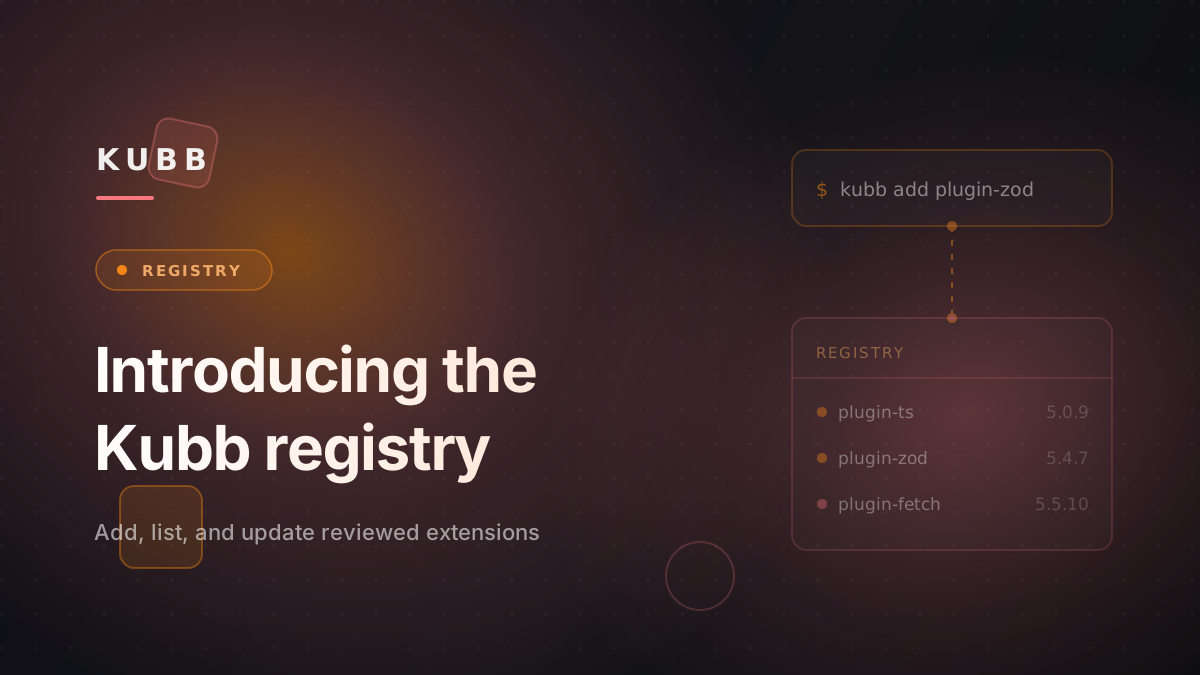
# Introducing the Kubb registry
Adding a plugin used to take three steps: find the package, install it, and add it to `kubb.config.ts`. Now one command does all three:
```shell [Terminal]
kubb add plugin-zod
```
The command reads the [Kubb registry](/docs/5.x/reference/registry), a reviewed list of plugins, adapters, and parsers.
## One reviewed version per extension
The registry lives in [kubb-labs/registry](https://github.com/kubb-labs/registry). Each record pins one version of an extension: an npm version, or the commit of a GitHub release. A maintainer reviews every version before `kubb add` installs it, so a new release reaches your project only after someone has looked at it.
You can browse the registry at [kubb.dev/extensions](/extensions). Each page shows the docs the package ships: an overview, its options, and how-to guides. Kubb Studio reads the same registry.
## Add an extension
[`kubb add`](/docs/5.x/reference/commands/add) takes a registry id. Official extensions use their short name, such as `plugin-zod`. Community extensions use `/`, such as `acme/plugin-graphql`.
Then `kubb add`:
1. Checks that it supports your Kubb and Node.js versions.
2. Installs the pinned version as a dev dependency, with the package manager your project uses: npm, pnpm, Yarn, or Bun.
3. Adds the plugin's import and call to `kubb.config.ts`. For an adapter or parser, it prints the code to add.
## Keep extensions current
[`kubb list`](/docs/5.x/reference/commands/list) shows what you have installed and what the registry pins:
```text [Output]
ID PACKAGE INSTALLED REGISTRY UPDATE
kubb-labs/plugin-ts @kubb/plugin-ts 5.4.2 5.4.4 yes
kubb-labs/plugin-zod @kubb/plugin-zod 5.4.4 5.4.4 no
```
[`kubb update`](/docs/5.x/reference/commands/update) installs the pinned versions. Pass `--check` to only list them. It never downgrades a package.
Every Monday, a workflow opens a pull request that moves each pin to the latest release. Once a maintainer merges it, your next `kubb update` installs the new versions.
## List your own extension
Ship a [`kubb-extension.json`](/docs/5.x/reference/kit/manifest) and a [`docs/` folder](/docs/5.x/reference/kit/extension-docs) with your package. Publish it to npm, or tag a GitHub release. Then open a submission issue. [Submit to the registry](/docs/5.x/how-to/submit-to-the-registry) walks through each step.
## Try it
`kubb add`, `kubb list`, and `kubb update` ship with Kubb 5.8.1. Update to 5.8.4 or later to also install extensions pinned to a GitHub release. To run your own registry, see [Host your own registry](/docs/5.x/reference/registry#host-your-own-registry).
Feedback goes to [GitHub](https://github.com/kubb-labs/kubb/issues) or [Discord](https://discord.gg/shfBFeczrm).
---
- **Page:** Release of Kubb 3.0 · Kubb
- **Source:** https://kubb.dev/blog/v3
- **Description:** Release notes for Kubb 3.0 covering the new plugin system, breaking changes and migration guide.
# Kubb v3
Kubb v3 is a major release. Here is what changed.
## What is Kubb?
Kubb generates code from OpenAPI specs: API clients, TypeScript types, Zod schemas, React Query hooks, and more. New to Kubb? Start with the [docs](https://kubb.dev).
## What's new in v3?
### 1. Updated plugin architecture
The [plugin](/docs/5.x/explanation/extensions#plugins) architecture was overhauled. Generation runs faster, and the CLI shows a progress bar so you can see what is running.
_Left: v3. Right: v2._
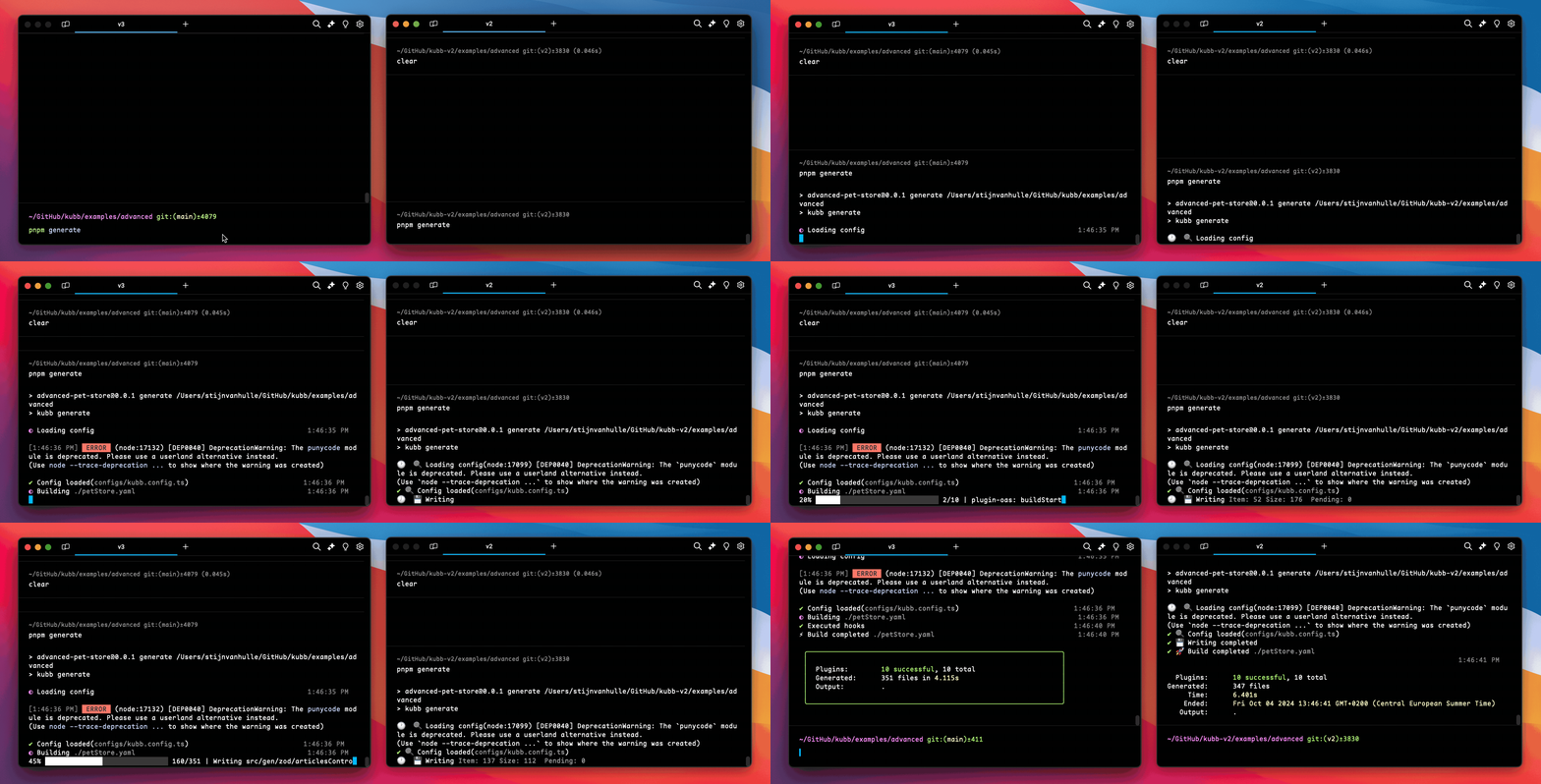
Tanstack Query integration also changed. Each framework (React, Vue, Solid, Svelte) is now its own package, so you only install what you need.
### 2. Dropping support for Tanstack Query v4
Kubb v3 targets Tanstack Query v5 only. If your project still depends on v4, stay on Kubb v2.
### 3. Generators: the core of Kubb v3
> [!TIP]
> In v2 of Kubb we used the name templates.
Generators hook into file generation so you can customize or add code on the fly. Every plugin builds its files through them. In v3 you can also reuse generators from other plugins.
Say you generate an API client with `@kubb/plugin-client` and want to append extra functionality to the output. You have two options:
- Use the footer option to add code.
- Override the default generator and write your own logic.
### 4. Improved performance
The core engine was rewritten for speed, so the CLI gives faster feedback while it builds.
### 5. File extensions and compatibility
Recent Node.js versions require explicit file extensions on imports. Kubb v3 appends `.ts` to generated files by default. If your project does not use this Node.js setting yet, switch to `.js` or drop the extension.
### 6. Expanded OpenAPI support
Earlier versions of Kubb were tied closely to Swagger. v3 supports OpenAPI v3 and v3.1 in full, and the internal architecture is easier to extend toward other spec formats.
## Migrating to Kubb v3
The [migration guide](https://github.com/kubb-labs/kubb/releases) walks through the full upgrade.
👋🏽 [Stijn Van Hulle](https://twitter.com/stijnvanhulle)
---
- **Page:** Release of Kubb 4.0 · Kubb
- **Source:** https://kubb.dev/blog/v4
- **Description:** Release notes for Kubb 4.0 covering new features, breaking changes and upgrade instructions.
# Introducing Kubb v4
Kubb v4 sharpens type safety, schema generation, and query handling. Here is what changed.
## Breaking changes
- Correct use of Infinite Query generics with Tanstack-Query
- Unwrap in Vue infinite query
### Different use of `z.optional`
::code-group
```typescript [Before]
z.number().int().optional()
```
```typescript [After]
z.optional(z.number().int())
```
::
### Add `Key` suffix to types when using `asConst`
::code-group
```typescript [Before]
export const findPetsByStatusQueryParamsStatusEnum = {
available: 'available',
pending: 'pending',
sold: 'sold',
} as const
export type FindPetsByStatusQueryParamsStatusEnum = (typeof findPetsByStatusQueryParamsStatusEnum)[keyof typeof findPetsByStatusQueryParamsStatusEnum]
```
```typescript [After]
export const findPetsByStatusQueryParamsStatusEnum = {
available: 'available',
pending: 'pending',
sold: 'sold',
} as const
export type FindPetsByStatusQueryParamsStatusEnumKey = (typeof findPetsByStatusQueryParamsStatusEnum)[keyof typeof findPetsByStatusQueryParamsStatusEnum]
```
::
👋🏽 [Stijn Van Hulle](https://twitter.com/stijnvanhulle)
---
- **Page:** Release of Kubb 5.0 · Kubb
- **Source:** https://kubb.dev/blog/v5
- **Description:** Kubb 5.0 rebuilds code generation around adapters, a universal AST, parsers, and storage, and generates code up to 5.4x faster than v4.
::confetti-burst
::
# Introducing Kubb v5
Kubb generates TypeScript types, an Axios or Fetch client, Zod schemas, TanStack Query hooks, Faker mocks, and MSW handlers from an OpenAPI spec. v5 rewrites how it does that. One [adapter](/docs/5.x/explanation/architecture#adapters) parses your spec into a universal [AST](/docs/5.x/explanation/architecture#ast), plugins walk that AST, [parsers](/docs/5.x/explanation/architecture#parsers) turn the result into source code, and [storage](/docs/5.x/explanation/architecture#storage) writes it to disk.
You feel that rewrite in three places: your config gets shorter, your generated client calls change shape, and generation runs more than five times faster. The sections below show each one. For a before and after on every breaking change, read the [migration guide](/docs/5.x/how-to/migration).
::stat-highlights
---
items:
- value: 5.4
prefix: "up to "
suffix: ×
label: faster than v4
- value: 1
label: shared AST, parsed once
- value: 288
label: OpenAI operations in 3.4s
---
::
## Up to 5.4x faster generation
The [OpenAI spec](https://github.com/openai/openai-openapi) is 288 operations across 2.9 MB. Generating types, an Axios client, Zod schemas, and Faker mocks from it took 18.4 seconds in v4. v5 does the same work in 3.4 seconds.
::speed-comparison
::
Each run uses `plugin-ts` with the Axios, Zod, and Faker plugins, median of five runs, both versions writing to disk.
Two changes explain the gap. In v4 every plugin bootstrapped its own OpenAPI parser, so a config with four plugins read the same spec four times. In v5 the adapter parses it once and hands the same AST to every plugin. The renderer changed too: v5 prints synchronously and drops the React runtime that v4 loaded to render files. The larger the spec, the more that parse-once saving compounds, which is why the OpenAI numbers move the most.
The full tables, one per plugin combination, live in the [migration guide](/docs/5.x/how-to/migration).
## A smaller config
v4 read the spec through a `pluginOas` entry in the plugins array, and every schema plugin repeated the same schema options like `dateType` and `integerType`. v5 moves spec reading to a top-level `adapter` and the schema options along with it, so each plugin keeps only what it generates.
::code-group
```typescript [v4 kubb.config.ts]
import { defineConfig } from '@kubb/core'
import { pluginOas } from '@kubb/plugin-oas'
import { pluginTs } from '@kubb/plugin-ts'
import { pluginFaker } from '@kubb/plugin-faker'
export default defineConfig({
input: { path: './petStore.yaml' },
output: { path: './src/gen' },
plugins: [
pluginOas({ validate: true }),
pluginTs({ dateType: 'date', integerType: 'number' }),
pluginFaker({ dateType: 'date', integerType: 'number' }),
],
})
```
```typescript twoslash [v5 kubb.config.ts]
import { defineConfig } from 'kubb/config'
import { adapterOas } from '@kubb/adapter-oas'
import { pluginTs } from '@kubb/plugin-ts'
import { pluginFaker } from '@kubb/plugin-faker'
export default defineConfig({
input: './petStore.yaml',
output: { path: './src/gen' },
adapter: adapterOas({ validate: true, dateType: 'date', integerType: 'number' }),
plugins: [pluginTs(), pluginFaker()],
})
```
::
`defineConfig` now comes from the `kubb/config` subpath. It pre-wires the OpenAPI adapter, the TypeScript and Markdown parsers, and the barrel plugin, so the `adapter` line above is only needed when you pass options. `input` also collapsed to a single value: give it a path, a URL, an inline spec, or a parsed object, and Kubb works out which it is.
## One pipeline, from spec to files
Every run flows through one [pipeline](/docs/5.x/explanation/architecture), and the easiest way to see it is to follow a single `getPet` operation. The adapter reads it from the spec and turns it into an AST node that no longer mentions OpenAPI. The plugins walk that node in order: `@kubb/plugin-ts` writes the `Pet` type, `@kubb/plugin-axios` writes the `getPet` function that imports it, `@kubb/plugin-zod` writes the schema. A parser prints each file, `@kubb/parser-ts` for the TypeScript output and the new `@kubb/parser-md` for Markdown straight from the spec. Storage writes them out and skips any file that has not changed.
The adapter is the only layer that knows the source was OpenAPI, so the same plugins would run unchanged on an AsyncAPI or GraphQL adapter later. Every plugin in the suite, from TypeScript and Zod to MSW and TanStack Query, runs on this pipeline.
## What changes in your generated client
Two changes reach every client call. Functions used to spread parameters across positional arguments. In v5 they take one grouped object, `{ body, path, query, headers }`, with camelCase names that Kubb maps back to the wire names for you. The client also returns a `RequestResult` with `status`, `data`, `error`, `contentType`, `request`, and `response`. `throwOnError` defaults to `true`, so the common path is a destructure:
```diff [Calling the client]
- const pet = await getPet(1)
+ const { data: pet } = await getPet({ path: { petId: 1 } })
```
Set `throwOnError: false` when you would rather read `error` and `response.status` off the result than catch. Operations that declare more than one request body content type now generate one type per content type plus a union alias, where v4 kept only the first.
## Upgrading
The [migration guide](/docs/5.x/how-to/migration) carries a before and after for every change, in the core config and in each plugin. It opens with an upgrade prompt: paste it into any LLM along with your `kubb.config.ts` and it handles most of the config for you.
> [!IMPORTANT]
> Check your Node version first, since v5 needs version 22 or later.
If you hit anything unexpected, open an issue on [GitHub](https://github.com/kubb-labs/kubb/issues).
Kubb is open source and community-driven. If v5 helps your team, consider [sponsoring the project](https://github.com/sponsors/stijnvanhulle).
👋🏽 [Stijn Van Hulle](https://twitter.com/stijnvanhulle)
---
- **Page:** AI assistants · Kubb
- **Source:** https://kubb.dev/docs/5.x/ai
- **Description:** Every way to use Kubb from an AI assistant, from the Claude Code plugin and the MCP server to documentation feeds.
# AI assistants
Kubb works with AI assistants in two directions. An assistant can run Kubb through the CLI or the built-in MCP server, and it can read the Kubb documentation to write a correct configuration.
## Supported tools
| Tool | What it does | Guide |
| --- | --- | --- |
| Claude Code | Slash commands, an agent, and skills that run the `kubb` CLI | [Set up the Claude Code plugin](/docs/5.x/ai/claude) |
| Claude Desktop, Cursor, VS Code | Run `kubb generate`, `validate`, and `init` over MCP | [Set up the MCP server](/docs/5.x/ai/mcp) |
| Context7 | Current Kubb docs inside any assistant with Context7 | [Use Kubb with Context7](/docs/5.x/ai/context7) |
| Any assistant that reads URLs | `llms.txt` and `llms-full.txt` feeds | [Use documentation in an AI assistant](/docs/5.x/ai/llmstxt) |
| Claude Desktop with your API | Call your API through a server generated by `@kubb/plugin-mcp` | [Connect an API server to Claude Desktop](/docs/5.x/ai/claude-desktop) |
---
- **Page:** Changelog · Kubb
- **Source:** https://kubb.dev/docs/5.x/changelog
- **Description:** Track all updates, features, and improvements to Kubb
# Changelog
## v5.13.0 — Oct 24, 2026
### @kubb/adapter-oas
#### Features
- Require Node.js 22.22+ (chokidar 6) and reject malformed `servers[].url` values (`@readme/openapi-parser` 10). ([#4426](https://github.com/kubb-labs/kubb/pull/4426))
#### Bug Fixes
- Locate warning code frames in JSON specs without re-parsing. ([#4423](https://github.com/kubb-labs/kubb/pull/4423))
- Validate the spec in a worker thread during generation. ([#4421](https://github.com/kubb-labs/kubb/pull/4421))
### @kubb/ast
#### Bug Fixes
- AST nodes and diagnostics point at the spec key they came from, with a new `pointer` prop on `File.Source`. ([#4424](https://github.com/kubb-labs/kubb/pull/4424))
- Speed up generation by 8 to 20% on large specs, with the same output. ([#4415](https://github.com/kubb-labs/kubb/pull/4415))
### @kubb/core
#### Bug Fixes
- Drop `unstorage` and `lru-cache`; `kubbStorage` now only has `getItem`, `setItem` and `removeItem`. ([#4418](https://github.com/kubb-labs/kubb/pull/4418))
### @kubb/mcp
#### Bug Fixes
- Validate tool input with `valibot` instead of `zod`. ([#4417](https://github.com/kubb-labs/kubb/pull/4417))
### @kubb/parser-ts
#### Features
- Drop the TypeScript compiler dependency; printing compiler nodes is deprecated and needs `typescript` installed. ([#4416](https://github.com/kubb-labs/kubb/pull/4416))
### @kubb/studio
#### Bug Fixes
- Make `tsdown` an optional peer; `kubb studio snapshot` needs it installed. ([#4419](https://github.com/kubb-labs/kubb/pull/4419))
### Contributors
Thanks to everyone who contributed to this release:
[@stijnvanhulle](https://github.com/stijnvanhulle)
## v5.12.8 — Oct 23, 2026
### @kubb/ast
#### Bug Fixes
- Parameters described with `content` instead of `schema` get their type from the media type's schema instead of `unknown`. `ParameterNode.contentType` holds that media type, so clients can JSON-encode the value. ([#4413](https://github.com/kubb-labs/kubb/pull/4413))
### Contributors
Thanks to everyone who contributed to this release:
[@stijnvanhulle](https://github.com/stijnvanhulle)
## v5.12.7 — Oct 23, 2026
### @kubb/adapter-oas
#### Bug Fixes
- Emit schemas declared in nested `$defs` and `definitions` blocks and resolve references to them. ([#4401](https://github.com/kubb-labs/kubb/pull/4401))
- `iri`, `iri-reference`, `base64url`, `jwt`, `ulid`, `iban` and `duration` no longer raise `KUBB_UNSUPPORTED_FORMAT`. Generated output is unchanged. ([#4412](https://github.com/kubb-labs/kubb/pull/4412))
- `uri-reference`, `hostname` and `idn-hostname` map to a string instead of a URL, so `plugin-zod` prints `z.string()` and relative references pass validation. ([#4410](https://github.com/kubb-labs/kubb/pull/4410))
### unplugin-kubb
#### Bug Fixes
- `root` defaults to the folder of `kubb.config.ts` instead of `process.cwd()`. A `*.openapi.yaml` import only uses a config whose `input` is that spec, and fails with `No Kubb config applies to ` when none fits. ([#4409](https://github.com/kubb-labs/kubb/pull/4409))
### Contributors
Thanks to everyone who contributed to this release:
[@jay23606](https://github.com/jay23606), [@stijnvanhulle](https://github.com/stijnvanhulle)
## v5.12.6 — Oct 23, 2026
### unplugin-kubb
#### Bug Fixes
- Import a `*.openapi.yaml` spec to get the output of every plugin in your config as one module. `kubb()` without a `config` option loads `kubb.config.ts`. ([#4402](https://github.com/kubb-labs/kubb/pull/4402))
### Contributors
Thanks to everyone who contributed to this release:
[@stijnvanhulle](https://github.com/stijnvanhulle)
## v5.12.5 — Oct 22, 2026
### @kubb/adapter-oas
#### Bug Fixes
- Parse specs with `js-yaml` first, which loads a 1.4 MB YAML spec in about 105 ms instead of 470 ms. A JSON spec with a duplicate key now fails with `KUBB_INVALID_DOCUMENT`. ([#4398](https://github.com/kubb-labs/kubb/pull/4398))
- `locate` compares the spec text once instead of on every call, so many pointer lookups on one spec run about 9× faster. ([#4394](https://github.com/kubb-labs/kubb/pull/4394))
- Cache the results of `camelCase` and `pascalCase`. ([#4399](https://github.com/kubb-labs/kubb/pull/4399))
### @kubb/ast
#### Bug Fixes
- Builds with `output.mode: 'file'` merge generator results once, which cuts a 1.9 MB spec from 3.3 s to 2.3 s. Named imports can come out in a different order. ([#4396](https://github.com/kubb-labs/kubb/pull/4396))
### Contributors
Thanks to everyone who contributed to this release:
[@stijnvanhulle](https://github.com/stijnvanhulle)
## v5.12.4 — Oct 22, 2026
### @kubb/studio
#### Bug Fixes
- Studio can read and edit the root `output` options `barrel`, `format`, `lint`, `clean` and `defaultBanner` through the new `set-output` and `remove-output` config edits. ([#4390](https://github.com/kubb-labs/kubb/pull/4390))
### Contributors
Thanks to everyone who contributed to this release:
[@stijnvanhulle](https://github.com/stijnvanhulle)
## v5.12.3 — Oct 22, 2026
### @kubb/core
#### Bug Fixes
- `checkoutGitInput` takes an `authorization` option and `GenerateInput` gains `gitAuth`, so Studio can fetch a private repository without a credential in the input URL. ([#4384](https://github.com/kubb-labs/kubb/pull/4384))
### @kubb/studio
#### Bug Fixes
- Studio can save the spec it sends as the agent's input, behind the new `--allow-save-input` permission. ([#4385](https://github.com/kubb-labs/kubb/pull/4385))
### Contributors
Thanks to everyone who contributed to this release:
[@stijnvanhulle](https://github.com/stijnvanhulle)
## v5.12.2 — Oct 22, 2026
### @kubb/studio
#### Bug Fixes
- Studio can install and update registry extensions, behind the new `--allow-install` and `--allow-update` permissions. `kubb add` exits with code 1 when it cannot write the plugin into `kubb.config.ts`. ([#4382](https://github.com/kubb-labs/kubb/pull/4382))
### Contributors
Thanks to everyone who contributed to this release:
[@stijnvanhulle](https://github.com/stijnvanhulle)
## v5.12.1 — Oct 22, 2026
### @kubb/core
#### Bug Fixes
- `checkoutGitInput` takes a `publicOnly` option that accepts https repositories on public addresses only. Core also exports `isPublicAddress`. ([#4381](https://github.com/kubb-labs/kubb/pull/4381))
### @kubb/studio
#### Bug Fixes
- A managed agent generates from a spec Studio sends: the document, a URL, or a `git+#:` file. ([#4379](https://github.com/kubb-labs/kubb/pull/4379))
### Contributors
Thanks to everyone who contributed to this release:
[@stijnvanhulle](https://github.com/stijnvanhulle)
## v5.12.0 — Oct 21, 2026
### @kubb/core
#### Features
- `input` reads a spec from a git repository with `git+#:`. Private repositories use your git credentials and `kubb validate` accepts the same form. ([#4375](https://github.com/kubb-labs/kubb/pull/4375))
### @kubb/parser-ts
#### Bug Fixes
- Load the compiler API from `@typescript/typescript6`, so `print` keeps working next to TypeScript 7. Custom printers import `ts` from that package too. ([#4370](https://github.com/kubb-labs/kubb/pull/4370))
### kubb
#### Bug Fixes
- `defineConfig` reports unknown config keys, such as a misspelled `output.clean`. ([#4376](https://github.com/kubb-labs/kubb/pull/4376))
### Contributors
Thanks to everyone who contributed to this release:
[@stijnvanhulle](https://github.com/stijnvanhulle)
## v5.11.6 — Oct 20, 2026
### @kubb/studio
#### Bug Fixes
- Report every entry of a `defineConfig([...])` array to Studio and generate from the entry Studio names. `loadConfig` on `connectAgent` is now `loadConfigs`. ([#4368](https://github.com/kubb-labs/kubb/pull/4368))
### Contributors
Thanks to everyone who contributed to this release:
[@stijnvanhulle](https://github.com/stijnvanhulle)
## v5.11.5 — Oct 20, 2026
### @kubb/cli
#### Bug Fixes
- Rework the terminal output of every command: live progress for `kubb generate`, previews for `kubb add`, `kubb update` and `kubb init`, and one-line job logs for `kubb studio`. `kubb update --dry-run` replaces `--check`. ([#4355](https://github.com/kubb-labs/kubb/pull/4355))
### @kubb/core
#### Bug Fixes
- Kubb Studio generates the same code from editor drafts as from the saved `kubb.config.ts`. ([#4364](https://github.com/kubb-labs/kubb/pull/4364))
- Hooks report node counts, each written file and unchanged paths, and `Report` gains `filesUnchanged`. Diagnostics carry a `file:line:column` position. ([#4355](https://github.com/kubb-labs/kubb/pull/4355))
### @kubb/studio
#### Bug Fixes
- Accept `requestedBy` on `startGeneration` and `saveConfig` and name that Studio user in the agent log. ([#4362](https://github.com/kubb-labs/kubb/pull/4362))
- Export `applyConfigEdits`, and `PublishedSnapshot` gains `number` and `webUrl`. ([#4355](https://github.com/kubb-labs/kubb/pull/4355))
### Contributors
Thanks to everyone who contributed to this release:
[@stijnvanhulle](https://github.com/stijnvanhulle)
## v5.11.4 — Oct 20, 2026
### @kubb/studio
#### Bug Fixes
- Keep Studio output on disk and make existing output available for review before generating. Read files with `{ jobId, paths }`; `jobType`, `source` and `FileSource` are removed. Upgrade Studio and its agents together. ([#4360](https://github.com/kubb-labs/kubb/pull/4360))
### Contributors
Thanks to everyone who contributed to this release:
[@stijnvanhulle](https://github.com/stijnvanhulle)
## v5.11.3 — Oct 19, 2026
### @kubb/studio
#### Bug Fixes
- List existing output files when connecting an agent with read permission and read their contents on demand. ([#4358](https://github.com/kubb-labs/kubb/pull/4358))
### Contributors
Thanks to everyone who contributed to this release:
[@stijnvanhulle](https://github.com/stijnvanhulle)
## v5.11.2 — Oct 19, 2026
### @kubb/studio
#### Bug Fixes
- Include existing output files when connecting an agent with read permission. ([#4356](https://github.com/kubb-labs/kubb/pull/4356))
- Refuse a Studio output path that resolves outside the config's output folder with `KUBB_PATH_TRAVERSAL`. ([#4353](https://github.com/kubb-labs/kubb/pull/4353))
### Contributors
Thanks to everyone who contributed to this release:
[@stijnvanhulle](https://github.com/stijnvanhulle)
## v5.11.1 — Oct 18, 2026
### @kubb/cli
#### Bug Fixes
- Open `kubb generate` with the Kubb mascot in fixed 256-color codes. CI, AI agents and narrow terminals keep the plain `Kubb CLI vX` line. ([#4350](https://github.com/kubb-labs/kubb/pull/4350))
### Contributors
Thanks to everyone who contributed to this release:
[@stijnvanhulle](https://github.com/stijnvanhulle)
## v5.11.0 — Oct 16, 2026
### @kubb/core
#### Features
- Filter operations by vendor extension: `include`, `exclude` and `override` accept `{ type: 'extension', key: 'x-…', value? }`. ([#4316](https://github.com/kubb-labs/kubb/pull/4316))
### Contributors
Thanks to everyone who contributed to this release:
[@mohammad-naji7](https://github.com/mohammad-naji7)
## v5.10.4 — Oct 15, 2026
### All packages
#### Bug Fixes
- Keep function and class names in the CommonJS build. ([#4340](https://github.com/kubb-labs/kubb/pull/4340))
- Require Node.js 22.12 or higher. `unplugin-kubb`, the bundler integrations in `kubb` and the test helpers ship as ES modules only; from CommonJS read the plugin from `.default`. ([#4343](https://github.com/kubb-labs/kubb/pull/4343))
### Contributors
Thanks to everyone who contributed to this release:
[@stijnvanhulle](https://github.com/stijnvanhulle)
## v5.10.3 — Oct 15, 2026
### All packages
#### Bug Fixes
- Ship separate CommonJS type declarations, so `require` consumers get correct types under `moduleResolution: node16` and `nodenext`. `vitest` is an optional peer of `@kubb/core`, `@kubb/kit` and `kubb`. ([#4337](https://github.com/kubb-labs/kubb/pull/4337))
### @kubb/studio
#### Bug Fixes
- Diff large generated files in under a second; `readDiff` pages include `stats` and end on hunk boundaries. ([#4336](https://github.com/kubb-labs/kubb/pull/4336))
- Send generation events to Studio while the run is in progress. ([#4338](https://github.com/kubb-labs/kubb/pull/4338))
### Contributors
Thanks to everyone who contributed to this release:
[@stijnvanhulle](https://github.com/stijnvanhulle)
## v5.10.2 — Oct 15, 2026
### @kubb/adapter-oas
#### Bug Fixes
- Declare `@kubb/core` as a dependency, so the published types resolve under pnpm and other strict installers. ([#4332](https://github.com/kubb-labs/kubb/pull/4332))
### @kubb/core
#### Bug Fixes
- Diagnostics say why a build failed and how to fix it. A plugin listed twice in `plugins` now fails. ([#4329](https://github.com/kubb-labs/kubb/pull/4329))
### @kubb/studio
#### Bug Fixes
- Report the editable parts of an object option that also holds code, so Studio can edit `output.path` and keep `banner` as it is. ([#4330](https://github.com/kubb-labs/kubb/pull/4330))
- Add `readDiff` to the agent, so Studio shows the diff of a large generated file page by page. `@kubb/studio/protocol` exports `AgentMessage`, `FileSource` and `AgentPermission` const enums instead of loose constants. ([#4333](https://github.com/kubb-labs/kubb/pull/4333))
### Contributors
Thanks to everyone who contributed to this release:
[@stijnvanhulle](https://github.com/stijnvanhulle)
## v5.10.1 — Oct 15, 2026
### @kubb/cli
#### Bug Fixes
- Telemetry reports `kubb.tty` and, for `kubb mcp`, the name of the connected MCP client. `startServer` in `@kubb/mcp` returns the server. ([#4325](https://github.com/kubb-labs/kubb/pull/4325))
### Contributors
Thanks to everyone who contributed to this release:
[@stijnvanhulle](https://github.com/stijnvanhulle)
## v5.10.0 — Oct 15, 2026
### @kubb/adapter-oas
#### Features
- Keep server variables on `InputMeta.servers`. `InputServer` gains an optional `variables` field with the source URL template's variables, copied as-is next to the resolved `url`, so a consumer can tell a templated server from a literal one. It is absent when the server declares no variables. ([#4315](https://github.com/kubb-labs/kubb/pull/4315))
#### Bug Fixes
- Carry vendor extensions on the AST. `OperationNode` and `InputMeta` gain an optional `extensions` bag with every `x-*` key copied as-is, set only when the source has one. The OAS adapter fills it from the operation object and the document root, so plugins can read keys like `x-org-ignore` without walking the raw document. Path-level extensions are not copied. ([#4311](https://github.com/kubb-labs/kubb/pull/4311))
### @kubb/cli
#### Bug Fixes
- Remove `KUBB_AGENT_TOKEN` from `kubb studio`. The CLI now connects only through a paired machine, and in CI you run `kubb studio snapshot` with `KUBB_TOKEN` instead. ([#4317](https://github.com/kubb-labs/kubb/pull/4317))
### @kubb/studio
#### Features
- Add a separate `allowReadAst` permission (`--allow-read-ast`) for reading the parsed spec. `allowRead` now covers only generated files, so projects that granted `allowRead` before are asked once more about the spec. ([#4320](https://github.com/kubb-labs/kubb/pull/4320))
### Contributors
Thanks to everyone who contributed to this release:
[@mohammad-naji7](https://github.com/mohammad-naji7), [@stijnvanhulle](https://github.com/stijnvanhulle)
## v5.9.6 — Oct 15, 2026
### @kubb/adapter-oas
#### Bug Fixes
- Keep `allowReserved` on parameters as `ParameterNode.allowReserved`. ([#4304](https://github.com/kubb-labs/kubb/pull/4304))
### @kubb/ast
#### Bug Fixes
- Keep the JSON Schema `not` keyword as a `not` schema node instead of dropping it. TypeScript output does not change. ([#4308](https://github.com/kubb-labs/kubb/pull/4308))
- Keep every `Heading`, `Paragraph`, `List`, `Callout` and `Frontmatter` in a markdown file instead of only the first of each kind. ([#4302](https://github.com/kubb-labs/kubb/pull/4302))
### Contributors
Thanks to everyone who contributed to this release:
[@mohammad-naji7](https://github.com/mohammad-naji7), [@stijnvanhulle](https://github.com/stijnvanhulle)
## v5.9.5 — Oct 15, 2026
### @kubb/studio
#### Bug Fixes
- Agents with `--allow-read` return the Kubb AST through `readInput`, so Kubb Studio can describe your API. `InputMeta` gains `servers` and `securitySchemes`. ([#4300](https://github.com/kubb-labs/kubb/pull/4300))
### Contributors
Thanks to everyone who contributed to this release:
[@stijnvanhulle](https://github.com/stijnvanhulle)
## v5.9.4 — Oct 14, 2026
### @kubb/ast
#### Bug Fixes
- Remove `OutputNode`, `createOutput`, `ast.factory.update`, `InferSchemaNode` and the `@kubb/ast/types` subpath. `Ipv4SchemaNode` and `Ipv6SchemaNode` become `'ipv4' | 'ipv6'` scalars. Add `ast.refName(ref)`. ([#4293](https://github.com/kubb-labs/kubb/pull/4293))
### @kubb/cli
#### Bug Fixes
- Load the config with one loader and drop the `unconfig` dependency. Config discovery is unchanged. ([#4293](https://github.com/kubb-labs/kubb/pull/4293))
### @kubb/core
#### Bug Fixes
- `createAdapter`, `defineParser` and `definePlugin` accept only the definition object; use `defineExtension`. Remove `Storage.existsItem`, `FileManagerHooks`, `FileManager#hooks` and `applyConfigDefaults`. ([#4293](https://github.com/kubb-labs/kubb/pull/4293))
### @kubb/kit
#### Bug Fixes
- `Url.toGroupedTemplateString` uses dot access for path parameters named like reserved words. ([#4293](https://github.com/kubb-labs/kubb/pull/4293))
### @kubb/mcp
#### Bug Fixes
- `generate` finds the config the way `kubb generate` does, and `init` hands plugin installs to `kubb add`. ([#4293](https://github.com/kubb-labs/kubb/pull/4293))
### @kubb/parser-md
#### Bug Fixes
- `parserMd().print` takes markdown strings and reads frontmatter from `file.meta.frontmatter`. ([#4293](https://github.com/kubb-labs/kubb/pull/4293))
### @kubb/renderer-jsx
#### Bug Fixes
- Remove the `@kubb/renderer-jsx/types` subpath; import types from the root. Component props are the matching `@kubb/ast` node fields. ([#4293](https://github.com/kubb-labs/kubb/pull/4293))
### unplugin-kubb
#### Bug Fixes
- Print the `kubb generate` summary after a build and apply the `defineConfig` defaults. Remove the `unplugin-kubb/types` and `unplugin-kubb/unpluginFactory` subpaths and the `BarrelType` re-export. ([#4293](https://github.com/kubb-labs/kubb/pull/4293))
### Contributors
Thanks to everyone who contributed to this release:
[@stijnvanhulle](https://github.com/stijnvanhulle)
## v5.9.3 — Oct 14, 2026
### @kubb/cli
#### Bug Fixes
- `kubb add` without an id asks which extension to add from the registry, and `kubb update` asks which updates to install. ([#4291](https://github.com/kubb-labs/kubb/pull/4291))
### Contributors
Thanks to everyone who contributed to this release:
[@stijnvanhulle](https://github.com/stijnvanhulle)
## v5.9.2 — Oct 13, 2026
### @kubb/core
#### Bug Fixes
- Fix `readInstalledPackages` throwing when `root` is a relative path, which made CI snapshots fail. ([#4288](https://github.com/kubb-labs/kubb/pull/4288))
### Contributors
Thanks to everyone who contributed to this release:
[@stijnvanhulle](https://github.com/stijnvanhulle)
## v5.9.1 — Oct 13, 2026
### @kubb/adapter-oas
#### Bug Fixes
- Parse OpenAPI 3.2 `query` operations (HTTP `QUERY`) instead of dropping them. ([#4285](https://github.com/kubb-labs/kubb/pull/4285))
### @kubb/ast
#### Bug Fixes
- Remove `defineNode`, `NodeDef`, `nodeDefs` and the `*Def` objects. `StatusCode` accepts any three-digit status string. ([#4278](https://github.com/kubb-labs/kubb/pull/4278))
### @kubb/cli
#### Bug Fixes
- `kubb init` takes its plugins from the Kubb registry and stops before installing when a plugin's dependencies are missing. ([#4275](https://github.com/kubb-labs/kubb/pull/4275))
### @kubb/core
#### Bug Fixes
- Report extension crashes as `KUBB_PLUGIN_FAILED`, `KUBB_ADAPTER_FAILED` or `KUBB_PARSER_FAILED` with a link to the extension's issue tracker from `meta.issues`. ([#4279](https://github.com/kubb-labs/kubb/pull/4279))
- Rename `PluginFactoryOptions` to `PluginType`. Remove `KubbDriver.dispatch` and `KubbDriver.hasHookGenerators`. ([#4278](https://github.com/kubb-labs/kubb/pull/4278))
- Add `optionalDependencies` to `kubb-extension.json` and reject an unknown `role`. ([#4275](https://github.com/kubb-labs/kubb/pull/4275))
### @kubb/kit
#### Bug Fixes
- Remove `Url.toTemplateString` and `Url.toObject`. ([#4278](https://github.com/kubb-labs/kubb/pull/4278))
### @kubb/studio
#### Bug Fixes
- Config edits and `readConfig` cover the adapter and parsers, so Studio can edit and save their options. ([#4282](https://github.com/kubb-labs/kubb/pull/4282)), ([#4276](https://github.com/kubb-labs/kubb/pull/4276))
- A `null` option value from Studio unsets the value from `kubb.config.ts` for that generate. ([#4278](https://github.com/kubb-labs/kubb/pull/4278))
### Contributors
Thanks to everyone who contributed to this release:
[@mohammad-naji7](https://github.com/mohammad-naji7), [@stijnvanhulle](https://github.com/stijnvanhulle)
## v5.9.0 — Oct 13, 2026
### @kubb/cli
#### Features
- The [Kubb registry](/docs/5.x/reference/registry) is stable. [`kubb add`](/docs/5.x/reference/commands/add) installs a reviewed plugin, adapter, or parser at the version the registry pins, [`kubb update`](/docs/5.x/reference/commands/update) moves installed extensions to that version, and [`kubb list`](/docs/5.x/reference/commands/list) shows what is installed. Registry support landed across 5.8.1 to 5.8.4.
### unplugin-kubb
#### Bug Fixes
- Generate once per build in every bundler. webpack and Rspack no longer rebuild forever in watch mode with `output.clean`, and Astro no longer generates twice. ([#4266](https://github.com/kubb-labs/kubb/pull/4266))
- Register the Nuxt module with the Rspack builder too, and generate only in the client build of `nuxt build`. The module now needs `@nuxt/kit` 3.14 or later. ([#4266](https://github.com/kubb-labs/kubb/pull/4266))
- Fail the build when `config` is missing, and log `✗ Generation failed` when generation fails. ([#4266](https://github.com/kubb-labs/kubb/pull/4266))
### Contributors
Thanks to everyone who contributed to this release:
[@stijnvanhulle](https://github.com/stijnvanhulle)
## v5.8.4 — Oct 13, 2026
### @kubb/core
#### Features
- Registry entries can pin a GitHub release. `kubb add` and `kubb update` install it as `github:/#`. ([#4264](https://github.com/kubb-labs/kubb/pull/4264))
### Contributors
Thanks to everyone who contributed to this release:
[@stijnvanhulle](https://github.com/stijnvanhulle)
## v5.8.3 — Oct 13, 2026
### @kubb/core
#### Features
- Add `maintainers` and `dependencies` to `kubb-extension.json`. Each package now ships its overview, options page, and guides in a `docs/` folder. ([#4260](https://github.com/kubb-labs/kubb/pull/4260))
### Contributors
Thanks to everyone who contributed to this release:
[@stijnvanhulle](https://github.com/stijnvanhulle)
## v5.8.2 — Oct 13, 2026
### @kubb/core
#### Features
- Add [`defineExtension`](/docs/5.x/reference/kit/extensions) to define a plugin, an adapter, or a parser. `definePlugin`, `defineParser`, and `createAdapter` still work but are deprecated. ([#4258](https://github.com/kubb-labs/kubb/pull/4258))
```ts
export const pluginZod = defineExtension({
kind: 'plugin',
meta: { name: 'plugin-zod' },
setup(options, kubb) {
kubb.addGenerator(zodGenerator)
return options
},
})
```
### Contributors
Thanks to everyone who contributed to this release:
[@stijnvanhulle](https://github.com/stijnvanhulle)
## v5.8.1 — Oct 13, 2026
### @kubb/cli
#### Features
- Add `kubb add`, `kubb update`, and `kubb list` to install and update extensions from the Kubb registry. ([#4253](https://github.com/kubb-labs/kubb/pull/4253))
### @kubb/core
#### Features
- Add the `kubb-extension.json` manifest. Studio runs installed third-party plugins that ship one. ([#4253](https://github.com/kubb-labs/kubb/pull/4253))
- `createAdapter` takes an object with `meta`, `setup`, and `build`, like `definePlugin`. `defineParser` takes `build` instead of `setup`. ([#4249](https://github.com/kubb-labs/kubb/pull/4249))
#### Bug Fixes
- Remove the options `schema` from `definePlugin` and `@kubb/kit/options`, both added in 5.8.0. Type plugin options with TypeScript and apply their defaults in `setup`. ([#4252](https://github.com/kubb-labs/kubb/pull/4252))
### @kubb/plugin-barrel
#### Bug Fixes
- A `barrel: false` plugin that writes to the output root no longer removes the other plugins' barrels. ([#4254](https://github.com/kubb-labs/kubb/pull/4254))
- A plugin without `output.path` no longer takes over the other plugins' barrels. ([#4255](https://github.com/kubb-labs/kubb/pull/4255))
### Contributors
Thanks to everyone who contributed to this release:
[@stijnvanhulle](https://github.com/stijnvanhulle)
## v5.8.0 — Oct 12, 2026
### @kubb/core
#### Features
- Add an options `schema` to `definePlugin`, and shared Zod schemas in `@kubb/kit/options`. 5.8.1 removed both. ([#4244](https://github.com/kubb-labs/kubb/pull/4244), [#4245](https://github.com/kubb-labs/kubb/pull/4245))
#### Bug Fixes
- Composables such as `setResolver()` work in plugins that a CommonJS config loads, instead of failing with `KUBB_NO_CONTEXT`. ([#4246](https://github.com/kubb-labs/kubb/pull/4246))
### Contributors
Thanks to everyone who contributed to this release:
[@stijnvanhulle](https://github.com/stijnvanhulle)
## v5.7.0 — Oct 12, 2026
### @kubb/core
#### Features
- `definePlugin` and `defineParser` accept an object with `meta`, `dependencies`, and `setup(options, kubb)`. The factory form is deprecated. A mismatch in `meta.compatibility` or `dependencies` fails the run with `KUBB_INCOMPATIBLE_EXTENSION`, `KUBB_MISSING_DEPENDENCY`, or `KUBB_INCOMPATIBLE_DEPENDENCY`. ([#4241](https://github.com/kubb-labs/kubb/pull/4241))
- Add composables to `kubb/kit`, such as `addGenerator()`, `setResolver()`, and `useOptions()`, so a plugin can call setup helpers without passing `ctx` around. ([#4240](https://github.com/kubb-labs/kubb/pull/4240))
### Contributors
Thanks to everyone who contributed to this release:
[@stijnvanhulle](https://github.com/stijnvanhulle)
## v5.6.3 — Oct 12, 2026
### @kubb/core
#### Bug Fixes
- Add `ctx.requirePlugin(name)` and `assertPluginOption()` for plugin setup checks, and `createMockedSetupContext()` in `@kubb/kit/testing` for unit tests. ([#4238](https://github.com/kubb-labs/kubb/pull/4238))
### @kubb/mcp
#### Bug Fixes
- Validate MCP tool arguments with Zod Mini instead of valibot. Invalid arguments now return Zod's error messages. ([#4234](https://github.com/kubb-labs/kubb/pull/4234))
### @kubb/studio
#### Bug Fixes
- Harden the `kubb studio` agent's config edits and sandbox input, and reload JavaScript configs on every generation. ([#4233](https://github.com/kubb-labs/kubb/pull/4233))
### Contributors
Thanks to everyone who contributed to this release:
[@stijnvanhulle](https://github.com/stijnvanhulle)
## v5.6.2 — Oct 11, 2026
### @kubb/studio
#### Bug Fixes
- `kubb studio snapshot` works when `kubb.config.ts` does not set `storage`, and no longer leaves a temp folder behind. ([#4231](https://github.com/kubb-labs/kubb/pull/4231), [#4229](https://github.com/kubb-labs/kubb/pull/4229))
### Contributors
Thanks to everyone who contributed to this release:
[@stijnvanhulle](https://github.com/stijnvanhulle)
## v5.6.1 — Oct 11, 2026
### @kubb/cli
#### Bug Fixes
- Rebuild once per editor save in `kubb generate --watch`. An atomic save (write a temp file, then rename it) could trigger two rebuilds, because the 100 ms debounce matched chokidar's 100 ms atomic-save window. The debounce is now 250 ms. ([#4227](https://github.com/kubb-labs/kubb/pull/4227), [`4ba64cf`](https://github.com/kubb-labs/kubb/commit/4ba64cf431201531556e41efd7b7ca2ea386d1a9))
### @kubb/core
#### Bug Fixes
- Add `kubbStorage` and `resolveKubbDir` for the files Kubb keeps for itself under `~/.kubb` (or `KUBB_HOME`). The `file` and `html` reporters write through it. ([#4225](https://github.com/kubb-labs/kubb/pull/4225), [`30f9f4d`](https://github.com/kubb-labs/kubb/commit/30f9f4d1bd4bf190564d54b953e8b6e27a558c3a))
### @kubb/studio
#### Bug Fixes
- Connect to Kubb Studio over one WebSocket, and publish CI snapshots in one request. Needs a Kubb Studio release that accepts Kubb 5.6.1 agents. `kubb studio snapshot` drops `--timeout` and the `--allow-*` flags. ([#4225](https://github.com/kubb-labs/kubb/pull/4225), [`30f9f4d`](https://github.com/kubb-labs/kubb/commit/30f9f4d1bd4bf190564d54b953e8b6e27a558c3a))
### Contributors
Thanks to everyone who contributed to this release:
[@stijnvanhulle](https://github.com/stijnvanhulle)
## v5.6.0 — Oct 10, 2026
### @kubb/adapter-oas
#### Bug Fixes
- Internal cleanup of `@kubb/adapter-oas` with no change to generated output. ([#4216](https://github.com/kubb-labs/kubb/pull/4216), [`8708135`](https://github.com/kubb-labs/kubb/commit/8708135eb00a2b7d17c29a17b4c2cc89ea6c4da7))
### @kubb/ast
#### Bug Fixes
- Type a `format: 'date-time'` schema as a plain string node in `InferSchemaNode` when `dateType` is `false`, matching what the adapter produces. ([#4217](https://github.com/kubb-labs/kubb/pull/4217), [`396dde2`](https://github.com/kubb-labs/kubb/commit/396dde2496ef1504fdceb32b88f9135140a27d6d))
- Internal cleanup of `@kubb/ast` with no change in behavior. ([#4204](https://github.com/kubb-labs/kubb/pull/4204), [`b87f7e4`](https://github.com/kubb-labs/kubb/commit/b87f7e42e43ddb296ce4fb504ddcf422696f57c2))
- Visit schemas inside a tuple's `rest` and inside `patternProperties`, so refs there are collected, transformed by macros, and imported in generated files.
- `transform`, `collect` and `collectImportedRefNames` now reach `rest` and `patternProperties` on a `SchemaNode`.
- `createInput()` gives every node its own `schemas`, `operations` and `meta` objects instead of sharing one default. ([#4188](https://github.com/kubb-labs/kubb/pull/4188), [`62485c5`](https://github.com/kubb-labs/kubb/commit/62485c55cd6b6ce5e66f97449d5baeb15f99cc48))
### @kubb/cli
#### Bug Fixes
- Run `output.format`, `output.lint` and `output.postGenerate` through `@kubb/core` instead of the CLI's own copies, so every host runs the same passes. ([#4215](https://github.com/kubb-labs/kubb/pull/4215), [`ecf2b25`](https://github.com/kubb-labs/kubb/commit/ecf2b25c9b254cdc2b46decd725fdb7c4467dbe7))
- Reorganize the CLI internals: config discovery moves to its own module, the logger helpers fold into the loggers that use them, and every command loads its runner the same way. Every command, flag and printed line stays the same. ([#4211](https://github.com/kubb-labs/kubb/pull/4211), [`a2c9cd7`](https://github.com/kubb-labs/kubb/commit/a2c9cd7267620c60b5855d16e6e4374a18611522))
- `kubb studio` accepts a flag value after a space, such as `kubb studio --open --url http://localhost:3000` or `--config ./kubb.config.ts`, instead of failing with "Command not found". ([#4221](https://github.com/kubb-labs/kubb/pull/4221), [`8dc93fc`](https://github.com/kubb-labs/kubb/commit/8dc93fc76e63f8c49172cdc04568cb00695c5d33))
- Keep stdout clean for the MCP stdio transport: the telemetry notice and the `kubb mcp` startup banner print on stderr, so the JSON-RPC stream no longer starts with a stray line. `@kubb/mcp` also declares `jiti` as a dependency instead of bundling its own copy. ([#4189](https://github.com/kubb-labs/kubb/pull/4189), [`10c1f3b`](https://github.com/kubb-labs/kubb/commit/10c1f3b6de887e2cc9deedd8d2d25c596dddef92))
### @kubb/core
#### Features
- Run `output.format`, `output.lint` and `output.postGenerate` from `Kubb.generate()` by default, so every host gets the same passes.
- Adds `runOutputPasses` and `runHook`, the one implementation of the format, lint and post-generate steps. `runHook` spawns the command with `node:child_process`, in the config `root`, and emits `kubb:hook:start`, `kubb:hook:line` and `kubb:hook:end` itself.
- `generate({ processOutput })` still replaces the passes when a host needs to; its context now also carries `hooks` and `signal`.
- `unplugin-kubb` and `kubb mcp` start honoring `output.format`, `output.lint` and `output.postGenerate`, which they ignored before. ([#4196](https://github.com/kubb-labs/kubb/pull/4196), [`50617dd`](https://github.com/kubb-labs/kubb/commit/50617ddbe0c5a1b0ae78ffab3b8efb0a90bd5295))
#### Bug Fixes
- Import types from the modules that define them instead of internal re-export barrels. The public exports are unchanged. ([#4222](https://github.com/kubb-labs/kubb/pull/4222), [`2667074`](https://github.com/kubb-labs/kubb/commit/2667074a89d1753e5fb8a63643de6eb0cc1874b0))
- Run `output.format`, `output.lint` and `output.postGenerate` commands through `tinyexec`, which resolves Windows command shims and the project's `node_modules/.bin`.
Formatter and linter detection for `'auto'` also finds a tool installed only in `node_modules/.bin` under `config.root`, the folder the tool then runs from. ([#4218](https://github.com/kubb-labs/kubb/pull/4218), [`0fb79d5`](https://github.com/kubb-labs/kubb/commit/0fb79d56b52c32d621875857135877b26b001ab0))
- Fold single-use helpers and duplicated types in the core driver, resolver, storage and diagnostics. Generated output and the plugin API do not change. ([#4203](https://github.com/kubb-labs/kubb/pull/4203), [`d1b5a6a`](https://github.com/kubb-labs/kubb/commit/d1b5a6a717fde727c0a9c0bfb3ab72aa8e60e844))
- Keep a failing hook listener's error message to the hook name. The message no longer serializes the hook arguments, which could be a whole config or AST subtree. ([#4193](https://github.com/kubb-labs/kubb/pull/4193), [`ee09318`](https://github.com/kubb-labs/kubb/commit/ee09318741f86c00512f3c862e9d0e05aadd6f95))
- Correct doc comments so they match what the code does: `group.name` keeps the first path segment as written for `path` groups, and the `defaultBanner` example shows the banner Kubb writes. ([#4186](https://github.com/kubb-labs/kubb/pull/4186), [`425998f`](https://github.com/kubb-labs/kubb/commit/425998fb04946afc1493f22ee859eadb1f3b8d8c))
### @kubb/kit
#### Bug Fixes
- `@kubb/kit` now exports the `Diagnostic` type. `@kubb/ast` exports `collectSchemaRefs`, the set of schema names a node references. `@kubb/adapter-oas` depends on `@kubb/kit` only, with no change to generated output. ([#4210](https://github.com/kubb-labs/kubb/pull/4210), [`76d1ec8`](https://github.com/kubb-labs/kubb/commit/76d1ec8048ba3d8decaf07d354d7132d7cbc8790))
### @kubb/mcp
#### Bug Fixes
- The `validate` tool no longer prints the unreachable 'install @kubb/adapter-oas' hint. ([#4197](https://github.com/kubb-labs/kubb/pull/4197), [`465e220`](https://github.com/kubb-labs/kubb/commit/465e2205fd1d90b1f3bb40f11a2030f0cb0f0042))
### @kubb/parser-ts
#### Bug Fixes
- Load TypeScript only on the first `print` or `copy` call, so a run that only parses files starts faster. ([#4205](https://github.com/kubb-labs/kubb/pull/4205), [`12428cc`](https://github.com/kubb-labs/kubb/commit/12428cc4898029beda20d35fb8f34fcf402d66e4))
- Resolve a relative import path from the importing file's directory instead of dropping the first `../`, which produced a wrong path when the target sat outside that directory. ([#4190](https://github.com/kubb-labs/kubb/pull/4190), [`2dbb0cd`](https://github.com/kubb-labs/kubb/commit/2dbb0cdc3611ef0449979f9195dfe792900d068d))
### @kubb/plugin-barrel
#### Bug Fixes
- The `@kubb/core` peer dependency warning is gone. A plugin `output.path` that resolves outside `config.output.path` is now reported as a `KUBB_PATH_TRAVERSAL` diagnostic. Generated barrels are unchanged. ([#4202](https://github.com/kubb-labs/kubb/pull/4202), [`e872176`](https://github.com/kubb-labs/kubb/commit/e87217657f9bd7c2ac96ff4cf65354a1307ab8f0))
### @kubb/renderer-jsx
#### Bug Fixes
- Type JSX children as an array instead of any iterable, which the renderer never walked, so a `Set` or generator passed as children is now a type error instead of silently rendering nothing. The element type also carries its `$typeof` brand, and the renderer only walks elements the Kubb JSX runtime created. ([#4192](https://github.com/kubb-labs/kubb/pull/4192), [`068f4a9`](https://github.com/kubb-labs/kubb/commit/068f4a9ec2f193b4f29f8492d741819bb75155b0))
- Internal rewrite of the JSX renderer with no change to the rendered `FileNode` output. ([#4202](https://github.com/kubb-labs/kubb/pull/4202), [`e872176`](https://github.com/kubb-labs/kubb/commit/e87217657f9bd7c2ac96ff4cf65354a1307ab8f0))
### @kubb/studio
#### Features
- Studio runs a generation through `@kubb/core`, so the format, lint, and `output.postGenerate` passes run there too. ([#4214](https://github.com/kubb-labs/kubb/pull/4214), [`56a24f2`](https://github.com/kubb-labs/kubb/commit/56a24f23d7acf8bb13ee279d9f7f0f59e812b1da))
#### Bug Fixes
- Internal cleanup of `@kubb/studio`, including the agent connection and the snapshot upload. ([#4208](https://github.com/kubb-labs/kubb/pull/4208), [#4212](https://github.com/kubb-labs/kubb/pull/4212), [#4191](https://github.com/kubb-labs/kubb/pull/4191))
### unplugin-kubb
#### Bug Fixes
- `unplugin-kubb` declares `@kubb/core` as a dependency only, so the peer dependency warning is gone. `@kubb/parser-md` has no behavior change. ([#4201](https://github.com/kubb-labs/kubb/pull/4201), [`719f6bd`](https://github.com/kubb-labs/kubb/commit/719f6bdbb927ce82c7bf4bb791d659de4ee2cecd))
### Contributors
Thanks to everyone who contributed to this release:
[@stijnvanhulle](https://github.com/stijnvanhulle)
## v5.5.6 — Oct 8, 2026
### @kubb/adapter-oas
#### Bug Fixes
- Preserve metadata (`deprecated`, `nullable`, `readOnly`, `writeOnly`, `default`, `examples`) on schemas without explicit `type` when falling back to `emptySchemaType`. ([#4179](https://github.com/kubb-labs/kubb/pull/4179), [`66a20f1`](https://github.com/kubb-labs/kubb/commit/66a20f101ad1efaac2e53ab07ca47b4e67158526))
- Resolve required-only `oneOf` and `anyOf` union branches against sibling schemas and properties. ([#4180](https://github.com/kubb-labs/kubb/pull/4180), [`7e2c4c2`](https://github.com/kubb-labs/kubb/commit/7e2c4c2d38958d6fcddc5ce9c997adf9b6241b97))
### @kubb/cli
#### Bug Fixes
- Report `kubb` as the telemetry service name instead of `kubb-core`. ([#4177](https://github.com/kubb-labs/kubb/pull/4177), [`04e7b50`](https://github.com/kubb-labs/kubb/commit/04e7b501cf27bf1fb56b53e8f5e72bf77ebee250))
### Contributors
Thanks to everyone who contributed to this release:
[@stijnvanhulle](https://github.com/stijnvanhulle), [@xeoneux](https://github.com/xeoneux)
## v5.5.5 — Oct 7, 2026
### @kubb/adapter-oas
#### Bug Fixes
- Fix a batch of small bugs:
- `@kubb/adapter-oas`: resolve local `$ref` pointers per RFC 6901, so `#/paths/~1pets/get` and keys with `~` or an encoded `/` resolve. On Windows, an absolute input such as `C:\specs\api.yaml` no longer counts as a URL, so a missing file now reports `KUBB_INPUT_NOT_FOUND` instead of failing later.
- `@kubb/mcp`: reload `kubb.config.ts` on every tool call. The server cached the first load, so edits only showed up after a restart.
- `@kubb/cli`: `CI=false` and `CI=0` no longer count as running in CI, and `kubb init` detects Bun from `bun.lock` as well as `bun.lockb`.
- `@kubb/studio`: a failing format, lint or `postGenerate` command reports one `kubb:error` instead of two.
- `@kubb/renderer-jsx`: fix the `meta` prop type on ``, which referenced `FileNode` without importing it. ([#4175](https://github.com/kubb-labs/kubb/pull/4175), [`11cd291`](https://github.com/kubb-labs/kubb/commit/11cd291dec1fc7f72e922db82d0d1bb16df4fd61))
### Contributors
Thanks to everyone who contributed to this release:
[@stijnvanhulle](https://github.com/stijnvanhulle)
## v5.5.4 — Oct 7, 2026
### @kubb/adapter-oas
#### Bug Fixes
- Report spec validation problems as `KUBB_INVALID_SPEC` warnings during `kubb generate`. The adapter validated the spec by default but discarded the result, so an invalid spec generated silently. Each problem is now listed and generation continues. Set `validate: false` on the adapter to skip the check, which on a large spec saves about 20% of the run. ([#4172](https://github.com/kubb-labs/kubb/pull/4172), [`75b2c47`](https://github.com/kubb-labs/kubb/commit/75b2c475a2928c5f6571cd9e1c5ab23efbf80010))
### @kubb/cli
#### Bug Fixes
- Print output and errors for a `kubb.config.ts` that does not use `defineConfig`. Such a config has no `reporters`, so `kubb generate` attached no logger and exited with code 1 without saying why. It now falls back to the built-in reporters. ([#4170](https://github.com/kubb-labs/kubb/pull/4170), [`dd2a728`](https://github.com/kubb-labs/kubb/commit/dd2a72899e1fe18110fe01b930f2f858eb324c07))
- Print one `✗` before an error instead of two. The error handler added its own `✗`, and the spinner it stopped added another, so a failing plugin setup printed `✗ ✗ No client plugin is registered.` ([#4173](https://github.com/kubb-labs/kubb/pull/4173), [`464523a`](https://github.com/kubb-labs/kubb/commit/464523a88194b2734589aaecc423028438e052b6))
### @kubb/parser-ts
#### Bug Fixes
- Load `typescript` with `require` instead of `import`. When ESM code imports a CommonJS package, Node keeps a second copy of its source, and for TypeScript that copy is about 9 MB. With `plugin-ts` and `plugin-zod` loaded, heap drops by about 9 MB and RSS by about 25 MB, which matters most for the long-running `kubb studio` agent. ([#4169](https://github.com/kubb-labs/kubb/pull/4169), [`34b95e8`](https://github.com/kubb-labs/kubb/commit/34b95e89840b327ad24f9448043a02da0b3b8950))
### @kubb/studio
#### Bug Fixes
- Lower the memory the `kubb studio` agent uses while idle. `tsdown` and `magicast` now load only when Studio packs a snapshot or reads or edits `kubb.config.ts`. The agent also drops its reference to a finished generation's output, which held every generated file in memory when `allowWrite` was off. ([#4169](https://github.com/kubb-labs/kubb/pull/4169), [`c705ba7`](https://github.com/kubb-labs/kubb/commit/c705ba7931f7562ceff80a6cf5d2509afba386f1))
### Contributors
Thanks to everyone who contributed to this release:
[@stijnvanhulle](https://github.com/stijnvanhulle)
## v5.5.3 — Oct 6, 2026
### @kubb/cli
#### Bug Fixes
- Restore the telemetry source header so CLI usage events reach the existing ingestion source. ([`acff588`](https://github.com/kubb-labs/kubb/commit/acff58884dedafcfd41e25ef6294005b2f12b192))
- Make plugin usage easier to filter in telemetry. Send plugin names in `kubb.plugins` and boolean usage flags in `kubb.plugin.`. Preserve detailed options under `kubb.plugin_options`. ([#4167](https://github.com/kubb-labs/kubb/pull/4167), [`4766cf9`](https://github.com/kubb-labs/kubb/commit/4766cf9802306b01202c48cc92896baa820c4b04))
### Contributors
Thanks to everyone who contributed to this release:
[@stijnvanhulle](https://github.com/stijnvanhulle)
## v5.5.2 — Oct 5, 2026
### @kubb/studio
#### Bug Fixes
- Keep plugin and adapter options from `kubb.config.ts` that can't be sent as JSON, such as `macros`, resolver functions, and `RegExp` patterns, when merging Studio's options for a generate. Before, Studio's lossy copy replaced them, so custom macros stopped running. ([#4162](https://github.com/kubb-labs/kubb/pull/4162), [`d798e0a`](https://github.com/kubb-labs/kubb/commit/d798e0a39712fb104254322cf55c61c7293797ff))
### Contributors
Thanks to everyone who contributed to this release:
[@stijnvanhulle](https://github.com/stijnvanhulle)
## v5.5.1 — Oct 5, 2026
### @kubb/core
#### Bug Fixes
- Point diagnostic documentation links to the matching sections in the consolidated diagnostic reference. ([#4156](https://github.com/kubb-labs/kubb/pull/4156), [`d3711ad`](https://github.com/kubb-labs/kubb/commit/d3711adc4ac817897a22c6d13f8c5fbc2ff8e7fa))
### Contributors
Thanks to everyone who contributed to this release:
[@stijnvanhulle](https://github.com/stijnvanhulle)
## v5.5.0 — Oct 5, 2026
### @kubb/adapter-oas
#### Features
- Automatically recognize OpenAPI 3.1 `oneOf`/`anyOf` const unions as named enums when their members have distinct, non-empty titles and distinct string or number values. Member titles and descriptions are retained alongside their original wire values, without an additional adapter option. Recognition runs after Kubb's existing upgrade to OpenAPI 3.1. Ordinary enum unions and incomplete, ambiguous or additionally constrained unions retain their existing representation. Recognition can change generated enum exports, such as a literal-union `Status` type becoming an enum-backed `StatusKey` with `@kubb/plugin-ts` and `enum.type: 'asConst'`. ([#4155](https://github.com/kubb-labs/kubb/pull/4155), [`0d3468f`](https://github.com/kubb-labs/kubb/commit/0d3468fcaa2218cdfecdd3a6813386f5691b0df1))
### Contributors
Thanks to everyone who contributed to this release:
[@pkasarda](https://github.com/pkasarda)
## v5.4.5 — Oct 3, 2026
### @kubb/adapter-oas
#### Bug Fixes
- Numbers with a `format` such as `double`, `float` or `int32` keep their `minimum`, `maximum`, `exclusiveMinimum`, `exclusiveMaximum` and `multipleOf` constraints, so `{ type: 'number', format: 'double', minimum: -90, maximum: 90 }` generates `z.number().min(-90).max(90)` again. `int64` and `uint64` now keep `multipleOf` as well. ([#4149](https://github.com/kubb-labs/kubb/pull/4149), [`8ff2b1e`](https://github.com/kubb-labs/kubb/commit/8ff2b1e74cf741965447ad58a33c5d3a1ba12a23))
### @kubb/parser-ts
#### Bug Fixes
- Keep package import and export specifiers unchanged when applying the `extension` option. ([#4147](https://github.com/kubb-labs/kubb/pull/4147), [`31ad673`](https://github.com/kubb-labs/kubb/commit/31ad673781d6c62410c69ed8c5dbf5c5489ab994))
### Contributors
Thanks to everyone who contributed to this release:
[@mheob](https://github.com/mheob), [@stijnvanhulle](https://github.com/stijnvanhulle)
## v5.4.4 — Oct 3, 2026
### @kubb/cli
#### Bug Fixes
- The background worker started by `kubb studio start` now shows up as `Kubb` in process lists, like the main CLI. ([#4145](https://github.com/kubb-labs/kubb/pull/4145), [`81aa079`](https://github.com/kubb-labs/kubb/commit/81aa07992b3a06a426165219ad2c387088ee7f56))
### Contributors
Thanks to everyone who contributed to this release:
[@stijnvanhulle](https://github.com/stijnvanhulle)
## v5.4.3 — Oct 2, 2026
### @kubb/studio
#### Bug Fixes
- Add an optional `cursor` and `limit` to `readFiles`, so a caller can page through a large generated file. The reply carries only that page's lines plus `pages[path]` with the `nextCursor` (`null` after the last page) and the file's `totalLines`. Reads without a `limit` behave as before. ([#4140](https://github.com/kubb-labs/kubb/pull/4140), [`3bb9df6`](https://github.com/kubb-labs/kubb/commit/3bb9df67383285d2719f98bc30df59368a7ac3e0))
### Contributors
Thanks to everyone who contributed to this release:
[@stijnvanhulle](https://github.com/stijnvanhulle)
## v5.4.2 — Oct 1, 2026
### @kubb/cli
#### Bug Fixes
- Log Studio commands, warnings and each generation run in the background worker log, so it no longer stops at `connected`. ([#4135](https://github.com/kubb-labs/kubb/pull/4135), [`9e33c7e`](https://github.com/kubb-labs/kubb/commit/9e33c7e8b52a24cc3a1ca387f89628bd6aa0562f))
### kubb
#### Bug Fixes
- Describe Kubb as a way to turn your API spec into type-safe code in the package description, README and CLI intro. ([#4137](https://github.com/kubb-labs/kubb/pull/4137), [`b25ce0d`](https://github.com/kubb-labs/kubb/commit/b25ce0d0ca4e5024a59b6ca7e3dbe3e1ac5c79bc))
### Contributors
Thanks to everyone who contributed to this release:
[@stijnvanhulle](https://github.com/stijnvanhulle)
## v5.4.1 — Sep 29, 2026
### @kubb/cli
#### Bug Fixes
- Add `kubb studio start` and `stop` for a background connection per project. `status` reports its connection state and log path, and `logout` stops it before removing credentials. Rejected tokens stop the worker until you log in again.
Use one shared connection loop for the CLI and Docker agent. Abort pending registration on shutdown and wait for canceled generation cleanup before reconnecting. ([#4128](https://github.com/kubb-labs/kubb/pull/4128), [`5d9151c`](https://github.com/kubb-labs/kubb/commit/5d9151c4c74e6c93e215ac24dfff0f270c64e771))
### Contributors
Thanks to everyone who contributed to this release:
[@stijnvanhulle](https://github.com/stijnvanhulle)
## v5.4.0 — Sep 29, 2026
### @kubb/core
#### Features
- Add `this.import(...)` to printer handlers and `printer.drainImports()`, so a `printer.nodes` handler can declare the import its output needs. Allow `resolver.imports` to be overridden through `ResolverPatch` without a cast. ([#4130](https://github.com/kubb-labs/kubb/pull/4130), [`0d737e2`](https://github.com/kubb-labs/kubb/commit/0d737e227e8c21a37a2554aa7129434843bef811))
### Contributors
Thanks to everyone who contributed to this release:
[@stijnvanhulle](https://github.com/stijnvanhulle)
## v5.3.19 — Sep 26, 2026
### @kubb/studio
#### Bug Fixes
- Fix `kubb studio snapshot` saying "No snapshot of `main` to compare with" even when a CI agent for the base branch already exists and simply has no snapshot of this package yet, such as a package newly added in the pull request. `branchChanges` now carries `baseFound`, and the summary line tells the two cases apart: "No snapshot of `main` to compare with" (no agent has run there) versus "No snapshot of `main` for this package yet" (the agent exists, this package is new to it). ([#4123](https://github.com/kubb-labs/kubb/pull/4123), [`3561e19`](https://github.com/kubb-labs/kubb/commit/3561e1977c36056a0727566175c3b40edf8c097d))
- Remove `allowInput` from `AgentPermissions` and the `--allow-input`/`KUBB_AGENT_ALLOW_INPUT` flag. Only a sandbox agent can generate from an OpenAPI spec sent by Studio; every other agent always reads its spec from disk, so this was never actually a permission a host could opt into. ([#4124](https://github.com/kubb-labs/kubb/pull/4124), [`292350e`](https://github.com/kubb-labs/kubb/commit/292350e28f01c65e277cf32288724fb8bc0ca4d8))
### Contributors
Thanks to everyone who contributed to this release:
[@stijnvanhulle](https://github.com/stijnvanhulle)
## v5.3.18 — Sep 25, 2026
### @kubb/studio
#### Bug Fixes
- Organize the Studio runtime into protocol, operations, and runtime layers. ([#4121](https://github.com/kubb-labs/kubb/pull/4121), [`63f951a`](https://github.com/kubb-labs/kubb/commit/63f951a6efbdd27208df4e792cded4ea7e22973a))
- `kubb studio snapshot` runs its snapshot job on the agent process it connected, so two overlapping pipelines of the same CI agent never build each other's checkout.
- `createJob` accepts `instanceId`, and sends it on `POST /api/jobs`. A Studio that does not know the field ignores it.
- `createClient` accepts an `instanceId`, so a host that queues its own jobs can name its process. Without one, each client still gets a random id. ([#4119](https://github.com/kubb-labs/kubb/pull/4119), [`955b6b5`](https://github.com/kubb-labs/kubb/commit/955b6b557135d18b173aa237bd0876dac388abef))
- Remove `memoryBudgetMb` from `AgentCapacity`, along with the `KUBB_AGENT_MEMORY_BUDGET_MB` environment variable. An agent no longer refuses a job for memory, and its heartbeat always reports `accepting: true`. ([#4117](https://github.com/kubb-labs/kubb/pull/4117), [`d3996ef`](https://github.com/kubb-labs/kubb/commit/d3996ef6ead14995ade6378963ee0e45b9bbd5f5))
### Contributors
Thanks to everyone who contributed to this release:
[@stijnvanhulle](https://github.com/stijnvanhulle)
## v5.3.17 — Sep 25, 2026
### @kubb/studio
#### Bug Fixes
- Improve Studio agent connections, job isolation, retries, capacity reporting, and close handling. Add GitHub/GitLab branch snapshots and fail-fast token rejection handling to the CLI. ([#4110](https://github.com/kubb-labs/kubb/pull/4110), [`327bfe9`](https://github.com/kubb-labs/kubb/commit/327bfe9d2a38caacfc0707345a5f532f264b2754))
### Contributors
Thanks to everyone who contributed to this release:
[@stijnvanhulle](https://github.com/stijnvanhulle)
## v5.3.16 — Sep 24, 2026
### @kubb/studio
#### Bug Fixes
- Align how `kubb studio`, the Docker agent, and `kubb studio snapshot` pair, connect, and log. The runtime no longer prints or knows its host, pairing takes a `type` through the new `pairAgent`, and snapshots report the files changed since the previous one. ([#4098](https://github.com/kubb-labs/kubb/pull/4098), [`555e057`](https://github.com/kubb-labs/kubb/commit/555e057827aed831b755035ffab2a3e84a120629))
### Contributors
Thanks to everyone who contributed to this release:
[@stijnvanhulle](https://github.com/stijnvanhulle)
## v5.3.15 — Sep 24, 2026
### @kubb/core
#### Bug Fixes
- Files emitted with `copy` now follow the parser's `extension` option. Parsers can implement the new `copy(file, source)` hook to turn a copied file into nodes, and `parserTs`/`parserTsx` use it to lift a template's imports and exports into import and export nodes. ([#4096](https://github.com/kubb-labs/kubb/pull/4096), [`050f6f9`](https://github.com/kubb-labs/kubb/commit/050f6f98d4150a2bd9b26d1937a56c1b0a89fd72))
### Contributors
Thanks to everyone who contributed to this release:
[@stijnvanhulle](https://github.com/stijnvanhulle)
## v5.3.14 — Sep 24, 2026
### @kubb/adapter-oas
#### Bug Fixes
- Keep a binary response or request body typed as a blob for any non-JSON media type (`application/pdf`, `image/png`, ...), not just `application/octet-stream`. A newer `@scalar/openapi-upgrader` release started emptying `format: 'binary'` schemas for every media type on the OAS 3.1 upgrade, not just `application/octet-stream`, so those bodies fell back to `emptySchemaType` instead of resolving to a blob. ([#4094](https://github.com/kubb-labs/kubb/pull/4094), [`cfcb497`](https://github.com/kubb-labs/kubb/commit/cfcb497977f246d02dac9cc8f88a2a230ab8734e))
### @kubb/ast
#### Bug Fixes
- Add `isBareRef` for detecting unmodified schema references. ([#4093](https://github.com/kubb-labs/kubb/pull/4093), [`c7a9157`](https://github.com/kubb-labs/kubb/commit/c7a91570a9f9ad176fb4580094476406ac5b9997))
### Contributors
Thanks to everyone who contributed to this release:
[@stijnvanhulle](https://github.com/stijnvanhulle)
## v5.3.13 — Sep 23, 2026
### @kubb/studio
#### Bug Fixes
- Keep recent generations by job id and snapshot the output directory before each run, so Studio can diff a run against an earlier one or against the files on disk. Agents with a project keep them in `node_modules/.cache/kubb`, so they survive a restart, and sandboxes keep them in memory. `KUBB_AGENT_MAX_GENERATIONS` (default 8), `KUBB_AGENT_MAX_GENERATIONS_MB` (default 100) and `KUBB_AGENT_MAX_SNAPSHOT_MB` (default 50) set the limits. Breaking for the Studio connection: `readFiles` now takes a `jobId` and a `source`, and `GenerateResult.changes` is replaced by `hashes` and `disk.hashes`. `@kubb/core` now exports `cacheStorage`. ([#4090](https://github.com/kubb-labs/kubb/pull/4090), [`7b517b8`](https://github.com/kubb-labs/kubb/commit/7b517b80d2d80a90878e7854528345e3836ebcac))
### Contributors
Thanks to everyone who contributed to this release:
[@stijnvanhulle](https://github.com/stijnvanhulle)
## v5.3.12 — Sep 23, 2026
### @kubb/studio
#### Bug Fixes
- Report which files a Studio run added, changed, or removed, and serve the previous run's contents so Studio can show a diff.
- `GenerateResult.changes` maps each path that differs from the session's previous successful run to `added`, `changed`, or `removed`. Unchanged files are left out, and the field is absent on a session's first run.
- `readFiles` takes `revision: 'previous'` to read the run before the latest one, including files the latest run removed. The previous run is read into memory before the next run starts, so a session that writes to disk can still be diffed after its files are overwritten.
- A failed run leaves the last successful run as the one to compare against.
- `FileChange` is exported from `@kubb/studio`. ([#4086](https://github.com/kubb-labs/kubb/pull/4086), [`300186d`](https://github.com/kubb-labs/kubb/commit/300186d94395921012334877c291e8065dd591ef))
### Contributors
Thanks to everyone who contributed to this release:
[@stijnvanhulle](https://github.com/stijnvanhulle)
## v5.3.11 — Sep 21, 2026
### @kubb/adapter-oas
#### Bug Fixes
- Generate `Blob` for multipart binary properties after upgrading an OpenAPI 3.0 document to 3.1. ([#4083](https://github.com/kubb-labs/kubb/pull/4083), [`95d93a7`](https://github.com/kubb-labs/kubb/commit/95d93a70c8021bc6aa912be412a3e21b37890bf0))
### Contributors
Thanks to everyone who contributed to this release:
[@stijnvanhulle](https://github.com/stijnvanhulle)
## v5.3.10 — Sep 19, 2026
### @kubb/cli
#### Bug Fixes
- Show sponsor tips again for successful `kubb generate` runs and when starting a `kubb studio` session. ([#4077](https://github.com/kubb-labs/kubb/pull/4077), [`15c644e`](https://github.com/kubb-labs/kubb/commit/15c644e427dc7bc522bbf473eba4818bc4ac767c))
### Contributors
Thanks to everyone who contributed to this release:
[@stijnvanhulle](https://github.com/stijnvanhulle)
## v5.3.9 — Sep 19, 2026
### @kubb/adapter-oas
#### Bug Fixes
- Update the OpenAPI parser, upgrader, and unplugin dependencies. ([#4068](https://github.com/kubb-labs/kubb/pull/4068), [`d88ab19`](https://github.com/kubb-labs/kubb/commit/d88ab1989b222f8b1012ed046f10bf105139e3e9))
### @kubb/cli
#### Bug Fixes
- Scope Kubb Studio help by subcommand and reject flags passed to the wrong Studio command. ([#4068](https://github.com/kubb-labs/kubb/pull/4068), [`d88ab19`](https://github.com/kubb-labs/kubb/commit/d88ab1989b222f8b1012ed046f10bf105139e3e9))
### kubb
#### Bug Fixes
- Apply the same adapter, parser, and plugin defaults to programmatic `createKubb` builds as the CLI configuration. ([#4072](https://github.com/kubb-labs/kubb/pull/4072), [`4afe194`](https://github.com/kubb-labs/kubb/commit/4afe194a5d88e4ac59813564485e7542d633518c))
### Contributors
Thanks to everyone who contributed to this release:
[@stijnvanhulle](https://github.com/stijnvanhulle)
## v5.3.8 — Sep 18, 2026
### @kubb/studio
#### Bug Fixes
- Carry an agent's organization slug through pairing and connecting, so a host can log and trace it
alongside the agent's own slug.
`PairingResult.agent` and the `studio:connected` hook context gain an optional
`organizationSlug`, absent for a sandbox or global agent, which has none. `studio:connected` also
gains `agentSlug`, refreshed on every connect so a rename in Studio shows up without a re-pair.
Both fields are additive: a host built against an older type just ignores them. ([#4066](https://github.com/kubb-labs/kubb/pull/4066), [`eb5fa50`](https://github.com/kubb-labs/kubb/commit/eb5fa50fedf52a06349813fae039f562225ae240))
### Contributors
Thanks to everyone who contributed to this release:
[@stijnvanhulle](https://github.com/stijnvanhulle)
## v5.3.7 — Sep 18, 2026
### @kubb/studio
#### Bug Fixes
- Fix a snapshot package's `package.json` pointing `main`/`module`/`exports['.']` at
`dist/index.*` even when the generation had no top-level barrel, and add a wildcard
`exports['./*']` so individual generated files stay importable by path. ([#4064](https://github.com/kubb-labs/kubb/pull/4064), [`d2ce0c4`](https://github.com/kubb-labs/kubb/commit/d2ce0c4af275d7bf89535e64fc0c6bdbfcfaecd1))
### Contributors
Thanks to everyone who contributed to this release:
[@stijnvanhulle](https://github.com/stijnvanhulle)
## v5.3.6 — Sep 17, 2026
### @kubb/studio
#### Bug Fixes
- Replace the agent WebSocket command protocol with typed Cap'n Web RPC and remove the legacy JSON envelopes. Agents and Studio must upgrade together; mismatched versions cannot communicate. ([#4061](https://github.com/kubb-labs/kubb/pull/4061), [`f880342`](https://github.com/kubb-labs/kubb/commit/f880342c1dc80611cd4094ced72c7d53e7d46cb5))
- Fix generation and heartbeat lifecycle bugs left over from the Cap'n Web RPC cutover:
- A dropped Studio connection now cancels the in-flight generation instead of letting it finish
unwatched.
- Two `startGeneration` calls arriving in the same tick can no longer both start a run.
- A heartbeat ping that never settles (a half-open socket) now closes the session instead of
hanging it indefinitely.
- Removed an unreachable error path left over from the old JSON transport. ([#4061](https://github.com/kubb-labs/kubb/pull/4061), [`f880342`](https://github.com/kubb-labs/kubb/commit/f880342c1dc80611cd4094ced72c7d53e7d46cb5))
### Contributors
Thanks to everyone who contributed to this release:
[@stijnvanhulle](https://github.com/stijnvanhulle)
## v5.3.5 — Sep 17, 2026
### @kubb/studio
#### Bug Fixes
- Stop holding a whole generation's output in memory for the life of a Studio session.
`studio:files` and `studio:snapshot` used to read every generated file into one `Record` the moment a run finished, and kept that map alive until the next generation. A run
producing gigabytes of source meant the agent process held gigabytes in RAM, whether or not anyone
ever opened a file or took a snapshot.
The agent now keeps the live `Storage` a run wrote through, plus the list of paths it produced, and
reads a file's content back from `Storage` only when `studio:files` or `studio:snapshot` actually
asks for it. A path outside that list is refused before it reaches storage, so this changes nothing
about what a session can read, only when the read happens. ([#4059](https://github.com/kubb-labs/kubb/pull/4059), [`351e3c9`](https://github.com/kubb-labs/kubb/commit/351e3c9f9822cfb7ffc5ac7d07517394a449f58e))
- Stop streaming generated source over the agent WebSocket by default. Reading it now needs
`--allow-read` (or `KUBB_AGENT_ALLOW_READ=true`), matching the other four Studio permissions.
Every `kubb studio` session used to send the full text of every generated file on
`kubb:generation:end`, whether or not anyone in the browser opened one. A spec producing hundreds
of files could put megabytes of source on the wire per run, and nothing gated it: `allowWrite`,
`allowConfigEdit`, `allowInput`, and `allowExec` all cover what Studio may do _to_ a project, but
reading generated output back was never one of the four.
`kubb:generation:end` now carries nothing. Everything it used to carry moved somewhere better:
- The list of generated files is on `kubb:build:end`, which already carried every path and fires
earlier in a run. Its paths are now relative to the agent's root, matching every other path on
the wire, where they used to be absolute.
- The file count is on `kubb:generation:summary`, which already had it and was always the accurate
number (`kubb:generation:end`'s old count went to 0 for a CI connection).
- File contents are fetched on demand with a new `studio:files` command, which the browser sends
when someone opens a file. The agent replies with `agent:files`, refusing unless `allowRead` was
granted.
- Peer dependency metadata, previously sent on every generation and round-tripped straight back
into `studio:snapshot`, now travels with the `agent:snapshot` reply instead, since the CI
snapshot flow is its only consumer. `studio:snapshot` takes `bundledDependencies` in place of
`peerDependencies`.
`--allow-read` is off by default everywhere, like every other permission. A sandbox or global
agent is always granted it, since its output is the only thing it has:
```shell
kubb studio --allow-read # show generated files in the browser
```
An older Studio instance talking to this version of the agent (or the reverse) can fail: a snapshot
build errors because `bundledDependencies` and `peerDependencies` no longer line up between the two
ends, and a plain session shows an empty editor with no file contents. Point `--url` at a Studio
build that matches this version.
The in-process `kubb:generation:end` hook (`kubb.hooks.hook('kubb:generation:end', ...)`, or a
plugin's own listener) is unaffected. It still carries `config`, `storage`, `diagnostics`,
`status`, `hrStart`, and `filesCreated`, exactly as before. Only the payload this event sends over
the Studio WebSocket changed. ([#4059](https://github.com/kubb-labs/kubb/pull/4059), [`351e3c9`](https://github.com/kubb-labs/kubb/commit/351e3c9f9822cfb7ffc5ac7d07517394a449f58e))
### Contributors
Thanks to everyone who contributed to this release:
[@stijnvanhulle](https://github.com/stijnvanhulle)
## v5.3.4 — Sep 16, 2026
### @kubb/studio
#### Bug Fixes
- Back off while polling a Studio job, so a long snapshot stops exhausting the API key rate limit.
`waitForJob` polled `GET /api/jobs/{id}` every second, starting the instant the job was queued. The
CLI's `kubb studio snapshot` waits up to 10 minutes by default, which is up to 600 requests against
a budget of 100 per window. The window only resets after a whole window with no request, so a
one-second poll could never escape the limit once it hit it, and every later call failed until the
run gave up. The budget belongs to the organization key, so concurrent CI runs share it.
The first poll now waits two seconds, since a job runs a generation and packs a tarball before it
can possibly finish. From there the interval doubles to a 30 second ceiling, bringing a 10 minute
wait down from 600 requests to 22. A 429 pushes the next poll out by the `tryAgainIn` Studio
returns and never pulls it back in, and `retry: false` stops ofetch retrying a 429 with no delay. ([#4057](https://github.com/kubb-labs/kubb/pull/4057), [`52637b6`](https://github.com/kubb-labs/kubb/commit/52637b617207bd7e51e7f9d5c2220df9de0c4704))
### Contributors
Thanks to everyone who contributed to this release:
[@stijnvanhulle](https://github.com/stijnvanhulle)
## v5.3.3 — Sep 16, 2026
### @kubb/studio
#### Bug Fixes
- The agent runtime now packs snapshot tarballs itself. A new `studio:snapshot` command builds the
npm-installable tarball from the session's most recent generation and uploads it to a Studio
endpoint, instead of Studio building the tarball on its own server. A snapshot request with no
prior generation is refused.
A CI connection also keeps generated files off every `kubb:generation:end` reply, since it has no
UI to render them in. `kubb studio snapshot` and the Studio UI's "Create snapshot" button keep
working as before, now backed by this protocol message. ([#4052](https://github.com/kubb-labs/kubb/pull/4052), [`19e9c2c`](https://github.com/kubb-labs/kubb/commit/19e9c2c70687f6440cd2d3e74d153edb64491d8d))
- The background reconnect loop's "Retrying connection" and "Reconnect attempt failed" lines, and
the teardown notice `disconnect()` prints on the way out, now go through `console.error` instead
of `console.info`/`console.log`, and only print when a host passes a `logLevel` above `silent` to
`StudioSession`. Previously they always printed unconditionally, which a CI runner that only
streams a child process's stderr live (such as `kubb-labs/action`) never surfaces, and which
contradicted `installLogger`'s own "prints nothing when left out" default.
`kubb studio` and `kubb studio snapshot` now pass their `--log-level` flag through, so these lines
respect the same flag as the rest of the command's output. ([#4052](https://github.com/kubb-labs/kubb/pull/4052), [`19e9c2c`](https://github.com/kubb-labs/kubb/commit/19e9c2c70687f6440cd2d3e74d153edb64491d8d))
### Contributors
Thanks to everyone who contributed to this release:
[@stijnvanhulle](https://github.com/stijnvanhulle)
## v5.3.2 — Sep 16, 2026
### @kubb/cli
#### Bug Fixes
- CLI flags are now kebab-case, matching the convention used by most command-line tools.
- `kubb generate --log-level` and `kubb generate --dry-run` replace `--logLevel` and `--dryRun`.
- `kubb studio --allow-write`, `--allow-config-edit`, `--allow-input`, and `--allow-exec` replace
`--allowWrite`, `--allowConfigEdit`, `--allowInput`, and `--allowExec`.
- `kubb init --dry-run` replaces `--dryRun`.
To upgrade, replace any camelCase flag in a script or CI job with its kebab-case name. The CLI
now rejects an unrecognized flag with an error instead of silently ignoring it.
```bash
# Before
kubb studio --allowWrite --allowExec
# After
kubb studio --allow-write --allow-exec
``` ([#4046](https://github.com/kubb-labs/kubb/pull/4046), [`e5ecdda`](https://github.com/kubb-labs/kubb/commit/e5ecdda06acbd3b99c2716384b2a8ac56eedfad8))
### @kubb/studio
#### Bug Fixes
- Renamed the `studio:ping` heartbeat reply to `studio:pong`, matching the ping/pong pattern
`agent:ping` already implies (`StudioPingMessage` is now `StudioPongMessage`,
`isStudioPingMessage` is now `isStudioPongMessage`). This is a wire-protocol change: an agent
running an older `@kubb/studio` and a Studio running the new one won't recognize each other's
heartbeat reply. Update both sides together.
Also documented the full `studio:`/`agent:` message table in `packages/studio/src/protocol/index.ts`,
including why `studio:generate` has no dedicated `agent:generate` reply (its result rides the
`agent:data`/`kubb:generation:end` event stream instead, unlike `studio:save`/`studio:snapshot`,
which reply directly). ([#4053](https://github.com/kubb-labs/kubb/pull/4053), [`76dd283`](https://github.com/kubb-labs/kubb/commit/76dd283169ac312c269c398bee64944eee6f5b05))
### Contributors
Thanks to everyone who contributed to this release:
[@stijnvanhulle](https://github.com/stijnvanhulle)
## v5.3.1 — Sep 15, 2026
### @kubb/core
#### Bug Fixes
- Report duplicate barrel exports instead of emitting an invalid barrel. ([#4043](https://github.com/kubb-labs/kubb/pull/4043), [`2aad826`](https://github.com/kubb-labs/kubb/commit/2aad826b4f70cd7a82c30c8d6323c4fc7664848c))
### Contributors
Thanks to everyone who contributed to this release:
[@stijnvanhulle](https://github.com/stijnvanhulle)
## v5.3.0 — Sep 15, 2026
### @kubb/core
#### Features
- Add an opt-in HTML report with generated files, plugin timings, and diagnostics. ([#4041](https://github.com/kubb-labs/kubb/pull/4041), [`be705de`](https://github.com/kubb-labs/kubb/commit/be705de4279b0fa691e1b1d5ef001ad515b4bafc))
### Contributors
Thanks to everyone who contributed to this release:
[@stijnvanhulle](https://github.com/stijnvanhulle)
## v5.2.8 — Sep 15, 2026
### @kubb/cli
#### Bug Fixes
- Add `kubb studio snapshot` to generate and publish a Kubb Studio snapshot from any CI, not only GitHub Actions.
- Registers or reuses a CI agent, connects it, queues a snapshot job, and polls until the tarball is ready.
- Reads the organization CI API key from `--token` or `KUBB_TOKEN`.
- Detects the calling CI (GitHub Actions, GitLab CI, Bitbucket Pipelines, CircleCI) to reuse one agent per pull or merge request, or takes an explicit `--id` on any other CI.
- Prints a summary, or one JSON object with `--json` for a script to read.
- `@kubb/studio` now also exports `createAgent` and `machineTokenFrom`, so a host can register a CI agent without hand-rolling the request.
```shell
KUBB_TOKEN=$KUBB_TOKEN kubb studio snapshot --json
``` ([#4038](https://github.com/kubb-labs/kubb/pull/4038), [`4cd9f5e`](https://github.com/kubb-labs/kubb/commit/4cd9f5e311e5dc6edb14287c13db0a5466b4e892))
### Contributors
Thanks to everyone who contributed to this release:
[@stijnvanhulle](https://github.com/stijnvanhulle)
## v5.2.7 — Sep 15, 2026
### @kubb/cli
#### Bug Fixes
- Create a separate Kubb Studio agent connection for each project directory while reusing the same agent within that directory. ([`af87dbc`](https://github.com/kubb-labs/kubb/commit/af87dbcc8bd77daabfa1ceb57f17366c83aab9d1))
### @kubb/studio
#### Bug Fixes
- Add `createJob` and `waitForJob` for Studio's async `/api/jobs` endpoints. ([#4035](https://github.com/kubb-labs/kubb/pull/4035), [`5382ff0`](https://github.com/kubb-labs/kubb/commit/5382ff06d685beb03f805e1a5dce4bba37aecb7d))
### Contributors
Thanks to everyone who contributed to this release:
[@stijnvanhulle](https://github.com/stijnvanhulle)
## v5.2.6 — Sep 14, 2026
### @kubb/studio
#### Bug Fixes
- Add job ID correlation to Studio commands and streamed agent events. ([`0a1e553`](https://github.com/kubb-labs/kubb/commit/0a1e5537c5d1425af22081a04e51462e78baa947))
### Contributors
Thanks to everyone who contributed to this release:
[@stijnvanhulle](https://github.com/stijnvanhulle)
## v5.2.5 — Sep 14, 2026
### @kubb/studio
#### Bug Fixes
- Add a `studio:ready` acknowledgement so a host can tell "the socket is open" apart from "Studio has registered this connection and will dispatch jobs to it".
A connected socket announces itself with `agent:connect` but never waited for a reply, so a job could arrive at Studio moments before the agent was actually registered. `StudioSession` now waits up to 10 seconds for `studio:ready` after sending that handshake and fires a new `studio:ready` hook once it lands, warning instead of failing if an older Studio never sends one. `kubb studio` prints `✓ Ready to receive jobs` once it does. ([#4028](https://github.com/kubb-labs/kubb/pull/4028), [`b93eb64`](https://github.com/kubb-labs/kubb/commit/b93eb640264f2905cf9b47e73c5f3c957938240e))
### Contributors
Thanks to everyone who contributed to this release:
[@stijnvanhulle](https://github.com/stijnvanhulle)
## v5.2.4 — Sep 14, 2026
### @kubb/studio
#### Bug Fixes
- Report the package a plugin ships from, so `plugin-ts` reaches Studio as `@kubb/plugin-ts` while a third-party plugin keeps its own name.
The connect payload scoped every plugin name under `@kubb/`, which claimed a third-party plugin as one of Kubb's. It now follows the same rule the dependency check already used. ([#4026](https://github.com/kubb-labs/kubb/pull/4026), [`628c98b`](https://github.com/kubb-labs/kubb/commit/628c98b012cb9b1f91201c7c071fb66c4283f511))
### Contributors
Thanks to everyone who contributed to this release:
[@stijnvanhulle](https://github.com/stijnvanhulle)
## v5.2.3 — Sep 13, 2026
### @kubb/cli
#### Bug Fixes
- `kubb generate --watch` now works with URL inputs. A remote document emits no filesystem events, so watch mode polls the URL (every 2 seconds) and regenerates when the response body changes. Each poll request times out after 10 seconds, so a hung server never stalls the watcher. An unreachable server is reported once per outage and polling continues. After recovery, a rebuild only happens when the document actually changed, unless the server was already down at startup, in which case the first successful poll regenerates so the output catches up. Previously `--watch` was silently ignored for URL inputs and the CLI exited after a single build. ([#4022](https://github.com/kubb-labs/kubb/pull/4022), [`5f4fd20`](https://github.com/kubb-labs/kubb/commit/5f4fd2006e828838d221e46588440aaf6705bd38))
### @kubb/studio
#### Bug Fixes
- Report installed peer dependency versions and missing dependencies with each generation result. ([#4021](https://github.com/kubb-labs/kubb/pull/4021), [`6187109`](https://github.com/kubb-labs/kubb/commit/6187109c97bd00d4cf17234b7383a43e84d4b71e))
### Contributors
Thanks to everyone who contributed to this release:
[@stijnvanhulle](https://github.com/stijnvanhulle), [@tachirodriguez](https://github.com/tachirodriguez)
## v5.2.2 — Sep 11, 2026
### @kubb/adapter-oas
#### Bug Fixes
- A `oneOf`/`anyOf` without a declared OpenAPI `discriminator` now infers one when a property
carries a distinct single literal value on every branch. `UnionSchemaNode.discriminatorPropertyName`
is set from that inference, so every printer that narrows on it (`plugin-zod`, `plugin-faker`)
picks it up without reimplementing the same scan. ([#4019](https://github.com/kubb-labs/kubb/pull/4019), [`c89f215`](https://github.com/kubb-labs/kubb/commit/c89f215e942a8b21294f7f35d83040cf10db951c))
### Contributors
Thanks to everyone who contributed to this release:
[@stijnvanhulle](https://github.com/stijnvanhulle)
## v5.2.1 — Sep 10, 2026
### @kubb/adapter-oas
#### Bug Fixes
- Keep a binary response body under `application/octet-stream` typed as a blob instead of falling
back to `emptySchemaType`. ([#4013](https://github.com/kubb-labs/kubb/pull/4013), [`dd9a902`](https://github.com/kubb-labs/kubb/commit/dd9a902b310b14be77560c79b131f2f08e182727))
### @kubb/core
#### Bug Fixes
- Add a `kubb.dev/sponsors` entry to each published package's `funding` field, alongside the
existing GitHub Sponsors and Open Collective links. ([#4007](https://github.com/kubb-labs/kubb/pull/4007), [`b063738`](https://github.com/kubb-labs/kubb/commit/b06373881532b71c9316600eaf40f096484fdb51))
### @kubb/studio
#### Bug Fixes
- Trim `@kubb/studio`'s public API to what the `kubb studio` CLI command and the Docker agent
actually use.
- Removed the unused hook context types `StudioCommandStartContext`, `StudioCommandEndContext`,
`StudioConnectingContext`, `StudioDisconnectedContext`, `StudioErrorContext`, and
`StudioWarnContext` from the package's root export. `StudioConnectedContext` stays exported.
Hook payloads for `studio:connecting`, `studio:command:start`, `studio:command:end`,
`studio:disconnected`, `studio:warn`, and `studio:error` still type-check through
`Hookable['hook']`, since the underlying types are still declared, just no longer
importable by name.
- Removed `ConnectionOutcome` and `TokenRejection` from the root export. Both stay inferable from
`runConnection`'s return value and `onTokenRejected` callback.
Neither the CLI nor the Docker agent imports any of these by name, so this does not change their
behavior. A consumer that did import one of them by name gets the same type through inference at
the call site instead, such as `runConnection`'s return value or a `hooks.hook('studio:warn', ...)`
callback's parameter. ([#4012](https://github.com/kubb-labs/kubb/pull/4012), [`109abe8`](https://github.com/kubb-labs/kubb/commit/109abe8a05d43cca35e93571456de882acff61e6))
### Contributors
Thanks to everyone who contributed to this release:
[@ghettoDdOS](https://github.com/ghettoDdOS), [@stijnvanhulle](https://github.com/stijnvanhulle)
## v5.2.0 — Sep 9, 2026
### @kubb/adapter-oas
#### Bug Fixes
- [`5ccc52c`](https://github.com/kubb-labs/kubb/commit/5ccc52cad88cc7aa6943c96105f0ec6d6b2d4106) - Bump `@readme/openapi-parser` to v8. Spec validation behavior is unchanged. ([`5ccc52c`](https://github.com/kubb-labs/kubb/commit/5ccc52cad88cc7aa6943c96105f0ec6d6b2d4106))
### @kubb/ast
#### Features
- Add utilities for resolving object properties through references and intersections and for reading
literal values from enum schemas. Plugin authors can use these utilities to handle discriminated
unions without implementing their own schema traversal. ([#3989](https://github.com/kubb-labs/kubb/pull/3989), [`a2b5924`](https://github.com/kubb-labs/kubb/commit/a2b59246e2d26b04da4e0152f92423994f37623c))
### @kubb/cli
#### Bug Fixes
- `kubb init` and `kubb generate --watch` now print plain lines when the terminal cannot carry
clack's gutter, such as a piped run or CI. They wrote box-drawing and cursor escapes into the
output before. Spinner steps print as lines there instead of disappearing with the animation. ([#3983](https://github.com/kubb-labs/kubb/pull/3983), [`d1b123e`](https://github.com/kubb-labs/kubb/commit/d1b123e68c62cd7aac146aaa2079badfd1c4a234))
- `kubb mcp` and `kubb validate` now load `@kubb/mcp` and `@kubb/adapter-oas` only when their
commands run. Every other command, including `kubb --help`, no longer touches either optional peer. ([#3968](https://github.com/kubb-labs/kubb/pull/3968), [`0e4dc40`](https://github.com/kubb-labs/kubb/commit/0e4dc4073c10ae53d98b5619cd2b4fa9e2622d9f))
### @kubb/core
#### Bug Fixes
- Moved shared-utility logic used by only one package out of `@internals/utils` and into that
package (`@kubb/core`, `@kubb/cli`, `@kubb/kit`). No public API or behavior changed. ([#3968](https://github.com/kubb-labs/kubb/pull/3968), [`0e4dc40`](https://github.com/kubb-labs/kubb/commit/0e4dc4073c10ae53d98b5619cd2b4fa9e2622d9f))
### @kubb/studio
#### Features
- Add the Kubb Studio CLI for connecting a local Kubb project to Kubb Studio. ([#3972](https://github.com/kubb-labs/kubb/pull/3972), [`0cd4c7b`](https://github.com/kubb-labs/kubb/commit/0cd4c7b5033833f9a0db2935fc25a575daecf058))
### Contributors
Thanks to everyone who contributed to this release:
[@stijnvanhulle](https://github.com/stijnvanhulle)
## v5.1.0 — Sep 3, 2026
### @kubb/adapter-oas
#### Features
- Let `dateType` set `date-time`, `date`, and `time` independently, instead of one value driving all three
Pass an object to represent timestamps as a JS `Date` while keeping date-only and time-only fields as strings, since `Date` cannot round-trip those without inventing a timezone.
```ts
adapterOas({
dateType: {
dateTime: 'date',
date: 'string',
time: 'string',
},
})
```
The scalar form (`dateType: 'date'`) still applies one value to all three formats. ([#3957](https://github.com/kubb-labs/kubb/pull/3957), [`9fca8e9`](https://github.com/kubb-labs/kubb/commit/9fca8e9ba16f05f29c852123c8696f7b6036c4a9))
#### Bug Fixes
- Explicit `types` fields for each package.json `exports` entry, so that it works with tsconfig.json `moduleResolution: 'bundler'` ([#3964](https://github.com/kubb-labs/kubb/pull/3964), [`be4cd17`](https://github.com/kubb-labs/kubb/commit/be4cd1770a34f547d1f1f60bd165c4228fef5053))
### Contributors
Thanks to everyone who contributed to this release:
[@stijnvanhulle](https://github.com/stijnvanhulle)
## v5.0.6 — Sep 2, 2026
### @kubb/cli
#### Bug Fixes
- Adds `--dryRun` to `generate` and `init` to preview a run without writing files, installing packages, formatting, linting, or running post-generate commands. When an AI coding agent runs the CLI, `generate` now uses the plain logger instead of the interactive one, and anonymous telemetry records the agent's name. ([#3951](https://github.com/kubb-labs/kubb/pull/3951), [`9849de3`](https://github.com/kubb-labs/kubb/commit/9849de3387ccfdb4e29c92e42e1e0429f3325c83))
### Contributors
Thanks to everyone who contributed to this release:
[@stijnvanhulle](https://github.com/stijnvanhulle)
## v5.0.5 — Aug 31, 2026
### @kubb/core
#### Bug Fixes
- [`2869e6d`](https://github.com/kubb-labs/kubb/commit/2869e6d390265835436e9bd5702852f7c8bb8209) - Avoids duplicate filesystem reads during generated file writes and uses native Node.js promise timers in asynchronous tests. ([`2869e6d`](https://github.com/kubb-labs/kubb/commit/2869e6d390265835436e9bd5702852f7c8bb8209))
## v5.0.4 — Aug 28, 2026
### unplugin-kubb
#### Bug Fixes
- Move `unplugin-kubb` past its squatted npm version range.
Versions 5.0.1 through 5.0.30 were already published on npm from `unplugin-kubb`'s
pre-monorepo history and depend on kubb v4, so the package's version was set directly to
5.0.31 to clear that range. This changeset picks up from that 5.0.31 baseline and puts
`unplugin-kubb` back through the normal release process, independent of `kubb` and `@kubb/*`. ([#3940](https://github.com/kubb-labs/kubb/pull/3940), [`b45071e`](https://github.com/kubb-labs/kubb/commit/b45071e996d6607c62eaa31c88cc47ab2b5243c5))
### Contributors
Thanks to everyone who contributed to this release:
[@stijnvanhulle](https://github.com/stijnvanhulle)
## v5.0.3 — Aug 27, 2026
### @kubb/adapter-oas
#### Bug Fixes
- Keep every discriminator mapping key that targets the same schema, and apply the discriminant to children declared with `allOf` ([#3929](https://github.com/kubb-labs/kubb/pull/3929), [`58d9625`](https://github.com/kubb-labs/kubb/commit/58d96255713042eadefe352103aa517661025297))
### Contributors
Thanks to everyone who contributed to this release:
[@xeoneux](https://github.com/xeoneux)
## v5.0.2 — Aug 24, 2026
### @kubb/kit
#### Bug Fixes
- Fix `Url.toPath` producing route masks that `path-to-regexp` (used by MSW/Express) rejects or misparses:
- A parameter name starting with a character outside `[A-Za-z0-9_]` (e.g. `{$id}`) now sanitizes to a safe capture name instead of keeping the disallowed character.
- Distinct parameter names that normalize to the same identifier (e.g. `{group-id}` and `{group.id}`) are now deduplicated with an incrementing suffix (`groupId`, `groupId2`) instead of producing two identically named captures. ([#3922](https://github.com/kubb-labs/kubb/pull/3922), [`56a072c`](https://github.com/kubb-labs/kubb/commit/56a072c036e2b5d44fb8ac278ebd0800c583975a))
### Contributors
Thanks to everyone who contributed to this release:
[@stijnvanhulle](https://github.com/stijnvanhulle)
## v5.0.1 — Aug 21, 2026
### @kubb/adapter-oas
#### Bug Fixes
- Fix an OpenAPI 3.1 multi-type array collapsing to one type when paired with `format`. `type: ["null", "integer", "string"], format: "int32"` generated `integer | null`, dropping `string`. The multi-type rule now runs before `format`, so each type parses on its own. ([#3916](https://github.com/kubb-labs/kubb/pull/3916), [`3d0098c`](https://github.com/kubb-labs/kubb/commit/3d0098c51be704557f735ec09d50a43218f808dc))
- Fix an OpenAPI 3.1 multi-type array dropping its other types when `null` came first. `type: ["null", "string"]` generated `null` instead of `string | null`, while `type: ["string", "null"]` generated the right type, so the output depended on the order the types happened to be written in. The normalized type now takes the first non-`null` entry, and `type: ["null"]` stays a null schema. ([#3912](https://github.com/kubb-labs/kubb/pull/3912), [`331558e`](https://github.com/kubb-labs/kubb/commit/331558ef615cdd1b6a4701c3c67176ed46370771))
### @kubb/cli
#### Bug Fixes
- Bump `verkit` to 0.4.0 and `@tmcp/transport-stdio` to 0.5.0. ([#3909](https://github.com/kubb-labs/kubb/pull/3909), [`77e95a7`](https://github.com/kubb-labs/kubb/commit/77e95a7ca0ee8c2e9bec5be474205e97bce0a54b))
### @kubb/kit
#### Bug Fixes
- Fix `Url.toPath` producing an invalid Express-style route for a hyphenated path parameter (e.g. `{point-id}` became `:point-id`). `path-to-regexp` treats a hyphen as ending the parameter name, so the generated MSW handler matched `:point` followed by a literal `-id` and rejected valid values. `Url.toPath` now camelCases the parameter name the same way `Url.toTemplateString` already does, so `{point-id}` becomes `:pointId`. ([#3895](https://github.com/kubb-labs/kubb/pull/3895), [`bf9bdc8`](https://github.com/kubb-labs/kubb/commit/bf9bdc823a2fe06225d2a01b93caa618372e6c6b))
### Contributors
Thanks to everyone who contributed to this release:
[@stijnvanhulle](https://github.com/stijnvanhulle)
## v5.0.0
Kubb v5 rebuilds code generation around adapters, a universal AST, parsers, and storage, and generates code up to 5.4x faster than v4. Config gets shorter, generated client calls change shape, and plugins move to their own repo ([kubb-labs/plugins](https://github.com/kubb-labs/plugins)).
Read the [release blog post](https://kubb.dev/blog/v5) for the highlights, and the [migration guide](https://kubb.dev/docs/5.x/how-to/migration) for the full, per-package breaking-change list and upgrade steps.
For prior releases, see [GitHub Releases](https://github.com/kubb-labs/kubb/releases).
---
- **Page:** Introduction to Kubb: turn your API spec into code · Kubb
- **Source:** https://kubb.dev/docs/5.x/introduction
- **Description:** Kubb generates TypeScript types, Axios and Fetch clients, TanStack Query hooks, Zod schemas, and MSW mocks from your API spec. Regenerate to keep them in sync.
# Introduction to Kubb: turn your API spec into code
Kubb generates code from API specifications: TypeScript types, API clients, query hooks, validators, and mocks. Regenerate when your specification changes to keep these files in sync with your API, then import them in your application.
Choose the outputs you need with plugins in one `kubb.config.ts` file. Generated files belong to your project. The default [OpenAPI adapter](/extensions/kubb-labs/adapter-oas) supports OpenAPI 2.0, 3.0, and 3.1.
## Features
- Generate [TypeScript types](/extensions/kubb-labs/plugin-ts), typed [Axios](/extensions/kubb-labs/plugin-axios) or [Fetch](/extensions/kubb-labs/plugin-fetch) clients, [React Query](/extensions/kubb-labs/plugin-react-query), [Vue Query](/extensions/kubb-labs/plugin-vue-query), and [SWR](/extensions/kubb-labs/plugin-swr) hooks.
- Validate data with [Zod](/extensions/kubb-labs/plugin-zod), create [Faker](/extensions/kubb-labs/plugin-faker) data and [MSW](/extensions/kubb-labs/plugin-msw) handlers, generate [Cypress](/extensions/kubb-labs/plugin-cypress) tests, or expose your API through a generated [MCP server](/extensions/kubb-labs/plugin-mcp).
- Customize the pipeline with adapters, plugins, parsers, macros, and resolvers, or write output to disk, memory, or a custom storage backend.
- Run generation with [Vite and webpack](/docs/5.x/integrations/overview#build-tools), other bundlers, or in CI. Connect AI tools through [MCP](/docs/5.x/ai/mcp) or use the [Claude Code integration](/docs/5.x/ai/claude).
## See it work
The animation below follows a spec through Kubb's generation pipeline. The adapter turns schemas and operations into AST nodes, then plugins generate files from those nodes.
```typescript [kubb.config.ts]
import { defineConfig } from 'kubb/config'
import { pluginTs } from '@kubb/plugin-ts'
import { pluginZod } from '@kubb/plugin-zod'
export default defineConfig({
input: './petStore.yaml',
output: { path: './src/gen' },
plugins: [pluginTs(), pluginZod()],
})
```
::spec-journey
::
See the [architecture guide](/docs/5.x/explanation/architecture) for details about each stage.
## Start here
| You want to | Read |
| --- | --- |
| Install Kubb in a project | [Installation](/docs/5.x/how-to/installation) |
| Generate your first client | [Generate your first client](/docs/5.x/tutorials/quickstart) |
| Configure a stack or workflow | [Configure generation](/docs/5.x/how-to/recipes) |
| Rename files or customize generated code | [Resolvers](/docs/5.x/how-to/resolvers), [macros](/docs/5.x/how-to/macros), and [printers](/docs/5.x/how-to/printers) |
| Run generation during a build or in CI | [Build tools](/docs/5.x/integrations/overview#build-tools) and [CI](/docs/5.x/integrations/ci) |
| Use Kubb with a browser or AI assistant | [Studio](/docs/5.x/integrations/studio) and [AI assistants](/docs/5.x/ai) |
| Build a plugin | [Plugin tutorial](/docs/5.x/tutorials/creating-plugins) |
| Look up an option or API | [Configuration](/docs/5.x/reference/configuration), [commands](/docs/5.x/reference/commands/), and [Kit API](/docs/5.x/reference/kit) |
| Understand the pipeline | [Architecture](/docs/5.x/explanation/architecture) |
| Upgrade from v4 | [Migration guide](/docs/5.x/how-to/migration) |
## Community
Kubb is free and open source under the MIT license. Get help on [Discord](https://discord.gg/shfBFeczrm), report an issue on [GitHub](https://github.com/kubb-labs/kubb/issues), or read [Contributing](/docs/5.x/community/contributing).
---
- **Page:** Connect an API server to Claude Desktop · Kubb
- **Source:** https://kubb.dev/docs/5.x/ai/claude-desktop
- **Description:** Add a generated Kubb MCP server to Claude Desktop so its tools can call your API.
# Connect an API server to Claude Desktop
Start with [Claude Desktop](https://claude.ai/download) installed and an MCP server generated from your API specification. Follow [Run an MCP server](/extensions/kubb-labs/plugin-mcp/guides/server) to configure generation, install runtime dependencies, and create a `server.ts` entry point that calls the generated `startServer` function.
::steps{level="2"}
## Register the server
Open Claude Desktop's `Settings → Developer → Edit Config`. This opens `claude_desktop_config.json`, the same file the [Kubb MCP server](/docs/5.x/ai/mcp#client-configuration) uses. Add the generated entry from `src/gen/mcp/.mcp.json` to the file's `mcpServers` object. Keep existing server entries. Update its command arguments to use the absolute path to your `server.ts` entry point:
```json [claude_desktop_config.json]
{
"mcpServers": {
"petstore": {
"command": "npx",
"args": ["--yes", "tsx", "/absolute/path/to/project/server.ts"]
}
}
}
```
Replace the example path with your project path. In Windows JSON paths, escape each backslash as `\\`.
## Use the generated tools
Quit Claude Desktop completely and reopen it. Open `Manage connectors`, select your server, and check that the tools match the operations in your specification. Ask Claude to run one of those operations and review its request before approving the API call.
::
---
- **Page:** Set up the Claude Code plugin · Kubb
- **Source:** https://kubb.dev/docs/5.x/ai/claude
- **Description:** The Kubb Claude Code plugin adds slash commands and an agent that run Kubb code generation from inside Claude Code.
# Set up the Claude Code plugin
Kubb ships a [Claude Code](https://code.claude.com) plugin. It adds slash commands and an agent
that generate code from an OpenAPI spec. The commands run the `kubb` CLI, so a build you start in
the chat matches the one you run in a terminal.
## Install
The Kubb repository is also a plugin marketplace. Add it, then install the plugin:
```shell [Terminal]
/plugin marketplace add kubb-labs/kubb
/plugin install kubb@kubb
```
The commands run `npx kubb`, so install Kubb yourself, either in the project or globally:
```shell [Terminal]
npm install -D kubb
```
A `SessionStart` hook checks for `kubb` at session start and warns you if it's missing, but it
never installs anything for you.
`kubb init` installs the `@kubb/plugin-*` packages you select.
## Commands
The commands mirror the Kubb CLI, namespaced under `kubb:`.
| Command | What it does |
| --- | --- |
| `/kubb:init [input] [output] [plugins]` | Scaffold `kubb.config.ts` and install plugins with `kubb init`. |
| `/kubb:generate [input]` | Run `kubb generate` and report what changed. |
| `/kubb:validate ` | Validate an OpenAPI or Swagger spec with `kubb validate`. |
A typical first run:
```text [Terminal]
/kubb:validate ./petStore.yaml
/kubb:init ./petStore.yaml ./src/gen plugin-ts,plugin-axios,plugin-zod,plugin-react-query
/kubb:generate
```
## Agent
The `kubb-expert` agent handles "add Kubb to my project" from start to finish. It validates the
spec, picks plugins, scaffolds the config, and runs generation.
## Skills
Two skills load on their own when the work calls for them, so you never invoke them directly.
| Skill | When it loads |
| --- | --- |
| `config` | Authoring a `kubb.config.ts`, picking `@kubb/plugin-*` packages, or debugging generated output. |
| `output` | Writing app or test code that imports the generated types, clients, hooks, schemas, and mocks. |
## Conversational generation
The plugin also registers the Kubb MCP server (`kubb mcp`). Describe what you want instead of
typing a command. Claude then calls the server's `validate` and `generate` tools, or runs the
matching `/kubb:` command, and both produce the same files.
Start Claude Code from your project root, so the server finds your `kubb.config.ts`. See
[MCP](/docs/5.x/ai/mcp) for the tools and for other clients.
---
- **Page:** Use documentation in an AI assistant · Kubb
- **Source:** https://kubb.dev/docs/5.x/ai/llmstxt
- **Description:** Kubb publishes llms.txt and llms-full.txt so LLMs can consume the full documentation in a single request. Learn how to point your AI assistant at these files.
# Use documentation in an AI assistant
Point an assistant that accepts URLs or pasted text at one of these files.
## Available files
| URL | Description |
| ------------------------------------------------------------------ | ----------------------------------------------------- |
| [`https://kubb.dev/llms.txt`](https://kubb.dev/llms.txt) | Table of contents with one-line descriptions per page |
| [`https://kubb.dev/llms-full.txt`](https://kubb.dev/llms-full.txt) | Complete documentation in a single file |
## Use the files in a prompt
Use the full file for complete coverage:
```text [Prompt]
Read https://kubb.dev/llms-full.txt and answer questions about Kubb.
```
For a small context window, use the index and let the assistant fetch pages on demand:
```text [Prompt]
Use https://kubb.dev/llms.txt to find relevant pages, then read them.
```
---
- **Page:** Set up the MCP server · Kubb
- **Source:** https://kubb.dev/docs/5.x/ai/mcp
- **Description:** Connect AI editors and agents to Kubb's local MCP server. Configure Claude Code, Claude Desktop, Cursor, VS Code, and other MCP-capable clients to run Kubb tools directly.
# Set up the MCP server
Kubb ships a [Model Context Protocol](https://modelcontextprotocol.io/) server with three tools:
`generate`, `validate`, and `init`. Connect it to your editor or agent to validate a spec, scaffold
a `kubb.config.ts`, and run generation from the chat.
> [!NOTE]
> This page covers using Kubb tooling inside your editor over MCP. To generate an MCP server from
> your OpenAPI spec, see [`@kubb/plugin-mcp`](/extensions/kubb-labs/plugin-mcp) instead.
## Client configuration {#client-configuration}
Each client below starts the server with `npx kubb mcp` over stdio. The [command reference](/docs/5.x/reference/commands/mcp#tools) lists each tool's parameters.
### Claude Code
Run this from your project root, so the server starts next to your `kubb.config.ts`:
```shell [Terminal]
claude mcp add kubb -- npx kubb mcp
```
Add `--scope project` to write the entry to `.mcp.json` and share it with your team. The [Kubb Claude Code plugin](/docs/5.x/ai/claude) registers the same server for you.
### Claude Desktop and Cursor
Add the entry to `claude_desktop_config.json` (on macOS under `~/Library/Application Support/Claude/`, on Windows under `%APPDATA%\Claude\`) or to the server list under Cursor's `Settings → MCP`.
```json [claude_desktop_config.json]
{
"mcpServers": {
"kubb": {
"command": "npx",
"args": ["kubb", "mcp"]
}
}
}
```
### VS Code (GitHub Copilot)
VS Code uses a `servers` key instead. Add this to `.vscode/mcp.json` for the workspace, or run `MCP: Open User Configuration` in the Command Palette for a global setup.
```json [.vscode/mcp.json]
{
"servers": {
"kubb": {
"command": "npx",
"args": ["kubb", "mcp"]
}
}
}
```
## Working directory {#working-directory}
The server looks for `kubb.config.*` or `.kubbrc.*` in the folder the client starts it in, then in its parent folders, and rejects a `config` path outside that folder. Claude Code starts it in the folder you run `claude` from.
If `generate` returns `No config file found`, the client started the server in another folder. Clients such as Claude Code ignore a `cwd` key, so change into the project in the command instead (macOS and Linux):
```json [claude_desktop_config.json]
{
"mcpServers": {
"kubb": {
"command": "sh",
"args": ["-c", "cd '/path/to/your/project' && npx kubb mcp"]
}
}
}
```
---
- **Page:** Use Kubb with Context7 · Kubb
- **Source:** https://kubb.dev/docs/5.x/ai/context7
- **Description:** Connect Context7 to your AI assistant and use current Kubb documentation when generating code or configuring Kubb.
# Use Kubb with Context7
Kubb's documentation is indexed on [Context7](https://context7.com) under the library ID `/kubb-labs/kubb`.
::steps{level="2"}
## Set up Context7
Run the interactive setup and select your AI assistant:
```shell [Terminal]
npx ctx7 setup
```
The setup connects Context7 through MCP or installs its documentation skill, depending on the
option you select.
## Use Kubb documentation
Include `use context7` in your prompt. Add the Kubb library ID when you want to skip library
discovery:
```text [Prompt]
Create a kubb.config.ts that generates TypeScript types, a Fetch client, and React Query hooks
from ./petStore.yaml. Use Context7 library /kubb-labs/kubb.
```
A rule in your assistant's instructions can make it use Context7 for every Kubb question.
::
---
- **Page:** Architecture · Kubb
- **Source:** https://kubb.dev/docs/5.x/explanation/architecture
- **Description:** Understand how Kubb converts API specifications into generated files through adapters, the AST, plugins, parsers, and storage.
# Architecture
Kubb separates the input specification, generated content, output syntax, and destination. Each layer has one job:
| Layer | Responsibility |
| --- | --- |
| Adapter | Read the specification and produce an `InputNode`. |
| AST | Describe schemas and operations in a shared tree. |
| Plugin | Run generators that emit `FileNode`s. |
| Parser | Convert emitted nodes into source code. |
| Storage | Persist the generated files. |
::architecture-pipeline
::
## From one operation to generated files
Consider a specification with `GET /pet/{petId}`, the operation ID `getPetById`, and a response referring to a reusable `Pet` schema.
1. The adapter reads the specification and resolves its references into schemas and operations.
2. The shared AST describes the `Pet` fields, the path parameter, and the operation's response. It does not choose Axios, Fetch, or Zod.
3. The TypeScript plugin generates model and response types. An Axios plugin generates a `getPetById` client that imports those types. A Zod plugin can generate validation schemas from the same input.
4. A parser turns each plugin's emitted nodes into source text. Storage writes the resulting files to the configured destination.
The same specification can therefore produce several outputs in one run. The [first-client tutorial](/docs/5.x/tutorials/quickstart) follows this operation using TypeScript and Axios.
## Adapters {#adapters}
An adapter resolves input-specific details, including references, nullability, discriminators, and formats. The default [OpenAPI adapter](/extensions/kubb-labs/adapter-oas) supports OpenAPI 2.0, 3.0, and 3.1. A custom adapter converts another input format into the same AST, so downstream plugins do not read that format directly.
::flow-diagram{preset="adapter"}
::
## AST {#ast}
The AST is the shared model between the adapter and plugins. Normalizing the input once means each plugin can work with schemas and operations without implementing OpenAPI reference resolution itself. A new adapter can feed the same plugins, and a new plugin can consume the same model.
An `InputNode` contains reusable schemas and operations. Operations connect parameters, request bodies, and responses to schema nodes. Request bodies and responses have one `ContentNode` per content type.
::ast-tree
::
Nodes carry a `kind` discriminant. Schemas also carry a `type` discriminant. The `transform` visitor rewrites nodes, while `collect` gathers matching nodes. Import the `ast` namespace from `kubb/kit`. See [AST reference](/docs/5.x/reference/kit/ast) for node builders, visitors, and guards.
## Plugins and generators {#plugins}
Each plugin owns an output: types, clients, hooks, validators, mocks, or custom files. Its generators handle individual schemas, individual operations, or the complete operation set.
Macros transform AST nodes before generators use them. They run per plugin, so one plugin's transformations do not modify another plugin's input. Resolvers keep names and paths consistent across generated files.
For the pet operation above, the type and client plugins need to agree on the response type's name and file path. The client reads the type plugin's resolver so its imports continue to work when names are customized.
See [Extension model](/docs/5.x/explanation/extensions) for how these pieces cooperate.
## Parsers {#parsers}
Each parser claims file extensions. Kubb selects it for the emitted file, prints nodes during generation, and assembles the final source through `parse`. The default parsers handle `.ts`, `.tsx`, and `.md`.
The TypeScript parser prints the banner, the imports, and each source node of a `FileNode` into the file's text:
::flow-diagram{preset="parsers"}
::
These responsibilities differ. The plugin chooses which files and declarations to emit. A printer chooses how an individual schema appears in that output. The parser assembles the file's source text.
A printer inside a generator handles schema-specific output. A parser handles the assembled file. See [Customize printers](/docs/5.x/how-to/printers) and [Parser reference](/docs/5.x/reference/kit/parsers).
## Storage {#storage}
Storage separates generation from its destination, so the same build runs on disk for the CLI or in memory for tests. `fsStorage()` writes to disk and `memoryStorage()` keeps results in a `Map`. A custom driver implements the [Storage interface](/docs/5.x/reference/kit/storage#storage-interface) to target another backend.
---
- **Page:** Kubb vs orval, HeyAPI, and openapi-typescript · Kubb
- **Source:** https://kubb.dev/docs/5.x/explanation/comparison
- **Description:** Compare Kubb with orval, HeyAPI, and openapi-typescript on speed, memory, install size, generated outputs, type safety, client runtime, and Kubb Studio.
# Kubb vs orval, HeyAPI, and openapi-typescript
Kubb, [orval](https://orval.dev), [HeyAPI](https://heyapi.dev), and [openapi-typescript](https://openapi-ts.dev) all generate code from OpenAPI specs. We checked each cell against the project's own docs in October 2026.
Kubb differs from the others in five ways:
- It generates faster and uses less memory than HeyAPI and orval at every [spec size we measured](#speed-memory-and-install-size).
- One config generates types, clients, query hooks, Zod, MSW, Faker, Cypress tests, an MCP server, and Redoc docs. See [plugin coverage](#plugin-and-feature-coverage).
- Its clients return a result you narrow by status code, and you choose per call whether errors throw. See [type safety](#type-safety-and-response-handling).
- Its runtime follows the spec's parameter styles, encodes bodies per media type, and reads server-sent events. See [client runtime](#client-runtime).
- [Kubb Studio](#kubb-studio) adds file review, pull request snapshots, and API skills for AI tools.
## Speed, memory, and install size
Switch between a full build (types, Zod schemas, and a fetch client) and types only, where openapi-typescript joins. In types only, openapi-typescript is faster than Kubb on the largest spec, but uses more memory.
::tool-benchmark
::
Median of five runs on Node 22, Linux x64, October 2026. Kubb ran from the `main` branches of kubb-labs/kubb and kubb-labs/plugins on October 24 (the first build after kubb 5.12.8 without the TypeScript compiler). Compared with `@hey-api/openapi-ts` 0.99.0, orval 8.44.0, and openapi-typescript 7.13.0. Install size is `node_modules` after a clean `npm install` with the same features.
## Plugin and feature coverage
✅ built in · 🟡 community or separate package · 🔶 needs extra user code · 🛑 not supported
| Feature | Kubb | orval | HeyAPI | openapi-ts |
| ---------------------------------------------------------------- | :--: | :---: | :------------: | :------------: |
| [OpenAPI 2.0, 3.0, 3.1 input](/extensions/kubb-labs/adapter-oas) | ✅ | ✅ | ✅ | 🔶1 |
| [TypeScript types](/extensions/kubb-labs/plugin-ts) | ✅ | ✅ | ✅ | ✅ |
| [HTTP client (Axios, Fetch)](/extensions/kubb-labs/plugin-axios) | ✅ | ✅ | ✅ | 🔶2 |
| [React Query hooks](/extensions/kubb-labs/plugin-react-query) | ✅ | ✅ | ✅ | 🟡2 |
| [Vue Query composables](/extensions/kubb-labs/plugin-vue-query) | ✅ | ✅ | ✅ | 🛑 |
| [SWR hooks](/extensions/kubb-labs/plugin-swr) | ✅ | ✅ | 🛑3 | 🟡 |
| [Zod validation schemas](/extensions/kubb-labs/plugin-zod) | ✅ | ✅ | ✅ | 🛑 |
| [MSW request handlers](/extensions/kubb-labs/plugin-msw) | ✅ | ✅ | 🛑3 | 🛑 |
| [Faker.js mock data](/extensions/kubb-labs/plugin-faker) | ✅ | ✅ | 🛑3 | 🛑 |
| [Cypress E2E tests](/extensions/kubb-labs/plugin-cypress) | ✅ | 🛑 | 🛑 | 🛑 |
| [MCP server](/extensions/kubb-labs/plugin-mcp) | ✅ | ✅ | 🛑 | 🛑 |
| [Redoc API documentation](/extensions/kubb-labs/plugin-redoc) | ✅ | 🛑 | 🛑 | 🛑 |
| [Barrel index files](/extensions/kubb-labs/plugin-barrel) | ✅ | ✅ | ✅ | 🛑 |
1. openapi-typescript reads 3.0 and 3.1 only. Convert Swagger 2.0 first.
2. openapi-typescript generates types only. Clients and hooks come from the `openapi-fetch` and `openapi-react-query` runtimes, both in [maintenance mode](https://github.com/openapi-ts/openapi-typescript/discussions/2559).
3. HeyAPI lists SWR as planned and MSW and Faker as in progress.
## Type safety and response handling
openapi-typescript ships no generated client, so it is left out of this table and the next one.
| Feature | Kubb | orval | HeyAPI |
| ------------------------------------------------------------------------------------------------ | :--: | :------------: | :------------: |
| [Status-discriminated response result](/extensions/kubb-labs/plugin-fetch/guides/error-handling) | ✅ | 🔶1 | 🔶2 |
| Multiple success (2xx) responses | ✅ | ✅ | ✅ |
| Multiple content types per response | ✅ | ✅ | 🛑3 |
| `default` and wildcard (`4XX`, `5XX`) responses | ✅ | ✅ | ✅ |
| [Typed error responses](/extensions/kubb-labs/plugin-fetch/guides/error-handling) | ✅ | 🔶1 | ✅ |
| [Throw or return the error per call](/extensions/kubb-labs/plugin-fetch/guides/error-handling) | ✅ | 🛑 | ✅ |
| [Zod v4 schemas tied to the types](/extensions/kubb-labs/plugin-zod) | ✅ | ✅ | ✅ |
1. Only orval's `fetch` client returns a status union and a typed error body. Its axios and query clients return the success type.
2. HeyAPI returns `{ data, error }` with no `status` to switch on.
3. HeyAPI 0.99.0 keeps only the JSON shape when a response also offers XML.
## Client runtime
See [serialization](/extensions/kubb-labs/plugin-fetch/guides/serialization) for Kubb's runtime contract.
| Feature | Kubb | orval | HeyAPI |
| ---------------------------------------------------------------------------------------------------------------------------- | :--: | :------------: | :------------: |
| [Parameter styles from the spec](/docs/5.x/reference/serialization#parameter-styles) | ✅ | 🔶1 | 🔶2 |
| OpenAPI `encoding` object for form bodies | ✅ | 🛑 | 🛑 |
| [Pluggable codecs per media type](/extensions/kubb-labs/plugin-fetch/guides/serialization#encode-request-bodies) (XML, YAML) | ✅ | 🛑 | 🛑 |
| [Runtime request and response validation](/extensions/kubb-labs/plugin-fetch/guides/error-handling#validation-failures) | ✅ | 🔶3 | ✅ |
| [Server-sent events](/extensions/kubb-labs/plugin-fetch/guides/server-sent-events) | ✅ | 🛑 | ✅ |
1. Only orval's `fetch` client reads `style` and `explode`.
2. HeyAPI uses one global query serializer and does not style header or cookie parameters.
3. orval validates responses only, with Zod. Kubb accepts any Standard Schema validator (Zod, Valibot, ArkType).
## Kubb Studio
[Kubb Studio](https://kubb.studio) is the web IDE for Kubb. It runs the generator through an agent on your machine, and the agent never uploads your spec file. orval, HeyAPI, and openapi-typescript have no equivalent for the features below.
- [API skills for Claude Code, Cursor, and Codex](/docs/5.x/integrations/studio#give-your-ai-tools-your-api), built from your spec, so AI tools call your generated clients instead of guessing endpoints (Pro plan).
- One AI plugin marketplace and shared agents for the whole team.
- [Review added, changed, and removed files](/docs/5.x/integrations/studio#review-and-save-generated-files) before you save them.
- Edit `kubb.config.ts` from the browser.
- [An installable snapshot for every pull request](/docs/5.x/integrations/github-actions).
- Try it in the browser without installing anything.
To try the others without installing them, orval has a [playground](https://orval.dev/playground) and HeyAPI has a StackBlitz demo.
## When not to use Kubb
- You use only a few endpoints that rarely change.
- You have no OpenAPI spec and won't write one.
- You need a non-OpenAPI format now and won't write a custom adapter.
---
- **Page:** Extension model · Kubb
- **Source:** https://kubb.dev/docs/5.x/explanation/extensions
- **Description:** Understand plugin lifecycles, generators, resolvers, macros, and renderers when extending Kubb.
# Extension model
Use an existing [plugin](/extensions/kind/plugins) when it generates the output you need. To add an output or replace a pipeline layer, build on `kubb/kit`, a subpath of the `kubb` package.
## Choose an extension
| You need to change | Extension | Why |
| --- | --- | --- |
| Input format | Adapter | Translate the format into Kubb's shared AST. |
| Schema meaning before generation | Macro | Transform nodes before the plugin processes them. |
| Generated names or paths | Resolver | Keep declarations and imports consistent. |
| Code emitted for a schema type | Printer | Change one output target without changing the input model. |
| A new kind of output | Plugin and generators | Choose the files and content to generate. |
| File syntax or assembly | Parser | Convert emitted nodes into source text. |
| Where files are stored | Storage | Reuse generation with another destination. |
For example, turning a date into a TypeScript `Date` type is a printer customization. Moving model files into a folder is a resolver customization. Changing a schema before several generators consume it calls for a macro. Macros run before printer handlers, so a macro change is visible to every output target while a printer change stays in one.
## Plugins {#plugins}
A plugin factory returns a name, options, and lifecycle hooks. It registers generators and a resolver during `kubb:plugin:setup`, then produces files during generation. Setup can use the setup context through its `ctx` argument or through [composables](/docs/5.x/reference/kit/plugins#setup-context) such as `addGenerator()`, which work in any function setup calls.
::plugin-anatomy
::
### Lifecycle {#lifecycle}
Setup runs once per plugin. Kubb then walks schemas and operations, invokes generators, collects files, and runs output passes. Hooks let a plugin observe or change specific stages.
::lifecycle-timeline
::
The [lifecycle reference](/docs/5.x/reference/kit/hooks) lists the firing order and payloads.
### Dependencies and ordering {#dependencies}
Declared dependencies run before their dependents. Kubb uses `enforce: 'pre'`, normal plugins, then `enforce: 'post'` and declaration order to break ties. Dependencies take priority over `enforce`.
A plugin declares its dependencies as a record keyed by plugin name. A missing required entry fails the run with `KUBB_MISSING_DEPENDENCY` before any plugin runs, and an `optional: true` entry is skipped when its plugin is missing. See [Extensions](/docs/5.x/reference/kit/extensions#dependencies). Resolvers let cooperating plugins read each other's names and paths instead of guessing them.
Post-enforced plugins can process other plugins' emitted files. The built-in barrel plugin uses this to generate re-exports.
## Generators {#generators}
A generator handles `schema` nodes, `operation` nodes, or the complete `operations` batch. Splitting output into generators keeps each task separate. An optional `match` predicate filters schema and operation handlers. It does not filter the batch handler.
Generators return files directly or elements for a renderer. See [Generator reference](/docs/5.x/reference/kit/generators) for handler signatures and context properties.
## Resolvers {#resolvers}
A resolver determines identifiers, filenames, and paths. Generators use the active resolver, and dependent plugins read it to import the correct output.
The plugin's `resolver` option patches its defaults. Use it to rename or relocate output. Use macros to change the underlying schema. See [Override a resolver](/docs/5.x/how-to/resolvers).
## Macros and printers {#macros}
Macros rewrite the AST before generation. Printers turn schema nodes into output for one target, such as TypeScript types or Zod expressions.
Use a macro when the schema meaning changes. Override a printer when one target needs different code. See [Write a macro](/docs/5.x/how-to/macros) and [Override a printer](/docs/5.x/how-to/printers).
## Renderers {#renderers}
Generators can build `FileNode`s with `ast.factory` or return elements that a renderer converts into files. `kubb/jsx` provides the JSX renderer without React. Enable it per generator through `renderer`.
A custom renderer is useful for another templating format. Direct node builders need no renderer. See [JSX reference](/docs/5.x/reference/jsx#renderers).
---
- **Page:** Contributing · Kubb
- **Source:** https://kubb.dev/docs/5.x/community/contributing
- **Description:** A concise guide to contributing to Kubb core and Kubb plugins.
# Contributing
There are two places to contribute:
1. [Kubb core](#kubb-core): the runtime, [AST](/docs/5.x/explanation/architecture#ast), [adapter](/docs/5.x/explanation/architecture#adapters), [parsers](/docs/5.x/explanation/architecture#parsers), the [authoring kit](/docs/5.x/reference/kit), and built-in plugins in [`kubb-labs/kubb`](https://github.com/kubb-labs/kubb).
2. [Kubb plugins](#kubb-plugins): community and official plugins in the registry at [`kubb-labs/plugins`](https://github.com/kubb-labs/plugins).
First, check the open [issues](https://github.com/kubb-labs/kubb/issues) and [pull requests](https://github.com/kubb-labs/kubb/pulls) so you don't duplicate work. Say hello on [Discord](https://discord.gg/4dQjA6vrWX).
## Prerequisites
- [Node.js](https://nodejs.org/en/download) 22 or later.
- [pnpm](https://pnpm.io/installation) 11 or later.
- [Git](https://git-scm.com/) and, optionally, the [GitHub CLI](https://cli.github.com/).
## Kubb core
The monorepo at [`kubb-labs/kubb`](https://github.com/kubb-labs/kubb) holds everything in the `kubb` and `@kubb/*` packages.
::steps{level="3"}
### Fork and clone {#_1-fork-and-clone}
```shell [Terminal]
gh repo fork kubb-labs/kubb --clone
cd kubb
```
### Install dependencies {#_2-install-dependencies}
```shell [Terminal]
pnpm install
```
### Create a branch {#_3-create-a-branch}
```shell [Terminal]
git checkout -b feat/your-feature-name
```
### Iterate {#_4-iterate}
Run a single package in watch mode:
```shell [Terminal]
pnpm -F @kubb/core start
```
Run the test suite:
```shell [Terminal]
pnpm run test
```
::
### What lives where
| Path | What lives there |
| ----------------------------- | ----------------------------------------------------------------------- |
| `packages/core/` | Plugin runtime, build loop, `defineExtension`/`createKubb` API. |
| `packages/kit/` | Authoring toolkit re-exported through `kubb/kit`, holding `defineExtension`, `defineGenerator`, `createRenderer`, and the `ast` node builders. |
| `packages/ast/` | Universal AST and visitor utilities. |
| `packages/adapter-oas/` | OpenAPI adapter that parses an OAS 2.0/3.x spec into the AST. |
| `packages/parser-ts/` | Parser that turns the AST into TypeScript and TSX source. |
| `packages/parser-md/` | Parser that turns the AST into Markdown source. |
| `packages/plugin-barrel/` | Barrel file plugin (`enforce: 'post'`). |
| `packages/renderer-jsx/` | JSX renderer used by plugins that emit components. |
| `packages/cli/` | The `kubb` CLI entry point. |
| `packages/mcp/` | MCP server runtime. |
| `packages/unplugin-kubb/` | Bundler integrations (Vite, webpack, Rollup, Rolldown, Rspack, esbuild, Farm, Nuxt, Astro). |
| `packages/kubb/` | The meta package that re-exports `defineConfig` with sensible defaults. |
### Quality gates
Run these locally before pushing. CI runs the same commands.
```shell [Terminal]
pnpm run typecheck
pnpm run lint
pnpm run test
```
## Kubb plugins
Build a community plugin in your own repository, or propose an official one in the core monorepo.
### Build a community plugin
1. Follow the [Creating Your First Plugin](/docs/5.x/tutorials/creating-plugins) guide.
2. Use [`@kubb/plugin-axios`](https://github.com/kubb-labs/plugins/tree/main/packages/plugin-axios) as the layout to copy.
3. Publish to npm under the `kubb-plugin-*` naming convention.
4. Add a `kubb-extension.json` and a `docs/` folder with an `overview.md`, then submit the package to the Kubb registry. See [Publish a plugin](/docs/5.x/how-to/publish-a-plugin).
### Propose an official plugin
Official plugins ship under `@kubb/plugin-*`. First, [open an issue](https://github.com/kubb-labs/plugins/issues/new/choose) on the [`kubb-labs/plugins`](https://github.com/kubb-labs/plugins) repo to discuss scope and naming. Once approved, scaffold the package under `packages/plugin-/`. Follow the structure of an existing plugin.
## Testing
Kubb uses [Vitest](https://vitest.dev/). Place each test file next to the source file it tests.
```typescript [resolverExample.test.ts]
import { describe, expect, it } from 'vitest'
import { resolverExample } from './resolverExample.ts'
describe('resolverExample', () => {
it('returns a default resolver name', () => {
const resolver = resolverExample({})
expect(resolver.name).toBe('default')
})
})
```
Run tests for a single package:
```shell [Terminal]
pnpm -F @kubb/core test
```
## Commits and changesets
Follow [Conventional Commits](https://www.conventionalcommits.org/): `feat:`, `fix:`, `docs:`, `chore:`.
Add a [changeset](https://github.com/changesets/changesets) for any change that ships in a published package:
```shell [Terminal]
pnpm run changeset
```
Skip the changeset only when the change does not affect published code, such as CI, internal tests, or docs.
## Opening a pull request
1. Push your branch to your fork.
2. Open a pull request against `main`.
3. Fill in the PR template and link the related issue.
4. Make sure CI is green and re-request review after each round of changes.
## Getting help
Open an [issue](https://github.com/kubb-labs/kubb/issues) or join the [Discord](https://discord.gg/4dQjA6vrWX).
---
- **Page:** FAQ · Kubb
- **Source:** https://kubb.dev/docs/5.x/community/faq
- **Description:** Frequently asked questions about Kubb, covering compatibility, generated code, customization, and plugins.
# FAQ
Find your question, then open it for the answer. If your question is not here, ask in [Discord](https://discord.gg/shfBFeczrm) or open a [GitHub issue](https://github.com/kubb-labs/kubb/issues).
## General
::accordion
:::accordion-item{label="Is Kubb production-ready?" icon="i-iconoir-help-circle"}
Yes. The generated code is plain TypeScript. It has no runtime dependency on Kubb, no decorators, and no framework lock-in.
:::
::
## Compatibility
::accordion
:::accordion-item{label="Does Kubb work with JavaScript projects?" icon="i-iconoir-help-circle"}
Yes. Kubb generates TypeScript. You can consume the output directly in a JavaScript project or transpile it as part of your build.
:::
:::accordion-item{label="Can I use Kubb with GraphQL?" icon="i-iconoir-help-circle"}
Not out of the box. The default [adapter](/docs/5.x/explanation/architecture#adapters) targets OpenAPI/Swagger. For GraphQL, use [GraphQL Code Generator](https://the-guild.dev/graphql/codegen). A custom adapter can handle any format, but writing one takes real work.
:::
:::accordion-item{label="What Node.js version is required?" icon="i-iconoir-help-circle"}
Node.js 22.22 or higher. The CLI and config file are ESM-native.
:::
:::accordion-item{label="Does Kubb support Bun or Deno?" icon="i-iconoir-help-circle"}
The CLI and generated code run on Bun with no extra configuration. Deno isn't officially tested.
:::
::
## Generated code
::accordion
:::accordion-item{label="Do I commit generated files to Git?" icon="i-iconoir-help-circle"}
Either way works. Many teams commit the generated code so CI can skip regeneration. Others add the output directory to `.gitignore` and generate during CI.
:::
:::accordion-item{label="How do I disable telemetry?" icon="i-iconoir-help-circle"}
Set `DO_NOT_TRACK=1` or `KUBB_DISABLE_TELEMETRY=1`. See [Telemetry](/docs/5.x/reference/telemetry) for details.
:::
::
---
- **Page:** Install Kubb with npm, pnpm, Yarn, or Bun · Kubb
- **Source:** https://kubb.dev/docs/5.x/how-to/installation
- **Description:** Install the Kubb CLI and the plugins your output needs with npm, pnpm, Yarn, or Bun, verify the version, and create the kubb.config.ts for your API spec.
# Install Kubb with npm, pnpm, Yarn, or Bun
Install Kubb in an existing project. To learn generation with a supplied specification and expected output, follow [Generate your first client](/docs/5.x/tutorials/quickstart) instead.
## Prerequisites
- [Node.js](https://nodejs.org/) 22.22 or higher.
- TypeScript 5 or higher if you use a TypeScript config or import generated types.
::steps{level="2"}
## Install Kubb and your plugins
`kubb` ships the CLI, the core runtime, the OpenAPI adapter, and the TypeScript, TSX, and Markdown parsers. Each output comes from its own plugin package, so install only the [plugins](/extensions/kind/plugins) you need. This example adds the TypeScript plugin:
:::code-group{sync="package-manager"}
```shell [pnpm]
pnpm add -D kubb @kubb/plugin-ts typescript
```
```shell [npm]
npm install -D kubb @kubb/plugin-ts typescript
```
```shell [yarn]
yarn add -D kubb @kubb/plugin-ts typescript
```
```shell [bun]
bun add -d kubb @kubb/plugin-ts typescript
```
:::
Install the runtime libraries your output needs too. An Axios client uses `axios`, and React Query hooks use `react` and `@tanstack/react-query`. Each plugin page lists its requirements.
## Verify the installation
```shell [Terminal]
npx kubb --version
```
Use `pnpm exec kubb`, `yarn kubb`, or `bunx kubb` with the matching package manager.
## Create a config
Run the [initialization wizard](/docs/5.x/reference/commands/init) to choose your specification, output directory, and plugins, or write `kubb.config.ts` yourself with one of the [stacks](/docs/5.x/how-to/recipes).
```shell [Terminal]
npx kubb init
```
Then run `npx kubb generate`. Kubb writes the generated files to `output.path`.
::
## Add plugins later
Once the config exists, [`kubb add`](/docs/5.x/reference/commands/add) installs a plugin at the version the [Kubb registry](/docs/5.x/reference/registry) pins and adds it to `kubb.config.ts`:
```shell [Terminal]
npx kubb add plugin-zod
```
Run [`kubb list`](/docs/5.x/reference/commands/list) to see your extensions and [`kubb update`](/docs/5.x/reference/commands/update) to move them to the pinned versions.
---
- **Page:** Add barrel files · Kubb
- **Source:** https://kubb.dev/docs/5.x/how-to/barrel-files
- **Description:** Generate index.ts barrel files for the output directory and for individual plugins with @kubb/plugin-barrel.
# Add barrel files
A barrel file is an `index.ts` that re-exports everything in a directory, so consumers import from one place. [`@kubb/plugin-barrel`](/extensions/kubb-labs/plugin-barrel) ships inside `kubb` and `defineConfig` registers it for you. It generates nothing until you set `output.barrel`.
Toggle the export style and barrel depth to see what each `index.ts` re-exports.
::barrel-tree
::
## Enable the root barrel
Set `output.barrel` on `defineConfig`. It controls the root `index.ts` and the default every plugin inherits. `type` is `'named'` for per-symbol re-exports or `'all'` for `export *`. See [`type`](/extensions/kubb-labs/plugin-barrel/options#type) for the difference.
```typescript [kubb.config.ts]
import { defineConfig } from 'kubb/config'
import { pluginTs } from '@kubb/plugin-ts'
export default defineConfig({
input: './petStore.yaml',
output: { path: './src/gen', barrel: { type: 'named' } },
plugins: [pluginTs()],
})
```
## Adjust a single plugin
Set `barrel` inside a plugin's `output` to change or drop that plugin's barrel. `nested: true` writes an `index.ts` in every subdirectory instead of one flat barrel. `false` skips the plugin's barrel and drops its files from the root barrel. A plugin only gets a barrel in `output.mode: 'directory'`, the mode an extensionless `output.path` implies.
```typescript [kubb.config.ts]
import { defineConfig } from 'kubb/config'
import { pluginTs } from '@kubb/plugin-ts'
import { pluginZod } from '@kubb/plugin-zod'
export default defineConfig({
input: './petStore.yaml',
output: { path: './src/gen', barrel: { type: 'named' } },
plugins: [
pluginTs({ output: { path: 'types', barrel: { type: 'all', nested: true } } }),
pluginZod({ output: { path: 'zod', barrel: false } }),
],
})
```
---
- **Page:** Transform schemas with macros · Kubb
- **Source:** https://kubb.dev/docs/5.x/how-to/macros
- **Description:** A macro is a named, composable transform over Kubb's AST. Macros rewrite schema and operation nodes before generators print code, and the same macro works across every adapter and every output target.
# Transform schemas with macros
Use a macro to transform schema or operation nodes before generation. Macros can rename symbols, change field types, or remove metadata across output targets.
Import the macro engine through `ast` from `kubb/kit`. For callback signatures and context properties, see the [AST reference](/docs/5.x/reference/kit/ast#macros).
## Writing a macro
Define the node transformation:
```typescript [macro.ts]
import { ast } from 'kubb/kit'
const macroIntegerToString = ast.defineMacro({
name: 'integer-to-string',
schema(node) {
return node.type === 'integer' ? { ...node, type: 'string' } : undefined
},
})
```
The `match` predicate skips a macro for nodes it does not care about, and `enforce` places a macro before or after the unmarked ones.
```typescript [enforce.ts]
import { ast } from 'kubb/kit'
const macroUntagged = ast.defineMacro({
name: 'untagged',
enforce: 'post',
match: (node) => node.kind === 'Operation',
operation(node) {
return node.tags?.length ? undefined : { ...node, tags: ['untagged'] }
},
})
```
## Using macros in a plugin
Pass macros through a plugin's `macros` option, or register them from `setup` with `addMacro` and `setMacros`. Macros run per plugin, so one plugin's macros never change the nodes another plugin sees.
```typescript [plugin.ts]
import { ast, defineExtension } from 'kubb/kit'
const macroDropDescriptions = ast.defineMacro({
name: 'drop-descriptions',
schema(node) {
return 'description' in node && node.description ? { ...node, description: undefined } : undefined
},
})
export const pluginRename = defineExtension({
kind: 'plugin',
meta: { name: 'plugin-rename' },
setup(options, kubb) {
kubb.addMacro(macroDropDescriptions)
return options
},
})
```
Together, the two macros on this page turn a `Pet` schema node into the node on the right. Hover a line to see what changed it.
::flow-diagram{preset="macros"}
::
Macros run before the resolver names anything, so a renamed `operationId` or `SchemaNode.name` carries through to generated names, paths, and files.
> [!TIP]
> Keep macros pure. Build a new node and return it rather than mutating the input, since the AST is shared by reference.
> [!WARNING]
> Do not rename a schema by changing only the declaration's `name`. Every `$ref` to it still resolves to the old name, so imports and printed references point at a file the plugin no longer emits. Use [`macroRenameSchema`](/docs/5.x/reference/kit/ast#macros), which renames the declaration and retargets the refs in one pass.
## Use the built-in macros
`kubb/kit` exports presets for common normalizations. Compose them with your own through a plugin's `macros` option. See the [built-in macros table](/docs/5.x/reference/kit/ast#macros) for what each one does.
```typescript [presets.ts]
import { ast, macroSimplifyUnion, macroDiscriminatorEnum, macroRenameSchema } from 'kubb/kit'
const root = ast.factory.createInput({ schemas: [], operations: [] })
const next = ast.applyMacros(root, [
macroSimplifyUnion,
macroDiscriminatorEnum({ propertyName: 'kind', values: ['cat', 'dog'] }),
macroRenameSchema({ from: 'Order', to: 'StoreOrder' }),
])
```
Export macros from a shared module to reuse them across plugins and projects.
---
- **Page:** Customize generated code with printers · Kubb
- **Source:** https://kubb.dev/docs/5.x/how-to/printers
- **Description:** Printers turn Kubb's AST schema nodes into generated code. The printer option on plugin-ts, plugin-zod, and plugin-faker replaces the handler for a single schema type, so you change what one plugin emits without forking it.
# Customize generated code with printers
Set `printer.nodes` on TypeScript, Zod, or Faker plugins to change how schema types are emitted. Override only the handlers you need.
Write handlers as regular methods, not arrow functions, when they use `this.base`, `this.transform`, or `this.options`. See [printer handlers](/docs/5.x/reference/kit/ast#printer-handlers-and-context) for the context and signatures. To change the schema itself before every output, use a [macro](/docs/5.x/how-to/macros) instead.
## TypeScript types
`@kubb/plugin-ts` prints type strings, so a handler returns the TypeScript type as a string. This override prints `date` schemas as the JavaScript `Date` object instead of `string`.
```typescript [date.ts]
import { pluginTs } from '@kubb/plugin-ts'
pluginTs({
printer: {
nodes: {
date() {
return 'Date'
},
},
},
})
```
Inside a handler, `this.transform(node)` returns the printed type of a nested schema as a string. This is a breaking change for handlers that passed that result into `ts.factory`: build the type as a string instead. Handlers that return a compiler node from `typescript` 5 or 6, or from `@typescript/typescript6`, still work, but that form is deprecated and is removed in the next major.
## Zod schemas
`@kubb/plugin-zod` prints expression strings, so a handler returns the Zod code as a string. With `mini: true` the same overrides target the Zod Mini printer instead.
```typescript [date.ts]
import { pluginZod } from '@kubb/plugin-zod'
pluginZod({
printer: {
nodes: {
date() {
return 'z.iso.date()'
},
},
},
})
```
Use `this.base` to keep the default output and decorate it. This override appends `.openapi(...)` to every object schema, and nested nodes still print through the regular handlers.
```typescript [openapi.ts]
import { pluginZod } from '@kubb/plugin-zod'
pluginZod({
printer: {
nodes: {
object(node) {
return `${this.base(node)}.openapi(${JSON.stringify({ description: node.description })})`
},
},
},
})
```
A Zod handler can also read `this.options.direction`, which is `'decode'` while printing response schemas and `'encode'` while printing request bodies and parameters. Return a different expression per direction and the plugin treats the node as a two-way conversion, emitting an `${name}InputSchema` variant that request bodies resolve to. See [Encode a custom type on requests](/extensions/kubb-labs/plugin-zod/guides/customization#encode-custom-types).
## Faker mocks
`@kubb/plugin-faker` also prints strings, one Faker expression per schema node. This override generates floats where the spec declares integers.
```typescript [integer.ts]
import { pluginFaker } from '@kubb/plugin-faker'
pluginFaker({
printer: {
nodes: {
integer() {
return 'faker.number.float()'
},
},
},
})
```
---
- **Page:** Upgrade from v4 to v5 · Kubb
- **Source:** https://kubb.dev/docs/5.x/how-to/migration
- **Description:** Update Kubb v4 configuration, plugins, and generated-code imports for v5.
# Upgrade from v4 to v5
Update packages, migrate the config, regenerate, and fix generated-code imports. Kubb v5 separates specification parsing, code generation, source printing, and storage.
## Before you start {#before-you-start}
Use Node.js 22.22 or higher in development, CI, and Docker. Update `kubb` and the plugins you use to v5. Plugin package names remain unchanged, although their source now lives in [kubb-labs/plugins](https://github.com/kubb-labs/plugins).
> [!WARNING]
> Remove `@kubb/plugin-solid-query` and `@kubb/plugin-svelte-query`. They have no v5 replacement. Replace `@kubb/plugin-client` with Axios or Fetch and `@kubb/plugin-oas` with the adapter, as described below.
## Defaults that changed
| Behavior | v4 | v5 |
| --- | --- | --- |
| `output.format` | `'prettier'` | `false` |
| `output.lint` | `'auto'` | `false` |
| Root barrel | `'named'` | `false` |
| Tag folder | `Controller` | `` |
| React/Vue Query `hooks` | `true` | `false` |
| Client error handling | Errors returned | `throwOnError: true` |
| OpenAPI `int64` mapping | `number` | `bigint` |
| SWR mutation arguments | Trigger shape opt-in | Passed through `trigger()` |
Set these options explicitly where your application relies on the old behavior.
## Migrate the config {#migrate-the-config}
| v4 | v5 |
| --- | --- |
| `defineConfig` from `@kubb/core` | Import from `kubb/config`. |
| `input: { path }` or `input: { data }` | Set `input` directly to the path, URL, spec string, or parsed object. |
| `output.storage` | Move to top-level `storage` and import helpers from `kubb/kit`. |
| `hooks.done` | Use an `output.postGenerate` array of strings or `{ name, command }` objects. |
| `output.override` | Remove it. Use a storage driver to control writes. |
| `--debug` | `--reporter file`. |
| `--log-level debug` | Use the supported log levels and reporters. |
The old input wrapper fails with `KUBB_LEGACY_INPUT`. The old hook failure code `KUBB_HOOK_FAILED` becomes `KUBB_POST_GENERATE_FAILED`. Remove `kubb:debug` hooks and `createDebugger`.
### OpenAPI adapter {#adapter-oas}
Remove `pluginOas()` from `plugins`. `defineConfig` supplies `adapterOas()`, the TypeScript/TSX/Markdown parsers, and a barrel plugin. Set `adapter` only to override its options.
Move `dateType`, `integerType`, `unknownType`, `emptySchemaType`, `enumSuffix`, and `contentType` from plugin options to `adapterOas`. Choose one value for each across the whole config.
- `serverIndex` and `serverVariables` become `server: { index, variables }`.
- `discriminator: 'strict'` becomes `'preserve'` (the default). `'inherit'` becomes `'propagate'`.
- `validate` still defaults to `true`.
- Set `integerType: 'number'` to retain the v4 `int64` mapping.
### Output layout {#output-layout}
Replace `output.barrelType` at the root and on plugins:
| v4 | v5 |
| --- | --- |
| `'named'` | `{ type: 'named' }` |
| `'all'` | `{ type: 'all' }` |
| `'propagate'` (plugin only) | `{ type: 'named', nested: true }` |
| `false` | `false` |
Barrels, formatting, and linting now default to off. Automatic formatter/linter selection prefers the oxc tools. See the [configuration reference](/docs/5.x/reference/configuration).
`output.mode` remains a plugin-level option inferred from `output.path`: an extension means one file, otherwise a directory. `group` works with inferred directory mode. Combining `group` with file mode fails with `KUBB_INVALID_PLUGIN_OPTIONS`.
Tag folders no longer add `Controller` (or `Requests` for Cypress/MCP). To retain it, set ``group: { type: 'tag', name: ({ group }) => `${group}Controller` }``.
## Shared plugin options {#shared-plugin-options}
| Removed or renamed | Replacement |
| --- | --- |
| `transformers.name` | `resolver.name`. Call the exported preset to keep default casing. |
| `transformers.schema` | `macros`. |
| `mapper` | Schema macros or a `printer.nodes` override. |
| `generators` | A custom plugin. |
| `paramsType`, `pathParamsType`, `paramsCasing` | One grouped `{ body, path, query, headers }` object, with names from the spec. |
Required parameters make their group required. Unused groups are typed `never`. Update positional call sites:
```typescript [src/app.ts]
useGetPet({ path: { petId } })
useFindPets({ query: { status: 'available' } })
useUpdatePet().mutate({ path: { petId }, body: pet })
```
After moving a name transformer, check identifiers because resolver inputs may have different casing. See [Resolvers](/docs/5.x/how-to/resolvers), [macros](/docs/5.x/how-to/macros), and [printers](/docs/5.x/how-to/printers).
## HTTP clients {#plugin-client}
Replace `pluginClient({ client: 'axios' })` with `pluginAxios()`, or `client: 'fetch'` with `pluginFetch()`.
- `clientType` and `wrapper` become `sdk`. `sdk.mode: 'tag'` is the default. `sdk.name` adds a root class. Use `mode: 'flat'` for one class. Leave `sdk` unset for standalone functions used by query plugins.
- `dataReturnType` is removed. Clients return `{ data, error, request, response }`. Read `data` for the body. Set `throwOnError: false` to inspect errors without throwing.
- `parser: 'zod'` becomes `validator: 'zod'`. The old `'client'` parser becomes the default `false` validator.
- Authentication uses OpenAPI security schemes and the bundled client's `auth` resolver.
- Remove `operations`, `clientType: 'staticClass'`, `importPath`, `bundle`, and `urlType`. The client is bundled into `.kubb/client.ts`. URL-only helpers require a custom plugin.
```typescript [src/app.ts]
const { data: pet } = await getPet({ path: { petId: 1 } })
```
## TypeScript {#plugin-ts}
Move `enumType`, `enumTypeSuffix`, and `enumKeyCasing` under `enum` as `type`, `typeSuffix`, and `keyCasing`. Replace `'asPascalConst'` with `{ type: 'asConst', constCasing: 'pascalCase' }`.
Generated request inputs use `*Options` with `body`, `path`, `query`, and `headers`. Properties preserve OpenAPI names, including `pet_id` and `X-Api-Key`.
Default enums are const-asserted objects plus a `*Key` type union. Inline enum names are operation-scoped. Set `enum` to choose another representation. Open string unions retain suggestions with `(string & {})`. Shared fields in discriminated unions move into a common intersection.
JSDoc drops the format suffix from `@type`, includes specification examples, and adds `@type object` for objects. See [TypeScript options](/extensions/kubb-labs/plugin-ts/options).
## Zod {#plugin-zod}
Upgrade `zod` to v4 and remove `version`.
- Replace `typed: true` with `inferred: true` for `z.infer` aliases. Their names now end in `Type`: `PetSchema` becomes `PetSchemaType`.
- Replace `wrapOutput` with a printer override. `this.base(node)` preserves the default expression for decoration.
- Remove `operations`. Rebuilding its operation/path maps requires a custom plugin.
- Response schemas gain `Status`: `listPets200Schema` becomes `listPetsStatus200Schema`.
- Output uses chained Zod 4 calls. Functional wrappers remain for `mini: true`. Getters are used only for circular references.
See [Zod options](/extensions/kubb-labs/plugin-zod/options).
## React Query {#plugin-react-query}
Register an Axios or Fetch client plugin. `client` is now `'axios' | 'fetch'`, auto-detected when exactly one client is registered. Move `baseURL` and validation to that client. Remove the query plugin's `parser`.
Set `hooks: true` to keep `use*` hooks. The default `false` still emits keys and option factories.
Queries and mutations use grouped `*Options`. The trailing client config excludes `path`, `query`, `body`, `headers`, and `url`. `TData` now contains only 2xx responses. Errors use `TError`. Remove imports of `*MutationKey` type aliases and use the runtime key helper.
The generated auto `enabled` guard is removed. Set TanStack Query's `enabled` or `skipToken` when deferring a request. Suspense hooks always run. See [React Query options](/extensions/kubb-labs/plugin-react-query/options).
## Vue Query {#plugin-vue-query}
Apply the React Query changes above. Each parameter group accepts `MaybeRefOrGetter`, and generated client calls unwrap it with `toValue()`. Set `hooks: true` to retain composables. See [Vue Query options](/extensions/kubb-labs/plugin-vue-query/options).
## SWR {#plugin-swr}
Use the same client selector, grouped parameters, and client-level validation. Remove `mutation.paramsToTrigger`. Mutation parameters always pass through `trigger()`:
```typescript [src/app.ts]
useUpdatePet().trigger({ path: { petId }, body: pet })
```
SWR drops the parameter-presence guard and keys requests off `shouldFetch`. Set it to `false` to disable a request. See [SWR options](/extensions/kubb-labs/plugin-swr/options).
## Faker {#plugin-faker}
Remove `paramsCasing` and `mapper`. Use macros or printers, keeping mock values compatible with the TypeScript output. `createPet` keeps its name but accepts generic `TData`, preserving the types of override fields in its return value. See [Faker options](/extensions/kubb-labs/plugin-faker/options).
## MSW {#plugin-msw}
The `parser`, `handlers`, and `baseURL` options retain their v4 behavior. Generated handlers use `HttpResponseResolver` typed against request bodies and headers. Apply the shared resolver, adapter `contentType`, and generator-option migrations. See [MSW options](/extensions/kubb-labs/plugin-msw/options).
## Cypress {#plugin-cypress}
Request helpers take grouped `*Options` followed by the unchanged `Partial`. Remove `dataReturnType`. Helpers yield the body as `Cypress.Chainable`. HTTP methods are uppercase and imports use `*Options`/`*Response` names. `baseURL`, `exclude`, `include`, and `override` retain their shape. There is no validator option. See [Cypress options](/extensions/kubb-labs/plugin-cypress/options).
## MCP {#plugin-mcp}
Register TypeScript, Zod, and an Axios or Fetch client. `client` selects the registered client. Move `baseURL` there and remove `paramsCasing`. Handlers receive grouped `*Options` plus the MCP `ServerContext`, delegate to generated client operations, and read `res.data`. See [MCP options](/extensions/kubb-labs/plugin-mcp/options).
## Verify the upgrade {#verify-the-upgrade}
Run `kubb generate`, review generated-file changes, and type-check your application. Update response imports for `Status` names, Zod inferred-type imports for `Type`, and imports from renamed tag folders. Enable formatting, linting, and barrels explicitly if needed.
---
- **Page:** Configure generation · Kubb
- **Source:** https://kubb.dev/docs/5.x/how-to/recipes
- **Description:** Configure common Kubb stacks, formatting, linting, and post-generate commands.
# Configure generation
Use these configurations in a project with [Kubb installed](/docs/5.x/how-to/installation) and an OpenAPI specification. Replace `./petStore.yaml` with your specification path, install the packages for your stack, then run `npx kubb generate`. Each plugin page shows its single-plugin configuration. The stacks below combine several plugins.
> [!WARNING]
> The examples write to `./src/gen`. With `clean: true`, Kubb removes that directory before generation, so keep handwritten files elsewhere.
## Pick a stack
::tabs
:::tabs-item{label="React Query"}
Types, an Axios client, and [TanStack Query](https://tanstack.com/query) hooks for React.
```shell [Terminal]
npm install -D kubb typescript @kubb/plugin-ts @kubb/plugin-axios @kubb/plugin-react-query
npm install axios react @tanstack/react-query
```
```typescript [kubb.config.ts]
import { defineConfig } from 'kubb/config'
import { pluginTs } from '@kubb/plugin-ts'
import { pluginAxios } from '@kubb/plugin-axios'
import { pluginReactQuery } from '@kubb/plugin-react-query'
export default defineConfig({
input: './petStore.yaml',
output: { path: './src/gen', clean: true },
plugins: [pluginTs(), pluginAxios(), pluginReactQuery({ hooks: true })],
})
```
:::
:::tabs-item{label="Vue Query"}
Types, an Axios client, and [TanStack Query](https://tanstack.com/query) composables for Vue.
```shell [Terminal]
npm install -D kubb typescript @kubb/plugin-ts @kubb/plugin-axios @kubb/plugin-vue-query
npm install axios vue @tanstack/vue-query
```
```typescript [kubb.config.ts]
import { defineConfig } from 'kubb/config'
import { pluginTs } from '@kubb/plugin-ts'
import { pluginAxios } from '@kubb/plugin-axios'
import { pluginVueQuery } from '@kubb/plugin-vue-query'
export default defineConfig({
input: './petStore.yaml',
output: { path: './src/gen', clean: true },
plugins: [pluginTs(), pluginAxios(), pluginVueQuery({ hooks: true })],
})
```
:::
:::tabs-item{label="Zod and MSW"}
Runtime validation with [Zod](https://zod.dev), plus [MSW](https://mswjs.io) request handlers backed by [Faker.js](https://fakerjs.dev) mock data.
```shell [Terminal]
npm install -D kubb typescript @kubb/plugin-ts @kubb/plugin-zod @kubb/plugin-faker @kubb/plugin-msw
npm install zod msw @faker-js/faker
```
```typescript [kubb.config.ts]
import { defineConfig } from 'kubb/config'
import { pluginTs } from '@kubb/plugin-ts'
import { pluginZod } from '@kubb/plugin-zod'
import { pluginFaker } from '@kubb/plugin-faker'
import { pluginMsw } from '@kubb/plugin-msw'
export default defineConfig({
input: './petStore.yaml',
output: { path: './src/gen', clean: true },
plugins: [pluginTs(), pluginZod(), pluginFaker(), pluginMsw({ parser: 'faker', handlers: true })],
})
```
:::
::
To call the API with the global `fetch` instead of Axios, replace `pluginAxios` with [`pluginFetch`](/extensions/kubb-labs/plugin-fetch) from `@kubb/plugin-fetch`.
## Format, lint, and run commands after generation
Set `format` and `lint` to a tool name, or to `'auto'` to pick whichever tool is installed. [`output.postGenerate`](/docs/5.x/reference/configuration#outputpostgenerate) runs shell commands once the files are formatted and linted. Install the tools first, for example `npm install -D @biomejs/biome oxlint`.
```typescript [kubb.config.ts]
import { defineConfig } from 'kubb/config'
import { pluginTs } from '@kubb/plugin-ts'
export default defineConfig({
input: './petStore.yaml',
output: {
path: './src/gen',
clean: true,
format: 'biome',
lint: 'oxlint',
postGenerate: ['npm run typecheck'],
},
plugins: [pluginTs()],
})
```
## Read the spec from a git repository
Point `input` at a file in a git repository when the spec lives in another repo, such as the API's own. Write it as `git+#:`, and pin `` to a tag or commit so every run generates from the same spec:
```typescript [kubb.config.ts]
import { defineConfig } from 'kubb/config'
export default defineConfig({
input: 'git+https://github.com/org/api.git#v2.1.0:specs/openapi.yaml',
output: { path: './src/gen' },
})
```
Kubb needs `git` on the `PATH` and uses your own git credentials, so a private repository works with the credential helper or SSH key you already use. In CI, give the job read access to that repository. See [`input`](/docs/5.x/reference/configuration#input) for the full format.
## Watch mode, several specifications, and scripts
- Run `kubb generate --watch` to regenerate when the local spec file changes. A URL or git input is generated once, so rerun Kubb after the remote spec changes. Pass a function to `defineConfig` to read `watch` and keep `clean` off during incremental runs. See [Config formats](/docs/5.x/reference/configuration#config-formats).
- Pass an array to `defineConfig` to generate from several specifications in one run, each with its own plugins and output directory. Set a `name` per entry so the CLI output tells them apart.
- Drive Kubb from a script with [`createKubb`](/docs/5.x/reference/kit/engine#createkubb) when you orchestrate builds or inspect diagnostics.
- Run [`kubb validate`](/docs/5.x/reference/commands/validate) before generation in CI to fail on an invalid specification.
---
- **Page:** Publish a plugin · Kubb
- **Source:** https://kubb.dev/docs/5.x/how-to/publish-a-plugin
- **Description:** Build a Kubb plugin as an npm package with a kubb-extension.json manifest and a docs folder, publish it, and submit it to the Kubb registry.
# Publish a plugin
Publish a plugin to npm, then list it in the Kubb registry so users can install it with `kubb add` and find it in Studio. Start from a working plugin with tests, such as the one from [Create and extend a plugin](/docs/5.x/tutorials/creating-plugins). Adapters and parsers follow the same steps.
::steps{level="2"}
## Build the package
Export the factory from a package entrypoint. Use a `.js` extension for the relative import so the compiled ESM works in Node:
```typescript [src/index.ts]
export { pluginExample } from './plugin.js'
```
Create a TypeScript build config:
```json [tsconfig.json]
{
"compilerOptions": {
"target": "ES2022",
"module": "NodeNext",
"moduleResolution": "NodeNext",
"strict": true,
"declaration": true,
"skipLibCheck": true,
"rootDir": "src",
"outDir": "dist"
},
"include": ["src/index.ts", "src/plugin.ts"]
}
```
Add the following fields to your existing `package.json`, keeping the development dependencies installed earlier. Replace the package name with an available name you own before publishing:
```json [package.json fields]
{
"name": "kubb-plugin-example",
"version": "1.0.0",
"type": "module",
"files": ["dist", "kubb-extension.json", "docs"],
"scripts": {
"build": "tsc -p tsconfig.json",
"test": "vitest run src/plugin.test.ts",
"prepack": "npm run build && npm test"
},
"exports": {
".": {
"types": "./dist/index.d.ts",
"import": "./dist/index.js"
},
"./kubb-extension.json": "./kubb-extension.json",
"./package.json": "./package.json"
},
"peerDependencies": { "kubb": "^5.0.0" }
}
```
`files` ships the manifest and the docs folder you add next. The `exports` entries keep `kubb-extension.json` and `package.json` importable, because an `exports` map hides every path it does not list.
Keep `kubb` as a development dependency so you can build and test locally. The peer dependency asks users for a compatible Kubb version.
## Add the manifest
Create `kubb-extension.json` at the package root. It tells the registry, `kubb add`, and Studio what the package is and which factory to call:
```json [kubb-extension.json]
{
"$schema": "https://kubb.dev/schemas/kubb-extension.json",
"kind": "plugin",
"name": "plugin-example",
"export": "pluginExample",
"displayName": "Example",
"description": "Writes a comment with the HTTP method and path of every operation.",
"maintainers": [{ "name": "Acme", "github": "acme" }],
"compatibility": { "kubb": ">=5.8.3", "node": ">=22" },
"options": [
{
"key": "prefix",
"path": ["prefix"],
"label": "Prefix",
"description": "Text written at the start of every comment.",
"type": "text"
}
]
}
```
Set `name` to the plugin's `meta.name` and `export` to the factory that `src/index.ts` exports. Add an `options` entry for each option users should edit in Studio.
Give `meta.compatibility` in `src/plugin.ts` the same ranges, `{ kubb: '>=5.8.3', node: '>=22' }`, so Kubb checks them at runtime too. With a bundler, [import `compatibility` from the manifest](/docs/5.x/reference/kit/manifest#import-compatibility-into-meta) instead. [Extension manifest](/docs/5.x/reference/kit/manifest) lists every field, including `maintainers` and `dependencies`.
## Write the docs {#write-the-docs}
Create a `docs/` folder next to the manifest. kubb.dev renders it as the extension's page, and Studio shows the overview as its summary:
```text [docs/]
docs/
├── overview.md required
├── options.md optional
└── guides/
└── .md optional, one file per how-to guide
```
Start each file with a `#` title and a one-paragraph description. [Extension docs](/docs/5.x/reference/kit/extension-docs) lists the naming rules and the Markdown that renders.
In `overview.md`, say what the extension does, how it works when that is not obvious, the setup it needs, and the options and limits worth knowing. Put the full option reference in `options.md` and each task in its own guide.
Leave out install commands, because the page already shows how to install.
Keep a README with installation and a Kubb config example, and include a license file.
## Check the tarball
Build, inspect the files npm would include, and create a local tarball:
```shell [Terminal]
npm run build
npm pack --dry-run
npm pack
```
The dry run should list the `dist/` files, `kubb-extension.json`, the `docs/` files, and `package.json`, but no fixture, tests, or generated client files. `prepack` runs the build and both tests first.
## Publish to npm
When the tarball looks right and the package name and version are correct, sign in to npm and publish:
```shell [Terminal]
npm login
npm publish --access public
```
## Submit to the registry {#submit-to-the-registry}
Submit the package so users can install it with `kubb add`. [Submit to the registry](/docs/5.x/how-to/submit-to-the-registry) covers the submission issue, the review, how new versions reach users, and publishing from a GitHub release instead of npm.
::
---
- **Page:** Customize names and paths · Kubb
- **Source:** https://kubb.dev/docs/5.x/how-to/resolvers
- **Description:** Resolvers name every symbol and file Kubb generates. The resolver option on each code-generating plugin patches a single naming rule, so you change what things are called or where files land without forking the plugin.
# Customize names and paths
Set a plugin's `resolver` option to change generated identifiers and file paths. Supply only the methods you need to replace. Other methods keep their defaults.
Write overrides as regular methods, not arrow functions, when they use `this`. See [resolver overrides](/docs/5.x/reference/kit/resolvers#resolver-overrides) for the `this` rules and signatures.
## Rename identifiers
Prefix TypeScript names while preserving the plugin's PascalCase preset:
```typescript [prefix.ts]
import { pluginTs, resolverTs } from '@kubb/plugin-ts'
pluginTs({
resolver: {
name(name) {
return `Api${resolverTs.name(name)}`
},
},
})
```
## Rename and relocate files
`file.baseName` builds a file's name, extension included. Here it renames every Faker file to `.mock.ts` instead of the plugin default.
```typescript [file-name.ts]
import { pluginFaker } from '@kubb/plugin-faker'
pluginFaker({
resolver: {
file: {
baseName({ name, extname }) {
return `${name}.mock${extname}`
},
},
},
})
```
`file.path` returns the file's full path and bypasses the `output.path` and `group` layout, so the resolver owns where the file lands. This override moves every Faker file into a `mocks/` folder. The returned path may not escape the project root.
```typescript [file-path.ts]
import { pluginFaker } from '@kubb/plugin-faker'
pluginFaker({
resolver: {
file: {
path({ baseName, output }) {
return `${output.path}/mocks/${baseName}`
},
},
},
})
```
## Namespaced names
Override `query.keyName` to rename React Query keys. Use `this.name` to retain the active naming rule:
```typescript [query-key.ts]
import { pluginReactQuery } from '@kubb/plugin-react-query'
pluginReactQuery({
resolver: {
query: {
keyName(node) {
return `${this.name(node.operationId)}Key`
},
},
},
})
```
`@kubb/plugin-ts` names each response type through `response.status`. This override rewrites the template so a `200` response reads `GetPetById200Response` instead of the default `GetPetByIdStatus200`.
```typescript [response.ts]
import { pluginTs } from '@kubb/plugin-ts'
pluginTs({
resolver: {
response: {
status(node, statusCode) {
return this.name(`${node.operationId} ${statusCode} response`)
},
},
},
})
```
---
- **Page:** Submit to the registry · Kubb
- **Source:** https://kubb.dev/docs/5.x/how-to/submit-to-the-registry
- **Description:** Submit a Kubb plugin, adapter, or parser to the Kubb registry from npm or a GitHub release, get it reviewed, and ship new versions.
# Submit to the registry
Submit an extension to the Kubb registry so it shows up on [kubb.dev/extensions](/extensions) and in Kubb Studio, and users can install it with `kubb add`. Each record pins one npm version or one GitHub release commit, and a maintainer reviews every version before users get it.
## Before you submit
The package ships a [`kubb-extension.json`](/docs/5.x/reference/kit/manifest) and a [`docs/` folder](/docs/5.x/reference/kit/extension-docs) at its root. [Publish a plugin](/docs/5.x/how-to/publish-a-plugin) walks through building and publishing one to npm.
### Publish from a GitHub release instead
A package that npm does not list can install from a GitHub release. `kubb add` then installs `github:/#`, and nothing builds on the user's machine. Validation checks these rules:
- The package sits at the repository root. A scoped name uses your GitHub owner, such as `@acme/` for `github.com/acme`.
- `dist/` is committed, and `files` in `package.json` lists it and `kubb-extension.json`.
- `main`, `module`, and `exports` point to committed files.
- There is no `build`, `prepack`, `prepare`, `prepublish`, `publish`, or install script, and no `workspaces`. Rename `build`, for example to `compile`.
- The release tag is the `package.json` version, such as `v1.0.0`.
## Open a submission issue
Open a [submission issue](https://github.com/kubb-labs/registry/issues/new?template=submit-extension.yml) on kubb-labs/registry:
- In **Source**, paste the npm package name, optionally with a version such as `kubb-plugin-example@1.0.0`. Without a version, the registry pins npm `latest`. For a GitHub release, paste the repository URL, optionally with the tag: `https://github.com/acme/kubb-plugin-example/tree/v1.0.0`. Without a tag, the registry pins the latest release.
- In **Categories**, tick every category that fits. The first tick is the main one.
A workflow opens a review pull request with the [record](/docs/5.x/reference/registry#records) and comments the link on your issue. Your id is `/`, such as `acme/kubb-plugin-example`. See [Registry ids](/docs/5.x/reference/registry#registry-ids) for the rules. Until the review pull request exists, editing the issue starts the submission again.
## Review
A maintainer reviews the pull request against [`REVIEW.md`](https://github.com/kubb-labs/registry/blob/main/REVIEW.md). Validation reads `package.json`, `kubb-extension.json`, and the `docs/` folder from the npm tarball or the GitHub release, and never installs or runs your extension. When the package ships no `docs/overview.md`, the reviewer writes an overview in the registry.
After a maintainer merges the pull request, the registry lists it within minutes. Users install it with:
```shell [Terminal]
kubb add acme/kubb-plugin-example
```
## Release a new version
Publishing a new version does not change what `kubb add` installs. Every Monday, a workflow opens a pull request that moves each pin to the latest npm version or GitHub release. After a maintainer reviews and merges it, users get the new version with [`kubb update`](/docs/5.x/reference/commands/update).
---
- **Page:** Generate code from your API spec with esbuild · Kubb
- **Source:** https://kubb.dev/docs/5.x/integrations/esbuild
- **Description:** Add the kubb/esbuild plugin to build.ts so every esbuild build generates code from your API spec with the plugins in your kubb.config.ts.
# Generate code from your API spec with esbuild
::steps{level="2"}
## Install Kubb and your output plugins
Follow the [installation guide](/docs/5.x/how-to/installation) to add Kubb and the plugins your output needs. The integration ships with `kubb` as `unplugin-kubb`.
## Configure the integration
Import your shared `kubb.config.ts` and pass it to the integration. The `config` must be a single object, not the array or function forms `defineConfig` accepts. Run the build command of your tool to generate the files.
```typescript [build.ts]
import { build } from 'esbuild'
import kubb from 'kubb/esbuild'
import config from './kubb.config'
await build({
entryPoints: ['src/index.ts'],
bundle: true,
outfile: 'dist/bundle.js',
plugins: [kubb({ config })],
})
```
> [!NOTE]
> Bundler integrations apply fewer defaults than the CLI: no Markdown parser, no reporters, and no `output.postGenerate` commands. Use the CLI when you need them. See [Defaults](/docs/5.x/reference/configuration#defaults).
::
---
- **Page:** Publish Kubb Studio snapshots from CI · Kubb
- **Source:** https://kubb.dev/docs/5.x/integrations/ci
- **Description:** Run kubb studio snapshot in GitHub Actions, GitLab CI, or any CI provider to publish an installable package and review generated-code changes per pull request.
# Publish Kubb Studio snapshots from CI
`kubb studio snapshot` generates a package on a CI runner, uploads it to [Studio](/docs/5.x/integrations/studio) in one request, and exits. Run it on pull or merge requests and on the default branch so reviewers can compare their output.
## Supported providers
| Provider | Agent identity | Guide |
| ----------------------------- | --------------------------------------------------- | ------------------------------------------------------------------------------ |
| GitHub Actions | Detected | [Publish snapshots with GitHub Actions](/docs/5.x/integrations/github-actions) |
| GitLab CI | Detected | [Publish snapshots with GitLab CI](/docs/5.x/integrations/gitlab) |
| Bitbucket Pipelines, CircleCI | Detected. Pass `--base-id` to compare with a branch | Run `kubb studio snapshot` with `KUBB_TOKEN` set |
| Other | Pass `--id` and `--base-id` | See below |
Every provider needs an organization CI API key stored as `KUBB_TOKEN`. Snapshot installation uses a separate `registry` API key. Create both in Studio under Settings › Developers › Tokens.
A snapshot builds its `dist` files with `tsdown`, which Kubb does not install by default. Add it next to `kubb` in the development dependencies with `npm i -D tsdown`.
> [!NOTE]
> Snapshots expire after seven days. Schedule a default-branch run if it can go a week without a push.
## Other CI providers
For a provider without automatic agent identification, use a stable `--id` on the base branch and pass it as `--base-id` on pull request runs:
```shell [Terminal]
kubb studio snapshot --id jenkins:api:main # on main
kubb studio snapshot --id jenkins:api:pr-12 --base-id jenkins:api:main # on a pull request
```
Use `kubb studio snapshot --json | jq -r '.url'` to pass the tarball URL to another step. See [CI agent identity](/docs/5.x/reference/commands/studio#ci-agent-identity) and [Snapshot output](/docs/5.x/reference/commands/studio#snapshot-output) for the result fields.
## Open the snapshot in Studio
Open the CI agent’s editor to read its latest unexpired package, comment on source lines, or preview generated HTML. Studio reads the stored tarball after the runner exits. Run the pipeline again to publish updated output.
## Install the snapshot
Configure the registry API key, then run the install command from the snapshot result:
```ini [.npmrc]
//kubb.studio/:_authToken=${KUBB_REGISTRY_TOKEN}
```
```shell [Terminal]
npm i https://kubb.studio/packages//.tgz
```
pnpm and Yarn install the same URL with the same `.npmrc`. Yarn 1 also needs the registry for the package's scope, or the install fails with HTTP 403:
```ini [.npmrc]
@:registry=https://kubb.studio/
```
---
- **Page:** Generate code from your API spec with Astro · Kubb
- **Source:** https://kubb.dev/docs/5.x/integrations/astro
- **Description:** Add the kubb/astro integration to astro.config.mjs so every Astro build generates code from your API spec with the plugins in your kubb.config.ts.
# Generate code from your API spec with Astro
> [!IMPORTANT]
> This integration generates during builds only. Run `kubb generate` before starting the development server.
::steps{level="2"}
## Install Kubb and your output plugins
Follow the [installation guide](/docs/5.x/how-to/installation) to add Kubb and the plugins your output needs. The integration ships with `kubb` as `unplugin-kubb`.
## Configure the integration
Import your shared `kubb.config.ts` and pass it to the integration. The `config` must be a single object, not the array or function forms `defineConfig` accepts. Run the build command of your tool to generate the files.
```typescript [astro.config.mjs]
import { defineConfig } from 'astro/config'
import kubb from 'kubb/astro'
import config from './kubb.config'
export default defineConfig({
integrations: [kubb({ config })],
})
```
> [!NOTE]
> Bundler integrations apply fewer defaults than the CLI: no Markdown parser, no reporters, and no `output.postGenerate` commands. Use the CLI when you need them. See [Defaults](/docs/5.x/reference/configuration#defaults).
::
---
- **Page:** Generate code from your API spec with Farm · Kubb
- **Source:** https://kubb.dev/docs/5.x/integrations/farm
- **Description:** Add the kubb/farm plugin to farm.config.ts so every Farm build generates code from your API spec with the plugins in your kubb.config.ts.
# Generate code from your API spec with Farm
::steps{level="2"}
## Install Kubb and your output plugins
Follow the [installation guide](/docs/5.x/how-to/installation) to add Kubb and the plugins your output needs. The integration ships with `kubb` as `unplugin-kubb`.
## Configure the integration
Import your shared `kubb.config.ts` and pass it to the integration. The `config` must be a single object, not the array or function forms `defineConfig` accepts. Run the build command of your tool to generate the files.
```typescript [farm.config.ts]
import { defineConfig } from '@farmfe/core'
import kubb from 'kubb/farm'
import config from './kubb.config'
export default defineConfig({
plugins: [kubb({ config })],
})
```
> [!NOTE]
> Bundler integrations apply fewer defaults than the CLI: no Markdown parser, no reporters, and no `output.postGenerate` commands. Use the CLI when you need them. See [Defaults](/docs/5.x/reference/configuration#defaults).
::
---
- **Page:** Publish Kubb snapshots with GitHub Actions · Kubb
- **Source:** https://kubb.dev/docs/5.x/integrations/github-actions
- **Description:** Add the kubb-labs/action workflow to publish a Kubb Studio snapshot on each pull request and compare generated files with the base branch and the previous run.
# Publish Kubb snapshots with GitHub Actions
Publish an installable Kubb Studio snapshot from GitHub Actions so reviewers can compare generated files against the base branch and previous runs. Store `KUBB_TOKEN` as an Actions repository secret.
## Prerequisites
- A repository with a working `kubb.config.ts` on Kubb 5.6.2 or later. Follow [Installation](/docs/5.x/how-to/installation) if you have not set up Kubb.
- A [Kubb Studio](/docs/5.x/integrations/studio) organization and an organization CI API key, stored as `KUBB_TOKEN` in a secret only trusted pipelines can read. Snapshot installation uses a separate registry key. Create both in Studio under Settings › Developers › Tokens, with type CI for `KUBB_TOKEN` and type Registry for installs.
- `tsdown` in the development dependencies, next to `kubb`, so `npm ci` installs it. A snapshot builds its `dist` files with it, and Kubb does not install it by default: `npm i -D tsdown`.
::steps{level="2"}
## Configure the workflow
Add this workflow:
```yaml [.github/workflows/kubb.yml]
name: Kubb snapshot
on:
pull_request:
# `closed` deletes the pull request's Studio agent. GitHub leaves it out by default.
types: [opened, synchronize, reopened, closed]
# A snapshot of main is what pull requests compare with.
push:
branches: [main]
permissions:
contents: write
pull-requests: write
jobs:
snapshot:
runs-on: ubuntu-latest
steps:
- uses: actions/checkout@v5
- uses: kubb-labs/action@v0
with:
token: ${{ secrets.KUBB_TOKEN }}
```
`pull-requests: write` allows snapshot comments. `contents: write` lets the action open an initialization pull request when the repository has no Kubb config. For that pull request, turn on Allow GitHub Actions to create and approve pull requests under Settings > Actions > General.
Review the pull request comment for generated changes against the base branch and the previous run.
To pass the tarball URL to another step, give the action an `id: snapshot`, then read ${{ steps.snapshot.outputs.tarball-url }}. See the [action reference](/docs/5.x/reference/github-actions) for all inputs, outputs, and runtime behavior.
## Review and install the result
Studio has no diff view for snapshots. The GitHub Action lists the changed generated files in its pull request comment, and `kubb studio snapshot --json` reports them in `changes` and `branchChanges` with any provider. To consume the generated package, follow [Install the snapshot](/docs/5.x/integrations/ci#install-the-snapshot).
> [!NOTE]
> Snapshots expire after seven days. Schedule a default-branch run if it can go a week without a push.
::
---
- **Page:** Publish Kubb snapshots with GitLab CI · Kubb
- **Source:** https://kubb.dev/docs/5.x/integrations/gitlab
- **Description:** Add a GitLab CI job that runs kubb studio snapshot on each merge request and compares the generated files with the target branch and the previous pipeline.
# Publish Kubb snapshots with GitLab CI
Publish an installable Kubb Studio snapshot from GitLab CI so reviewers can compare generated files against the target branch and previous pipelines. Store `KUBB_TOKEN` as a masked CI/CD variable, commit your npm lockfile, and keep `kubb` and `tsdown` in the development dependencies so `npm ci` installs the CLI.
## Prerequisites
- A repository with a working `kubb.config.ts` on Kubb 5.6.2 or later. Follow [Installation](/docs/5.x/how-to/installation) if you have not set up Kubb.
- A [Kubb Studio](/docs/5.x/integrations/studio) organization and an organization CI API key, stored as `KUBB_TOKEN` in a secret only trusted pipelines can read. Snapshot installation uses a separate registry key. Create both in Studio under Settings › Developers › Tokens, with type CI for `KUBB_TOKEN` and type Registry for installs.
- `tsdown` in the development dependencies, next to `kubb`, so `npm ci` installs it. A snapshot builds its `dist` files with it, and Kubb does not install it by default: `npm i -D tsdown`.
::steps{level="2"}
## Configure the job
Add this job:
```yaml [.gitlab-ci.yml]
snapshot:
stage: build
image: node:22
script:
- npm ci
- npx kubb studio snapshot
rules:
- if: $CI_MERGE_REQUEST_IID
- if: $CI_COMMIT_BRANCH == $CI_DEFAULT_BRANCH
```
With `kubb` and `tsdown` in the development dependencies, `npm ci` is the only setup. The `rules` run the job on merge request pipelines and on the default branch, so a merge request has a snapshot of its target branch to compare with.
### Post the result as a note
Use `--json` to capture the snapshot result, then post it as a merge request note with this script. It updates the same note on each pipeline and uses only Node:
```js [scripts/kubb-note.mjs]
import { readFileSync } from 'node:fs'
const snapshot = JSON.parse(readFileSync('snapshot.json', 'utf8'))
const marker = ''
const counts = (c) => `${c.added.length} added · ${c.changed.length} changed · ${c.removed.length} removed`
const lines = [marker, `Kubb snapshot: \`npm i ${snapshot.url}\``]
const { branchChanges: branch, changes } = snapshot
if (branch) {
if (branch.base) lines.push(`Changes against \`${branch.branch}\`: ${counts(branch)}`)
else if (branch.baseFound) lines.push(`No snapshot of \`${branch.branch}\` for this package yet`)
else lines.push(`No snapshot of \`${branch.branch}\` to compare with`)
}
if (changes?.base) lines.push(`Changes since ${changes.base.commit?.slice(0, 7) ?? changes.base.createdAt}: ${counts(changes)}`)
const { CI_API_V4_URL, CI_PROJECT_ID, CI_MERGE_REQUEST_IID, GITLAB_API_TOKEN } = process.env
const notes = `${CI_API_V4_URL}/projects/${CI_PROJECT_ID}/merge_requests/${CI_MERGE_REQUEST_IID}/notes`
const headers = { 'PRIVATE-TOKEN': GITLAB_API_TOKEN, 'Content-Type': 'application/json' }
const existing = (await (await fetch(`${notes}?per_page=100`, { headers })).json()).find((note) => note.body.startsWith(marker))
const response = await fetch(existing ? `${notes}/${existing.id}` : notes, {
method: existing ? 'PUT' : 'POST',
headers,
body: JSON.stringify({ body: lines.join('\n\n') }),
})
if (!response.ok) throw new Error(`GitLab answered ${response.status}`)
```
```yaml [.gitlab-ci.yml]
script:
- npm ci
- npx kubb studio snapshot --json > snapshot.json
- '[ -z "$CI_MERGE_REQUEST_IID" ] || node scripts/kubb-note.mjs'
```
> [!IMPORTANT]
> Writing a note needs a project access token with the `api` scope, stored as `GITLAB_API_TOKEN`. `CI_JOB_TOKEN` does not carry it.
## Review and install the result
Studio has no diff view for snapshots. The GitHub Action lists the changed generated files in its pull request comment, and `kubb studio snapshot --json` reports them in `changes` and `branchChanges` with any provider. To consume the generated package, follow [Install the snapshot](/docs/5.x/integrations/ci#install-the-snapshot).
> [!NOTE]
> Snapshots expire after seven days. Schedule a default-branch run if it can go a week without a push.
::
---
- **Page:** Integrate Kubb with Studio, CI, and build tools · Kubb
- **Source:** https://kubb.dev/docs/5.x/integrations/overview
- **Description:** Connect Kubb to Studio, publish snapshots from CI, or run generation during a Vite, webpack, Rollup, Rolldown, Rspack, esbuild, Farm, Nuxt, or Astro build.
# Integrate Kubb with Studio, CI, and build tools
Run Kubb from Studio, from CI, or during your build. Each integration uses your shared `kubb.config.ts`.
## Studio
::card-group
:::card{title="Kubb Studio" icon="i-iconoir-cube" to="/docs/5.x/integrations/studio"}
Connect a local project to Studio and review generated files in the browser.
:::
::
## CI
::card-group
:::card{title="CI snapshots" icon="i-iconoir-git-merge" to="/docs/5.x/integrations/ci"}
Publish installable Studio snapshots from any CI provider.
:::
:::card{title="GitHub Actions" icon="i-simple-icons-githubactions" to="/docs/5.x/integrations/github-actions"}
Publish snapshots from GitHub Actions and review generated-file changes.
:::
:::card{title="GitLab CI" icon="i-simple-icons-gitlab" to="/docs/5.x/integrations/gitlab"}
Publish snapshots from GitLab CI and review generated-file changes.
:::
::
## Build tools
Kubb runs generation during your build through `unplugin-kubb`, included with `kubb`. Each integration takes your `kubb.config.ts` as a single `config` object and generates when the tool builds. Without `config`, it loads `kubb.config.ts` like the CLI does.
::card-group
:::card{title="Vite" icon="i-simple-icons-vite" to="/docs/5.x/integrations/vite"}
Import from `kubb/vite`.
:::
:::card{title="webpack" icon="i-simple-icons-webpack" to="/docs/5.x/integrations/webpack"}
Import from `kubb/webpack`.
:::
:::card{title="Rollup" icon="i-simple-icons-rollupdotjs" to="/docs/5.x/integrations/rollup"}
Import from `kubb/rollup`.
:::
:::card{title="Rolldown" icon="i-simple-icons-rolldown" to="/docs/5.x/integrations/rolldown"}
Import from `kubb/rolldown`.
:::
:::card{title="Rspack" icon="i-iconoir-journal" to="/docs/5.x/integrations/rspack"}
Import from `kubb/rspack`.
:::
:::card{title="esbuild" icon="i-simple-icons-esbuild" to="/docs/5.x/integrations/esbuild"}
Import from `kubb/esbuild`.
:::
:::card{title="Farm" icon="i-iconoir-light-bulb" to="/docs/5.x/integrations/farm"}
Import from `kubb/farm`.
:::
:::card{title="Nuxt" icon="i-simple-icons-nuxt" to="/docs/5.x/integrations/nuxt"}
Import from `kubb/nuxt`.
:::
:::card{title="Astro" icon="i-simple-icons-astro" to="/docs/5.x/integrations/astro"}
Import from `kubb/astro`.
:::
::
Vite, Nuxt, and Astro generate during builds only. Run `kubb generate` before starting their development servers.
> [!NOTE]
> Bundler integrations apply fewer defaults than the CLI: no Markdown parser, no reporters, and no `output.postGenerate` commands. See [Defaults](/docs/5.x/reference/configuration#defaults).
### Import a spec
Import a `*.openapi.yaml` or `*.openapi.yml` file to get the output of every plugin in your config as one module, without generated files. A config without `input` only serves these imports.
```ts
import { type Pet, petStatusEnum } from './petStore.openapi.yaml'
```
Code a plugin writes to a separate file, such as a bundled client runtime, is not included. For types in `tsc` and your editor, add [`openapi-import`](/docs/5.x/integrations/openapi-import).
## TypeScript
::card-group
:::card{title="openapi-import" icon="i-simple-icons-typescript" to="/docs/5.x/integrations/openapi-import"}
Import a `*.openapi.yaml` spec in TypeScript and type-check the output of your plugins.
:::
::
---
- **Page:** Import an OpenAPI spec in TypeScript with openapi-import · Kubb
- **Source:** https://kubb.dev/docs/5.x/integrations/openapi-import
- **Description:** Import a .openapi.yaml spec in TypeScript with openapi-import and get the types and enums your kubb.config.ts generates, without generated files.
# Import an OpenAPI spec in TypeScript with openapi-import
[`openapi-import`](https://github.com/kubb-labs/openapi-import) lets you import a spec like a TypeScript module and get the output of every plugin in your `kubb.config.ts`, without generated files:
```ts
import { type Pet, petStatusEnum } from './petStore.openapi.yaml'
```
It is a [TypeScript content mapper](https://github.com/microsoft/typescript-go/pull/4712), so `tsc` and your editor type-check the plugin output in place of the spec. Go to definition, hover, and rename jump between the generated types and the keys in the spec.
> [!WARNING]
> `openapi-import` is experimental. It needs TypeScript 7.1.0-beta or later with `--runExternalCode`.
::steps{level="2"}
## Install openapi-import
Install it with Kubb and the TypeScript beta:
:::code-group{sync="package-manager"}
```shell [pnpm]
pnpm add -D kubb openapi-import typescript@beta
```
```shell [npm]
npm install -D kubb openapi-import typescript@beta
```
:::
## Register the extension
Add the content mapper to `tsconfig.json`, and name the spec `.openapi.yaml`:
```json [tsconfig.json]
{
"compilerOptions": {
"module": "ESNext",
"moduleResolution": "Bundler",
"strict": true,
"noEmit": true
},
"contentMappers": [{ "package": "openapi-import", "extensions": [".openapi.yaml", ".openapi.yml"] }],
"include": ["./src/**/*"]
}
```
## Run the type check
:::code-group{sync="package-manager"}
```shell [pnpm]
pnpm tsc --noEmit --runExternalCode
```
```shell [npm]
node node_modules/typescript/bin/tsc --noEmit --runExternalCode
```
:::
With npm, a bare `tsc` runs TypeScript 6, so call the binary from `typescript`.
VS Code only passes `--runExternalCode` in trusted workspaces.
::
## Choose the plugins
Add a `kubb.config.ts` to set plugin options or to run other plugins, and install each plugin it imports:
```shell [Terminal]
pnpm add -D @kubb/plugin-ts
```
```ts [kubb.config.ts]
import { pluginTs } from '@kubb/plugin-ts'
import { defineConfig } from 'kubb/config'
export default defineConfig({
output: { path: './src/gen' },
plugins: [pluginTs()],
})
```
Add `./kubb.config.ts` to `include` in `tsconfig.json`. The mapper finds the config like the CLI does and reloads it when it changes. With several configs, a spec uses the one whose `input` matches it.
## Load the spec at run time
TypeScript does not emit the spec to JavaScript, so values such as `petStatusEnum` need a bundler. Add `kubb()` from any [build tool integration](/docs/5.x/integrations/overview#build-tools) without a `config` option, so it reads the same `kubb.config.ts` as `tsc`:
```ts [vite.config.ts]
import kubb from 'kubb/vite'
import { defineConfig } from 'vite'
export default defineConfig({
plugins: [kubb()],
})
```
The types and the values then come from the same import:
```ts [src/pets.ts]
import { type GetPetByIdPath, type GetPetByIdResponse, petStatusEnum } from '../petStore.openapi.yaml'
export async function getAvailablePet({ petId }: GetPetByIdPath): Promise {
const response = await fetch(`https://petstore3.swagger.io/api/v3/pet/${petId}`)
const pet: GetPetByIdResponse = await response.json()
return pet.status === petStatusEnum.available ? pet : undefined
}
```
A config with an `input` also writes the generated files at build time. Leave `input` out to import specs only. The bundler reads `kubb.config.ts` once, so restart it after you change the config.
## Limits
- Code a plugin writes to a separate file, such as a bundled client runtime, is not included. Point imports like the client's `importPath` at a package.
- Files that `kubb.config.ts` imports are not watched. Restart the TypeScript server after you change them.
- A changed spec runs a full Kubb build: about 0.4 s for a 10 KB spec and 2.6 s for a 1.4 MB spec.
## See also
- [Build tool integrations](/docs/5.x/integrations/overview#build-tools)
- [Vite integration](/docs/5.x/integrations/vite)
- [Configuration reference](/docs/5.x/reference/configuration)
- [`openapi-import` on GitHub](https://github.com/kubb-labs/openapi-import), with a working pet-store example
---
- **Page:** Generate code from your API spec with Nuxt · Kubb
- **Source:** https://kubb.dev/docs/5.x/integrations/nuxt
- **Description:** Add the kubb/nuxt module to nuxt.config.ts so every Nuxt build generates code from your API spec with the plugins in your kubb.config.ts.
# Generate code from your API spec with Nuxt
> [!IMPORTANT]
> This integration generates during builds only. Run `kubb generate` before starting the development server.
::steps{level="2"}
## Install Kubb and your output plugins
Follow the [installation guide](/docs/5.x/how-to/installation) to add Kubb and the plugins your output needs. The integration ships with `kubb` as `unplugin-kubb`.
## Configure the integration
Import your shared `kubb.config.ts` and pass it to the integration. The `config` must be a single object, not the array or function forms `defineConfig` accepts. Run the build command of your tool to generate the files.
```typescript [nuxt.config.ts]
import config from './kubb.config'
export default defineNuxtConfig({
modules: [['kubb/nuxt', { config }]],
})
```
> [!NOTE]
> Bundler integrations apply fewer defaults than the CLI: no Markdown parser, no reporters, and no `output.postGenerate` commands. Use the CLI when you need them. See [Defaults](/docs/5.x/reference/configuration#defaults).
::
---
- **Page:** Generate code from your API spec with Rolldown · Kubb
- **Source:** https://kubb.dev/docs/5.x/integrations/rolldown
- **Description:** Add the kubb/rolldown plugin to rolldown.config.ts so every Rolldown build generates code from your API spec with the plugins in your kubb.config.ts.
# Generate code from your API spec with Rolldown
::steps{level="2"}
## Install Kubb and your output plugins
Follow the [installation guide](/docs/5.x/how-to/installation) to add Kubb and the plugins your output needs. The integration ships with `kubb` as `unplugin-kubb`.
## Configure the integration
Import your shared `kubb.config.ts` and pass it to the integration. The `config` must be a single object, not the array or function forms `defineConfig` accepts. Run the build command of your tool to generate the files.
```typescript [rolldown.config.ts]
import kubb from 'kubb/rolldown'
import { defineConfig } from 'rolldown'
import config from './kubb.config'
export default defineConfig({
input: 'src/index.ts',
plugins: [kubb({ config })],
})
```
> [!NOTE]
> Bundler integrations apply fewer defaults than the CLI: no Markdown parser, no reporters, and no `output.postGenerate` commands. Use the CLI when you need them. See [Defaults](/docs/5.x/reference/configuration#defaults).
::
---
- **Page:** Generate code from your API spec with Rollup · Kubb
- **Source:** https://kubb.dev/docs/5.x/integrations/rollup
- **Description:** Add the kubb/rollup plugin to rollup.config.ts so every Rollup build generates code from your API spec with the plugins in your kubb.config.ts.
# Generate code from your API spec with Rollup
::steps{level="2"}
## Install Kubb and your output plugins
Follow the [installation guide](/docs/5.x/how-to/installation) to add Kubb and the plugins your output needs. The integration ships with `kubb` as `unplugin-kubb`.
## Configure the integration
Import your shared `kubb.config.ts` and pass it to the integration. The `config` must be a single object, not the array or function forms `defineConfig` accepts. Run the build command of your tool to generate the files.
```typescript [rollup.config.ts]
import kubb from 'kubb/rollup'
import config from './kubb.config'
export default {
input: 'src/index.ts',
plugins: [kubb({ config })],
}
```
> [!NOTE]
> Bundler integrations apply fewer defaults than the CLI: no Markdown parser, no reporters, and no `output.postGenerate` commands. Use the CLI when you need them. See [Defaults](/docs/5.x/reference/configuration#defaults).
::
---
- **Page:** Generate code from your API spec with Rspack · Kubb
- **Source:** https://kubb.dev/docs/5.x/integrations/rspack
- **Description:** Add the kubb/rspack plugin to rspack.config.ts so every Rspack build generates code from your API spec with the plugins in your kubb.config.ts.
# Generate code from your API spec with Rspack
::steps{level="2"}
## Install Kubb and your output plugins
Follow the [installation guide](/docs/5.x/how-to/installation) to add Kubb and the plugins your output needs. The integration ships with `kubb` as `unplugin-kubb`.
## Configure the integration
Import your shared `kubb.config.ts` and pass it to the integration. The `config` must be a single object, not the array or function forms `defineConfig` accepts. Run the build command of your tool to generate the files.
```typescript [rspack.config.ts]
import kubb from 'kubb/rspack'
import config from './kubb.config'
export default {
plugins: [kubb({ config })],
}
```
> [!NOTE]
> Bundler integrations apply fewer defaults than the CLI: no Markdown parser, no reporters, and no `output.postGenerate` commands. Use the CLI when you need them. See [Defaults](/docs/5.x/reference/configuration#defaults).
::
---
- **Page:** Connect a project to Kubb Studio · Kubb
- **Source:** https://kubb.dev/docs/5.x/integrations/studio
- **Description:** Run kubb studio to pair a local Kubb project with Kubb Studio, review generated clients, types, and mocks in the browser, and keep an agent running.
# Connect a project to Kubb Studio
Use [Kubb Studio](https://kubb.studio) to generate and review a project's clients, types, schemas, hooks, and mocks from the browser. Start with Kubb installed and a `kubb.config.ts` in your project. `kubb studio` needs Kubb 5.6.1 or later, because Studio refuses older agents. `kubb studio snapshot` needs Kubb 5.6.2 or later.
For a quick trial without local setup, use Studio's shared sandbox with a spec you are comfortable providing outside your environment. For a persistent team connection on your infrastructure, use the [Docker agent](https://hub.docker.com/r/kubblabs/kubb-agent). An organization admin approves its pairing code.
## Connect your project
Run this command from the project directory:
```shell [Terminal]
kubb studio
```
Approve the pairing code in the Studio window and answer the permission prompts. Each project directory pairs as its own agent. Keep the command running, select the connected agent in Studio, and generate to see progress and the file tree.
> [!NOTE]
> With a CLI or Docker agent, generation runs in your environment. Studio receives plugin settings, the project path, progress, generated file paths, and a hash of each generated file. The agent never uploads a local spec. Every permission is off by default. With `--allow-read`, Studio can read generated file contents, and with `--allow-read-ast`, the spec as Kubb parsed it. Writing files needs `--allow-write`, and editing `kubb.config.ts` needs `--allow-config-edit`.
## Review and save generated files
To view file contents and diffs, then write generated files to disk, connect with:
```shell [Terminal]
kubb studio --allow-read --allow-write
```
With no permissions granted, Kubb leaves your output folder alone and Studio sees file paths and progress only. The agent keeps copies of recent generations in `node_modules/.cache/kubb`. The CLI remembers permission answers per project. See [Options](/docs/5.x/reference/commands/studio#options) for `--allow-config-edit`, `--allow-exec`, and the other flags.
## Give your AI tools your API
On the Pro plan, Studio turns an agent's OpenAPI spec into a plugin for Claude Code, Cursor, and Codex. The plugin holds skills that list the API's servers, authentication, operations, and schemas. Your organization gets one plugin marketplace, with one plugin per published agent.
1. Connect the agent with `--allow-read-ast` and run a generation. Studio reads the parsed spec of the latest successful generation.
2. In Studio, open **Settings › your organization › AI**, select **Publish an agent**, and choose the agent.
3. Create an AI key: a token of type **AI (read-only)** under **Settings › Developers › Tokens**, or use the **Create an AI key** link on the AI page. A registry key does not work here. Git asks for the AI key as the password the first time; any username works.
4. Add the marketplace once with your tool, then install the plugin for each API:
:::code-group{sync="ai-tool"}
```shell [Claude Code]
claude plugin marketplace add https://kubb.studio/plugins/.git
claude plugin install @
```
```shell [Cursor]
agent plugin marketplace add https://kubb.studio/plugins/.git
# Then start the Cursor CLI, run /plugin, and install the plugin from the Marketplace tab.
```
```shell [Codex]
codex plugin marketplace add https://kubb.studio/plugins/.git
# Then start codex, run /plugins, and select Install plugin.
```
:::
Cursor and Codex install a plugin from their plugin browser, not with a command. Studio shows the exact commands for each plugin. Republish the agent after the spec changes, then update the marketplace in your tool.
> [!NOTE]
> Plans without AI plugins see the AI page locked. An AI key in the URL, such as `https://kubb:@kubb.studio/...`, works in CI but ends up in shell history and logs.
## Keep an agent running in the background
Start the connection from your project directory:
```shell [Terminal]
kubb studio start --allow-read
```
Complete pairing and permission prompts if this is the first connection. Check that the worker is connected:
```shell [Terminal]
kubb studio status
```
To end the background connection, run:
```shell [Terminal]
kubb studio stop
```
See [Background connection](/docs/5.x/reference/commands/studio#background-connection) for worker states, logs, and restart behavior.
> [!IMPORTANT]
> Without a TTY the CLI skips the permission prompts, so pass the permission flags the run needs. In CI it does not pair either, so use `kubb studio snapshot` with a CI API key there.
## Open existing output
With `--allow-read`, Studio opens the output directory before you generate. The retained copy has content hashes, so line comments and HTML previews work immediately. Later generations compare against the previous output set. Reconnecting reuses unchanged initial output. Initial output and generated runs each have a separate retention budget, so reconnecting does not evict generated runs.
Without `--allow-write`, generation stages files in a temporary disk directory and leaves the project output unchanged. Formatters, linters, and post-generation commands require both `--allow-write` and `--allow-exec`.
---
- **Page:** Generate code from your API spec with Vite · Kubb
- **Source:** https://kubb.dev/docs/5.x/integrations/vite
- **Description:** Add the kubb/vite plugin to vite.config.ts so every Vite build generates code from your API spec with the plugins in your kubb.config.ts.
# Generate code from your API spec with Vite
> [!IMPORTANT]
> This integration generates during builds only. Run `kubb generate` before starting the development server.
::steps{level="2"}
## Install Kubb and your output plugins
Follow the [installation guide](/docs/5.x/how-to/installation) to add Kubb and the plugins your output needs. The integration ships with `kubb` as `unplugin-kubb`.
## Configure the integration
Import your shared `kubb.config.ts` and pass it to the integration. The `config` must be a single object, not the array or function forms `defineConfig` accepts. Run the build command of your tool to generate the files.
```typescript [vite.config.ts]
import kubb from 'kubb/vite'
import { defineConfig } from 'vite'
import config from './kubb.config'
export default defineConfig({
plugins: [kubb({ config })],
})
```
> [!NOTE]
> Bundler integrations apply fewer defaults than the CLI: no Markdown parser, no reporters, and no `output.postGenerate` commands. Use the CLI when you need them. See [Defaults](/docs/5.x/reference/configuration#defaults).
::
---
- **Page:** Generate code from your API spec with webpack · Kubb
- **Source:** https://kubb.dev/docs/5.x/integrations/webpack
- **Description:** Add the kubb/webpack plugin to webpack.config.ts so every webpack build generates code from your API spec with the plugins in your kubb.config.ts.
# Generate code from your API spec with webpack
::steps{level="2"}
## Install Kubb and your output plugins
Follow the [installation guide](/docs/5.x/how-to/installation) to add Kubb and the plugins your output needs. The integration ships with `kubb` as `unplugin-kubb`.
## Configure the integration
Import your shared `kubb.config.ts` and pass it to the integration. The `config` must be a single object, not the array or function forms `defineConfig` accepts. Run the build command of your tool to generate the files.
```typescript [webpack.config.ts]
import kubb from 'kubb/webpack'
import config from './kubb.config'
export default {
plugins: [kubb({ config })],
}
```
> [!NOTE]
> Bundler integrations apply fewer defaults than the CLI: no Markdown parser, no reporters, and no `output.postGenerate` commands. Use the CLI when you need them. See [Defaults](/docs/5.x/reference/configuration#defaults).
::
---
- **Page:** Ecosystem · Kubb
- **Source:** https://kubb.dev/docs/5.x/resources/ecosystem
- **Description:** Discover projects built with Kubb, articles featuring Kubb, and community resources. See how developers use Kubb for OpenAPI code generation.
# Ecosystem
Projects and articles from the community.
## Production projects
::card-group
:::card{title="KOPER" to="https://github.com/dxloop/koper"}
A full-stack framework that uses Kubb for type-safe API integration.
:::
:::card{title="Xata MCP Server" to="https://xata.io/blog/built-xata-mcp-server"}
Built with Kubb's OpenAPI-to-MCP generation.
:::
:::card{title="ClickHouse with MooseStack" to="https://clickhouse.com/blog/clickhouse-powered-apis-in-react-app-moosestack#bridging-to-the-frontend"}
Powers React-app APIs with Kubb.
:::
:::card{title="Fiveonefour" to="https://docs.fiveonefour.com/moose/apis/openapi-sdk"}
Generates OpenAPI SDKs with Kubb.
:::
::
## Articles and tutorials
::card-group
:::card{title="API Consumption with OpenAPI and Typed Code" to="https://www.rocketseat.com.br/blog/artigos/post/consumo-apis-openapi-codigo-tipado"}
RocketSeat covers front-end API consumption with Kubb.
:::
:::card{title="OpenAPI to Frontend" to="https://apisyouwonthate.com/newsletter/openapi-to-frontend/"}
APIs You Won't Hate uses OpenAPI specs for frontend work.
:::
:::card{title="Securing Auth0 API Calls in Next.js" to="https://medium.com/@laxman.pokhrel.101/from-headache-to-harmony-securing-auth0-api-calls-in-next-js-54fc117bfb92"}
A Medium post that combines Kubb, Axios, and the Next.js App Router.
:::
::
## Listed in
- [TanStack Query Community Projects](https://tanstack.com/query/v5/docs/framework/react/community/community-projects)
- [Zod Ecosystem](https://zod.dev/ecosystem?id=x-to-zod) under "X to Zod" tools
## Community
Ask questions on [Discord](https://discord.gg/shfBFeczrm). Built something with Kubb? Share it on [GitHub Discussions](https://github.com/kubb-labs/kubb/discussions) and we will add it here.
---
- **Page:** Create a Kubb plugin · Kubb
- **Source:** https://kubb.dev/docs/5.x/tutorials/creating-plugins
- **Description:** Build a Kubb plugin that writes the method and path of one API operation to a file, then test its output in memory with createKubb and Vitest.
# Create a Kubb plugin
Build a plugin that writes `listPets.ts` containing the method and path of one API operation, then test its output. You need Node.js 22.22 or higher, npm, and TypeScript knowledge.
::steps{level="2"}
## Create a project {#_1-create-a-project}
```shell [Terminal]
mkdir kubb-first-plugin
cd kubb-first-plugin
npm init -y
npm pkg set type=module
npm install -D kubb typescript @types/node vitest
mkdir src
```
All authoring APIs come from `kubb/kit`, included with `kubb`.
## Add the specification {#_2-add-the-specification}
Create `petStore.yaml` in the project root:
```yaml [petStore.yaml]
openapi: 3.0.3
info:
title: Pets
version: 1.0.0
paths:
/pets:
get:
operationId: listPets
responses:
'200':
description: A list of pets
```
## Create the plugin {#_3-create-the-plugin}
`defineExtension` with `kind: 'plugin'` takes the plugin's `meta` and a `setup` function. Register a generator and resolver in `setup` with the `setResolver` and `addGenerator` [composables](/docs/5.x/reference/kit/plugins#setup-context), then return the plugin's options:
```typescript [src/plugin.ts]
import { addGenerator, ast, createResolver, defineExtension, defineGenerator, setResolver } from 'kubb/kit'
const resolver = createResolver({ pluginName: 'plugin-example' })
const operationsGenerator = defineGenerator({
name: 'operation-comments',
operation(node, ctx) {
const name = ctx.resolver.name(node.operationId)
return [
ast.factory.createFile({
baseName: `${name}.ts`,
path: `${ctx.root}/${name}.ts`,
sources: [
ast.factory.createSource({
nodes: [ast.factory.createText(`// ${node.method} ${node.path}\n`)],
}),
],
}),
]
},
})
export const pluginExample = defineExtension({
kind: 'plugin',
meta: { name: 'plugin-example', version: '1.0.0' },
setup(options) {
setResolver(resolver)
addGenerator(operationsGenerator)
return options
},
})
```
The `operation` handler writes a comment containing the operation's HTTP method and path.
## Generate {#_4-generate}
Register the plugin in your config:
```typescript [kubb.config.ts]
import { defineConfig } from 'kubb/config'
import { pluginExample } from './src/plugin'
export default defineConfig({
input: './petStore.yaml',
output: { path: './src/gen' },
plugins: [pluginExample()],
})
```
```shell [Terminal]
npx kubb generate
```
Read the generated file:
```shell [Terminal]
node -e "console.log(require('node:fs').readFileSync('src/gen/listPets.ts', 'utf8'))"
```
It contains a comment naming `GET` and `/pets`.
## Test the output {#_5-test-the-output}
Run an in-process build with memory storage and a small fixture. `createKubb` from `kubb` supplies the same adapter and parser defaults as `defineConfig`.
```typescript [src/plugin.test.ts]
import { describe, expect, it } from 'vitest'
import { createKubb } from 'kubb'
import { memoryStorage } from 'kubb/kit'
import { pluginExample } from './plugin'
const input = {
openapi: '3.0.3',
info: { title: 'Pets', version: '1.0.0' },
paths: {
'/pets': {
get: {
operationId: 'listPets',
responses: { '200': { description: 'A list of pets' } },
},
},
},
}
describe('pluginExample', () => {
it('emits an operation comment', async () => {
const { files, storage } = await createKubb({
input,
output: { path: './gen' },
storage: memoryStorage(),
plugins: [pluginExample()],
}).build()
const file = files.find((file) => file.baseName === 'listPets.ts')
expect(file).toBeDefined()
expect(await storage.readItem(file!.path)).toContain('/pets')
})
})
```
Run the test:
```shell [Terminal]
npx vitest run src/plugin.test.ts
```
Vitest reports one passing test. It checks the generated file in memory without writing to disk.
::
---
- **Page:** Your first TypeScript client from an API spec · Kubb
- **Source:** https://kubb.dev/docs/5.x/tutorials/quickstart
- **Description:** Follow five steps to generate TypeScript types and a typed Axios client from a one-operation Petstore API spec, then inspect the output and regenerate it.
# Your first TypeScript client from an API spec
Generate TypeScript types and an Axios client for one Petstore operation. You need Node.js 22.22 or higher and npm. You'll inspect the generated operation and its types.
::steps{level="2"}
## Create a project {#_1-create-a-project}
```shell [Terminal]
mkdir kubb-first-client
cd kubb-first-client
npm init -y
npm pkg set type=module
npm install -D kubb typescript @kubb/plugin-ts @kubb/plugin-axios
npm install axios
```
## Add the specification {#_2-add-the-specification}
Create `petStore.yaml` in the project root:
```yaml [petStore.yaml]
openapi: 3.0.3
info:
title: Petstore
version: 1.0.0
servers:
- url: https://petstore.swagger.io/v2
paths:
/pet/{petId}:
get:
operationId: getPetById
parameters:
- name: petId
in: path
required: true
schema:
type: integer
responses:
'200':
description: A pet
content:
application/json:
schema:
$ref: '#/components/schemas/Pet'
components:
schemas:
Pet:
type: object
required: [id, name]
properties:
id:
type: integer
name:
type: string
```
The `getPetById` operation accepts a pet ID and returns a pet with an ID and name.
## Configure generation {#_3-configure-generation}
Create `kubb.config.ts` beside the specification:
```typescript [kubb.config.ts]
import { defineConfig } from 'kubb/config'
import { pluginTs } from '@kubb/plugin-ts'
import { pluginAxios } from '@kubb/plugin-axios'
export default defineConfig({
input: './petStore.yaml',
output: { path: './src/gen', clean: true },
plugins: [
pluginTs({ output: { path: 'models' } }),
pluginAxios({ output: { path: 'clients' } }),
],
})
```
This configuration writes types to `src/gen/models` and the client to `src/gen/clients`.
> [!WARNING]
> Keep `src/gen` dedicated to generated files. `clean: true` removes its contents before each run.
## Generate the client {#_4-generate-the-client}
```shell [Terminal]
npx kubb generate
```
Kubb reports a successful build and writes this tree. Open `src/gen/clients/getPetById.ts` and notice that `getPetById` accepts typed path parameters and returns a typed result. Its imported types live in `src/gen/models`.
:::file-tree
---
tree:
- name: src
type: dir
children:
- name: gen
type: dir
children:
- name: .kubb
type: dir
- name: clients
type: dir
children:
- name: getPetById.ts
- name: models
type: dir
children:
- name: GetPetById.ts
- name: Pet.ts
---
:::
The `.kubb` directory holds shared client and serialization helpers.
## Regenerate after a change {#_5-regenerate-after-a-change}
Add a `tag` property to the `Pet` schema in `petStore.yaml`, alongside `id` and `name`:
```yaml [petStore.yaml — properties]
tag:
type: string
```
Run `npx kubb generate` again and open `src/gen/models/Pet.ts`. It now includes an optional `tag` field because `tag` is not listed in the schema's `required` array. The client continues to import the regenerated types.
You now have a typed client and have seen how a specification change flows into its output.
::
## Continue
::card-group
:::card{title="Call generated operations" icon="i-iconoir-code" to="/extensions/kubb-labs/plugin-axios/guides/calling-operations"}
Use the generated Axios client. [Configure its host](/extensions/kubb-labs/plugin-axios/guides/base-url) for your API.
:::
:::card{title="Configure generation" icon="i-iconoir-settings" to="/docs/5.x/how-to/recipes"}
Add React or Vue hooks, validation, and mocks.
:::
:::card{title="Configuration reference" icon="i-iconoir-bookmark" to="/docs/5.x/reference/configuration"}
Look up specification versions, options, and config formats.
:::
::
---
- **Page:** Configuration · Kubb
- **Source:** https://kubb.dev/docs/5.x/reference/configuration
- **Description:** Reference for kubb.config.ts with every option, default and example for the Kubb v5 UserConfig.
# Configuration
`kubb.config.ts` drives a Kubb run. The file default-exports a `defineConfig` call. Pass it an object, a function that returns one, or an array of configs.
```typescript [kubb.config.ts]
import { defineConfig } from 'kubb/config'
export default defineConfig({
name: 'petStore',
input: './petStore.yaml',
output: { path: './src/gen' },
})
```
## Config formats
### Single config object
Export an object as in the example above. `defineConfig` also accepts a Promise of a config.
### Config function
Pass a function when the config depends on the run context, such as `watch` or `logLevel`:
```typescript [kubb.config.ts]
import { defineConfig } from 'kubb/config'
export default defineConfig(({ watch, logLevel }) => ({
name: 'petStore',
input: './petStore.yaml',
output: { path: './src/gen', clean: !watch },
}))
```
The function receives this context:
| | Type | Description |
| ----------: | :--- | :---------- |
| `input` | `string` | Positional input from `kubb generate `. Overrides `config.input` when set. |
| `watch` | `boolean` | `true` in watch mode. |
| `logLevel` | `'silent' \| 'info' \| 'verbose'` | Current log level. |
| `config` | `string` | Path to the config file in use. |
| `reporters` | `Array` | Reporters selected via `--reporter`, overriding `config.reporters`. |
### Multiple configurations (array)
Pass an array to generate from several specs in one command:
```typescript [kubb.config.ts]
import { defineConfig } from 'kubb/config'
import { pluginTs } from '@kubb/plugin-ts'
export default defineConfig([
{
name: 'petStore',
input: './petStore.yaml',
output: { path: './src/gen/petStore' },
plugins: [pluginTs()],
},
{
name: 'stripe',
input: './stripe.yaml',
output: { path: './src/gen/stripe' },
plugins: [pluginTs()],
},
])
```
A config function can return an array to combine both forms.
## Defaults {#defaults}
`defineConfig` from `kubb/config` and `createKubb` from `kubb` fill in these fields when you omit them. The bare `@kubb/core` engine applies none of them.
| Field | Default |
| ---------------- | ------- |
| `root` | `process.cwd()` |
| `adapter` | `adapterOas()` from the bundled [OpenAPI adapter](/extensions/kubb-labs/adapter-oas) |
| `parsers` | `[parserTs(), parserTsx(), parserMd()]` |
| `reporters` | `[cli, json, file, html]` |
| `plugins` | `pluginBarrel()` appended when not already present |
| `storage` | `fsStorage()` |
| `output.barrel` | `false`, so `pluginBarrel` generates nothing until you opt in |
| `output.format` | `false` |
| `output.lint` | `false` |
| `output.defaultBanner` | `'simple'` |
Bundler integrations apply a smaller set: no `parserMd` and no reporters. See [Build tools](/docs/5.x/integrations/overview#build-tools).
## Top-level options
::field-group
### `name`
:::field{type="string"}
A name for this config. The CLI prints it as `Generating ...`.
:::
### `input`
:::field{type="string | Record"}
Where Kubb reads your spec: a local file path, a URL, a file in a git repository, inline OpenAPI content as a JSON or YAML string, or an already-parsed object. Kubb detects which one you gave it. Required when an adapter is configured. Omit it in plugin-only mode, when there is no `adapter`.
A string that starts with `{` or `[`, spans multiple lines, or opens with a YAML `openapi:` or `swagger:` key is read as inline content. A string that starts with `git+` is a git input. Anything else is a file path or a URL, and a relative path resolves against the config file.
Write a git input as `git+#:`. `` is a branch, a tag, or a full commit SHA when the host allows fetching by SHA (GitHub and GitLab do); leave out `:` to use the default branch. Kubb runs a shallow `git fetch` into a temporary folder, so it needs `git` on the `PATH`, works with any host, and uses your own git credentials (credential helper or SSH key) for a private repository. Relative `$ref` files in the repository resolve as usual.
```typescript [kubb.config.ts]
import { defineConfig } from 'kubb/config'
export default defineConfig({
input: 'git+https://github.com/org/api.git#v2:specs/openapi.yaml',
output: { path: './src/gen' },
})
```
```typescript [kubb.config.ts]
import { defineConfig } from 'kubb/config'
export default defineConfig({
// a path, a URL, a git input, an inline JSON/YAML string, or a parsed object
input: './petStore.yaml',
output: { path: './src/gen' },
})
```
:::
### `output`
Controls where and how files are written.
#### `output.path`
:::field{type="string" required}
Directory for generated files, absolute or relative to `root`.
:::
#### `output.mode`
:::field{type="'file' | 'directory'"}
How a plugin consolidates its code into files. Set it on a plugin's `output`, not on the root `output`.
Default: follows the shape of `output.path`.
`'file'` writes everything into a single file, so `output.path` must include the extension (`'types.ts'`). `'directory'` writes one file per operation or schema under `output.path`. Pair `'directory'` with `group` to split the output into per-tag or per-path subdirectories.
You rarely need to set this. Leave it out and Kubb reads `output.path`: a path with an extension means one file, a path without one means a directory. Every plugin ships an extensionless default such as `'types'` or `'clients'`, so `pluginTs()` writes a directory without any configuration.
```typescript [kubb.config.ts]
import { defineConfig } from 'kubb/config'
import { pluginTs } from '@kubb/plugin-ts'
import { pluginAxios } from '@kubb/plugin-axios'
export default defineConfig({
input: './petstore.yaml',
output: { path: './src/gen' },
plugins: [
pluginTs({ output: { path: 'types.ts' } }),
pluginAxios({ output: { path: 'clients', mode: 'directory' }, group: { type: 'tag' } }),
],
})
```
This writes every type into `src/gen/types.ts` and one client file per operation, grouped by tag (`src/gen/clients/pet/`, `src/gen/clients/store/`).
> [!TIP]
> `group` works with the inferred directory mode, no `mode` needed. Set `mode: 'directory'` yourself only to override the inference, such as a directory name that carries a dot (`path: 'clients.v2'`). An explicit `mode: 'file'` still forbids `group` and stops the build with a `KUBB_INVALID_PLUGIN_OPTIONS` error, because a single file has nothing to group.
:::
#### `output.clean`
:::field{type="boolean"}
Wipe `output.path` before regenerating.
Default: `false`.
> [!WARNING]
> Only use `clean: true` with a dedicated output folder. Kubb removes the entire directory.
:::
#### `output.format`
:::field{type="'auto' | 'prettier' | 'biome' | 'oxfmt' | false"}
Formatter to run on every generated file.
Default: `false`.
`'auto'` detects the first formatter it finds ([oxfmt](https://oxc.rs) then [Biome](https://biomejs.dev) then [Prettier](https://prettier.io)). A named tool forces that one. `false` skips formatting. Kubb reads your local `.prettierrc` or `biome.json`.
:::
#### `output.lint`
:::field{type="'auto' | 'eslint' | 'biome' | 'oxlint' | false"}
Linter to run after generation.
Default: `false`.
`'auto'` detects the first linter it finds ([oxlint](https://oxc.rs) then [Biome](https://biomejs.dev) then [ESLint](https://eslint.org)). A named tool forces that one. `false` skips linting.
:::
#### `output.postGenerate`
:::field{type="Array"}
Shell commands to run after the generated files are formatted and linted, such as a type check or a custom script. Commands run from the `root` directory, in sequence. Pass a command string, or `{ name, command }` to label a step in the CLI output.
```typescript [kubb.config.ts]
import { defineConfig } from 'kubb/config'
export default defineConfig({
input: './petStore.yaml',
output: {
path: './src/gen',
postGenerate: [{ name: 'types', command: 'npm run typecheck' }, 'biome check --write ./src/gen'],
},
})
```
:::
#### `output.barrel`
:::field{type="{ type: 'all' | 'named' } | false"}
Behavior of the root `index.ts` barrel file at `output.path`, and the default every plugin inherits.
Default: `false`.
`{ type: 'named' }` re-exports each symbol by name, `{ type: 'all' }` writes `export *`. See [`@kubb/plugin-barrel` options](/extensions/kubb-labs/plugin-barrel/options#outputbarrel) for the export styles and the plugin-level `nested` flag, and [Add barrel files](/docs/5.x/how-to/barrel-files) for the setup steps.
:::
#### `output.defaultBanner`
:::field{type="'simple' | 'full' | false"}
Auto-generated banner injected at the top of each file.
Default: `'simple'`.
`'simple'` adds a short "Generated by Kubb" notice. `'full'` adds the notice plus `Source`, `Title`, and `OpenAPI spec version` from the spec. `false` writes no banner.
::::code-group
```typescript [simple]
/**
* Generated by Kubb (https://kubb.dev/).
* Do not edit manually.
*/
```
```typescript [full]
/**
* Generated by Kubb (https://kubb.dev/).
* Do not edit manually.
* Source: petStore.yaml
* Title: Pet Store
* OpenAPI spec version: 1.0.0
*/
```
```typescript [false]
// no banner
```
::::
:::
#### `output.banner`
:::field{type="string | ((meta: BannerMeta) => string)"}
Text prepended to every file a plugin generates. Set it on an individual plugin. The root `output` exposes only [`output.defaultBanner`](#outputdefaultbanner). Use it for license headers, lint-disable comments, or framework directives like `'use server'`.
A string applies to every file the plugin generates, including barrel (`index.ts`) and group aggregation (`[dir]/[dir].ts`) re-export files. A function runs once per file and receives a `BannerMeta`, so you can vary the banner per file or return an empty string to skip it.
`BannerMeta` extends the document `InputMeta` (`title`, `description`, `version`, …) with per-file context:
| | | |
| -----------: | :-------- | :------------------------------------------------------- |
| `filePath` | `string` | Full output path of the file being generated. |
| `baseName` | `string` | File name only, for example `stocks.ts`. |
| `isBarrel` | `boolean` | `true` for `index.ts` re-export barrels. |
| `isAggregation` | `boolean` | `true` for group `[dir]/[dir].ts` aggregation files. |
> [!NOTE]
> Barrel `index.ts` files stay banner-free by default. They get a banner only when the plugin sets `output.banner`, at which point the function runs with `isBarrel: true`.
:::
#### `output.footer`
:::field{type="string | ((meta: BannerMeta) => string)"}
Text appended to the end of every file a plugin generates. Mirror of [`output.banner`](#outputbanner), with the same `string | ((meta: BannerMeta) => string)` type.
:::
### `plugins`
:::field{type="Array"}
Array of Kubb plugins. Dependencies run first. A plugin that requires one missing from this array fails the run with `KUBB_MISSING_DEPENDENCY`.
:::
### `adapter`
:::field{type="Adapter"}
Adapter that converts your input into the universal AST. With `defineConfig` from the `kubb` package this defaults to `adapterOas()` from [`@kubb/adapter-oas`](/extensions/kubb-labs/adapter-oas).
See the [Adapter concept](/docs/5.x/explanation/architecture#adapters) for the full picture.
Default: `adapterOas()` (included with `kubb`).
Pass options to customize the adapter:
```typescript [kubb.config.ts]
import { defineConfig } from 'kubb/config'
import { adapterOas } from '@kubb/adapter-oas'
export default defineConfig({
input: './petStore.yaml',
output: { path: './src/gen' },
adapter: adapterOas({ validate: true }),
})
```
:::
### `parsers`
:::field{type="Array"}
Array of parsers that turn the in-memory file representation into source code. Each parser declares which file extensions it handles through `extNames`.
See the [Parser concept](/docs/5.x/explanation/architecture#parsers) and [`@kubb/parser-ts`](/extensions/kubb-labs/parser-ts) for the built-in parsers.
Default: `[parserTs(), parserTsx(), parserMd()]` (included with `kubb`).
Import parsers explicitly to override the default set:
```typescript [kubb.config.ts]
import { defineConfig } from 'kubb/config'
import { parserTs, parserTsx } from '@kubb/parser-ts'
export default defineConfig({
input: './petStore.yaml',
output: { path: './src/gen' },
parsers: [parserTs(), parserTsx()],
})
```
:::
### `storage`
:::field{type="Storage"}
Storage driver that persists generated files. Defaults to `fsStorage()` (filesystem).
See the [Storage concept](/docs/5.x/explanation/architecture#storage) for the built-in drivers and how to write a custom backend.
Default: `fsStorage()`.
```typescript [kubb.config.ts]
import { defineConfig } from 'kubb/config'
import { memoryStorage } from 'kubb/kit'
export default defineConfig({
input: './petStore.yaml',
output: { path: './src/gen' },
storage: memoryStorage(),
})
```
:::
### `root`
:::field{type="string"}
Project root, absolute or relative to the config file location.
Default: `process.cwd()`.
:::
### `reporters`
:::field{type="Array"}
Reporters available to the run, registered as instances. `defineConfig` registers the built-in `cli`, `json`, `file`, and `html` reporters by default. The HTML reporter remains opt-in: select it with [`--reporter html`](/docs/5.x/reference/commands/generate#reporters). The CLI [`--reporter`](/docs/5.x/reference/commands/generate#reporters) flag selects reporters by name and defaults to `cli`. See that page for details about each reporter.
Default: `[cli, json, file, html]`.
:::
::
::studio-cta{source="configuration-reference"}
::
---
- **Page:** Diagnostics · Kubb
- **Source:** https://kubb.dev/docs/5.x/reference/diagnostics
- **Description:** Reference for Kubb's diagnostic codes, the stable codes Kubb prints when a build fails, with causes and fixes.
# Diagnostics
When a build fails, Kubb prints a diagnostic with a stable code, the message, the location in your
document, and a suggested fix. In a terminal, Kubb groups problems by plugin, with the code on the right and a link to its entry below:
```text [Terminal]
plugin-ts
✖ Could not find #/components/schemas/Owner KUBB_REF_NOT_FOUND
at #/components/schemas/Pet/properties/owner
fix Add the missing definition under components.schemas, or fix the $ref.
↳ Learn more kubb.dev/docs/5.x/reference/diagnostics#kubb-ref-not-found
```
When an AI coding agent, CI, or a pipe reads the output, Kubb prints plain labeled rows instead. The rows include the cause and fix from this page, so the output alone explains the problem. A crash adds `caused by:` and the first `stack:` frames:
```text [Agent]
error KUBB_REF_NOT_FOUND [plugin-ts]: Could not find #/components/schemas/Owner
at: #/components/schemas/Pet/properties/owner
why: A `$ref` could not be resolved in the source document.
fix: Add the missing definition under components.schemas, or fix the $ref.
docs: https://kubb.dev/docs/5.x/reference/diagnostics#kubb-ref-not-found
Kubb failed: 1 error (plugin-ts). Exit code 1.
Rerun with --reporter json for machine-readable diagnostics.
```
## Codes
Find the code printed by Kubb below. Each entry explains the cause and the fix.
## Errors
An error fails the run with a non-zero exit code.
### KUBB_ADAPTER_FAILED: Adapter failed {#kubb-adapter-failed}
The adapter threw an unexpected error while parsing the input. Errors the adapter reports on purpose, such as `KUBB_REF_NOT_FOUND`, keep their own code.
Check the input and the adapter options. If it is a bug, report it to the adapter's maintainers with the stack trace. Kubb prints the stack for this code, and `--reporter json` includes it as `stack`. When the adapter sets [`meta.issues`](/docs/5.x/reference/kit/extensions#meta), Kubb prints its issue tracker as a `report:` link.
### KUBB_ADAPTER_REQUIRED: Adapter required {#kubb-adapter-required}
An action needs an adapter but none is configured.
Set `adapter` in your config, for example `adapterOas()`. Standard `defineConfig` supplies the default OpenAPI adapter, so this catalog code is not currently emitted for an omitted adapter.
### KUBB_BARREL_DUPLICATE_EXPORT: Duplicate barrel export {#kubb-barrel-duplicate-export}
Two files in the same barrel directory export the same name. The barrel keeps the first export and drops the rest, so the generated code still parses, but the run is marked failed.
Rename the colliding declarations, change the resolver, or separate their output directories. A type and a value may share a name.
### KUBB_CLEAN_ROOT: Clean targets the project root {#kubb-clean-root}
`output.clean` removes generated code before a build. Kubb stops the build instead of wiping your project when `output.path` resolves to the project root or a parent of it, which would delete `kubb.config` and every source file.
Use a generated subdirectory such as `./src/gen`. Disable `output.clean` if it contains hand-written files. Kubb rejects cleaning the project root or a parent directory.
### KUBB_FORMAT_FAILED: Format failed {#kubb-format-failed}
The formatter pass over the generated files failed. Formatting runs after generation. The files are written, but the run is marked failed.
Check that the formatter is installed and its config is valid. Run it against the output directory to inspect the error, or change `output.format`.
### KUBB_INCOMPATIBLE_DEPENDENCY: Incompatible dependency {#kubb-incompatible-dependency}
A plugin's `dependencies` record sets a `version` range, and the configured plugin's `meta.version` falls outside it. Kubb skips the check when the dependency has no `meta.version`.
Install a version of the dependency inside the range, or a version of the dependent plugin that supports the installed dependency.
### KUBB_INCOMPATIBLE_EXTENSION: Incompatible extension {#kubb-incompatible-extension}
A plugin sets `meta.compatibility.kubb` or `meta.compatibility.node` to a range the running Kubb or Node.js version does not satisfy. Kubb checks this before any plugin runs.
Upgrade Kubb or Node.js to a version in the range, or install a version of the plugin that supports your current Kubb and Node.js.
### KUBB_GIT_INPUT_FAILED: Git input failed {#kubb-git-input-failed}
A git `input` (`git+#:`) is malformed, or `git` could not fetch it: git is not installed, the repository or ref does not exist, or the credentials were refused.
Write the input as `git+#:`. Run `git fetch --depth 1 ` yourself to see the git error, and set up a credential helper or SSH key for a private repository.
### KUBB_INLINE_FAILED: Inline definition failed {#kubb-inline-failed}
A file imports a name from a file whose sources are all inline, and Kubb could not replace that name. The name has no inline definition, its definition refers back to itself, or no parser for the file's extension supports inline sources. One diagnostic lists every such problem. The inline file is not written, so the run is marked failed.
Give every name the file imports an inline definition, register a parser with inline support for its extension, or stop marking the source as inline.
### KUBB_INPUT_NOT_FOUND: Input not found {#kubb-input-not-found}
The file set as `input` (or passed as `kubb generate PATH`) could not be read. The OpenAPI adapter checks the path before parsing, so the run stops here instead of failing later with a vague read error.
Check that the file exists and is readable. Use a path relative to `kubb.config.ts`, an absolute path, or a full URL for a remote spec.
### KUBB_INPUT_REQUEST_FAILED: Input request failed {#kubb-input-request-failed}
A URL set as `input` answered with a 4xx or 5xx status instead of the OpenAPI document. The server was reached, so either the URL is wrong or the endpoint refused to serve the document.
Fetch the URL with `curl` and confirm it serves the OpenAPI document. For a protected document, download it and use the local file. Check server logs for a 5xx response. This also applies to remote `$ref` requests.
### KUBB_INPUT_REQUIRED: Input required {#kubb-input-required}
An adapter is configured but no `input` was provided, so there is nothing to parse.
Set `input` to a file path, URL, inline JSON/YAML spec, or parsed document. If merging documents, provide at least one input.
### KUBB_INPUT_UNREACHABLE: Input unreachable {#kubb-input-unreachable}
A URL set as `input` never answered, so the request failed before a status came back.
Start the server and check its host and port. Fetch the URL from the machine running Kubb. Connect to any required VPN or proxy, or use a downloaded spec. The message includes the connection failure reason.
### KUBB_INTERNAL_ERROR: Internal error {#kubb-internal-error}
Kubb hit a state it does not expect. This is a bug in Kubb, not in your config or your spec.
Rerun with `--reporter json` or `--verbose` to get the stack. Then [open an issue](https://github.com/kubb-labs/kubb/issues) with the spec and config that trigger it.
### KUBB_INVALID_DOCUMENT: Invalid document {#kubb-invalid-document}
The document resolved from `input` cannot be read as an OpenAPI or Swagger document. Its JSON or YAML has a syntax error, it declares neither `openapi` nor `swagger`, or its version cannot be upgraded to OpenAPI 3.1.
Fix the syntax at the line the message reports, and check that `input` points at the spec and not an HTML page. Use a Swagger 2.0, OpenAPI 3.0, or OpenAPI 3.1 document, and pass the document itself rather than a wrapper. Missing versions fail even when validation is disabled.
### KUBB_INVALID_PLUGIN_OPTIONS: Invalid plugin options {#kubb-invalid-plugin-options}
A plugin was given options that cannot be honored together. The main case is `output.mode` resolving to `'file'` while a `group` option is also set, or, for `@kubb/plugin-fetch`/`@kubb/plugin-axios`, while `sdk.mode: 'tag'` is set. Both pair a single-file output with an option that only makes sense split across several files, so the build stops instead of producing a layout the options do not describe.
Single-file output cannot use `group` or `sdk.mode: 'tag'`. Remove grouping, use `sdk.mode: 'flat'`, or write to a directory. A file extension in `output.path` implies file mode unless you explicitly select directory mode.
### KUBB_INVALID_SERVER_VARIABLE: Invalid server variable {#kubb-invalid-server-variable}
A server variable resolves to a value that its `enum` does not allow.
Choose a variable value allowed by its `enum`, correct the default, or update the enum to match the server.
### KUBB_LEGACY_INPUT: Legacy input shape {#kubb-legacy-input}
`input` is a `{ path }` or `{ data }` wrapper. v4 used it to point at a document, and v5 takes the value directly.
Replace `input: { path: './spec.yaml' }` with `input: './spec.yaml'`, or `input: { data: spec }` with `input: spec`.
### KUBB_LINT_FAILED: Lint failed {#kubb-lint-failed}
The linter pass over the generated files failed. Linting runs after generation. The files are written, but the run is marked failed.
Check that the linter is installed and configured. Run it manually against the output. Adjust rules for generated files or change `output.lint`.
### KUBB_MISSING_DEPENDENCY: Missing dependency {#kubb-missing-dependency}
A plugin lists another plugin in its `dependencies` record without `optional: true`, and the config does not include it. A `dependencies` array only orders plugins and never raises this code.
Install the missing plugin and add it to `plugins` in `kubb.config.ts`.
### KUBB_NO_CONTEXT: No plugin context {#kubb-no-context}
A `kubb/kit` composable such as `useKubb()` or `addGenerator()` ran outside `setup` and `kubb:plugin:setup`. Composables read the context of the plugin being set up, so outside setup there is no plugin to apply them to. The message names the composable that was called.
Call the composable inside `setup` or `kubb:plugin:setup`. Code that setup awaits also works, because the context survives an `await`. Generators and later hooks run after setup, so they cannot use composables.
### KUBB_PARSER_FAILED: Parser failed {#kubb-parser-failed}
A parser threw an unexpected error while printing a generated file.
Check the parser options. If it is a bug, report it to the parser's maintainers with the stack trace. Kubb prints the stack for this code, and `--reporter json` includes it as `stack`. When the parser sets [`meta.issues`](/docs/5.x/reference/kit/extensions#meta), Kubb prints its issue tracker as a `report:` link.
### KUBB_PATH_TRAVERSAL: Path traversal {#kubb-path-traversal}
A resolved output path escaped the output directory. Kubb refuses to write outside `output.path`, so a crafted spec or a misconfigured `group.name` cannot drop files anywhere on disk.
Keep generated paths within `output.path` and resolver `file.path` overrides within the project root. Reject `..` and path separators in names from the spec or `group.name`.
### KUBB_PLUGIN_FAILED: Plugin failed {#kubb-plugin-failed}
A plugin threw while generating, or reported an error through `ctx.error`. The diagnostic is attributed to the plugin and fails the run.
Check the plugin options and the node at the `at:` pointer. If it is a bug, report it to the plugin's maintainers with the stack trace. Kubb prints the stack for this code, and `--reporter json` includes it as `stack`. When the plugin sets [`meta.issues`](/docs/5.x/reference/kit/extensions#meta), Kubb prints its issue tracker as a `report:` link. Include a spec fragment that reproduces it. The diagnostic preserves an underlying error as its cause. For structured errors, plugin authors can use [`Diagnostics.Error` or `Diagnostics.report`](/docs/5.x/reference/kit/engine#diagnostics).
### KUBB_PLUGIN_NOT_FOUND: Plugin not found {#kubb-plugin-not-found}
A plugin requires another plugin that is not in the config.
Install the required plugin and add it to `plugins`, or remove its dependent plugin. Order does not matter. The adapter reads OpenAPI in v5, so do not add `@kubb/plugin-oas`.
### KUBB_POST_GENERATE_FAILED: Post-generate command failed {#kubb-post-generate-failed}
A post-generate command (`output.postGenerate`) exited with a non-zero status. These commands run after generation. The files are written, but the run is marked failed.
Run the command manually from the project root. Check the binary, spelling, and configuration. These commands run after formatting and linting.
### KUBB_REF_NOT_FOUND: Reference not found {#kubb-ref-not-found}
A `$ref` points at a definition that does not exist in the document.
Add the missing definition or correct the `$ref`. Run `kubb validate` before generation. Bundle documents with external references when needed.
### KUBB_UNKNOWN: Unknown error {#kubb-unknown}
A fallback for an error that does not yet carry a specific diagnostic code.
Run `kubb generate --reporter file` for a log under `.kubb/`, or use `--verbose`. Inspect the message and stack. Report unclear failures with the message and `Environment:` block. Unclassified errors have no suggested fix or docs URL in CLI output.
## Warnings
A warning is reported and the run continues.
### KUBB_INVALID_SPEC: Invalid spec {#kubb-invalid-spec}
The document does not pass OpenAPI schema validation. Kubb reports each problem and keeps generating, but the output can be incomplete or wrong. `@kubb/adapter-oas` checks this when [`validate`](/extensions/kubb-labs/adapter-oas/options#validate) is `true`, the default.
Fix the reported problem in the spec. Run [`kubb validate`](/docs/5.x/reference/commands/validate) to list every error with its location. Set `validate: false` on the adapter to skip the check.
### KUBB_PLUGIN_WARNING: Plugin warning {#kubb-plugin-warning}
A plugin reported a non-fatal warning through `ctx.warn`.
Read the message and adjust the input or plugin options as needed. Plugin authors can use `Diagnostics.report` for a stable code and source pointer.
### KUBB_UNSUPPORTED_FORMAT: Unsupported format {#kubb-unsupported-format}
A schema's `format` is not one Kubb maps to a specific type, so it falls back to the base type.
Use a supported format, omit it if the base type is sufficient, or map it through a custom parser or plugin.
### KUBB_ALIAS_CYCLE: Alias cycle {#kubb-alias-cycle}
Schemas that only `$ref` each other form a loop, so none of them has a shape to generate. Kubb resolves them to `unknown`.
Break the loop by giving one of the schemas a real definition, or remove the `$ref` that closes it.
## Info
An info diagnostic is advisory and never fails the run.
### KUBB_DEPRECATED: Deprecated {#kubb-deprecated}
A referenced schema or operation is marked `deprecated`.
Move away from the deprecated definition when possible. Generation continues unchanged, and the notice may recur on each run.
### KUBB_PERFORMANCE: Performance {#kubb-performance}
Records a plugin's elapsed time. Kubb collects one per plugin during a build.
This bookkeeping code is not printed as a terminal diagnostic. Run `kubb generate --verbose` to inspect plugin timings. The reported duration sums generation time and excludes config loading, formatting, linting, and post-generate hooks.
### KUBB_PLUGIN_INFO: Plugin info {#kubb-plugin-info}
A plugin reported an informational message through `ctx.info`.
No action is required. The plugin name and message appear in the summary and JSON report. Plugin authors can use `Diagnostics.report` for a stable code and source pointer.
### KUBB_UPDATE_AVAILABLE: Update available {#kubb-update-available}
A newer Kubb version is published on npm than the one running.
Update Kubb and your project plugins through your package manager.
## Machine-readable output
`kubb generate --reporter json` prints a stable report to stdout. The output is a JSON array with
one report per config, so a single-config run still prints `[ ... ]`. CI can read diagnostics
without scraping the terminal:
```json [Report]
[
{
"name": "",
"status": "failed",
"plugins": { "passed": 2, "failed": ["plugin-zod"], "total": 3 },
"counts": { "errors": 1, "warnings": 0, "infos": 0 },
"filesCreated": 0,
"durationMs": 312,
"output": "/project/src/gen",
"timings": [{ "plugin": "plugin-ts", "durationMs": 84 }],
"diagnostics": [
{
"code": "KUBB_REF_NOT_FOUND",
"severity": "error",
"message": "Could not find a definition for #/components/schemas/Pet.",
"title": "Reference not found",
"cause": "A `$ref` could not be resolved in the source document.",
"location": { "kind": "schema", "pointer": "#/components/schemas/Pet" },
"help": "Add the schema under components.schemas, or fix the $ref. Run `kubb validate` to check the spec.",
"docsUrl": "https://kubb.dev/docs/5.x/reference/diagnostics#kubb-ref-not-found"
}
]
}
]
```
Each config emits one report. `counts` totals the `problem` diagnostics by severity. `timings` lists
per-plugin durations slowest first. `name` is the config name, empty when unnamed.
Each diagnostic carries the catalog `title` and `cause` for its code, so an agent can act on it
without opening this page. `help` falls back to the catalog fix when the diagnostic has none.
When the diagnostic wraps a thrown error, `causes` lists the messages of the underlying errors,
and a crash (`KUBB_UNKNOWN` or a `*_FAILED` extension code) adds the root `stack`.
The exit code is unchanged: non-zero on any error. See [`--reporter`](/docs/5.x/reference/commands/generate#reporters)
for the other reporters.
---
- **Page:** GitHub Actions · Kubb
- **Source:** https://kubb.dev/docs/5.x/reference/github-actions
- **Description:** Inputs, outputs, runtime selection, and snapshot comments for kubb-labs/action.
# GitHub Actions
The `kubb-labs/action@v0` action generates and publishes a Studio snapshot. See [Publish snapshots from CI](/docs/5.x/integrations/github-actions) for a workflow.
## Inputs
| Input | Default | Description |
| ------------------- | --------------------- | ----------------------------------------------------------------------- |
| `token` | | Organization CI API key. Required. |
| `github-token` | ${{ github.token }} | Token that opens the init pull request and writes the snapshot comment. |
| `working-directory` | `.` | Directory holding the Kubb config and the package. |
| `config` | `kubb.config.ts` | Path to the config file, relative to `working-directory`. |
## Outputs
| Output | Description |
| ----------------- | -------------------------------------------- |
| `snapshot-id` | ID Studio stored the snapshot under. |
| `package-name` | Name of the generated package. |
| `package-version` | Version of the generated package. |
| `tarball-url` | URL of the generated tarball. |
| `integrity` | SHA-512 integrity of the tarball. |
| `agent-url` | Studio URL of the CI agent that holds the snapshot. |
| `files-added`, `files-changed`, `files-removed` | Generated files added, changed, and removed since the previous snapshot on the pull request. |
## Kubb version
The action runs `kubb studio snapshot` with the Kubb version installed in the repository, so the snapshot matches the version your config and plugins are built against. A local install must be Kubb 5.6.2 or later. Without one, the action uses the latest Kubb 5 release.
## Pull requests and branches
Each pull request reuses one CI agent and one comment. Each branch reuses one CI agent and gets no comment. The action also:
- Skips pull requests from forks, because GitHub hides secrets from them.
- Deletes the pull request's CI agent when the pull request closes.
- Opens a `kubb/init-*` pull request and stops when the config file is missing.
## What the comment shows
Below the install command, the comment lists which generated files changed:
| Section | Compared with |
| --- | --- |
| Changes against `main` | The latest snapshot of the base branch, from the `push` trigger. The heading links its commit. |
| Changes since the previous snapshot | The previous snapshot on the same pull request. The heading links its commit, or shows its date. |
A failed snapshot shows its error in the comment.
## Environment variables
| Variable | Default | Description |
| ----------------- | --------------------- | ----------------------------------------- |
| `KUBB_STUDIO_URL` | `https://kubb.studio` | Studio URL for a self-hosted deployment. |
---
- **Page:** JSX renderer · Kubb
- **Source:** https://kubb.dev/docs/5.x/reference/jsx
- **Description:** The kubb/jsx surface backed by @kubb/renderer-jsx. jsxRenderer, the built-in components, and the JSX runtime for component-based code generation.
# JSX renderer
`kubb/jsx` is Kubb's JSX-based renderer, an alternative to building files with the `ast.factory` node builders from [`kubb/kit`](/docs/5.x/reference/kit). It provides a JSX runtime and a set of built-in components so a generator can emit files and markdown through JSX.
## Renderers {#renderers}
A renderer turns the elements a generator returns into `FileNode`s. Set it on a generator through its `renderer` field (`renderer: jsxRenderer`). Leave the field unset, or pass `renderer: null`, when the generator builds `FileNode`s with `ast.factory` directly.
`jsxRenderer` does not use React. Components run as plain functions, so hooks and suspense are not available.
`createRenderer` from `kubb/kit` takes a builder function and returns a factory that produces a `Renderer`. Use it only for a different templating format.
## Setup
Point your `tsconfig.json` at the `kubb/jsx` runtime so JSX syntax compiles against its components instead of React's:
```json [tsconfig.json]
{
"compilerOptions": {
"jsx": "react-jsx",
"jsxImportSource": "kubb/jsx"
}
}
```
With that in place, `.tsx` files in the plugin resolve `jsx-runtime` and `jsx-dev-runtime` from `kubb/jsx` automatically.
## `jsxRenderer()`
`jsxRenderer` creates a renderer instance with two members, `render` and `files`. Call `render` with a JSX element, then read the generated files back off `files`.
```tsx [render.tsx]
import { jsxRenderer } from 'kubb/jsx'
import { File, Function, Type } from 'kubb/jsx'
const renderer = jsxRenderer()
await renderer.render(
{'{ id: number; name: string }'}
{"return fetch('/pets')"}
,
)
const files = renderer.files
```
## Built-in components
Core components declare an output file and its imports, exports, and source blocks. JavaScript components emit TypeScript declarations. Markdown components emit markdown. `Jsx` embeds a raw JSX string.
| Component | Category | Emits |
| --- | --- | --- |
| [`File`](#file) | Core | File entry |
| [`File.Source`](#file-source) | Core | Source block |
| [`File.Import`](#file-import) | Core | Import statement |
| [`File.Export`](#file-export) | Core | Export statement |
| [`Const`](#const) | JavaScript | TypeScript |
| [`Function`](#function) | JavaScript | TypeScript |
| [`Function.Arrow`](#function-arrow) | JavaScript | TypeScript |
| [`Type`](#type) | JavaScript | TypeScript |
| [`Callout`](#callout) | Markdown | Markdown |
| [`Frontmatter`](#frontmatter) | Markdown | Markdown |
| [`Heading`](#heading) | Markdown | Markdown |
| [`List`](#list) | Markdown | Markdown |
| [`Paragraph`](#paragraph) | Markdown | Markdown |
| [`Jsx`](#jsx-component) | JSX | Raw JSX |
### Core
`File` is the container. Its members `File.Source`, `File.Import`, and `File.Export` attach source blocks, imports, and exports to it.
#### `File` {#file}
Declares a generated output file. Pass both `baseName` and `path` to register a file entry. Omit both to render the children inline without creating a file.
| Prop | Type | Description |
| --- | --- | --- |
| `baseName` | `` `${string}.${string}` `` | File name with extension, such as `petStore.ts`. |
| `path` | `string` | Fully qualified path to the generated file. |
| `meta?` | `object \| null` | Metadata attached to the file node for plugins to read. |
| `banner?` | `string \| null` | Text prepended before the source blocks. |
| `footer?` | `string \| null` | Text appended after the source blocks. |
| `copy?` | `string \| null` | Absolute path to copy verbatim into the output, bypassing the parser. |
| `children?` | `KubbReactNode` | Source blocks, imports, and exports that make up the file. |
```tsx
{`export type Pet = { id: number; name: string }`}
```
#### `File.Source` {#file-source}
Marks a block of source text that belongs to the enclosing `File`. The children are the source string.
| Prop | Type | Description |
| --- | --- | --- |
| `name?` | `string \| null` | Identifies the source for deduplication and barrel generation. |
| `isExportable?` | `boolean \| null` | Prepend the `export` keyword. |
| `isIndexable?` | `boolean \| null` | Include the source in barrel and index generation. |
| `isTypeOnly?` | `boolean \| null` | Mark the source as a type-only export. |
| `inline?` | `{ expression: string } \| null` | Let importing files absorb the source instead of importing it. |
| `children?` | `KubbReactNode` | Source text of the block. |
```tsx
{`export type PetId = string`}
```
`inline.expression` is the right-hand side of the declaration. A file whose sources are all inline is not written: importing files get the expression in place of the name, plus the imports it needs. The parser decides how, through its [`inline`](/docs/5.x/reference/kit/parsers) member.
```tsx
{`export type AddPetStatus200 = Pet`}
```
#### `File.Import` {#file-import}
Declares an import for the enclosing `File`. The renderer emits it at the top of the generated file.
| Prop | Type | Description |
| --- | --- | --- |
| `name` | `string \| Array` | Binding to import. A string for a default or namespace import, an array for named imports. |
| `path` | `string` | Module specifier to import from. |
| `root?` | `string \| null` | Root used to resolve the import path relative to the file. |
| `isTypeOnly?` | `boolean \| null` | Emit `import type`. |
| `isNameSpace?` | `boolean \| null` | Emit `import * as name`. |
```tsx
// import { useState } from 'react'
// import * as z from 'zod'
```
#### `File.Export` {#file-export}
Declares an export for the enclosing `File`. The renderer emits it at the top of the generated file.
| Prop | Type | Description |
| --- | --- | --- |
| `name?` | `string \| Array \| null` | Binding to export. Omit for a wildcard export. |
| `path` | `string` | Module specifier to export from. |
| `isTypeOnly?` | `boolean \| null` | Emit `export type`. |
| `asAlias?` | `boolean \| null` | Emit `export * as name`. |
```tsx
// export { Pet } from './models/petStore'
// export type * from './models/petStore'
```
### JavaScript
The JavaScript components emit TypeScript declarations. Nest them inside a `File.Source` so the renderer writes them into a `.ts` file.
#### `Const` {#const}
Generates a TypeScript constant declaration. The children are the initializer expression.
| Prop | Type | Description |
| --- | --- | --- |
| `name` | `string` | Identifier of the constant. |
| `export?` | `boolean \| null` | Prepend the `export` keyword. |
| `type?` | `string \| null` | Type annotation written after `const name:`. |
| `asConst?` | `boolean \| null` | Append `as const` after the initializer. |
| `JSDoc?` | `JSDoc \| null` | JSDoc block prepended to the declaration. |
| `children?` | `KubbReactNode` | Initializer expression. |
```tsx
{`z.object({ id: z.number() })`}
// export const petSchema: z.ZodType = z.object({ id: z.number() })
```
#### `Function` {#function}
Generates a TypeScript function declaration. The children are the function body.
| Prop | Type | Description |
| --- | --- | --- |
| `name` | `string` | Identifier of the function. |
| `export?` | `boolean \| null` | Prepend the `export` keyword. |
| `default?` | `boolean \| null` | Emit `default` after `export` to make this the default export. |
| `async?` | `boolean \| null` | Emit `async`. Wraps `returnType` in `Promise<…>`. |
| `params?` | `string \| null` | Parameter list written between the parentheses. |
| `generics?` | `string \| Array \| null` | Generic type parameters. An array joins with commas. |
| `returnType?` | `string \| null` | Return type annotation written after `:`. |
| `JSDoc?` | `JSDoc \| null` | JSDoc block prepended to the declaration. |
| `children?` | `KubbReactNode` | Function body. |
```tsx
{'return client.get("/pets/" + petId)'}
// export async function getPet(petId: string): Promise { … }
```
#### `Function.Arrow` {#function-arrow}
Generates an arrow function assigned to a `const`. Takes every `Function` prop plus `singleLine`.
| Prop | Type | Description |
| --- | --- | --- |
| `singleLine?` | `boolean \| null` | Render a braceless expression body instead of a block. |
```tsx
{`n * 2`}
// export const double = (n: number): number => n * 2
```
#### `Type` {#type}
Generates a TypeScript type alias. The children are the type expression. `name` must start with an uppercase letter or the component throws.
| Prop | Type | Description |
| --- | --- | --- |
| `name` | `string` | Identifier of the type alias, starting with an uppercase letter. |
| `export?` | `boolean \| null` | Prepend the `export` keyword. |
| `JSDoc?` | `JSDoc \| null` | JSDoc block prepended to the declaration. |
| `children?` | `KubbReactNode` | Type expression on the right-hand side. |
```tsx
{`string | number`}
// export type PetId = string | number
```
### Markdown
The markdown components each emit their own source block, so they go directly inside a `File` rather than a `File.Source`. Render the file with `parserMd` so it is written as markdown.
```tsx [docs.tsx]
import { jsxRenderer } from 'kubb/jsx'
import { File, Frontmatter, Heading, Paragraph, List, Callout } from 'kubb/jsx'
const renderer = jsxRenderer()
await renderer.render(
Pets{'A pet object with an id and a name.'}Keep the generator hot with kubb generate --watch.,
)
```
#### `Callout` {#callout}
Renders a GitHub-style alert using the `> [!TYPE]` blockquote syntax.
| Prop | Type | Description |
| --- | --- | --- |
| `type` | `'tip' \| 'note' \| 'important' \| 'warning' \| 'caution'` | Callout kind, mapped to the uppercase label. |
| `title?` | `string \| null` | Title rendered on the marker line. |
| `children` | `string` | Body text. Each line is quoted with `> `. |
```tsx
Breaking change in v6.
// > [!WARNING] Heads up
// > Breaking change in v6.
```
#### `Frontmatter` {#frontmatter}
Emits a YAML frontmatter envelope at the top of a markdown file. Place it as the first child of the `File`.
| Prop | Type | Description |
| --- | --- | --- |
| `data` | `Record` | Object serialized to YAML between `---` fences. |
```tsx
// ---
// title: Pets
// layout: doc
// ---
```
#### `Heading` {#heading}
Renders an ATX-style markdown heading.
| Prop | Type | Description |
| --- | --- | --- |
| `level` | `1 \| 2 \| 3 \| 4 \| 5 \| 6` | Heading depth, matching the number of `#` characters. |
| `children` | `string` | Heading text. |
```tsx
Installation
// ## Installation
```
#### `List` {#list}
Renders a markdown list, one entry per line.
| Prop | Type | Description |
| --- | --- | --- |
| `items` | `ReadonlyArray` | List entries, one per line. |
| `ordered?` | `boolean \| null` | Emit a numbered list. Defaults to a bullet list. |
```tsx
// 1. First
// 2. Second
```
#### `Paragraph` {#paragraph}
Renders a markdown paragraph. Inline markdown passes through verbatim.
| Prop | Type | Description |
| --- | --- | --- |
| `children` | `string` | Paragraph text. |
```tsx
{'A pet object with `id` and `name` fields.'}
```
### JSX
#### `Jsx` {#jsx-component}
Embeds a raw JSX string in the generated source, including fragments. Use it inside a `Function` to emit a component body. The children must be a plain string.
| Prop | Type | Description |
| --- | --- | --- |
| `children?` | `string` | Raw JSX string embedded verbatim. |
```tsx
{'return (\n <>\n
Hello
\n \n)'}
```
---
- **Page:** Kit API · Kubb
- **Source:** https://kubb.dev/docs/5.x/reference/kit
- **Description:** The kubb/kit reference for authoring plugins, generators, resolvers, renderers, adapters, parsers, and storage backends, plus the ast namespace, Diagnostics, the engine surface, and the testing helpers.
# Kit API
Import authoring APIs from `kubb/kit`, included with the `kubb` package.
## Big concepts
| Concept | Entry point | What it does |
| --------------------------- | -------------------------------------------- | ------------------------------------------------------------------------ |
| [Plugins](./kit/plugins) | `defineExtension` (`kind: 'plugin'`) | The main extension point. Owns file naming, the output folder, and the lifecycle hooks. |
| [Generators](./kit/generators) | `defineGenerator` | Walks the AST and emits files. A plugin registers one or more. |
| [Resolvers](./kit/resolvers) | `createResolver` | Decides file names and output paths. Other plugins read them by name. |
| [Renderers](/docs/5.x/reference/jsx#renderers) | `createRenderer`, `jsxRenderer` | Turns the elements a generator returns into `FileNode`s. |
| [Adapters](./kit/adapters) | `defineExtension` (`kind: 'adapter'`) | Converts an input spec into the universal AST every plugin reads. |
| [Parsers](./kit/parsers) | `defineExtension` (`kind: 'parser'`) | Turns a `FileNode` into the source string written to disk. |
| [Extensions](./kit/extensions) | `defineExtension`, `meta`, `dependencies` | What plugins, adapters, and parsers share: `kind`, identity, compatibility ranges, and plugin dependencies. |
| [Storage](./kit/storage) | `createStorage`, `fsStorage`, `memoryStorage`| Decides where generated files land. |
## Other parts
| Part | Entry point | What it does |
| ------------------------------------------ | -------------------------- | --------------------------------------------------------------- |
| [AST and node builders](./kit/ast) | `ast` | The namespace behind `factory` builders, visitors, guards, macros, and printers. |
| [Engine](./kit/engine) | `createKubb`, `Diagnostics` | The `kubb`-package surface that runs your plugins and the errors it collects. |
| [Lifecycle hooks](./kit/hooks) | `KubbHooks` | Every `kubb:*` hook a build fires, its payload, and when it fires. |
| [Testing](./kit/testing) | `kubb/kit/testing` | Vitest-backed helpers for testing plugins, generators, and adapters. |
| [Extension manifest](./kit/manifest) | `kubb-extension.json` | The file an extension package ships for the registry, `kubb add`, and Studio. |
| [Extension docs](./kit/extension-docs) | `docs/` | The Markdown pages an extension ships for kubb.dev. |
---
- **Page:** Extension registry · Kubb
- **Source:** https://kubb.dev/docs/5.x/reference/registry
- **Description:** Reference for the Kubb extension registry protocol at kubb.dev/registry, its index and detail documents, registry ids, records that pin one npm version or GitHub release, and how to host your own registry.
# Extension registry
The Kubb extension registry lists reviewed plugins, adapters, and parsers. Each entry pins one npm version or one GitHub release. [`kubb add`](/docs/5.x/reference/commands/add), [`kubb update`](/docs/5.x/reference/commands/update), [`kubb list`](/docs/5.x/reference/commands/list), kubb.dev, and Kubb Studio read it.
The base URL is `https://kubb.dev/registry`. The registry is a set of plain static JSON documents:
- Served as `application/json`, with CORS allowed, so any site or tool can read them.
- Answered directly, never through a redirect.
- Cached for 10 minutes (`cache-control: public, max-age=600`).
[kubb-labs/registry](https://github.com/kubb-labs/registry) builds the documents on every merge and once a day.
## Registry ids
An id is `/`, such as `kubb-labs/plugin-zod`:
- `` is the GitHub owner of the source repository, in lowercase.
- `` is the package name without its scope. `@kubb/plugin-zod` gives `plugin-zod`.
- Both parts match `[a-z0-9]+(?:-[a-z0-9]+)*`: lowercase letters and digits joined by single hyphens.
The CLI accepts a bare `` and reads it as `kubb-labs/`. An entry owned by `kubb-labs` has `type: "official"`. Every other entry is `community`.
## `GET /index.json` {#index}
Returns every extension in the registry:
```typescript
type RegistryIndex = {
version: 1
generatedAt: string
extensions: Array
}
```
The CLI rejects an index whose `version` is not `1`. It skips an entry that fails validation and keeps the rest.
## `GET //.json` {#detail}
Returns one extension and the docs its pinned version ships:
```typescript
type RegistryDetail = RegistryEntry & {
overview: string | null
options?: string | null
guides?: Array
}
type RegistryGuide = {
id: string
title: string
description: string
content: string
}
```
The fields come from the package's [`docs/` folder](/docs/5.x/reference/kit/extension-docs):
- `overview` is the Markdown of `docs/overview.md`, or the overview the reviewer wrote.
- `options` is the Markdown of `docs/options.md`, or `null` when the package ships none.
- `guides` holds one entry per `docs/guides/.md`, in file name order. `id` is the file name without `.md`, `title` is the first `#` heading, `description` is the first paragraph after it, and `content` is the whole file.
Read a missing `options` as `null` and a missing `guides` as `[]`. An unknown id answers 404, and `kubb add` reports `"" is not in the registry at .`
## `RegistryEntry` {#registry-entry}
`@kubb/core` exports the `RegistryEntry`, `RegistryIndex`, `RegistryDetail`, and `RegistryGuide` types.
::field-group
### `id`
:::field{type="string" required}
The registry id, such as `kubb-labs/plugin-zod`.
:::
### `kind`
:::field{type="'plugin' | 'adapter' | 'parser'" required}
The extension kind. It always equals `manifest.kind`.
:::
### `type`
:::field{type="'official' | 'community'" required}
`official` when the owner is `kubb-labs`, otherwise `community`.
:::
### `artifact`
:::field{type="RegistryArtifact" required}
The install pin the registry approved. It has one of two kinds:
- `{ kind: 'npm', package, version }`: `kubb add` and `kubb update` install `@`.
- `{ kind: 'github', package, version, owner, repo, tag, commit }`: a release of a package at the repository root. `kubb add` and `kubb update` install `github:/#`. `package` is the `name` in its `package.json`, and `tag` names `version`.
:::
### `repository`
:::field{type="{ url: string }"}
The source on GitHub. An npm artifact may point at the package folder. A GitHub artifact uses the repository root.
:::
### `manifest`
:::field{type="ExtensionManifest" required}
The [`kubb-extension.json`](/docs/5.x/reference/kit/manifest) of the pinned version, with the reviewer's main category and listing overrides applied. An official version released before manifests ships none. The index leaves out that extension until a version that ships a manifest is pinned.
:::
### `stats`
:::field{type="{ downloads?: number; weekly?: number; stars?: number }"}
Download and star counts, when known.
:::
### `submittedAt`
:::field{type="string" required}
When the extension was submitted. It never changes.
:::
### `publishedAt`
:::field{type="string" required}
When the first version was approved and listed. It never changes.
:::
### `reviewedAt`
:::field{type="string" required}
When the pinned version was approved. Every version bump moves it.
:::
::
Timestamps are UTC, to the second, such as `2026-10-12T20:00:00Z`.
The CLI skips an entry unless `id` is a full `/`, `artifact` is an npm or GitHub pin with an exact semver version, and `manifest` is valid with the entry's `kind`. A detail document's `id` must equal the id the CLI asked for.
## Records
The reviewed records live in [kubb-labs/registry](https://github.com/kubb-labs/registry) at `extensions//.json`. The registry's build turns them into the documents above. Merging a record approves its pinned version.
```json [extensions/kubb-labs/plugin-zod.json]
{
"$schema": "https://kubb.dev/schemas/registry-record.json",
"id": "kubb-labs/plugin-zod",
"artifact": { "kind": "npm", "package": "@kubb/plugin-zod", "version": "5.4.4" },
"repository": { "url": "https://github.com/kubb-labs/plugins/tree/main/packages/plugin-zod" },
"submittedAt": "2026-10-12T20:11:53Z",
"submittedBy": "stijnvanhulle",
"publishedAt": "2026-10-12T20:11:53Z",
"reviewedAt": "2026-10-12T20:11:53Z",
"categories": ["validation"]
}
```
| Field | Written by | Meaning |
| --- | --- | --- |
| `id`, `artifact`, `repository`, `submittedAt`, `publishedAt`, `reviewedAt` | Bot | As in [`RegistryEntry`](#registry-entry). `id` must equal the file path. |
| `submittedBy` | Bot | The GitHub user who opened the submission. |
| `categories` | Reviewer | Category slugs. The first is the main one and replaces the manifest's `category`. |
| `listing` | Reviewer | Optional overrides for `displayName`, `description`, `tags`, and `icon`. |
The record JSON Schema is [`https://kubb.dev/schemas/registry-record.json`](https://kubb.dev/schemas/registry-record.json). To add a record, follow [Submit to the registry](/docs/5.x/how-to/submit-to-the-registry).
### Categories
| Slug | Use for |
| --- | --- |
| `types` | Generate TypeScript types and interfaces. |
| `validation` | Validate data at runtime with schemas. |
| `client` | Generate HTTP clients that call the API. |
| `framework` | Generate hooks and composables for UI frameworks. |
| `mocks` | Generate mock data and mock servers. |
| `testing` | Generate tests and test helpers. |
| `documentation` | Generate API documentation. |
| `ai` | Expose the API to AI agents and tools. |
| `output` | Shape the generated files, such as barrel files. |
| `openapi` | Read OpenAPI and Swagger specs. |
| `typescript` | Print generated code as TypeScript. |
| `docs` | Print generated code as Markdown. |
## Host your own registry
Serve the same two documents from any static host, then point the CLI at it with `KUBB_REGISTRY`. To build them from your own records, fork [kubb-labs/registry](https://github.com/kubb-labs/registry), replace `extensions/`, and run `pnpm build`. The `dist/` folder is the whole registry.
```shell [Terminal]
KUBB_REGISTRY=https://registry.example.com kubb add acme/plugin-graphql
```
With that base URL, the CLI reads `https://registry.example.com/index.json` and `https://registry.example.com/acme/plugin-graphql.json`. `KUBB_REGISTRY` must start with `http://` or `https://`, and trailing slashes are removed.
Your documents must follow the shapes on this page, and `index.json` must set `version: 1`. Answer 404 for an unknown id. Studio always reads the kubb.dev index, so a private registry changes what the CLI installs, not what Studio lists.
---
- **Page:** Adapters · Kubb
- **Source:** https://kubb.dev/docs/5.x/reference/kit/adapters
- **Description:** defineExtension with kind adapter builds an adapter that converts an input specification into the universal AST. Covers the Adapter interface, the built-in OpenAPI adapter, and writing your own.
# Adapters
An adapter converts an input specification into the shared AST.
> [!TIP]
> For OpenAPI 2.0, 3.0, and 3.1 use the official [`@kubb/adapter-oas`](/extensions/kubb-labs/adapter-oas). Kubb picks it for you when you import `defineConfig` from the `kubb` package. Write a custom adapter only when you target a different specification such as AsyncAPI, GraphQL, JSON Schema, or gRPC.
## `defineExtension`
`defineExtension` with `kind: 'adapter'` takes a definition object and returns a factory that types the adapter's options. `setup` turns the user's options into the resolved options, and `build` returns the adapter's `document`, `parse`, and `validate` for them. Without `setup`, the user's options are the resolved options.
A minimal adapter declares a name and returns an empty [`InputNode`](/docs/5.x/explanation/architecture#ast). An empty AST emits nothing, so fill `schemas` and `operations` from your spec next.
```typescript [adapterCustom.ts]
import { ast, defineExtension } from 'kubb/kit'
import type { AdapterFactoryOptions } from 'kubb/kit'
type AdapterCustom = AdapterFactoryOptions<'adapter-custom', { strict?: boolean }, { strict: boolean }>
export const adapterCustom = defineExtension({
kind: 'adapter',
meta: { name: 'adapter-custom' },
setup: (options) => ({ strict: options.strict ?? false }),
build: () => ({
document: null,
async parse(_source) {
return ast.factory.createInput({ schemas: [], operations: [] })
},
async validate() {
// Throw or call ctx.error here when the spec is invalid.
},
}),
})
```
### `createAdapter` (deprecated)
> [!WARNING]
> `createAdapter` is deprecated. Use `defineExtension` with `kind: 'adapter'` instead.
`createAdapter` takes the same definition object as `defineExtension`, without `kind`. To move over, rename the call and add `kind: 'adapter'`. See [Extensions](./extensions#define-extension).
Pass the adapter to your config:
```typescript [kubb.config.ts]
import { defineConfig } from 'kubb/config'
import { adapterCustom } from './adapterCustom.ts'
export default defineConfig({
input: './my-spec.json',
output: { path: './src/gen' },
adapter: adapterCustom({ strict: true }),
plugins: [],
})
```
## Adapter anatomy
Every adapter the factory returns matches the `Adapter` interface from [`kubb/kit`](/docs/5.x/reference/kit):
| Property | Type | Required | Purpose |
| ---------- | ------------------------------------------------------------------------ | -------- | --------------------------------------------------------------------------------------------- |
| `name` | `string` | Yes | Unique adapter identifier, filled from `meta.name`. Convention is `adapter-`. |
| `options` | `TResolvedOptions` | Yes | Adapter options after defaults are applied. |
| `document` | `TDocument \| null` | Yes | The raw parsed source document, for plugins that need direct access. `null` before `parse()`. |
| `parse` | `(source: AdapterSource) => InputNode \| Promise` | Yes | Convert the spec into the [universal AST](/docs/5.x/explanation/architecture#ast). |
| `validate` | `(input: string, options?: { throwOnError?: boolean }) => Promise` | Yes | Validate the document at a path or URL without running the full pipeline. |
| `locate` | `(source: string, location: DiagnosticLocation) => { start: number; end: number } \| undefined` | No | Where a diagnostic sits in the source text, for CLI code frames. |
`locate` receives the local input's source text and a `DiagnosticLocation`, and returns zero-based UTF-16 offsets with an exclusive `end`, or `undefined` when it cannot place that location. Kubb formats the line, column, and frame from that range. The OpenAPI adapter resolves JSON pointers in YAML and JSON. Adapters without `locate` still show diagnostic messages and locations without code frames.
[`kubb validate`](/docs/5.x/reference/commands/validate) calls the configured adapter's `validate` method with `throwOnError: true`. Validation errors must throw to fail the command.
Cross-references need no adapter hook: every plugin resolves `$ref` imports through [`resolver.imports`](/docs/5.x/reference/kit/resolvers#imports), which defaults each ref to its pointer's last segment. An adapter that renames a schema (for example to break a name collision) stamps `targetName` on every ref node pointing at it, so those imports pick up the emitted name. Refs that keep their segment name need no stamp.
> [!IMPORTANT]
> Throw from `parse()` with a clear, user-facing message when the input is invalid.
## Adapter naming convention
Name adapters like plugins, so [`getResolver`](./generators#definegenerator), the registry, and the docs can find them:
| Surface | Pattern | Example |
| ----------------------------- | -------------------------------------------------- | ------------------- |
| npm package | `@/adapter-` or `kubb-adapter-` | `@kubb/adapter-oas` |
| Adapter runtime name | The spec identifier (lowercase) | `'oas'` |
| Factory export | `adapter` (camelCase) | `adapterOas` |
| Name constant | `adapterName` | `adapterOasName` |
| `AdapterFactoryOptions` alias | `Adapter` (PascalCase) | `AdapterOas` |
Export a `satisfies`-typed name constant so consumers can reuse the runtime name.
---
- **Page:** Shared plugin options · Kubb
- **Source:** https://kubb.dev/docs/5.x/reference/plugin-options
- **Description:** The output, group, include, exclude, override, resolver and macros options that every Kubb generator plugin accepts, with their types, defaults and behavior.
# Shared plugin options
Every generator plugin accepts the options on this page. A plugin's own options page lists only the default it gives each one and links here for the behavior.
`@kubb/plugin-barrel` is the exception: it takes no arguments and is configured through [`output.barrel`](#output-barrel). `@kubb/plugin-redoc` accepts only `output.path`.
## output {#output}
Where the plugin writes its files and how they are exported.
| | |
| --- | --- |
| Type | `Output` |
| Required | `false` |
| Default | Set by each plugin, for example `{ path: 'types', barrel: { type: 'named' } }` for `@kubb/plugin-ts` |
An `output` you pass replaces the plugin default as a whole. Repeat `barrel` when you set `output` yourself, or the plugin falls back to `config.output.barrel`.
```typescript [kubb.config.ts]
import { pluginTs } from '@kubb/plugin-ts'
pluginTs({
output: {
path: 'models',
barrel: { type: 'named' },
banner: '/* eslint-disable */',
},
})
```
### output.path {#output-path}
Folder where the plugin writes its files, resolved against the global `output.path` on `defineConfig`. For a single file, give `path` a name with its extension, such as `'types.ts'`.
| | |
| --- | --- |
| Type | `string` |
| Required | `true` when `output` is set |
| Default | Set by each plugin |
### output.mode {#output-mode}
How generated code is consolidated into files.
| | |
| --- | --- |
| Type | `'directory' \| 'file'` |
| Required | `false` |
| Default | `'file'` when `output.path` has an extension, `'directory'` otherwise |
::field-group
:::field{name="'directory'"}
Writes one file per operation or schema under `output.path`. Use `group` to split those files into subfolders.
:::
:::field{name="'file'"}
Writes everything into a single file. `output.path` must include the file extension, such as `'types.ts'`.
:::
::
Leave `mode` unset and Kubb reads it from `output.path`. Set `mode: 'directory'` only to override that inference, for example for a directory name that carries a dot such as `'clients.v2'`.
> [!IMPORTANT]
> `group` needs directory output. Combining `group` with `mode: 'file'` stops the build with [`KUBB_INVALID_PLUGIN_OPTIONS`](/docs/5.x/reference/diagnostics#kubb-invalid-plugin-options).
### output.barrel {#output-barrel}
Controls how generated `index.ts` files re-export the plugin's output. Toggle the export style and depth to see the generated barrels.
::barrel-tree
::
| | |
| --- | --- |
| Type | `{ type: 'all' \| 'named', nested?: boolean } \| false` |
| Required | `false` |
| Default | `{ type: 'named' }` from the plugin's default `output`, `false` once you pass your own `output` without `barrel` |
::field-group
:::field{name="'named'"}
Re-exports each symbol by name. Use `{ type: 'named' }` for explicit imports and tree-shaking.
:::
:::field{name="'all'"}
Re-exports every symbol with `export *`. Use `{ type: 'all' }` for wildcard exports.
:::
:::field{name="false"}
Skips barrel generation for this plugin and drops its files from the root barrel.
:::
::
Add `nested: true`, for example `{ type: 'named', nested: true }`, to write an `index.ts` in every subdirectory that re-exports only what sits directly inside it. The root `output.barrel` on `defineConfig` has no `nested` field.
Kubb reads the plugin's own `output.barrel` first, falls back to `config.output.barrel` on `defineConfig`, and finally to `false`. See [`@kubb/plugin-barrel` options](/extensions/kubb-labs/plugin-barrel/options) for the `type` and `nested` fields in detail.
```typescript [kubb.config.ts]
import { pluginZod } from '@kubb/plugin-zod'
pluginZod({ output: { path: 'zod', barrel: { type: 'all', nested: true } } })
```
### output.banner {#output-banner}
Text added to the top of every generated file, such as a license header or a `@ts-nocheck` directive.
| | |
| --- | --- |
| Type | `string \| ((meta: BannerMeta) => string)` |
| Required | `false` |
A string is applied to every file, barrels included. A function receives the document info (`title`, `description`, `version`, `baseURL`) and per-file context (`filePath`, `baseName`, `isBarrel`, `isAggregation`), so a directive can skip barrel files.
```typescript [kubb.config.ts]
import { pluginFetch } from '@kubb/plugin-fetch'
pluginFetch({
output: {
path: 'clients',
banner: (meta) => (meta.isBarrel || meta.isAggregation ? '' : "'use server'"),
},
})
```
### output.footer {#output-footer}
Text added to the bottom of every generated file, like `banner` but for closing comments.
| | |
| --- | --- |
| Type | `string \| ((meta: BannerMeta) => string)` |
| Required | `false` |
Pair `banner: '/* eslint-disable */'` with `footer: '/* eslint-enable */'` to scope a lint disable to the generated file.
## group {#group}
Splits generated files into subfolders by the operation's tag or URL path, each under `{output.path}/{groupName}/`. Without `group`, every file lands directly in `output.path`.
| | |
| --- | --- |
| Type | `{ type: 'tag' \| 'path', name?: (context: { group: string }) => string }` |
| Required | `false` |
| Default | No grouping |
Switch the mode to see where these operations land on disk.
::grouping-diagram
::
`group` applies only to `output.mode: 'directory'`. Combining it with `output.mode: 'file'` stops the build with `KUBB_INVALID_PLUGIN_OPTIONS`.
```typescript [kubb.config.ts]
import { pluginTs } from '@kubb/plugin-ts'
pluginTs({ group: { type: 'tag' } }) // src/gen/types/pet/, src/gen/types/store/, ...
```
### group.type {#group-type}
Property used to assign each operation to a group. An operation with no tag goes in the `default` group.
| | |
| --- | --- |
| Type | `'tag' \| 'path'` |
| Required | `true` when `group` is set |
::field-group
:::field{name="'tag'"}
Uses the operation's first tag.
:::
:::field{name="'path'"}
Uses the first URL segment, such as `pet` for `/pet/{petId}`.
:::
::
### group.name {#group-name}
Turns the group key into the subfolder name, also used as the suffix on aggregate files. A `group.name` you pass always wins over the default.
| | |
| --- | --- |
| Type | `(context: { group: string }) => string` |
| Required | `false` |
| Default | `'tag'` groups camelCase the tag (`pet store` becomes `petStore`), `'path'` groups keep the raw URL segment |
```typescript [kubb.config.ts]
import { pluginTs } from '@kubb/plugin-ts'
pluginTs({
group: {
type: 'tag',
name: ({ group }) => `${group}Api`, // src/gen/types/petApi/
},
})
```
## include {#include}
Generates only the operations and schemas that match at least one entry, and skips the rest.
| | |
| --- | --- |
| Type | `Array` |
| Required | `false` |
| Default | Everything is generated |
Each entry filters by `tag`, `operationId`, `path`, `method`, `contentType`, or `schemaName`, with a `pattern` that is a string or a `RegExp`. A string is compiled with `new RegExp(pattern)`, so it is not an exact match: `pattern: 'pet'` also matches `'petType'` and `'superpet'`. Anchor it (`'^pet$'`) for an exact match. For `type: 'method'`, a string pattern is an uppercase HTTP method such as `'GET'`.
An `extension` entry matches operations by a vendor extension on the source operation instead of a pattern: `key` is the `x-*` key, and the optional `value` must be strictly equal. Without `value`, the key being present is enough. It does not apply to schemas.
```typescript [Type definition]
export type Include =
| {
type: 'tag' | 'operationId' | 'path' | 'method' | 'contentType' | 'schemaName'
pattern: string | RegExp
}
| {
type: 'extension'
key: `x-${string}`
value?: unknown
}
```
```typescript [kubb.config.ts]
import { pluginTs } from '@kubb/plugin-ts'
pluginTs({
include: [
{ type: 'tag', pattern: 'pet' },
{ type: 'path', pattern: /^\/store/ },
],
})
```
## exclude {#exclude}
Skips any operation or schema that matches at least one entry, the opposite of `include`.
| | |
| --- | --- |
| Type | `Array` |
| Required | `false` |
| Default | `[]` |
Entries use the same fields as `include`. When both options match an item, `exclude` wins.
When a client plugin (`@kubb/plugin-fetch` or `@kubb/plugin-axios`) excludes operations, the plugins that build on it (`@kubb/plugin-react-query`, `@kubb/plugin-vue-query`, `@kubb/plugin-swr`, `@kubb/plugin-mcp`) skip those operations too, so you do not repeat the `exclude` list.
```typescript [kubb.config.ts]
import { pluginTs } from '@kubb/plugin-ts'
pluginTs({
exclude: [
{ type: 'tag', pattern: 'internal' },
{ type: 'operationId', pattern: /^deprecated_/ },
{ type: 'extension', key: 'x-internal', value: true },
],
})
```
## override {#override}
Applies different plugin options to operations that match a pattern.
| | |
| --- | --- |
| Type | `Array` |
| Required | `false` |
| Default | `[]` |
Each entry takes the same fields as an `include` entry, plus an `options` object that accepts any plugin option except `override`, so rules cannot nest. Entries are checked top to bottom. The first match merges onto the plugin defaults, and later entries do not stack.
```typescript [Type definition]
export type Override = Include & {
options: Omit, 'override'>
}
```
When a client plugin overrides `returnType`, `output`, or `group` for an operation, the plugins that build on it (`@kubb/plugin-react-query`, `@kubb/plugin-vue-query`, `@kubb/plugin-swr`, `@kubb/plugin-mcp`) follow those per-operation options.
```typescript [kubb.config.ts]
import { pluginTs } from '@kubb/plugin-ts'
pluginTs({
override: [
{
type: 'tag',
pattern: 'admin',
options: { output: { path: 'admin' }, enum: { type: 'enum' } },
},
],
})
```
## resolver {#resolver}
Overrides how the plugin names generated files and symbols. Members you omit keep the plugin's own resolver.
| | |
| --- | --- |
| Type | `ResolverPatch`, parameterized by each plugin with its own resolver type such as `ResolverPatch` |
| Required | `false` |
Every resolver shares the members below. A plugin adds namespaces of its own, such as `param` and `response` on `@kubb/plugin-ts` or `query` and `mutation` on `@kubb/plugin-react-query`, listed on that plugin's options page. Inside a method `this` is the full resolver, so `this.default.name(name)` reuses the built-in casing. See [Customize names and paths](/docs/5.x/how-to/resolvers) for how a patch layers over the default.
```typescript [Shared members]
type ResolverPatch = {
name?(name: string): string
file?: {
baseName?(params: { name: string; extname: string }): string
path?(params: { baseName: string; output: Output }): string
}
imports?(options: ResolveImportsOptions): Array
}
```
`name` cases an identifier, `file.baseName` and `file.path` decide where a file lands, and `imports` builds the import statements for the `$ref` schemas a node uses.
```typescript [kubb.config.ts]
import { pluginTs } from '@kubb/plugin-ts'
pluginTs({
resolver: {
name(name) {
return `${this.default.name(name)}Model`
},
},
})
```
## macros {#macros}
Rewrites AST nodes before they are printed, without forking the generator.
| | |
| --- | --- |
| Type | `Array` |
| Required | `false` |
| Default | `[]` |
Each [macro](/docs/5.x/how-to/macros) callback, such as `schema` or `operation`, receives the node and a context object and returns a replacement or `undefined` to leave it as is. Macros run in order, so a later one sees the output of an earlier one. The client plugins (`@kubb/plugin-fetch`, `@kubb/plugin-axios`, `@kubb/plugin-client`) run their built-in macros first and yours after them.
The built-in macros `macroDiscriminatorEnum`, `macroEnumName`, `macroRenameSchema` and `macroSimplifyUnion` are exported from `kubb/kit`. See [Macros](/docs/5.x/reference/kit/ast#macros) for the `Macro` type and its callbacks.
```typescript [kubb.config.ts]
import { ast } from 'kubb/kit'
import { pluginTs } from '@kubb/plugin-ts'
const macroUntagged = ast.defineMacro({
name: 'untagged',
operation(node) {
return node.tags?.length ? undefined : { ...node, tags: ['untagged'] }
},
})
pluginTs({ macros: [macroUntagged] })
```
---
- **Page:** HTTP serialization · Kubb
- **Source:** https://kubb.dev/docs/5.x/reference/serialization
- **Description:** Default parameter styles and serialized values for generated Fetch and Axios clients.
# HTTP serialization
Fetch and Axios clients use the OpenAPI operation's serialization metadata to encode path, query, header, and cookie parameters.
## Parameter styles
### Query
Query parameters default to the `form` style. Arrays explode into repeated keys unless the spec
says otherwise, and `spaceDelimited`, `pipeDelimited`, and `deepObject` change how arrays and
objects collapse.
| Style | `explode` | Input | Result |
| ------------------ | --------- | ------------------ | ----------------- |
| `form` (default) | `true` | `{ id: [3, 4, 5] }` | `id=3&id=4&id=5` |
| `form` | `false` | `{ id: [3, 4, 5] }` | `id=3,4,5` |
| `spaceDelimited` | `false` | `{ id: [3, 4, 5] }` | `id=3%204%205` |
| `pipeDelimited` | `false` | `{ id: [3, 4, 5] }` | `id=3\|4\|5` |
| `deepObject` | `n/a` | `{ a: { b: 1 } }` | `a%5Bb%5D=1` |
With `explode: true`, `spaceDelimited` and `pipeDelimited` fall back to repeated keys like `form`,
so the delimiter only shows with `explode: false`.
### Path
Path parameters default to the `simple` style, which emits the bare value. `label` prefixes a
`.` and `matrix` prefixes a `;name=` segment. The results below are the serialized segment for a
parameter named `id`.
| Style | `explode` | Input | Result |
| ------------------ | --------- | ---------------- | ------------------ |
| `simple` (default) | `false` | `[3, 4, 5]` | `3,4,5` |
| `label` | `true` | `[3, 4, 5]` | `.3.4.5` |
| `matrix` | `true` | `[3, 4, 5]` | `;id=3;id=4;id=5` |
| `simple` | `false` | `{ x: 1, y: 2 }` | `x,1,y,2` |
### Header and cookie
Header parameters use the `simple` style and cookie parameters use the `form` style. Both fix the
style and only let `explode` vary, so the metadata for these locations carries `explode` alone.
Header values are sent as-is, and cookie values are URL-encoded into a single `Cookie` header.
| Location | `explode` | Input | Result |
| -------- | --------- | -------------------------------- | ----------------------- |
| header | `false` | `[3, 4]` | `X-Ids: 3,4` |
| header | `true` | `{ role: 'admin' }` | `X-Filter: role=admin` |
| cookie | `false` | `{ session: 'abc', ids: [1, 2] }` | `session=abc; ids=1,2` |
| cookie | `true` | `{ ids: [1, 2] }` | `ids=1; ids=2` |
For custom serializers, body codecs, response decoding, and validation, see [Configure serialization](/extensions/kubb-labs/plugin-fetch/guides/serialization).
---
- **Page:** Telemetry · Kubb
- **Source:** https://kubb.dev/docs/5.x/reference/telemetry
- **Description:** Learn what anonymous usage data Kubb collects, how to opt out, and how the data improves the tool.
# Telemetry
The Kubb CLI collects anonymous command, plugin, and performance data.
> [!IMPORTANT]
> Telemetry is enabled by default. Disable it any time with the `DO_NOT_TRACK` or `KUBB_DISABLE_TELEMETRY` environment variable.
## What is collected
Telemetry includes these fields:
| Field | Description | Example |
| ---------------- | --------------------------------------------------------------------------------------- | ------------------------------------------------------------------------------- |
| `command` | CLI command that was run | `"generate"`, `"validate"`, `"mcp"` |
| `kubbVersion` | Kubb CLI version | `"5.0.0"` |
| `nodeVersion` | Node.js major version | `"22"` |
| `runtime` | JavaScript runtime name | `"node"`, `"bun"`, `"deno"` |
| `runtimeVersion` | Runtime major version | `"22"` |
| `platform` | Operating system | `"linux"`, `"darwin"`, `"win32"` |
| `ci` | Whether running in CI | `true` |
| `tty` | Whether a terminal is attached to stdin, which usually means a person typed the command | `true` |
| `agent` | Name of the AI coding agent that ran the command, if any | `"claude"` |
| `mcpClient` | Name the MCP client reports when it connects (only for `mcp`) | `"claude-code"`, `"cursor-vscode"` |
| `plugins` | Plugin names and their options (only for `generate`) | `[{ "name": "@kubb/plugin-ts", "options": { "output": { "path": "types" } } }]` |
| `duration` | Command execution time in milliseconds | `1432` |
| `filesCreated` | Number of files generated (only for `generate`) | `47` |
| `status` | Whether the command succeeded or failed | `"success"` |
### Commands that send telemetry
| Command | Description |
| --------------- | ------------------------------------------------------------------- |
| `kubb generate` | Sent after code generation completes or fails |
| `kubb validate` | Sent after OpenAPI validation completes or fails |
| `kubb mcp` | Sent when an MCP client connects, or when the server fails to start |
## What is not collected
Kubb never sends:
- OpenAPI specification contents
- File paths or directory structures
- Secrets, API keys, or tokens
- Source code or generated code
- IP addresses or user identifiers
## How to opt out
Set `DO_NOT_TRACK` or `KUBB_DISABLE_TELEMETRY` to `1` or `true`:
```shell [Terminal]
DO_NOT_TRACK=1 kubb generate
```
`DO_NOT_TRACK` follows the [cross-tool convention](https://consoledonottrack.com/).
## Data transmission
Telemetry is formatted as [OpenTelemetry OTLP](https://opentelemetry.io/docs/languages/sdk-configuration/otlp-exporter/) traces. Kubb sends them to `https://otlp.kubb.dev/v1/traces` at the end of each command. The request fires only when you are online. It times out after 5 seconds and fails silently if anything goes wrong.
---
- **Page:** Extension docs · Kubb
- **Source:** https://kubb.dev/docs/5.x/reference/kit/extension-docs
- **Description:** Reference for the docs folder a Kubb plugin, adapter, or parser ships on npm. Covers the files kubb.dev renders, titles and descriptions, guide ids, and the Markdown that renders.
# Extension docs
An extension ships its docs in a `docs/` folder at the package root, next to [`kubb-extension.json`](./manifest). The [registry](/docs/5.x/reference/registry#detail) reads the folder from the npm tarball of the pinned version, and kubb.dev renders it under `/extensions//`. List `docs` in `files` in `package.json` so npm ships it.
## Files
| File | Page on kubb.dev | Required |
| --- | --- | --- |
| `docs/overview.md` | `/extensions//`, also the summary in Studio | Yes |
| `docs/options.md` | `/extensions///options` | No |
| `docs/guides/.md` | `/extensions///guides/` | No |
The registry ignores other files in `docs/`. It skips a file larger than 256 KiB and reports it.
## Title and description
Start each file with a `#` title on its first line. The first paragraph after the title is the description, which guide cards, search, and the meta description show. Files have no frontmatter.
## Guides
Name each guide file in kebab case, such as `base-url.md`. Its id is the file name without `.md`. Guides appear in file name order, at most 50. A guide without a title, a description, or a kebab-case id is not listed.
## Markdown
Write plain Markdown, and use absolute `https://` URLs for links and images. A code fence can carry a title, such as ` ```typescript [kubb.config.ts] `. These also render:
- The callouts `> [!NOTE]`, `> [!TIP]`, `> [!IMPORTANT]`, and `> [!WARNING]`.
- The components `::code-group`, `::field-group` with `:::field`, `::steps`, `::code-collapse`, and `::tabs` with `:::tabs-item`.
kubb.dev does not render raw HTML, `` lines, twoslash code fences, or other components. Validation reports each one before a version is approved.
## Overview
`overview.md` is the extension's page on kubb.dev. Cover these points in order, and add headings only when they help:
1. What the extension is and does, in one or two short paragraphs.
2. How it works, only when that is not obvious.
3. The setup it needs, such as other plugins or peer packages.
4. Options worth explaining and known limits.
When the package runs an install script, uses the network, or touches files outside its output path, say so in the overview.
Use sentence case, plain language, and no em dashes. Leave out install commands, badges, a changelog, license text, and marketing. The page already shows how to install, and validation fails for an overview that contains `kubb add`, `npm install`, `npm i`, `pnpm add`, or `yarn add`.
---
- **Page:** AST and node builders · Kubb
- **Source:** https://kubb.dev/docs/5.x/reference/kit/ast
- **Description:** The ast namespace groups the factory node builders, the transform and collect visitors, direct schema traversal helpers, the guards, the ref and naming helpers, the macro engine, and the printer helper behind one import.
# AST and node builders
## `ast`
`ast` is `kubb/kit`'s namespace for the entire AST surface, the same way TypeScript groups its node constructors under `ts.factory`. It carries the `factory` node builders, the `transform` and `collect` visitors, the guards, the ref and string helpers, and the macro engine.
```typescript [ast-namespace.ts]
import { ast } from 'kubb/kit'
const root = ast.factory.createInput({
schemas: [ast.factory.createSchema({ name: 'Pet', type: 'object', properties: [] })],
operations: [],
})
```
Node building goes through `ast.factory`. `ast.factory.createFile`, `ast.factory.createSource`, and `ast.factory.createText` build the `FileNode` tree a generator returns. See the [factory table](#factory-functions) below.
For why the AST exists and how it fits the pipeline, see [AST concepts](/docs/5.x/explanation/architecture#ast).
## Schema node types
A `SchemaNode` is discriminated by its `type`. The values fall into three families.
### Structural types
| Type | Description | TypeScript |
| -------------- | --------------------------------------- | ------------------------------- |
| `object` | Object with named properties | `{ name: string; age: number }` |
| `array` | Sequence of items | `string[]` |
| `tuple` | Fixed-length array with typed positions | `[string, number, boolean]` |
| `union` | One of multiple types | `string \| number` |
| `intersection` | Combination of multiple types | `A & B` |
| `enum` | Fixed set of literal values | `'active' \| 'inactive'` |
### Scalar types
| Type | Description | TypeScript |
| --------- | -------------- | ---------- |
| `string` | Text value | `string` |
| `number` | Numeric value | `number` |
| `integer` | Whole number | `number` |
| `bigint` | Large integer | `bigint` |
| `boolean` | True/false | `boolean` |
| `null` | Null value | `null` |
| `any` | Any value | `any` |
| `unknown` | Unknown value | `unknown` |
| `void` | No value | `void` |
| `never` | Never produced | `never` |
Object schemas can also include `propertyNames`, a schema that validates each key name. The OpenAPI adapter maps this field from the input schema.
### Special types
| Type | Description | Example |
| ---------- | --------------------------- | -------------------------------------- |
| `ref` | Reference to another schema | `Pet` (from `$ref`) |
| `date` | ISO date | `2024-01-15` |
| `datetime` | ISO datetime | `2024-01-15T10:30:00Z` |
| `time` | ISO time | `10:30:00` |
| `uuid` | UUID string | `550e8400-e29b-41d4-a716-446655440000` |
| `email` | Email address | `user@example.com` |
| `url` | URL string | `https://example.com` |
| `blob` | Binary data | Raw bytes |
## Factory functions {#factory-functions}
Factories return defaulted, fully typed nodes for adapters and generator handlers. Never build AST literals by hand. Besides `createInput`, `createSchema`, and `createOperation`, the namespace provides constructors for source files and the TypeScript-level artifacts generators emit:
| Factory | Purpose |
| ------------------------------------------------------------------- | -------------------------------------------------------- |
| `createFile`, `createSource`, `createText` | Build `FileNode`s emitted by generators. |
| `createImport`, `createExport` | Emit `import` / `export` statements. |
| `createConst`, `createFunction`, `createArrowFunction`, `createJsx` | Emit TypeScript declarations and JSX. |
| `createParameter` | Describe operation parameters. |
| `createProperty`, `createType` | Compose object properties and TypeScript types. |
| `createResponse`, `createRequestBody`, `createContent` | Model responses, request bodies, and content entries. |
| `createBreak` | Emit line breaks between nodes. |
## Visitors {#visitors}
Two visitor functions cover the common traversal patterns: `transform` rewrites the tree and `collect` gathers nodes. Visitor objects use lowercase, kind-style keys (`input`, `operation`, `schema`, `property`, `parameter`, `response`). To rewrite nodes inside a plugin, reach for [macros](/docs/5.x/how-to/macros), which add names, ordering, and composition on top of `transform`. For logging, validation, or statistics, `collect` the nodes you care about.
### `transform`: synchronous, returns a new tree
```typescript [transform.ts]
import { ast } from 'kubb/kit'
const root = ast.factory.createInput({ schemas: [], operations: [] })
const enhanced = ast.transform(root, {
schema(node) {
if (node.type === 'object' && node.additionalProperties === undefined) {
return { ...node, additionalProperties: false }
}
return node
},
operation(node) {
return { ...node, tags: node.tags?.length ? node.tags : ['untagged'] }
},
})
```
Use `transform` to change AST structure, normalize inconsistencies, or annotate nodes.
### `collect`: gather matching nodes
`collect` is a generator function, so it yields matches lazily and you consume it with `for...of` or spread it into an array. When you want the array up front, call `collectSync`, which is the eager counterpart and returns `Array`.
```typescript [collect.ts]
import { ast } from 'kubb/kit'
const root = ast.factory.createInput({ schemas: [], operations: [] })
const mutations = ast.collectSync(root, {
operation(node) {
return node.method === 'POST' ? node : undefined
},
})
const deprecated = ast.collectSync(root, {
schema(node) {
return 'deprecated' in node && node.deprecated ? node : undefined
},
})
console.log(`POST operations: ${mutations.length}`)
console.log(`Deprecated schemas: ${deprecated.length}`)
```
Use `collect` to stream matches as you find them, and `collectSync` to find specific nodes, filter by a criterion, or build a list for later processing.
### Direct traversal
`forEachChild` visits the immediate children of a node. `forEachSchema` visits schema nodes in a node's child tree, including the starting node when it is a schema. Neither helper follows refs.
`findSchema` stops at the first schema that matches a predicate. Set `followRefs: true` to inspect resolved ref targets; traversal stops when it reaches an unresolved or cyclic ref.
```typescript twoslash [find-schema.ts]
import { ast } from 'kubb/kit'
const root = ast.factory.createInput({ schemas: [], operations: [] })
const dateSchema = ast.findSchema(root, {
followRefs: true,
predicate: (schema) => schema.type === 'date',
})
```
## Guards and narrowing {#guards-and-narrowing}
Kubb exports type guards and a `narrowSchema` helper for safe discrimination:
```typescript [guards.ts]
import { ast } from 'kubb/kit'
const root = ast.factory.createInput({ schemas: [], operations: [] })
for (const node of ast.collect(root, { schema: (node) => node })) {
const obj = ast.narrowSchema(node, 'object')
if (obj) {
console.log(`object with ${obj.properties.length} properties`)
}
if (node.type === 'ref') {
console.log(`reference to: ${node.ref}`)
}
}
for (const node of ast.collect(root, { operation: (node) => node })) {
if (ast.isHttpOperationNode(node)) {
console.log(`${node.method} ${node.path}`)
}
}
```
## Refs and naming helpers
The helpers split across two surfaces. `resolveRef`, `resolveRefName`, and `refName` ship on the `ast` namespace, like the guards and node types. `extractRefName`, `childName`, `enumPropName`, and `syncSchemaRef` are named exports of `kubb/kit` itself. The same split applies to `containsCircularRef` and the built-in macros below.
| Helper | Purpose |
| ---------------- | ------------------------------------------------------------------- |
| `resolveRef` | Follow resolved ref nodes to their target schema. |
| `extractRefName` | Turn `'#/components/schemas/Pet'` into `'Pet'`. |
| `resolveRefName` | Resolve the name a ref node emits, preferring its `targetName`. |
| `childName` | Derive a child property name from context. |
| `enumPropName` | Convert an enum value into a valid property name. |
| `syncSchemaRef` | Merge a ref node with its resolved schema, letting usage-site fields (`description`, `nullable`) override. |
```typescript [refs.ts]
import { extractRefName } from 'kubb/kit'
const name = extractRefName('#/components/schemas/Pet')
// ^?
```
## Schema graph
Analyze how schemas reference each other, to prune unused schemas or wrap circular ones in a lazy construct. `collectUsedSchemaNames` and `findCircularSchemas` ship on the `ast` namespace.
| Helper | Purpose |
| ------------------------ | ------------------------------------------------------------------------------------------------- |
| `collectUsedSchemaNames` | Collect the names of every top-level schema transitively used by a set of operations. Pair it with `include` filters to leave unreferenced schemas ungenerated. |
| `findCircularSchemas` | Find every schema that takes part in a circular dependency chain, so those positions can be wrapped in a lazy getter or `z.lazy(() => …)`. |
| `containsCircularRef` | Report whether a schema, or anything nested inside it, references a circular schema. |
## Constants
| Export | Purpose |
| ------------- | ------------------------------------------ |
| `schemaTypes` | Map of every schema `type` discriminant. |
| `nodeKinds` | Map of every node `kind` discriminant. |
## Macros
A macro is a named, composable transform built on `transform` that rewrites nodes before printing, adding ordering, gating, and reuse a bare visitor doesn't give you. See [Macros concepts](/docs/5.x/how-to/macros).
| Export | Purpose |
| --------------- | ------------------------------------------------ |
| `defineMacro` | Type a macro and read it as one definition. |
| `composeMacros` | Fold an ordered list of macros into one visitor. |
| `applyMacros` | Run a list of macros over a node tree. |
Kubb also ships built-in macros for common schema normalizations that any adapter can compose with its own. `macroDiscriminatorEnum`, `macroEnumName`, and `macroRenameSchema` read options, so call them to build the macro. Plugins that import another plugin's output compute names from the nodes they see, so register a rename on every plugin that touches the schema, for example by passing one shared `macros` array to each plugin.
| Macro | Purpose |
| ------------------------ | ------------------------------------------------------------------------------------------- |
| `macroSimplifyUnion` | Drop union members a broader scalar primitive already covers, such as a multi-value string enum next to `string`. |
| `macroDiscriminatorEnum` | Replace a discriminator property's schema with a string enum of its allowed values. |
| `macroEnumName` | Name an inline enum schema from its parent and property name. |
| `macroRenameSchema` | Rename a schema's declaration and stamp `targetName` on every ref pointing at it, so `resolver.imports` emits the new name everywhere. |
### Macro options and callbacks
A macro carries the per-kind callbacks of a [visitor](/docs/5.x/reference/kit/ast#visitors), plus a `name`, an optional `enforce` order, and an optional `match` predicate.
```typescript [Type definition]
type Macro = {
name: string
enforce?: 'pre' | 'post'
match?: (node: Node) => boolean
schema?(node: SchemaNode, context): SchemaNode | null | undefined
operation?(node: OperationNode, context): OperationNode | null | undefined
// input, output, property, parameter, response
}
```
Each callback returns a replacement node, or `undefined` or `null` to leave the node untouched.
## Printers
Lower-level helpers for parsers that turn the AST into source code:
| Export | Purpose |
| --------------- | -------------------------------------- |
| `createPrinter` | Typed helper for creating a `Printer`. |
`createPrinter` takes an `overrides` map to replace the handler for individual schema node types. Pass overrides through the `overrides` field rather than spreading them into `nodes`, otherwise `this.base` cannot find the original handler. The `printer.nodes` option on `@kubb/plugin-ts`, `@kubb/plugin-zod`, and `@kubb/plugin-faker` feeds this map. See [Customize printers](/docs/5.x/how-to/printers).
See [Import a custom codec](/extensions/kubb-labs/plugin-zod/guides/customization#import-a-custom-codec) for a complete example and [Parsers concepts](/docs/5.x/explanation/architecture#parsers) for how parsers consume printers.
### Printer handlers and context
The map is keyed by the schema `type` discriminant, such as `'string'`, `'integer'`, `'date'`, `'enum'`, or `'object'`. Supply only the handlers you want to replace and the built-in ones fill in the rest.
```typescript [Type definition]
type PrinterNodes = Partial<{
[K in SchemaType]: (this: Context, node: SchemaNodeByType[K]) => Output | null
}>
```
Handlers run with a `this` context, so write them as regular functions rather than arrow functions. `this.transform(node)` recurses into a nested schema node through the full handler map, overrides included. `this.base(node)` runs the built-in handler your override replaced, so you can wrap its output instead of rebuilding it. `this.options` reads the resolved printer options, such as `arrayType` on `@kubb/plugin-ts` or `direction` on `@kubb/plugin-zod`. Inside a handler, `this.import(ast.factory.createImport(...))` declares an import the printed code needs. The built-in generators collect these imports. In your own generator, call `printer.drainImports()` after printing to collect them.
---
- **Page:** Engine · Kubb
- **Source:** https://kubb.dev/docs/5.x/reference/kit/engine
- **Description:** The programmatic engine from the kubb package. Covers createKubb, the Kubb instance, BuildOutput, and the Diagnostics helpers that narrow a build's problems.
# Engine
Import `createKubb` from the `kubb` package to run a build from your own code. For the config file shape and the defaults the package applies, see [Configuration](/docs/5.x/reference/configuration).
## `createKubb` {#createkubb}
`createKubb` accepts a `UserConfig` and returns a `Kubb` instance. Call `.safeBuild()` to run the pipeline and read the problems back from `BuildOutput`, or `.build()` to throw instead.
Reach for `createKubb` when you orchestrate several builds, inspect diagnostics, or feed Kubb output into a larger toolchain. It applies the same defaults as `defineConfig`, so a shared config generates the same files from the CLI and from a script. Import it from `@kubb/core` for a bare engine without package defaults.
```typescript [build.ts]
import { createKubb } from 'kubb'
import { Diagnostics } from 'kubb/kit'
import { pluginTs } from '@kubb/plugin-ts'
import { pluginAxios } from '@kubb/plugin-axios'
const kubb = createKubb({
input: './petStore.yaml',
output: { path: './gen' },
plugins: [pluginTs(), pluginAxios()],
})
const { files, storage, diagnostics } = await kubb.safeBuild()
if (Diagnostics.hasError(diagnostics)) {
for (const diagnostic of diagnostics.filter(Diagnostics.isProblem)) {
if (diagnostic.severity === 'error') {
console.error(`${diagnostic.plugin ?? 'kubb'}: ${diagnostic.message}`)
}
}
process.exit(1)
}
for (const { plugin, duration } of diagnostics.filter(Diagnostics.isPerformance)) {
console.log(`${plugin}: ${duration}ms`)
}
console.log(`Generated ${files.length} files`)
const paths = await storage.readKeys()
paths.forEach((path) => console.log(` ${path}`))
```
### `Kubb` instance members
| Member | Type | Description |
| -------------- | ------------------------------------------------- | ----------- |
| `.setup()` | `() => Promise` | Initializes the driver and storage. The build methods call it when needed. |
| `.safeBuild()` | `() => Promise` | The canonical call. Runs the pipeline and collects problems in `BuildOutput.diagnostics` instead of throwing. |
| `.build()` | `() => Promise` | Runs `safeBuild()` and throws an `AggregateError` holding every error diagnostic when one has `severity: 'error'`. |
| `.generate()` | `(options?) => Promise` | Runs one full generation, including the `kubb:generation:*` hooks and the optional `processOutput` pass. Never throws on a build error. Returns `{ success, files, diagnostics }`. |
| `.dispose()` | `() => void` | Releases the driver. The instance also implements `Symbol.dispose`, so `using kubb = createKubb(config)` disposes it for you. |
| `.hooks` | `Hookable` | Read-only. Shared hook emitter. Call `.hook(name, handler)` before a build to listen. See [lifecycle hooks](./hooks). |
| `.config` | `Config` | Read-only. Resolved config, available right after `createKubb`. |
| `.storage` | `Storage` | Read-only. Final source code keyed by absolute path. Available after `setup()`, throws before. |
| `.driver` | driver handle | Advanced plugin driver, available after `setup()`. Throws before. |
### `BuildOutput` fields {#buildoutput-fields}
| Field | Type | Description |
| ------------- | ------------------- | ----------- |
| `files` | `Array` | Generated files with paths, names, and content |
| `storage` | `Storage` | Generated source code behind the `Storage` API |
| `driver` | driver handle | Plugin driver for introspection |
| `diagnostics` | `Array` | Problems collected during the build, plus a `performance` diagnostic per plugin |
Each problem diagnostic carries a `code`, a `severity` (`error`, `warning`, or `info`), a `message`, and the `plugin` that produced it. A failed plugin keeps its original error on `cause`. A `performance` diagnostic (`kind: 'performance'`) carries a `duration` in milliseconds.
> [!WARNING]
> After `safeBuild()`, check `Diagnostics.hasError(diagnostics)` before you process files. Plugins can fail without `safeBuild()` throwing.
## `Diagnostics` {#diagnostics}
`Diagnostics` from `kubb/kit` builds and narrows the structured errors a build collects. A plugin or adapter throws a `Diagnostics.Error` instead of a bare `Error` to attach a stable code, a severity, and a location. The codes are listed in the [diagnostics reference](/docs/5.x/reference/diagnostics).
| Member | Purpose |
| --------------------------- | ------- |
| `Diagnostics.Error` | Error class (`DiagnosticError`) that carries a `ProblemDiagnostic` with `code`, `severity`, `message`, and `location` |
| `Diagnostics.report` | Collects a diagnostic into the running build without throwing. Use a `warning` or `info` severity for non-fatal issues |
| `Diagnostics.from` | Coerces any thrown value into a `ProblemDiagnostic`. Anything that is not a `Diagnostics.Error` becomes `KUBB_UNKNOWN` |
| `Diagnostics.hasError` | `true` when any diagnostic has `severity: 'error'` |
| `Diagnostics.isProblem` | Narrows to the `problem` kind |
| `Diagnostics.isPerformance` | Narrows to the `performance` kind, which carries a per-plugin `duration` |
| `Diagnostics.isUpdate` | Narrows to the `update` kind, emitted when a newer Kubb version exists |
| `Diagnostics.count` | Totals errors, warnings, and infos |
| `Diagnostics.explain` | Returns the catalog entry (title, fix, docs URL) for a code |
```typescript [adapter.ts]
import { Diagnostics } from 'kubb/kit'
throw new Diagnostics.Error({
code: Diagnostics.code.refNotFound,
severity: 'error',
message: 'Could not find a definition for #/components/schemas/Pet.',
location: { kind: 'schema', pointer: '#/components/schemas/Pet', ref: '#/components/schemas/Pet' },
})
```
---
- **Page:** Extensions · Kubb
- **Source:** https://kubb.dev/docs/5.x/reference/kit/extensions
- **Description:** defineExtension defines a plugin, an adapter, or a parser in kubb/kit. Covers kind, ExtensionMeta, compatibility ranges, plugin dependencies with version ranges, and the kind and meta that every extension factory carries.
# Extensions
Plugins, adapters, and parsers are all extensions. `defineExtension` takes a definition object with a `kind` and `meta`, and returns a factory that the config calls with the user's options. The fields on this page work the same for every kind.
## `defineExtension` {#define-extension}
`kind` picks what the definition defines, and the other fields follow that kind:
| `kind` | Defines | Other fields | Reference |
| ----------- | ------------------------------------------------ | --------------------------------------------- | ------------------------ |
| `'plugin'` | A plugin that generates code from the AST. | `setup`, `dependencies`, `enforce`, `hooks` | [Plugins](./plugins) |
| `'adapter'` | An adapter that reads the input into the AST. | `setup`, `build` | [Adapters](./adapters) |
| `'parser'` | A parser that prints files to source text. | `build` | [Parsers](./parsers) |
```typescript [plugin-example.ts]
import { defineExtension } from 'kubb/kit'
export const pluginExample = defineExtension({
kind: 'plugin',
meta: { name: 'plugin-example' },
})
```
> [!WARNING]
> `definePlugin`, `defineParser`, and `createAdapter` are deprecated. Each takes the same definition object as `defineExtension`, without `kind`. Pass the object to `defineExtension` and add `kind: 'plugin'`, `'parser'`, or `'adapter'`.
## `meta` {#meta}
`meta` holds the extension's identity and the Kubb and Node.js versions it supports. Kubb reads `name` and `compatibility` at runtime. Studio, the kubb.dev registry, and the docs read the rest.
```typescript [plugin-example.ts]
import { defineExtension } from 'kubb/kit'
export const pluginExample = defineExtension({
kind: 'plugin',
meta: {
name: 'plugin-example',
version: '1.0.0',
displayName: 'Example',
description: 'Adds a comment to every generated schema.',
compatibility: { kubb: '>=5.7.0', node: '>=22' },
},
})
```
| Property | Type | Description |
| --------------- | ----------------------------------- | ----------- |
| `name` | `string` | Unique name. The plugin's or parser's own `name` is deprecated in favor of it, and optional when `meta.name` is set. Required. |
| `version` | `string` | Package version. Plugins that depend on this one check their `version` range against it. |
| `displayName` | `string` | Human-readable name, such as `'TypeScript'`. |
| `description` | `string` | One-sentence summary of what the extension generates or does. |
| `category` | `string` | Registry category, such as `'types'` or `'client'`. |
| `icon` | `{ light: string; dark?: string }` | Icon URLs, with an optional variant for dark backgrounds. |
| `media` | `Array` | Screenshots or videos, as HTTPS URLs. |
| `tags` | `Array` | Search keywords for the registry. |
| `compatibility` | `{ kubb?: string; node?: string }` | Semver ranges for `@kubb/core` and Node.js. |
| `docs` | `string` | URL of the extension's docs page. |
| `issues` | `string` | URL of the extension's issue tracker. When the extension crashes, Kubb prints it as the `report:` link, so users report the bug to you instead of to Kubb. |
Read `version` from your `package.json` so it stays in sync with what you publish:
```typescript
import { version } from '../package.json'
```
A package that ships a [`kubb-extension.json`](./manifest) imports `compatibility` from it, so the ranges live in one file. See [Import `compatibility` into `meta`](./manifest#import-compatibility-into-meta).
### Compatibility checks
Before any plugin runs, Kubb checks each plugin's and parser's `meta.compatibility` against the running `@kubb/core` and Node.js versions. A mismatch fails the run with [`KUBB_INCOMPATIBLE_EXTENSION`](/docs/5.x/reference/diagnostics#kubb-incompatible-extension), which names the extension and the version that is running. Kubb compares prerelease versions like regular ones.
## `dependencies` {#dependencies}
A plugin's `dependencies` lists the plugins it builds on, keyed by name. They run first when the config has them. Each entry decides what happens when a plugin is missing or has the wrong version:
```typescript [plugin-example.ts]
import { defineExtension } from 'kubb/kit'
export const pluginExample = defineExtension({
kind: 'plugin',
meta: { name: 'plugin-example' },
dependencies: {
'plugin-ts': { version: '>=5.0.0' },
'plugin-zod': { optional: true },
},
})
```
| Entry field | Type | Description |
| ----------- | --------- | ----------- |
| `version` | `string` | Semver range the dependency's `meta.version` must satisfy. Kubb skips the check when the dependency has no `meta.version`. |
| `optional` | `boolean` | When `true`, a missing plugin is skipped. An installed one still has its `version` checked. |
Kubb checks the record before any plugin runs:
- A missing entry without `optional: true` fails with [`KUBB_MISSING_DEPENDENCY`](/docs/5.x/reference/diagnostics#kubb-missing-dependency).
- A `meta.version` outside the `version` range fails with [`KUBB_INCOMPATIBLE_DEPENDENCY`](/docs/5.x/reference/diagnostics#kubb-incompatible-dependency).
When a dependency depends on the user's options, pass a function. It receives the options and returns the record:
```typescript [plugin-example.ts]
import { defineExtension, type PluginType } from 'kubb/kit'
type PluginExample = PluginType<'plugin-example', { parser?: 'data' | 'faker' }>
export const pluginExample = defineExtension({
kind: 'plugin',
meta: { name: 'plugin-example' },
dependencies: (options) => ({
'plugin-ts': {},
...(options.parser === 'faker' ? { 'plugin-faker': {} } : {}),
}),
})
```
> [!NOTE]
> An array, such as `dependencies: ['plugin-ts']`, still works. It only orders plugins, so a missing one is skipped and versions are not checked.
## Factory statics
Every factory `defineExtension` returns carries `kind` (`'plugin'`, `'adapter'`, or `'parser'`) and `meta`, so tools can read an extension's metadata without calling the factory or knowing its options:
```typescript
pluginExample.kind // 'plugin'
pluginExample.meta.name // 'plugin-example'
```
A factory built from a deprecated factory function has no `meta` on it, because Kubb only learns it by calling the factory. The plugin or parser it returns still has `meta`, which falls back to `{ name }`.
---
- **Page:** Lifecycle hooks · Kubb
- **Source:** https://kubb.dev/docs/5.x/reference/kit/hooks
- **Description:** Every kubb:* hook a build fires, its payload, and when it fires. Listen with kubb.hooks.hook(name, handler) or from a plugin's hooks map.
# Lifecycle hooks
Kubb runs on one shared, typed hook emitter, and every phase of a build fires a `kubb:*` hook on it. Plugins listen through their [`hooks`](./plugins) map. Outside code listens through `kubb.hooks`.
Every hook name and its payload lives in the `KubbHooks` type. Handlers can be async, and Kubb awaits each one.
## Listening
Attach a listener with `kubb.hooks.hook(name, handler)` before you call `build()`.
```ts
import { createKubb } from 'kubb'
const kubb = createKubb({
input: './petStore.yaml',
output: { path: './gen' },
})
kubb.hooks.hook('kubb:plugin:end', ({ plugin, duration }) => {
console.log(`${plugin.name} finished in ${duration}ms`)
})
kubb.hooks.hook('kubb:build:end', ({ files }) => {
console.log(`Generated ${files.length} files`)
})
await kubb.build()
```
## Firing order
A full generation run fires the hooks in this order.
::lifecycle-timeline
::
## Generation run
These wrap a full run. A direct `.build()` or `.safeBuild()` does not fire them.
| Hook | Payload | When it fires |
| ------------------------ | ------------------------------------------------------------- | ------------------------------------------------------ |
| `kubb:lifecycle:start` | `{ version }` | The bundler plugin starts, before anything else |
| `kubb:generation:start` | `{ config }` | A run begins, before setup |
| `kubb:setup:start` | none | Before the driver and storage are initialized |
| `kubb:setup:end` | none | After setup, before the build pipeline |
| `kubb:generation:end` | `{ config, storage, status, diagnostics, filesCreated, hrStart }` | The run finishes, after the output passes |
| `kubb:generation:summary`| `KubbGenerationSummaryContext` | After the run, with the summary the reporters render |
| `kubb:lifecycle:end` | none | The bundler plugin is done |
## Build pipeline
These come from the pipeline, so `.build()` and `.safeBuild()` fire them too.
| Hook | Payload | When it fires |
| ------------------------ | ------------------------------------------------------------- | ------------------------------------------------------ |
| `kubb:plugin:setup` | `KubbPluginSetupContext` | Once per plugin during setup, to register generators, resolvers, macros, and options |
| `kubb:build:start` | `{ config, adapter, meta, getPlugin, files, upsertFile }` | The AST is ready, before plugins run. Skipped when no adapter parsed input |
| `kubb:plugin:start` | `{ plugin }` | Before a plugin's generators run |
| `kubb:generate:schema` | `(node, ctx)` | For each schema node the adapter produced |
| `kubb:generate:operation`| `(node, ctx)` | For each operation node |
| `kubb:generate:operations`| `(nodes, ctx)` | Once with every operation node |
| `kubb:plugin:end` | `{ plugin, duration, success, error, config, files, upsertFile }` | After a plugin finishes, with its timing and a file snapshot |
| `kubb:plugins:end` | `{ config, files, upsertFile }` | After every plugin has generated, before files hit disk. The spot to add aggregate files like a barrel |
| `kubb:files:processing:start` | `{ files }` | Before the batch of generated files is written |
| `kubb:files:processing:update`| `{ files }` | As files are written. Here `files` holds progress records (`{ processed, total, percentage, source?, file, config }`), not the `FileNode` array the `:start` and `:end` variants carry |
| `kubb:files:processing:end` | `{ files }` | After the batch is written |
| `kubb:build:end` | `{ files, config, outputDir }` | After every file is written |
## Output passes
These run after a successful build, only during a full generation run.
| Hook | Payload | When it fires |
| -------------------- | ------------------------------------ | ------------------------------------------------ |
| `kubb:format:start` | none | Before the formatter runs |
| `kubb:format:end` | none | After formatting |
| `kubb:lint:start` | none | Before the linter runs |
| `kubb:lint:end` | none | After linting |
| `kubb:hooks:start` | none | Before the `postGenerate` commands run |
| `kubb:hook:start` | `{ id, command, name, args }` | Before one `postGenerate` command runs |
| `kubb:hook:line` | `KubbHookLineContext` | For each output line a `postGenerate` command emits |
| `kubb:hook:end` | `KubbHookEndContext` | After one `postGenerate` command finishes |
| `kubb:hooks:end` | none | After every `postGenerate` command |
## Messaging
These carry log messages and diagnostics, and can fire at any point.
| Hook | Payload | When it fires |
| ----------------- | --------------------------- | ---------------------------------------------------- |
| `kubb:info` | `{ message, info }` | An informational message |
| `kubb:success` | `{ message, info }` | A step completed successfully |
| `kubb:warn` | `{ message, info }` | A non-fatal problem |
| `kubb:error` | `{ error, meta }` | An unstructured error, so its stack survives |
| `kubb:diagnostic` | `{ diagnostic }` | A structured [diagnostic](../diagnostics) (warning, info, or an update notice) |
## Related
- [Plugins](./plugins) for the plugin `hooks` map and `KubbPluginSetupContext`
- [Engine](./engine) for `createKubb`, `.build()`, `.safeBuild()`, and `.generate()`
- [Plugin concepts](/docs/5.x/explanation/extensions#plugins) for the lifecycle as prose
- [Diagnostics](../diagnostics) for the shape of `kubb:diagnostic` payloads
---
- **Page:** Generators · Kubb
- **Source:** https://kubb.dev/docs/5.x/reference/kit/generators
- **Description:** defineGenerator declares a named generator unit that walks the AST and emits files. Covers the schema, operation, and operations methods and the GeneratorContext passed to each.
# Generators
## `defineGenerator` {#definegenerator}
`defineGenerator` declares a named generator unit consumed by a plugin. Generators walk the [AST](/docs/5.x/explanation/architecture#ast) and emit files. Kubb calls each method for the matching node type.
Each generator method returns `TElement | Array | void`. Returning a renderer element (for example JSX from [`kubb/jsx`](/docs/5.x/reference/jsx)) requires a `renderer` factory on the generator.
```typescript [my-generator.ts]
import { ast, defineGenerator } from 'kubb/kit'
const myGenerator = defineGenerator({
name: 'my-generator',
operation(node, ctx) {
return [
ast.factory.createFile({
baseName: `${node.operationId}.ts`,
path: `./${node.operationId}.ts`,
sources: [
ast.factory.createSource({
nodes: [ast.factory.createText(`export const op = '${node.operationId}'`)],
}),
],
}),
]
},
})
```
### Generator methods
| Method | Input | Output | When to use |
| -------------- | --------------------------------------- | ------------------------------------- | ---------------------------------------------------------------- |
| `schema()` | `SchemaNode` (per data schema) | `TElement \| Array \| void` | Generate types, validators, factories. Called once per schema |
| `operation()` | `OperationNode` (per API operation) | `TElement \| Array \| void` | Generate hooks, clients, handlers. Called once per operation |
| `operations()` | `Array` (all operations) | `TElement \| Array \| void` | Generate index or barrel files. Called once after all operations |
### Scoping with `match` {#match}
Add a `match(node, ctx)` predicate to skip `schema` or `operation` for nodes a generator does not apply to. A `false` result skips that node. Omitting `match` runs the generator for every node. `match` does not filter `operations()`.
```typescript [scoped-generator.ts]
import { ast, defineGenerator } from 'kubb/kit'
const getOnlyGenerator = defineGenerator({
name: 'get-only-generator',
match(node, ctx) {
return node.kind === 'Operation' && ast.isHttpOperationNode(node) && node.method.toLowerCase() === 'get'
},
operation(node, ctx) {
// node is already known to be a GET operation here
return
},
})
```
### `GeneratorContext` properties (the `ctx` argument passed to each method)
| Property | Type | Purpose |
| --------------------- | ------------------------------------------------------------------------- | --------------------------------------------------------------------------------------------------------------------------------------------------------------------------------------------------- |
| `ctx.config` | `Config` | Resolved Kubb configuration |
| `ctx.root` | `string` | Absolute path to the output directory for the current plugin |
| `ctx.options` | `TResolvedOptions` | Per-node resolved options (after exclude/include/override filtering) |
| `ctx.plugin` | `Plugin` | The owning plugin descriptor |
| `ctx.resolver` | `Resolver` | Resolver for the current plugin |
| `ctx.driver` | `KubbDriver` | Plugin driver for cross-plugin access |
| `ctx.hooks` | `Hookable` | Event bus for `KubbHooks` events |
| `ctx.adapter` | `Adapter` | The adapter that parsed the input spec |
| `ctx.meta` | `InputMeta` | Document metadata from the adapter. Carries `title`, `version`, `baseURL`, every declared `servers` entry and `securitySchemes` entry, and the pre-computed `circularNames` and `enumNames` arrays. |
| `ctx.cache` | `NodeCache` | Cache scoped to the node being generated, shared by every plugin generating from that node in the current pass. Exposes `readItem`, `writeItem`, and `ensureItem` |
| `ctx.addFile()` | `(...files: FileNode[]) => Promise` | Add files, skipping any that already exist |
| `ctx.upsertFile()` | `(...files: FileNode[]) => Promise` | Add or merge files (concatenates sources and imports) |
| `ctx.getPlugin()` | `(name: string) => Plugin \| undefined` | Get a plugin by name |
| `ctx.requirePlugin()` | `(name: string) => Plugin` | Get a plugin by name or throw a descriptive error |
| `ctx.getResolver()` | `(name: string) => Resolver` | Get a resolver by plugin name |
| `ctx.info()` | `(message: string, options?: { code?, help?, location? }) => void` | Emit an info message via the build event system |
| `ctx.warn()` | `(message: string, options?: { code?, help?, location? }) => void` | Emit a warning via the build event system. `options` sets the fix and the source pointer |
| `ctx.error()` | `(error: string \| Error, options?: { code?, help?, location? }) => void` | Emit an error via the build event system. A `Diagnostics.Error` keeps its code, help, and location |
---
- **Page:** Extension manifest · Kubb
- **Source:** https://kubb.dev/docs/5.x/reference/kit/manifest
- **Description:** Reference for kubb-extension.json, the manifest a Kubb plugin, adapter, or parser ships on npm. Covers every top-level field, the compatibility rule, validation, and importing compatibility into meta.
# Extension manifest
`kubb-extension.json` describes an extension package. It sits at the package root and ships on npm. The [Kubb registry](/docs/5.x/reference/registry), [`kubb add`](/docs/5.x/reference/commands/add), [`kubb init`](/docs/5.x/reference/commands/init), [`kubb list`](/docs/5.x/reference/commands/list), and the [Studio](/docs/5.x/reference/commands/studio#plugins-in-studio) agent read it. Generation does not: at runtime Kubb reads the extension's [`meta`](./extensions#meta).
The JSON Schema is [`https://kubb.dev/schemas/kubb-extension.json`](https://kubb.dev/schemas/kubb-extension.json). Set it as `$schema` to get validation and completion in your editor.
```json [kubb-extension.json]
{
"$schema": "https://kubb.dev/schemas/kubb-extension.json",
"kind": "plugin",
"name": "plugin-example",
"export": "pluginExample",
"displayName": "Example",
"description": "Writes a comment with the HTTP method and path of every operation.",
"category": "documentation",
"icon": { "light": "https://example.com/icon.svg" },
"tags": ["comments", "operations"],
"docs": "https://github.com/acme/kubb-plugin-example#readme",
"maintainers": [{ "name": "Acme", "github": "acme" }],
"compatibility": { "kubb": ">=5.8.3", "node": ">=22" },
"options": [
{
"key": "prefix",
"path": ["prefix"],
"label": "Prefix",
"description": "Text written at the start of every comment.",
"type": "text"
}
]
}
```
## Fields
Readers ignore unknown top-level keys.
::field-group
### `$schema`
:::field{type="string"}
The JSON Schema URL, `https://kubb.dev/schemas/kubb-extension.json`. Only editors read it.
:::
### `kind`
:::field{type="'plugin' | 'adapter' | 'parser'" required}
What the package extends. `kubb add` adds a `plugin` or `parser` to the config and prints the code for an `adapter`. Studio builds a form for every kind: plugins can be switched on and off, while the adapter and the parsers are the ones the config registers.
:::
### `name`
:::field{type="string" required}
The extension's `meta.name`, such as `plugin-zod`, `oas`, or `typescript`. Kubb skips a manifest whose `name` is not shaped like an npm package name: lowercase letters, digits, `.`, `_`, `~`, and `-`, with an optional `@scope/`.
:::
### `export`
:::field{type="string" required}
The factory export users call in `kubb.config.ts`, such as `pluginZod`. It must be a JavaScript identifier. `kubb add` imports this name, and the Studio agent calls it.
:::
### `displayName`
:::field{type="string" required}
The human-readable name, such as `Zod`.
:::
### `description`
:::field{type="string" required}
One sentence on what the extension does.
:::
### `category`
:::field{type="string"}
Category for filtering, such as `validation`. The registry replaces it with the main category the reviewer picks from [the category list](/docs/5.x/reference/registry#categories).
:::
### `icon`
:::field{type="{ light: string; dark?: string }"}
Icon URLs for light and dark backgrounds. Both must use HTTPS. Studio shows a generic icon when the manifest has none.
:::
### `media`
:::field{type="Array"}
Screenshots or videos, as HTTPS URLs.
:::
### `tags`
:::field{type="Array"}
Search keywords.
:::
### `docs`
:::field{type="string"}
Documentation URL, using HTTPS.
:::
### `maintainers`
:::field{type="Array<{ name: string; github?: string }>"}
The people who maintain the extension, shown on its kubb.dev page. Each entry needs a `name`, such as `Stijn Van Hulle`, and can add a `github` username, such as `stijnvanhulle`.
:::
### `dependencies`
:::field{type="Array"}
Names of the extensions that must be in the same config, such as `["plugin-ts"]`. kubb.dev lists them on the extension's page, and `kubb init` checks that each one is chosen. Generation does not read them: at runtime Kubb uses the plugin's own [`dependencies`](./extensions#dependencies).
:::
### `optionalDependencies`
:::field{type="Array"}
Names of the extensions the plugin uses when they are in the same config, or needs only for some option values. `@kubb/plugin-msw` lists `["plugin-faker"]`, because it needs `@kubb/plugin-faker` only with `parser: 'faker'`. They match the entries marked `optional: true` or picked from the options in the plugin's runtime [`dependencies`](./extensions#dependencies). kubb.dev lists them below the dependencies. `kubb init` does not require them.
:::
### `compatibility`
:::field{type="{ kubb?: string; node?: string }"}
Semver ranges for Kubb (`@kubb/core`) and Node.js, such as `{ "kubb": ">=5.8.3", "node": ">=22" }`. Only these two keys are allowed. Any other key makes the manifest invalid, so a typo such as `nodejs` cannot skip a check.
`kubb add` and `kubb update` check the ranges before they install. Kubb checks the same ranges at runtime through `meta.compatibility`, so [import it from the manifest](#import-compatibility-into-meta).
:::
### `role`
:::field{type="'client' | 'consumer'"}
Plugins only. `client` provides the HTTP client runtime, like `@kubb/plugin-fetch`. `consumer` generates code that calls a client but ships none, like `@kubb/plugin-react-query`. Studio and `kubb init` use it to require a client plugin next to a consumer.
:::
### `options`
:::field{type="Array"}
Form fields Kubb Studio shows for the extension. The [JSON Schema](https://kubb.dev/schemas/kubb-extension.json) describes each field.
:::
::
## Validation
Kubb and the registry check a manifest at different points:
| Reader | Checks | On failure |
| --- | --- | --- |
| `kubb add`, `kubb init`, `kubb update`, `kubb list`, the Studio agent | The required fields are set and well formed. Each `maintainers` entry has a `name`. Each `dependencies` and `optionalDependencies` entry is an extension name. `role` is `client` or `consumer`. `compatibility` holds only `kubb` and `node` string ranges. `options` is an array. | The manifest is skipped. |
| The registry | The JSON Schema, unique option keys, `choices` on every `select`, and a `select` default that equals one of its choices. | The review pull request lists the problem, and the weekly bump keeps the previous pin. |
## Import `compatibility` into `meta` {#import-compatibility-into-meta}
Keep the ranges in one place. Import only `compatibility` from the manifest into `meta`, so a bundler leaves the rest of the file, including `options`, out of your build:
```typescript [src/plugin.ts]
import { defineExtension } from 'kubb/kit'
import { compatibility } from '../kubb-extension.json'
import { version } from '../package.json'
export const pluginExampleName = 'plugin-example'
export const pluginExample = defineExtension({
kind: 'plugin',
meta: { name: pluginExampleName, version, compatibility },
setup(options) {
return options
},
})
```
Keep `name` as a typed constant. A JSON import widens it to `string`. Named imports from JSON need a bundler, such as tsdown, that inlines them. With plain `tsc` and `"module": "NodeNext"`, write the same ranges in `meta.compatibility` instead.
---
- **Page:** Parsers · Kubb
- **Source:** https://kubb.dev/docs/5.x/reference/kit/parsers
- **Description:** defineExtension with kind parser defines a parser from one object with meta and a build function. A parser converts a generated file AST into the source string written to disk. Covers the Parser interface and adding your own.
# Parsers
A parser turns a `FileNode` into source code.
> [!TIP]
> For TypeScript and JavaScript output use the built-in [`@kubb/parser-ts`](/extensions/kubb-labs/parser-ts). It is added by default when you import `defineConfig` from the `kubb` package. Build a custom parser only when you target a different language, such as Python, Kotlin, or Rust.
## `defineExtension`
`defineExtension` with `kind: 'parser'` takes a definition object and returns a factory. `build` receives the caller's options, or an empty object when omitted, and returns the parser methods. Declare extensions with `extNames`:
```typescript [parserText.ts]
import { defineExtension } from 'kubb/kit'
export const parserText = defineExtension({
kind: 'parser',
meta: { name: 'text', version: '1.0.0' },
build() {
return {
extNames: ['.txt'],
parse(file) {
return file.sources
.flatMap((source) => source.nodes ?? [])
.map((node) => (node.kind === 'Text' ? node.value : ''))
.join('\n')
},
print(...nodes) {
return nodes.map(String).join('\n')
},
}
},
})
```
The parser's `name` comes from `meta.name`. Kubb checks `meta.compatibility` before the build, the same way it does for plugins. See [Extensions](./extensions).
### `defineParser` (deprecated)
> [!WARNING]
> `defineParser` is deprecated. Use `defineExtension` with `kind: 'parser'` instead.
`defineParser` takes the same definition object as `defineExtension`, without `kind`. To move over, rename the call and add `kind: 'parser'`. See [Extensions](./extensions#define-extension).
Wire it into your config:
```typescript [kubb.config.ts]
import { defineConfig } from 'kubb/config'
import { parserTs, parserTsx } from '@kubb/parser-ts'
import { parserText } from './parserText.ts'
export default defineConfig({
input: './petStore.yaml',
output: { path: './src/gen' },
parsers: [parserTs(), parserTsx(), parserText()],
})
```
## Parser anatomy
Every parser the factory returns matches the `Parser` interface from [`kubb/kit`](/docs/5.x/reference/kit). `build` returns every field except `name` and `meta`:
| Property | Type | Required | When called | Purpose |
| ---------- | -------------------------------------------------- | -------- | ------------------------------------- | ---------------------------------------------------------------------------------------------------------------------------------------------------------------------------------------------------------------- |
| `name` | `string` | Yes | | Unique parser identifier, filled from `meta.name`. Use the output language or format, such as `'typescript'`. |
| `extNames` | `Array \| undefined` | Yes | | File extensions this parser handles. Set to `undefined` to register a catch-all fallback. |
| `parse` | `(file: FileNode) => string` | Yes | After all plugins run | Serializes the file's sources into the final output string. Must return synchronously. |
| `print` | `(...nodes: TNode[]) => string` | Yes | By plugins, while they generate files | Renders compiler AST nodes to source text. The node type is parser-specific, for example `ts.Node` for `parserTs`. |
| `inline` | `InlineLanguage` | No | Before barrels, for inline sources | Finds the names in this language (`replaceIdentifiers`) and makes a definition safe to put where a name was (`wrap`). Files of this parser's extensions can then absorb inline sources. `parserTs` supports it. |
| `copy` | `(file: FileNode, source: string) => UserFileNode` | No | For each `copy` file | Describes a copied template's raw content as nodes, for example its imports as `ImportNode`s, in the same shape `injectFile` takes. Kubb prints the result with `parse`. Omit it to write copied files verbatim. |
> [!IMPORTANT]
> If two parsers register the same extension, the last one in the `parsers` array wins. Order matters.
When no parser matches a file's extension, Kubb writes the file's source strings joined together.
## Parser naming convention
Parsers share the layout of [plugins](/docs/5.x/explanation/extensions#plugins) and [adapters](/docs/5.x/explanation/architecture#adapters):
| Surface | Pattern | Example |
| ------------------- | ------------------------------------------------ | ---------------------------- |
| npm package | `@/parser-` or `kubb-parser-` | `@kubb/parser-ts` |
| Parser runtime name | The output language or format (lowercase) | `'typescript'`, `'markdown'` |
| Factory export | `parser` (camelCase) | `parserTs`, `parserMd` |
Call the parser factory when registering it in `parsers`.
Parsers compose by extension. `parserTs` (`.ts`, `.js`) and `parserTsx` (`.tsx`, `.jsx`) ship in the same [`@kubb/parser-ts`](/extensions/kubb-labs/parser-ts) package and register side by side.
---
- **Page:** Plugins · Kubb
- **Source:** https://kubb.dev/docs/5.x/reference/kit/plugins
- **Description:** defineExtension with kind plugin defines a Kubb plugin from one object with meta, dependencies, and a setup function that returns the resolved options, plus the KubbPluginSetupContext that registers generators, resolvers, and macros.
# Plugins
Plugins are the main extension point in Kubb. A plugin owns its file naming, its output folder, its lifecycle hooks, and the [generators](./generators) that walk the [AST](/docs/5.x/explanation/architecture#ast) and emit `FileNode` objects.
## `defineExtension`
`defineExtension` with `kind: 'plugin'` takes a definition object and returns a factory. Call it with the user's options to get a `Plugin`. Kubb runs `setup` before the plugin's generators, and the value `setup` returns becomes the plugin's resolved options.
```typescript [plugin-example.ts]
import { defineExtension, type PluginType } from 'kubb/kit'
type PluginExample = PluginType<'plugin-example', { prefix?: string }, { prefix: string }>
export const pluginExample = defineExtension({
kind: 'plugin',
meta: { name: 'plugin-example', version: '1.0.0' },
dependencies: { 'plugin-ts': {} },
setup(options, kubb) {
// Register resolvers, generators, and macros on `kubb`.
return { prefix: options.prefix ?? '' }
},
})
```
`PluginType` types the plugin. `TOptions` is what users pass, and `TResolvedOptions` is what `setup` returns and generators read. `meta` and `dependencies` are shared with parsers and described in [Extensions](./extensions).
### Definition shape
| Property | Type | Required | Description |
| -------------- | ------------------------------------------------------------- | -------- | --------------------------------------------------------------------------------------------------------------------------------------------------------------------- |
| `kind` | `'plugin'` | Yes | Tells `defineExtension` to define a plugin. |
| `meta` | [`ExtensionMeta`](./extensions#meta) | Yes | Name, version, and compatibility. `meta.name` follows `plugin-`. The plugin's own `name` is deprecated in favor of it, and optional when `meta.name` is set. |
| `setup` | `(options, kubb: KubbPluginSetupContext) => TResolvedOptions` | No | Main plugin logic. Receives the user's options and returns the resolved options. Can be `async`. |
| `dependencies` | [`ExtensionDependencies`](./extensions#dependencies) | No | Plugins this one builds on. They run first, and a missing required one fails the run. |
| `enforce` | `'pre' \| 'post'` | No | Run this plugin before (`'pre'`) or after (`'post'`) the normal plugins. Dependency order still wins. |
| `hooks` | `{ 'kubb:plugin:setup'?: ...; ... }` | No | Lifecycle handlers (see [Plugin API](/docs/5.x/explanation/extensions#plugins)). `kubb:plugin:setup` runs after `setup`. |
The `Plugin` the factory returns keeps the user's raw options in `plugin.options`.
### Read `compatibility` from the manifest
A published plugin ships a [`kubb-extension.json`](./manifest) with its `compatibility` ranges. Import only that field into `meta`, so Kubb checks the same ranges at runtime and a bundler leaves the rest of the manifest out of the build:
```typescript [src/plugin.ts]
import { defineExtension } from 'kubb/kit'
import { compatibility } from '../kubb-extension.json'
import { version } from '../package.json'
export const pluginExample = defineExtension({
kind: 'plugin',
meta: { name: 'plugin-example', version, compatibility },
})
```
Named imports from JSON need a bundler that inlines them. See [Extension manifest](./manifest#import-compatibility-into-meta).
### `definePlugin` (deprecated)
> [!WARNING]
> `definePlugin` is deprecated. Use `defineExtension` with `kind: 'plugin'` instead.
`definePlugin` takes the same definition object as `defineExtension`, without `kind`. To move over, rename the call and add `kind: 'plugin'`. See [Extensions](./extensions#define-extension).
## Setup context {#setup-context}
`setup` and `kubb:plugin:setup` register generators, the resolver, macros, and options through the setup context. A plugin reaches it in one of two ways:
- **The context argument**: `kubb` in `setup`, and `ctx` in the `kubb:plugin:setup` hook.
- **Composables** from `kubb/kit`, such as `addGenerator()`. They take no context argument, so helper functions that setup calls can use them too.
::::code-group
```typescript [kubb argument]
import { createResolver, defineExtension, defineGenerator } from 'kubb/kit'
const resolver = createResolver({ pluginName: 'plugin-example' })
const generator = defineGenerator({ name: 'example', operation: () => [] })
export const pluginExample = defineExtension({
kind: 'plugin',
meta: { name: 'plugin-example' },
setup(options, kubb) {
kubb.requirePlugin('plugin-ts')
kubb.setResolver(resolver)
kubb.addGenerator(generator)
return options
},
})
```
```typescript [Composables]
import { addGenerator, createResolver, defineExtension, defineGenerator, requirePlugin, setResolver } from 'kubb/kit'
const resolver = createResolver({ pluginName: 'plugin-example' })
const generator = defineGenerator({ name: 'example', operation: () => [] })
export const pluginExample = defineExtension({
kind: 'plugin',
meta: { name: 'plugin-example' },
setup(options) {
requirePlugin('plugin-ts')
setResolver(resolver)
addGenerator(generator)
return options
},
})
```
::::
| `kubb` member | Composable | Signature | Purpose |
| --------------- | ----------------- | --------------------------------------------------------- | ----------------------------------------------------------------------------- |
| `addGenerator` | `addGenerator()` | `(...generators: Array) => void` | Register one or more generators for this plugin |
| `setResolver` | `setResolver()` | `(resolver: ResolverPatch \| Resolver) => void` | Set or partially override the file naming resolver |
| `addMacro` | `addMacro()` | `(macro: Macro) => void` | Add a macro that rewrites AST nodes before generators |
| `setMacros` | `setMacros()` | `(macros: Array) => void` | Replace this plugin's macros with a new list |
| `setOptions` | `setOptions()` | `(options: ResolvedOptions) => void` | Set the resolved options used by generators. In `setup`, return them instead. |
| `injectFile` | `injectFile()` | `(file: UserFileNode) => void` | Inject a raw file into the build output, bypassing generation |
| `requirePlugin` | `requirePlugin()` | `(name: string) => Plugin` | Return another plugin, or fail the run with `KUBB_PLUGIN_NOT_FOUND` |
| `config` | `useConfig()` | `Config` | The resolved build configuration at setup time |
| `options` | `useOptions()` | `TOptions` | The plugin's own options as passed by the user |
`useKubb()` returns the whole setup context. `tryUseKubb()` does the same, but returns `undefined` outside setup instead of throwing.
Composables read the context of the plugin whose setup is running, also after an `await`. Each plugin gets its own context, so composables in one plugin's setup never reach another plugin. Outside `setup` and `kubb:plugin:setup`, they throw [`KUBB_NO_CONTEXT`](/docs/5.x/reference/diagnostics#kubb-no-context). That includes generators and later hooks, which run after setup and receive their own `ctx`. Both ways can be used in the same setup.
> [!IMPORTANT]
> Plugin names follow the convention `plugin-`, such as `plugin-react-query` or `plugin-zod`.
---
- **Page:** Storage · Kubb
- **Source:** https://kubb.dev/docs/5.x/reference/kit/storage
- **Description:** Storage backends decide where generated files are written. Covers createStorage, the Storage interface, and the built-in fsStorage and memoryStorage backends.
# Storage
Storage backends persist generated files in the filesystem, memory, or a custom destination.
## `createStorage`
`createStorage` takes a builder function `(options: TOptions) => Storage` and returns a factory `(options?: TOptions) => Storage`. Call the returned factory to create a backend.
```typescript [memory-storage.ts]
import { createStorage } from 'kubb/kit'
export const memoryStorage = createStorage(() => {
const store = new Map()
return {
name: 'memory',
async readItem(key) {
return store.get(key) ?? null
},
async writeItem(key, value) {
store.set(key, value)
},
async removeItem(key) {
store.delete(key)
},
async readKeys(base) {
const keys = [...store.keys()]
return base ? keys.filter((k) => k.startsWith(base)) : keys
},
async empty(base) {
if (!base) return store.clear()
for (const k of store.keys()) if (k.startsWith(base)) store.delete(k)
},
}
})
```
## `Storage` interface {#storage-interface}
The engine consumes this interface and exposes the backend through the build result.
| Method | Params | Returns | Purpose |
| -------------- | ---------------------------- | ------------------------- | --------------------------------------------- |
| `readItem()` | `key: string` | `Promise` | Retrieve an item's content |
| `writeItem()` | `key: string, value: string` | `Promise` | Write an item |
| `removeItem()` | `key: string` | `Promise` | Delete an item |
| `readKeys()` | `base?: string` | `Promise` | List keys, optionally filtered by prefix |
| `empty()` | `base?: string` | `Promise` | Delete all items, optionally scoped by prefix |
Omitting `base` on `empty()` is implementation-defined. `memoryStorage` wipes every entry, while the filesystem-backed `fsStorage` treats a missing `base` as a no-op and deletes nothing.
Every method is required. `readItem` returns `null` for a missing key. Kubb can skip `writeItem` for a file whose content did not change, so do not expect one call per generated file.
## `fsStorage`
`fsStorage` is the default backend. It writes under `output.path` and creates directories as needed.
## `memoryStorage`
`memoryStorage` writes nothing to disk, so it suits plugin tests, CI validation, and dry runs.
Both ship from `kubb/kit` and go straight into the config's `storage` field.
---
- **Page:** Resolvers · Kubb
- **Source:** https://kubb.dev/docs/5.x/reference/kit/resolvers
- **Description:** createResolver builds a Resolver that controls file naming and path resolution for a plugin, with auto-injected defaults under resolver.default and Resolver.merge for layering overrides.
# Resolvers
## `createResolver`
`createResolver` builds a plugin resolver for names, paths, and imports.
Provide `pluginName`. Methods use `this` to reach the merged resolver, so namespaced methods call `this.name(...)` for active casing.
```typescript [resolver.ts]
import { createResolver } from 'kubb/kit'
import type { PluginType, Resolver } from 'kubb/kit'
// Extend the base Resolver with plugin-specific naming namespaces.
type MyResolver = Resolver & {
schema: {
name(node: { name: string }): string
}
}
type MyPlugin = PluginType<'plugin-example', object, object, MyResolver>
export const resolver = createResolver({
pluginName: 'plugin-example',
name(name) {
return `${name.charAt(0).toUpperCase()}${name.slice(1)}`
},
schema: {
name(node) {
return this.name(node.name)
},
},
})
```
### Auto-injected resolver defaults
| Method | Default behavior |
| ---------------- | ---------------------------------------------------------------------- |
| `name` | Active top-level identifier casing. Delegates to `default.name` when omitted |
| `file` | Top-level `FileNode` builder, delegates to `default.file` |
| `default.name` | The core `camelCase` generated-identifier casing |
| `default.options`| Applies `exclude`, `include`, and `override` filters |
| `default.path` | Resolves to `output.path`, with optional tag/path-based subdirectories |
| `default.file` | Constructs a full `FileNode` using the resolver's `file.baseName` casing (camelCase by default, with `pet.petId` becoming `pet/petId`) |
| `default.banner` | Returns `output.banner` or the standard "Generated by Kubb" header |
| `default.footer` | Returns `output.footer` when set |
### `resolver.imports` {#imports}
`resolver.imports` builds one import entry per `$ref` in a schema tree, so a generator emits the imports for every schema the current node references. Each import uses the ref's `targetName` when set, and otherwise the last segment of its pointer.
The resulting names and paths go through the resolver's own `name` and `file` conventions. `extname` defaults to `.ts`.
```typescript [imports.ts]
const imports = resolver.imports({ node, root, output })
// → [{ kind: 'Import', name: ['pet'], path: '/src/types/pet.ts' }]
```
Pass `name` to override how a referenced schema name becomes the imported identifier, for example to point enum refs at a suffixed type name:
```typescript [importsName.ts]
const imports = resolver.imports({
node,
root,
output,
name: (schemaName) => `${resolver.name(schemaName)}Type`,
})
```
### Name reservations
`resolver.resolveName({ key, name })` keeps the preferred name when available and adds `2`, `3`, and so on when it is taken. Use the same key for a declaration and its references.
Use an array to separate the declaration's owner and role. Core compares array values in order and keeps segment boundaries distinct. Segments can be strings or `undefined`. String keys also work and are distinct from array keys.
The driver reserves component names after applying each plugin's macros and filters. `resolver.name` only applies casing. Reserve extra identifiers, such as enum type aliases, with `resolver.reserveNames` before allocating names that could collide with them.
```typescript [reserve-names.ts]
resolver.reserveNames(['CreateContainerBody', 'CreateContainerBody2'])
const name = resolver.resolveName({
key: ['operation', 'POST', '/containers', 'body'],
name: 'CreateContainerBody',
})
// 'CreateContainerBody3'
```
Pass `normalize` when a node's raw name differs from its emitted identifier. The returned name stays in its raw form. The callback must keep numeric suffixes distinct so allocation can find an unused identifier.
```typescript [reserve-enums.ts]
const name = resolver.resolveName({
key: ['enum', owner, node.pointer],
name: node.name,
normalize: (candidate) => resolver.name(candidate),
})
```
Allocate names only for declarations the generator emits. `Resolver.merge` creates a resolver with no reservations.
### `Resolver.merge`
`Resolver.merge(base, patch)` returns a new resolver with `patch`'s fields layered over `base`'s and every helper re-bound. A top-level `name` replaces, while `file` and each namespace merge per member, so overriding `query.name` keeps the base `query.keyName`.
Use it to compose resolvers or apply partial overrides.
> [!TIP]
> Type a patch with `ResolverPatch` to keep `this` and namespace shapes checked against the target resolver.
```typescript [merge.ts]
const patched = Resolver.merge(resolver, {
name(name) {
return `Custom${this.default.name(name)}`
},
})
```
## Resolver overrides {#resolver-overrides}
`name` changes identifier casing. `file.baseName` and `file.path` control files. Plugin namespaces control specific symbols.
```typescript [Type definition]
type ResolverPatch = {
name?: (name: string) => string
file?: {
baseName?: (params: { name: string; extname: string }) => string
path?: (params: { baseName: string; output: Output }) => string
}
// plugin-specific namespaces, such as query.keyName or schema.typeName
}
```
Methods run with a `this` context bound to the full, merged resolver, so write them as regular functions rather than arrow functions. `this.default.name(name)` always applies Kubb's core `camelCase` default. The plugin preset's `name` method remains separate.
From a namespaced method, `this.name(name)` calls the active top-level `name` method and follows any user override. Calling `this.name` from the top-level `name` method itself recurses, so call an exported preset resolver such as `resolverTs.name` when you want to wrap its casing.
---
- **Page:** Testing · Kubb
- **Source:** https://kubb.dev/docs/5.x/reference/kit/testing
- **Description:** kubb/kit/testing is a separate subpath for the Vitest-backed helpers used to test plugins, generators, and adapters, kept apart from kubb/kit so the authoring toolkit never pulls in Vitest.
# Testing
`kubb/kit/testing` is a separate subpath for the Vitest-backed helpers used to test plugins, generators, and adapters. It stays separate from `kubb/kit` so importing the authoring toolkit never pulls Vitest into a plugin's runtime dependencies.
```typescript [plugin.test.ts]
import { createMockedPlugin, renderGeneratorOperation, matchFiles } from 'kubb/kit/testing'
```
The subpath exports mocking builders, generator runners, and a snapshot matcher:
| Export | What it does |
| --------------------------- | -------------------------------------------------------------------------------------------------------------------- |
| `createMockedPlugin` | Builds a minimal plugin for a test without wiring a full config. |
| `createMockedAdapter` | Builds a minimal adapter for a test without wiring a full config. `parse` returns an empty `InputNode` by default. |
| `createMockedPluginDriver` | Builds a driver around a set of plugins so a generator runs through its real lifecycle in isolation. |
| `createMockedSetupContext` | Builds the `kubb:plugin:setup` context with spy methods. Its `requirePlugin` fails for plugins not listed in `plugins`. |
| `renderGeneratorSchema` | Calls a generator's `schema()` method against a `SchemaNode` fixture and collects the files it emits. |
| `renderGeneratorOperation` | Calls a generator's `operation()` method against an `OperationNode` fixture and collects the files it emits. |
| `renderGeneratorOperations` | Calls a generator's `operations()` method against an array of `OperationNode` fixtures and collects the files it emits. |
| `matchFiles` | Asserts the generated `FileNode`s match expected paths and contents through file snapshots, the assertion most generator tests end on. |
## Test a plugin's setup {#plugin-setup}
Pass a mocked setup context to the plugin's `kubb:plugin:setup` handler, then assert on its spies. When setup uses [composables](/docs/5.x/reference/kit/plugins#setup-context), run it inside `kubbContext.run(ctx, …)`. Without it, the composables throw `KUBB_NO_CONTEXT`.
```typescript [plugin.test.ts]
import { addGenerator, defineExtension, kubbContext } from 'kubb/kit'
import { createMockedSetupContext } from 'kubb/kit/testing'
import { expect, test } from 'vitest'
const pluginExample = defineExtension({
kind: 'plugin',
meta: { name: 'plugin-example' },
hooks: {
'kubb:plugin:setup'() {
addGenerator({ name: 'example', operation: () => [] })
},
},
})
test('registers one generator', () => {
const plugin = pluginExample()
const ctx = createMockedSetupContext()
kubbContext.run(ctx, () => plugin.hooks['kubb:plugin:setup']?.(ctx))
expect(ctx.addGenerator).toHaveBeenCalledTimes(1)
})
```
---
- **Page:** kubb add · Kubb
- **Source:** https://kubb.dev/docs/5.x/reference/commands/add
- **Description:** The add command installs a plugin, adapter, or parser from the Kubb extension registry at its reviewed version and adds a plugin to kubb.config.ts.
# kubb add
Run `kubb add` to install an extension from the [Kubb registry](/docs/5.x/reference/registry) at the version the registry pins. Without an id, it lets you search the registry. It checks that the extension supports your Kubb and Node.js versions, shows the packages it installs and the lines it adds to the config, asks for confirmation, and installs the package as a dev dependency.
It adds a plugin or parser to `kubb.config.ts`. For an adapter, it prints the code to add.
When the config has no `parsers`, adding a parser also writes the defaults: `parserTs()`, `parserTsx()`, and `parserMd()`.
Kubb detects the package manager (`npm`, `pnpm`, `yarn`, or `bun`) from your project.
## Usage
Search the registry and pick an extension:
```shell [Terminal]
kubb add
```
```text [Output]
◆ Add an extension · 38 in the registry
│ Search: mo_
│ ● plugin-msw (MSW handlers backed by mock data)
│ ○ plugin-faker
│ ○ plugin-ts (installed)
│ ↑/↓ to select • Enter: confirm • Type: to search
```
Each row is the id to pass to `kubb add`. The focused row also shows the description. Typing filters the rows on the id, display name, and description, without a request per key. An installed extension shows `installed` and cannot be picked.
Before asking, the CLI shows what it will do:
```text [Output]
◇ Plugin plugin-zod v5.2.0 · Zod schemas from your spec
│ Needs plugin-ts ✓ installed
│ Installs @kubb/plugin-zod@5.2.0
│ Config kubb.config.ts
│ + import { pluginZod } from '@kubb/plugin-zod'
│ + plugins: [pluginTs(), pluginZod()],
◆ Add it?
```
After the install, the summary lists the packages, the registrations it added, and the next step:
```text [Output]
✓ Plugin ready 4.20s
Packages 1 installed with pnpm
+ pluginZod()
Next kubb generate
Options kubb.dev/extensions/kubb-labs/plugin-zod
```
With `--no-install`, the summary says `Plugin configured` and reports that installation was skipped. An existing registration counts as zero plugins added. When installation succeeds but the config needs manual changes, the summary reports both results and prints the snippet to add. Adapters and parsers use their own labels.
Add an official plugin by its slug:
```shell [Terminal]
kubb add plugin-zod
```
Add a community plugin by its full id, without the confirmation:
```shell [Terminal]
kubb add acme/plugin-graphql --yes
```
Edit the config without installing the package:
```shell [Terminal]
kubb add plugin-zod --no-install
```
### npm or GitHub
An extension on npm installs as `@`. An extension pinned to a GitHub release installs as `github:/#`.
:::code-group
```shell [npm]
npx kubb add plugin-zod
# installs @kubb/plugin-zod@
```
```shell [GitHub]
npx kubb add acme/kubb-plugin-example
# installs github:acme/kubb-plugin-example#
```
:::
## Arguments
| Argument | Required | Description |
| -------- | -------- | ----------- |
| `` | `false` | Registry id as `/`, such as `kubb-labs/plugin-react-query`. A bare `` means `kubb-labs/`. Both parts use lowercase letters and digits joined by single hyphens. Without it, the CLI asks which extension to add. |
## Options
| Option | Default | Description |
| ------------------------------ | ------- | ----------- |
| `--config=`, `-c ` | | Path to the Kubb config to edit. Only used for plugins. Without it, the CLI looks for the same config files as `kubb generate`, in the current directory and then in each parent directory. |
| `--yes`, `-y` | `false` | Skip the confirmation. Needs an id. |
| `--no-install` | | Do not install the package. A plugin is still added to the config. |
> [!TIP]
> Pass `--yes` in scripts and CI, where no one can answer the prompt.
## Required plugins
When the manifest lists `dependencies` that are not in `kubb.config.ts`, the CLI asks whether to add them as well. `Yes, add both` installs and adds them next to the extension. `Only ` adds the extension alone, and `kubb generate` fails until you add the rest. With `--yes`, it adds them.
## Unknown ids
An id the registry does not list prints `No extension named in the registry`, the closest ids as `kubb add ` commands, and a link to [kubb.dev/extensions](https://kubb.dev/extensions).
## Config changes
For a plugin, `kubb add` adds its import and a call at the end of the `plugins` array. A plugin already in the array is left alone.
When the config cannot be edited, the CLI prints `Could not edit : ` and the snippet to add by hand. This happens when `plugins` is not an array literal, or when the export name is already imported from another package.
## Environment variables
| Variable | Default | Description |
| --------------- | --------------------------- | ----------- |
| `KUBB_REGISTRY` | `https://kubb.dev/registry` | Base URL of the registry to read. It must start with `http://` or `https://`. Trailing slashes are removed. See [Host your own registry](/docs/5.x/reference/registry#host-your-own-registry). |
## Exit codes
`kubb add` exits with code 1 when the id is invalid, unknown, or missing with `--yes`, the registry cannot be read or sends an invalid index, the extension is incompatible, no config is found for a plugin, or the install fails. It exits with code 0 when you cancel at the prompt, and when it prints the snippet because the config could not be edited.
---
- **Page:** kubb init · Kubb
- **Source:** https://kubb.dev/docs/5.x/reference/commands/init
- **Description:** The init command bootstraps a fresh Kubb project with an interactive wizard.
# kubb init
Run `kubb init` for an interactive setup wizard. Kubb looks at your project first, asks a few questions, shows the config for review, then installs your chosen plugins, writes `kubb.config.ts`, and runs the first generation.
## Usage
Run the command in the directory where your Kubb project lives:
```shell [Terminal]
npx kubb init
```
Before the first question, Kubb detects:
- The package manager (`bun`, `pnpm`, `npm`, or `yarn`).
- OpenAPI and Swagger files in the repo, such as `openapi.yaml` or `api/swagger.json`, up to three folders deep. It skips `node_modules`, `dist`, `build`, and hidden folders, and shows the version and operation count of the first one.
The wizard then asks for three things:
- Which spec to read: a file it found, a URL, or another file.
- Which [plugins](/extensions/kind/plugins) to add. The list comes from the [Kubb registry](/docs/5.x/reference/registry), with `plugin-ts` selected by default. Choose the plugins you need; the CLI does not infer them from your framework or installed libraries. Plugin manifests declare which dependencies a selection requires.
- The output folder, `./src/gen` by default.
Kubb then shows the full `kubb.config.ts` and the packages it installs. Pick **Change a choice** to answer the questions again.
After you confirm, Kubb installs the packages, writes `kubb.config.ts`, and adds `"generate": "kubb generate"` to the `package.json` scripts when there is no `generate` script yet. It never changes an existing one. Then it runs the first generation. When that run fails, Kubb shows the error, keeps the setup, and exits with code 1.
Kubb installs `kubb` at the exact version of the CLI you ran. Each plugin is added the way [`kubb add`](/docs/5.x/reference/commands/add) adds it: at the version the registry pins, and only when it supports the running Kubb and Node.js versions.
Before it installs anything, Kubb checks the [manifest](/docs/5.x/reference/kit/manifest) of each chosen plugin. If a plugin's `dependencies` are not all chosen, or a plugin with `role: "consumer"` (such as `plugin-react-query`) has no client plugin next to it, `kubb init` names what is missing and stops.
## Options
| Option | Default | Description |
| ---------------- | ------- | ------------------------------------------------------------------------------------------------------------------------------------------------------------------------------------------------------------------------------------------------------------------- |
| `--yes`, `-y` | `false` | Skip all prompts and the review. Uses the first spec found (or `./openapi.yaml`), `plugin-ts`, and `./src/gen`, and prints one line per step. |
| `--input`, `-i` | | Path to the OpenAPI specification (local file or URL). Bypasses the spec path prompt. |
| `--output`, `-o` | | Output directory for generated files. Bypasses the output directory prompt. |
| `--plugins` | | Comma-separated registry ids of the plugins to add, the same ids [`kubb add`](/docs/5.x/reference/commands/add) takes, such as `plugin-ts,plugin-zod`, or short names such as `ts,zod`. Bypasses the plugin selection prompt. An id that is not in the registry stops `kubb init`. |
| `--dry-run` | `false` | Preview the wizard without installing packages, writing files, or running the first generation. |
Each flag skips only its own prompt and combines with `--yes`. Pass all three value flags to skip the choice prompts and review. If `kubb.config.ts` already exists, Kubb still asks before overwriting it unless you pass `--yes`.
## Examples
Run with the defaults and no prompts:
```shell [Terminal]
npx kubb init --yes
```
Run with no prompts and a specific spec, output directory, and plugins:
```shell [Terminal]
npx kubb init --yes --input ./openapi.yaml --plugins ts,zod --output src/api
```
```text [Output]
✓ Installed kubb @kubb/plugin-ts @kubb/plugin-zod with npm
✓ Wrote kubb.config.ts
✓ Generated 84 files in src/api
Kubb is set up. Run npm run generate after changing the spec.
```
Add `--dry-run` to preview what the wizard would install and write.
---
- **Page:** kubb generate · Kubb
- **Source:** https://kubb.dev/docs/5.x/reference/commands/generate
- **Description:** The generate command runs the Kubb code-generation pipeline based on your kubb.config.ts.
# kubb generate
Run `kubb generate` to read your [`kubb.config.ts`](/docs/5.x/reference/configuration) and run the code-generation pipeline. It's the default command, so running `kubb` with no arguments does the same.
## Usage
Generate from the input set in your config:
```shell [Terminal]
kubb generate
```
Pass an input file to override the config:
```shell [Terminal]
kubb generate ./petStore.yaml
```
## Arguments
| Argument | Description |
| --------- | -------------------------------------------------------------------------------------------- |
| `[input]` | Optional path, URL, or git input (`git+#:`) of a Swagger/OpenAPI document. Overrides the `input` set in the config. |
## Options
| Option | Default | Description |
| -------------------------------------------- | ------- | ------------------------------------------------------------------------- |
| `--config=`, `-c ` | | Path to a config file, such as `./kubb.staging.ts`. |
| `--log-level=`, `-l` | `info` | Set the verbosity. Use `verbose` to see plugin timings. |
| `--silent`, `-s` | `false` | Force the log level to `silent`. Suppresses output. |
| `--verbose` | `false` | Force the log level to `verbose`. Shows slow plugins. |
| `--reporter=` | | Pick which reporters to trigger, comma-separated. Defaults to `cli`. |
| `--watch`, `-w` | `false` | Re-run the pipeline whenever the local input file changes. |
| `--dry-run` | `false` | Preview a run without writing files, formatting, linting, or running post-generate commands. The summary shows planned file changes compared with disk. |
`--reporter` takes no short flag. The camelCase spellings from v4 (`--logLevel`, `--dryRun`) still work and print a deprecation warning.
`--watch` follows a local `input` file only. A URL or git input is generated once, so rerun Kubb after the remote spec changes.
In `--watch` mode, each rebuild line shows the duration and the schemas and operations the spec gained or lost; the summary below it lists the files it added, modified, or removed. In an interactive terminal, press `r` to rebuild and `q` to quit.
## Reporters
A reporter decides how a run is rendered. The config registers available reporters with [`reporters`](/docs/5.x/reference/configuration). `--reporter` picks which ones to trigger by name, comma-separated (`--reporter cli,file`). Four reporters are registered by default.
The CLI summary starts with the outcome and duration, then labels plugin results and the output path. Files with unchanged content are counted separately, including when `output.clean` rewrites the output directory.
```text [Summary]
✓ Generation complete 466ms
17 files generated · 54 unchanged
Plugins 4 passed
Output ./src/gen
File changes
14 added · 3 modified · 1 deleted
Lines +312 −47
```
File changes compare filesystem output with its contents before the run. Custom storage drivers omit this section. Line totals compare counts of each line, so moving a line within a file does not count as a removal and addition. With `--dry-run`, the summary says “planned” and “Nothing was written.” Plain terminals and AI agent sessions show the same summary.
| Reporter | Output |
| -------- | ------------------------------------------------------------------------------- |
| `cli` | The end-of-run summary in the terminal. Default. Uses plain text in non-interactive terminals and AI agent sessions. |
| `json` | A machine-readable report on stdout for CI. See [Diagnostics](/docs/5.x/reference/diagnostics#machine-readable-output) for the full JSON shape. |
| `file` | The run's diagnostics, written to `.kubb/kubb[-]-.log`. The `` segment is dropped when the config has no `name`. A run without diagnostics writes no file. |
| `html` | A browsable report directory with generated files and diagnostics, written to `.kubb/kubb[-]-/index.html`. |
Write a log file:
```shell [Terminal]
kubb generate --reporter file
```
Print a JSON report for CI. The exit code is non-zero on any error:
```shell [Terminal]
kubb generate --reporter json
```
---
- **Page:** Commands · Kubb
- **Source:** https://kubb.dev/docs/5.x/reference/commands
- **Description:** Reference for every command and flag exposed by the kubb CLI including init, generate, validate, mcp, studio, add, update, list, and remove.
# Commands
The `kubb` CLI is the main way to run Kubb. It reads your [configuration](/docs/5.x/reference/configuration) and runs the generation pipeline. It also scaffolds projects, validates specs, starts a Model Context Protocol server for AI clients, connects a project to Kubb Studio, and installs extensions from the [Kubb registry](/docs/5.x/reference/registry).
## Usage
```text [Terminal]
USAGE:
kubb [COMMANDS] []
COMMANDS:
[generate] [] Generate TypeScript types, API clients, React Query hooks, Zod schemas, and more from an OpenAPI specification. Reads kubb.config.ts by default. Pass an OpenAPI file path as the first argument to override the input without editing the config.
add [] Install a plugin, adapter, or parser from the Kubb registry at its reviewed version. A plugin or parser is added to kubb.config.ts, an adapter prints the code to add. Reads KUBB_REGISTRY to use another registry.
init [] Scaffold a kubb.config.ts and install plugins for code generation from an OpenAPI spec. Run without flags for interactive setup, or pass --input, --output, and --plugins to skip the prompts.
list [] List the installed Kubb extensions: their registry id, package, installed version, the version the Kubb registry pins, and whether an update exists.
mcp [] Start a Model Context Protocol (MCP) server that exposes Kubb code generation as tools for AI assistants. Once running, configure your AI client (Claude, Cursor, Windsurf, etc.) to connect to it — the assistant can then call kubb generate directly without leaving the chat.
remove [] Remove a plugin or parser from kubb.config.ts and uninstall its package.
studio [] Connect this project to Kubb Studio, or manage its pairing and snapshots.
update [] Update installed extensions to the version the Kubb registry pins. Pass ids to update only those, or --dry-run to list the updates without installing.
validate [] Parse and validate an OpenAPI/Swagger file for structural correctness. Reports schema errors, missing required fields, and malformed references. Use this before running generate to catch spec issues early.
For more info, run any command with the `--help` flag:
kubb --help
kubb add --help
kubb init --help
kubb list --help
kubb mcp --help
kubb remove --help
kubb studio --help
kubb update --help
kubb validate --help
```
Run `kubb` with no command and it runs `kubb generate`. After the commands, `kubb --help` lists the `generate` arguments, options, and examples, which [`kubb generate`](/docs/5.x/reference/commands/generate) documents.
## Available commands
| Command | Description |
| ----------------------------- | ----------------------------------------------------------------- |
| [`kubb init`](/docs/5.x/reference/commands/init) | Scaffold a new Kubb project with an interactive wizard. |
| [`kubb generate`](/docs/5.x/reference/commands/generate) | Run the code-generation pipeline from your `kubb.config.ts`. |
| [`kubb validate`](/docs/5.x/reference/commands/validate) | Validate a Swagger/OpenAPI document without running the pipeline. |
| [`kubb mcp`](/docs/5.x/reference/commands/mcp) | Start a Model Context Protocol server for AI clients. |
| [`kubb studio`](/docs/5.x/reference/commands/studio) | Connect the project to Kubb Studio, or manage its pairing and snapshots. |
| [`kubb add`](/docs/5.x/reference/commands/add) | Install a plugin, adapter, or parser from the Kubb registry and add a plugin or parser to the config. |
| [`kubb update`](/docs/5.x/reference/commands/update) | Move installed extensions to the version the Kubb registry pins. |
| [`kubb list`](/docs/5.x/reference/commands/list) | List the installed extensions, their versions, and available updates. |
| [`kubb remove`](/docs/5.x/reference/commands/remove) | Remove a plugin or parser from the config and uninstall its package. |
## Environment variables
The CLI reads these shared environment variables.
| Variable | Type | Used by | Description |
| ------------------------ | --------- | -------- | --------------------------------------------------------------------------------- |
| `KUBB_DISABLE_TELEMETRY` | `boolean` | all | Turn off anonymous usage telemetry. Set it to `1` or `true`. |
| `DO_NOT_TRACK` | `boolean` | all | Standard opt-out convention. Set it to `1` or `true`. |
| `KUBB_HOME` | `string` | `studio` | Directory the CLI keeps its Studio state in. Defaults to `~/.kubb`. |
| `KUBB_TOKEN` | `string` | `studio snapshot` | Organization CI API key. Same as `--token`. |
| `KUBB_REGISTRY` | `string` | `add`, `update`, `list`, `remove` | Base URL of the extension registry. Defaults to `https://kubb.dev/registry`. |
---
- **Page:** kubb list · Kubb
- **Source:** https://kubb.dev/docs/5.x/reference/commands/list
- **Description:** The list command shows the installed Kubb extensions with their registry id, installed version, pinned registry version, and available updates.
# kubb list
Run `kubb list` to see the Kubb extensions installed in the current project, the version the [Kubb registry](/docs/5.x/reference/registry) pins for each, and whether an update exists. It takes no arguments or options.
## Usage
```shell [Terminal]
kubb list
```
```text [Output]
ID PACKAGE INSTALLED REGISTRY UPDATE
kubb-labs/plugin-ts @kubb/plugin-ts 5.4.2 5.4.4 yes
kubb-labs/plugin-zod @kubb/plugin-zod 5.4.4 5.4.4 no
- @acme/kubb-plugin-graphql 1.0.0 - no
```
## Columns
| Column | Description |
| ----------- | ----------- |
| `ID` | The registry id, or `-` when the registry does not list the package. |
| `PACKAGE` | The npm package name. |
| `INSTALLED` | The installed version, or `-` when the package is not installed. |
| `REGISTRY` | The version the registry pins, or `-` when the registry does not list the package. |
| `UPDATE` | `yes` when the installed version is older than the pinned one, or unknown. Run [`kubb update`](/docs/5.x/reference/commands/update) to install it. |
## Which packages it lists
`kubb list` shows each package in `dependencies` or `devDependencies` of the `package.json` in the current directory that ships a valid [`kubb-extension.json`](/docs/5.x/reference/kit/manifest) or is in the registry.
Extensions that ship inside `kubb`, such as `@kubb/adapter-oas` and `@kubb/plugin-barrel`, appear only when `package.json` lists them directly.
When the registry cannot be read, the CLI prints `Showing installed extensions only: ` and lists the packages that ship a manifest. When it finds nothing, it prints `No installed extensions found.`
## Environment variables
| Variable | Default | Description |
| --------------- | --------------------------- | ----------- |
| `KUBB_REGISTRY` | `https://kubb.dev/registry` | Base URL of the registry to read. See [Host your own registry](/docs/5.x/reference/registry#host-your-own-registry). |
## Exit codes
`kubb list` exits with code 1 when `KUBB_REGISTRY` is not an `http://` or `https://` URL. A registry that cannot be reached does not fail the command.
---
- **Page:** kubb mcp · Kubb
- **Source:** https://kubb.dev/docs/5.x/reference/commands/mcp
- **Description:** The mcp command starts a Model Context Protocol server so AI clients can validate your spec, scaffold a config, and run generation.
# kubb mcp
Run `kubb mcp` to start a [Model Context Protocol](https://modelcontextprotocol.io/) server. AI clients such as Claude Code, Claude Desktop, Cursor, and VS Code can then validate your spec, scaffold a `kubb.config.ts`, and run generation.
> [!WARNING]
> This feature is under active development. Use it with caution and expect breaking changes.
::terminal
---
command: kubb mcp
output:
- ⏳ Starting MCP server...
- This feature is still under development, use with caution
---
::
The server uses the stdio transport, so the client starts it as a local process. [Set up the MCP server](/docs/5.x/ai/mcp) shows the client configuration.
## Tools
| Tool | Parameters | Description |
| ---------- | ----------------------------------------------------------------------------------------------------------------------------------------------------------------------------------------------------------------------------------------------------------------------------------------------------------------------------------------------------------------------------------------------------------------------------------------------------------------------------------------------------------------------------- | ------------------------------------------------------------------------------------------------------------------------------------------------------------------------------------------------------------------------------------------------------------------ |
| `generate` | `config?` (path to a config file inside the working directory. When omitted, the server searches the same way `kubb generate` does: `.kubbrc` then `kubb.config` with the `ts`, `mts`, `cts`, `js`, `mjs`, `cjs` extensions, in the working directory, its `.config/` and `configs/` folders, then each parent folder), `input?` (spec path, overrides the config), `output?` (output directory, overrides the config), `logLevel?` (`silent`, `info`, `verbose`, default `info`, passed to a config that exports a function) | Runs the Kubb pipeline. On success, it returns the file count and the warnings and diagnostics raised. On failure, it returns each diagnostic with its code, fix, and docs link instead. A config that exports an array runs its first entry. |
| `validate` | `input` (path or URL, required) | Validates an OpenAPI or Swagger document with the bundled OpenAPI adapter. |
| `init` | `input?` (default `./openapi.yaml`), `output?` (default `./src/gen`) | Writes a `kubb.config.ts` with an empty `plugins` array in the working directory without prompts. It does not install packages or add plugins: its reply tells the agent to run `kubb add --yes` for each one. It fails when `kubb.config.ts` already exists. |
## Working directory
The server runs in the folder the client starts it in. `generate` looks for its config there, then in its parent folders, and rejects a `config` path outside it, and `init` writes `kubb.config.ts` there. [Set up the MCP server](/docs/5.x/ai/mcp#working-directory) shows how to start the server in your project.
---
- **Page:** kubb remove · Kubb
- **Source:** https://kubb.dev/docs/5.x/reference/commands/remove
- **Description:** The remove command deletes a plugin or parser from kubb.config.ts and uninstalls its package.
# kubb remove
Run `kubb remove` to delete a plugin or parser from `kubb.config.ts` and uninstall its package. It shows the lines it removes and asks before it changes anything.
## Usage
Remove a plugin:
```shell [Terminal]
kubb remove plugin-zod
```
```text [Output]
◇ Plugin plugin-zod v5.13.0
│ Config kubb.config.ts
│ - import { pluginZod } from '@kubb/plugin-zod'
│ - pluginZod({ output: { path: 'zod' } }),
│ Uninstalls @kubb/plugin-zod
│
◆ Remove it?
│ Yes
│
◇ pluginZod() removed from kubb.config.ts
✓ Plugin removed 3.42s
Packages @kubb/plugin-zod uninstalled with pnpm
Next kubb generate
```
Files the plugin generated stay on disk until the next `kubb generate`.
Keep the package installed:
```shell [Terminal]
kubb remove plugin-zod --no-uninstall
```
## Arguments
| Argument | Required | Description |
| -------- | -------- | ----------- |
| `` | `true` | Registry id, as `/` or a bare `` for `kubb-labs/`. |
## Options
| Option | Default | Description |
| --------------------- | ---------------- | ----------- |
| `--config`, `-c` | `kubb.config.ts` | Path to the Kubb config file. |
| `--yes`, `-y` | `false` | Remove without asking. |
| `--no-uninstall` | | Edit the config only and keep the package installed. |
## What it removes
`kubb remove` deletes the plugin or parser from the config, also when Kubb Studio switched it off, and drops its unused import. With several config entries, it edits the first one.
It does not remove:
- the adapter. A config needs one.
- the last parser. A config needs at least one.
- an extension another one depends on. Remove that one first.
`@kubb/adapter-oas`, `@kubb/parser-ts`, `@kubb/parser-md`, and `@kubb/plugin-barrel` ship with `kubb`. They leave the config but stay installed.
## Environment variables
| Variable | Default | Description |
| --------------- | --------------------------- | ----------- |
| `KUBB_REGISTRY` | `https://kubb.dev/registry` | Base URL of the registry to read. See [Host your own registry](/docs/5.x/reference/registry#host-your-own-registry). |
## Exit codes
`kubb remove` exits with code 1 when it cannot remove the extension or the uninstall fails. It exits with code 0 when the extension is removed, was not in the project, or you cancel.
---
- **Page:** kubb studio · Kubb
- **Source:** https://kubb.dev/docs/5.x/reference/commands/studio
- **Description:** Command reference for connecting a project to Kubb Studio, managing pairing and permissions, and publishing CI snapshots.
# kubb studio
Run `kubb studio` to connect a project to [Kubb Studio](https://kubb.studio). The CLI runs generation on your machine and sends progress and generated file paths to Studio. Grant `--allow-read` to view generated file contents and diffs in the browser, and `--allow-read-ast` to share the parsed spec.
## Usage
Connect the current project. On the first run, open the pairing page and approve the code the CLI shows before it expires. The CLI copies the code to the clipboard when `pbcopy`, `xclip`, or `clip.exe` is available. It then asks which permissions to grant for this project in one list, with the two read permissions checked.
While connected, the CLI logs each job Studio runs on one line: the time, the command, who asked for it, and the result. The job's own steps and diagnostics stay in Studio. Press `b` to move the session to the background worker, the same as `kubb studio start`.
```shell [Terminal]
kubb studio
```
## Actions
The positional argument selects the action. It defaults to `connect`.
| Action | Description |
| ---------- | ---------------------------------------------------------------------------------------------------------------------------------------------- |
| `connect` | Hold a foreground session open and generate on request. |
| `start` | Resolve pairing and permissions, then connect this project in the background. |
| `stop` | Stop the background worker and keep its pairing. |
| `login` | Pair this machine again without opening a generation session. Saved permissions reset. |
| `logout` | Stop the background worker and forget this project's stored token. |
| `status` | Show pairing, worker state and uptime, saved permissions, and the log path, each with the command that changes it. |
| `snapshot` | Generate and pack a snapshot on this machine, upload it in one request, then exit. See [Publish snapshots from CI](/docs/5.x/integrations/ci). |
## Background connection
Run `start`, `status`, and `stop` from the same project directory. `start` resolves pairing and permission prompts before detaching, then returns while the worker connects.
`status` reports `starting`, `connected`, `reconnecting`, `authentication required`, or `stopped`. Only one worker can own a project. Stop it before using foreground `connect`.
The worker survives terminal closure and retries temporary connection failures. Restart it after a crash or reboot. If its token is rejected, run `kubb studio login`, then `kubb studio start`. To change its URL or config, stop it and start it with the new flags. Flags can only add permissions. `login` resets the saved ones.
The CLI keeps credentials, worker state, and the worker log in `KUBB_HOME`, which defaults to `~/.kubb`. `status` prints the log path. `stop` waits for a running generation to clean up, and `logout` stops the worker before it removes credentials. An interrupted job does not run again.
## Options
| Option | Default | Description |
| ------------------------------------------- | --------------------- | ----------------------------------------------------------------------------------------------------------------------------------------------------------------------------------------------------------------------------------------------------------------------------------- |
| `--config=`, `-c ` | | Path to a config file, such as `./kubb.staging.ts`. |
| `--url=` | `https://kubb.studio` | URL for Kubb Studio. Plain `http://` works only for `localhost`, `127.0.0.1`, or `[::1]`. |
| `--allow-read` | `false` | Let Studio read generated file contents. Asked once per project when omitted. |
| `--allow-read-ast` | `false` | Let Studio read the parsed spec (the Kubb AST). Asked once per project when omitted. |
| `--allow-write` | `false` | Write generated files to disk. Asked once per project when omitted. |
| `--allow-config-edit` | `false` | Let Studio change plugin options in `kubb.config.ts`. Asked once per project. |
| `--allow-install` | `false` | Let Studio install extensions from the registry with `kubb add`, which also edits the config, so grant `--allow-config-edit` too. Asked once per project. |
| `--allow-update` | `false` | Let Studio update installed extensions with `kubb update`. It leaves the config alone. Asked once per project. |
| `--allow-remove` | `false` | Let Studio remove extensions with `kubb remove`. Needs `--allow-config-edit` too. Asked once per project. |
| `--allow-save-input` | `false` | Let Studio save the spec it sends: a pasted document goes to `openapi.yaml`, or `openapi.json` when it is JSON (`openapi-` for a later config entry), and `input` in the config points to it, a URL, or a git file. Grant `--allow-config-edit` too. Asked once per project. |
| `--allow-exec` | `false` | Run the formatter, the linter, and `output.postGenerate`. Asked once per project. |
| `--no-open` | | Do not open the approval page in a browser. |
| `--log-level=`, `-l` | `info` | Set the verbosity. |
| `--token=` | | `snapshot` only: organization CI API key. Defaults to `KUBB_TOKEN`. |
| `--id=` | | `snapshot` only: stable identity for the CI agent. Auto-detected on GitHub Actions, GitLab CI, Bitbucket Pipelines and CircleCI. |
| `--base-id=` | | `snapshot` only: the `--id` of another CI agent, such as the base branch's, to also compare with. Auto-detected on GitHub pull requests and GitLab merge requests. |
| `--name=` | | `snapshot` only: package name for the tarball. Defaults to the name in the nearest `package.json` that has a name and a version. |
| `--package-version=` | | `snapshot` only: package version for the tarball. Defaults to the version in the nearest `package.json` that has a name and a version. |
| `--json` | `false` | `snapshot` only: print the result as one JSON object instead of a summary. |
`snapshot` takes no `--allow-*` flag. It generates like `kubb generate`: it writes to `output.path`, then runs the formatter, the linter, and `output.postGenerate`. It refuses a tarball over 50 MB. It needs `tsdown` installed in the project to build the package's `dist` files: run `npm i -D tsdown`.
Without `--allow-read`, a session still generates and reports file paths, but Studio cannot display their contents. The CLI asks about permissions not supplied as flags and remembers answers per project directory. Without a TTY it skips the permission prompts, so pass the flags the run needs. In CI it also refuses to pair and needs stored credentials, so use `snapshot` there instead.
With `--allow-read`, Studio loads the files already in `output.path` when it connects. You can browse them before generating. Select **Generate** when you want to regenerate the output.
Each action exits with code 1 when it fails.
## Environment variables
| Variable | Description |
| ------------------------------- | -------------------------------------------------------------------------------- |
| `KUBB_HOME` | Directory the CLI keeps its Studio state in. Defaults to `~/.kubb`. |
| `KUBB_TOKEN` | `snapshot` only: organization CI API key. Same as `--token`. |
| `KUBB_AGENT_MAX_GENERATIONS` | How many recent generations the agent keeps for Studio to read. Defaults to `8`. |
| `KUBB_AGENT_MAX_GENERATIONS_MB` | Size cap in MB for the kept generations. Defaults to `100`. |
Initial disk output has a separate retention budget with the same count and size caps as generated runs. Unchanged output reuses its retained ID across reconnects.
## Snapshot output
`--json` prints one JSON object with `id`, `name`, `version`, `integrity`, `url`, `snapshotIdUrl`, `expiresAt`, and `agentUrl`. It also includes `number` and `webUrl` when Studio sends them, and the summary then shows the snapshot number and a `View` link. It also includes `changes` and `branchChanges` when comparisons are available. Installing a snapshot requires a separate `registry` API key.
| JSON field | Compared with |
| --------------- | ----------------------------------------------------------------------------------------------------------------------------------------------------------------------------------------------------------------------------------------------------------------------------------------------------------- |
| `changes` | The previous snapshot on the same pull request or branch. |
| `branchChanges` | The latest snapshot of the agent named by `--base-id`, or of the base branch detected on a GitHub pull request or GitLab merge request. Its `branch` field names that agent. Its `baseFound` field distinguishes a branch with no CI agent from one with an agent that has no snapshot of this package yet. |
## CI agent identity
`snapshot` detects GitHub Actions, GitLab CI, Bitbucket Pipelines, and CircleCI. Other providers require a stable `--id`. Use a stable `--id` on the base branch and pass that identity as `--base-id` on pull request runs. Passing `--id` turns off base detection, so also pass `--base-id` to get `branchChanges`.
### GitLab CI
Every pipeline on a merge request publishes to one CI agent. A branch pipeline publishes to one agent per branch, so the default branch has one agent too. Pass `--id` to group runs your own way.
A merge request pipeline compares with its target branch. The snapshot reports which generated files changed against that branch's latest snapshot in `branchChanges`, and against the merge request's previous pipeline in `changes`. The commit it records is the head of the source branch.
## Plugins in Studio {#plugins-in-studio}
Studio builds its plugin list and option forms from [extension manifests](/docs/5.x/reference/kit/manifest). When Studio connects, the agent reports each extension that is installed in the project, ships a valid `kubb-extension.json`, and comes from one of these places:
- The `dependencies` and `devDependencies` in the project's `package.json`.
- The packages `kubb.config.ts` imports.
- The extensions that ship with `kubb`: `@kubb/adapter-oas`, `@kubb/parser-ts`, `@kubb/parser-md`, and `@kubb/plugin-barrel`.
A third-party plugin works in Studio once it is installed in the project and ships a manifest with `kind: "plugin"`. It needs no registry entry. Install it with [`kubb add`](/docs/5.x/reference/commands/add) or your package manager, then reconnect so Studio sees it.
The adapter and the parsers the config registers get a settings form the same way, from the `options` in their manifest. The agent reports them on connect with a JSON copy of their options, and the edits Studio sends on generate are merged over the options in `kubb.config.ts`. A `null` value unsets an option for that run, so the extension's default applies. An extension without a manifest, such as `parserTsx`, is listed without fields.
The agent imports a plugin package only when it is a `@kubb/plugin-*` package, or an installed package whose manifest has `kind: "plugin"`. It calls the factory the manifest names in `export`. The agent refuses any other package name before it imports anything, and config edits follow the same rule.
| Agent | Plugins it can run |
| ------------------------------- | ------------------------------------------------------------------------------------ |
| `kubb studio` on your machine | `@kubb/plugin-*` packages and plugins installed in the project that ship a manifest. |
| Docker agent and hosted sandbox | Only the packages installed in their image. They install nothing at runtime. |
Studio also lists plugins from the [kubb.dev registry](/docs/5.x/reference/registry). A plugin that the agent cannot run shows as not installed, with a `kubb add ` hint to install it.
---
- **Page:** kubb validate · Kubb
- **Source:** https://kubb.dev/docs/5.x/reference/commands/validate
- **Description:** The validate command checks a specification with the configured adapter without running the generation pipeline.
# kubb validate
Run `kubb validate` to check a specification with the adapter in your Kubb config, without running generation. Use it to catch errors early in CI or before you commit a spec change. Without a config, it uses `@kubb/adapter-oas` for OpenAPI and Swagger documents.
::terminal
---
command: kubb validate ./petStore.yaml
output:
- ✓ Validation passed 84ms
- ''
- ' 1 specification validated'
- ' Input ./petStore.yaml'
- ' Adapter oas'
---
::
The input can also be a URL, such as `https://petstore3.swagger.io/api/v3/openapi.json`, or a file in a git repository, such as `git+https://github.com/org/api.git#main:specs/openapi.yaml`. Kubb fetches a git input into a temporary folder with `git`, validates it, and deletes the folder. See [`input`](/docs/5.x/reference/configuration#input) for the format.
The summary shows the result and elapsed time before the input and the adapter's name. Validation runs no generator plugins and writes no generated files. A failure includes the validation error. When the default OpenAPI adapter is missing, the error includes its installation command.
The command discovers the project's config or accepts `--config ` (`-c`). Each config's adapter validates the supplied input, with local paths resolved from that config's `root`, or the current directory when `root` is omitted. A URL or git input is passed unchanged. A config without an adapter fails instead of substituting the OpenAPI adapter.
```shell [Terminal]
kubb validate ./schema.graphql --config ./kubb.config.ts
```
## Arguments
| Argument | Required | Description |
| --------- | -------- | ------------------------------------------------------------------------------------- |
| `` | `true` | Path, URL, or git input (`git+#:`) of the specification to validate. |
> [!TIP]
> `kubb validate` exits with a non-zero status code when the spec is invalid. Use it as a pre-commit hook or CI step to fail the build.
---
- **Page:** kubb update · Kubb
- **Source:** https://kubb.dev/docs/5.x/reference/commands/update
- **Description:** The update command moves installed Kubb extensions to the version the Kubb extension registry pins, or lists the available updates with --dry-run.
# kubb update
Run `kubb update` to move installed extensions to the version the [Kubb registry](/docs/5.x/reference/registry) pins. It shows each installed extension's version change and bump, asks which updates to install, and installs them with your project's package manager. Then it generates from `kubb.config.ts` with the new versions and summarizes the files that changed. With `--yes`, it installs every update except majors, unless you name the extension. It does not change `kubb.config.ts`.
## Usage
Update every installed extension the registry lists:
```shell [Terminal]
kubb update
```
```text [Output]
◇ Checked 3 extensions against the registry
│ Extension Current Latest
│ @kubb/plugin-ts 5.0.0 5.2.0 minor
│ @kubb/plugin-zod 5.2.0 6.0.0 major · breaking
│ @kubb/plugin-msw 5.4.2 up to date
│
◆ Select the updates to install
│ ◼ @kubb/plugin-ts (5.0.0 → 5.2.0)
│ ◻ @kubb/plugin-zod (5.2.0 → 6.0.0)
│ ↑/↓ to navigate • Space: select • Enter: confirm
```
Minor and patch updates start selected. A major starts unselected, since it can break the generated code. The hint is the version change.
After the install, `kubb update` asks whether to regenerate now, since that rewrites the generated files. `--yes` installs only. The summary starts with the outcome and duration, then lists the packages, the skipped updates, and the file changes:
```text [Output]
✓ Update complete 2.16s
Packages 1 installed with pnpm · 1 skipped
Skipped Plugin @kubb/plugin-zod 6.0.0 run kubb update plugin-zod later
Files 1 added · 1 modified · 0 deleted
```
List the updates without installing them:
```shell [Terminal]
kubb update --dry-run
```
```text [Output]
◇ Checked 2 extensions against the registry
│ Extension Current Latest
│ @kubb/plugin-ts 5.0.0 5.2.0 minor
│ @kubb/plugin-zod 5.2.0 6.0.0 major · breaking
│
◇ Updates available 138ms
Dry run: nothing was installed. Run kubb update to install them.
```
The preview exits with code 0 when the check succeeds, including when updates are available. It installs no packages and does not regenerate files.
Install the updates for two extensions without the prompt:
```shell [Terminal]
kubb update plugin-zod plugin-ts --yes
```
## Arguments
| Argument | Required | Description |
| ---------- | -------- | ----------- |
| `[ids...]` | `false` | Registry ids to update, as `/` or a bare `` for `kubb-labs/`. Without ids, every installed extension the registry lists is checked. |
## Options
| Option | Default | Description |
| ------------- | ------- | ----------- |
| `--dry-run` | `false` | List the available updates without installing them. |
| `--yes`, `-y` | `false` | Install every update without asking. A major is only installed when its id is named. |
## Which extensions it updates
`kubb update` checks the registry extensions listed in `dependencies` or `devDependencies` of the `package.json` in the current directory. An extension gets an update when its installed version is older than the pinned one, or when it is not installed. A version newer than the pin is left alone, so `kubb update` never downgrades.
An update that does not support your Kubb or Node.js version is skipped with `Skipped : `. An extension pinned to a GitHub release installs as `github:/#`.
An id that matches no installed extension prints ` is not installed, or not in the registry.` and exits with code 1. The other ids still update. When nothing is outdated, the summary says `Already up to date`. An incompatible update is reported as skipped.
## Environment variables
| Variable | Default | Description |
| --------------- | --------------------------- | ----------- |
| `KUBB_REGISTRY` | `https://kubb.dev/registry` | Base URL of the registry to read. See [Host your own registry](/docs/5.x/reference/registry#host-your-own-registry). |
## Exit codes
`kubb update` exits with code 1 when an id is invalid or not installed, the registry index cannot be read or is invalid, or the install fails. It exits with code 0 when there is nothing to update and when you cancel at the prompt. A failed generation after installation produces a warning summary that distinguishes installed extensions from failed regeneration and does not change the exit code.
---
- **Page:** Markdown parser · @kubb/parser-md · Kubb
- **Source:** https://kubb.dev/extensions/kubb-labs/parser-md
- **Description:** Writes .md and .markdown files from the Kubb AST, with YAML frontmatter from a file's meta.
# Markdown
The Markdown parser joins a file's source blocks as plain Markdown, separated by blank lines. When a file sets `meta.frontmatter`, the parser writes that object as YAML frontmatter above the content, after the file banner if one is set.
## Installation
::code-group{sync="package-manager"}
```shell [bun]
bun add -d @kubb/parser-md
```
```shell [pnpm]
pnpm add -D @kubb/parser-md
```
```shell [npm]
npm install --save-dev @kubb/parser-md
```
```shell [yarn]
yarn add -D @kubb/parser-md
```
::
Or run `kubb add parser-md` to install the version the [Kubb registry](/registry) pins and add `parserMd()` to `kubb.config.ts`.
## Setup
With `defineConfig` from `kubb/config`, Kubb registers the parser by default, next to `parserTs` and `parserTsx`, so no setup is needed. Bundler integrations leave it out. Add it yourself only when you set a custom `parsers` array, because that array replaces the default set. List every parser your plugins need. Files that no parser claims are written as their source text only, without imports, exports, banner, or footer.
## Options worth knowing
The parser takes no options. Plugins control the output through `meta.frontmatter` on each file, and an empty object writes none.
See [Options](https://kubb.dev/extensions/kubb-labs/parser-md/options) for how a plugin sets frontmatter.
## Example
The config below sets a custom `parsers` array and keeps the Markdown parser in it.
```typescript [kubb.config.ts]
import { defineConfig } from 'kubb/config'
import { parserMd } from '@kubb/parser-md'
import { parserTs, parserTsx } from '@kubb/parser-ts'
import { pluginTs } from '@kubb/plugin-ts'
export default defineConfig({
input: './petStore.yaml',
output: { path: './src/gen' },
parsers: [
parserTs(),
parserTsx(),
parserMd(),
],
plugins: [
pluginTs(),
],
})
```
---
- **Page:** Options · Markdown parser · Kubb
- **Source:** https://kubb.dev/extensions/kubb-labs/parser-md/options
- **Description:** Every option @kubb/parser-md accepts and what it does, for configuring the Markdown parser in your Kubb config.
# Options
`parserMd()` takes no options. You control its output through file metadata, such as the YAML frontmatter at the top of a generated page.
## Frontmatter
Set `file.meta.frontmatter` inside a plugin. Any serializable object becomes a YAML block at the top of the generated page.
::field-group
:::field{name="meta.frontmatter" type="Record | null"}
YAML frontmatter prepended to the generated Markdown file.
:::
::
::code-group
```typescript [plugin.ts]
import { ast } from 'kubb/kit'
const file = ast.factory.createFile({
baseName: 'README.md',
path: './src/gen/README.md',
meta: {
frontmatter: { title: 'API Reference', layout: 'doc' },
},
sources: [ast.factory.createSource({ nodes: [ast.factory.createText('Endpoints generated from the OpenAPI spec.')] })],
})
```
```md [README.md]
---
title: API Reference
layout: doc
---
Endpoints generated from the OpenAPI spec.
```
::
- `parserMd().print` accepts objects and Markdown strings, joined with blank lines.
- `parserMd().print({ title: 'Pets', layout: 'doc' })` returns `---\ntitle: Pets\nlayout: doc\n---`.
---
- **Page:** TypeScript parser · @kubb/parser-ts · Kubb
- **Source:** https://kubb.dev/extensions/kubb-labs/parser-ts
- **Description:** Prints the Kubb AST as TypeScript source and rewrites the extensions of relative imports and exports.
# TypeScript
The TypeScript parser writes `.ts` and `.js` files. It turns each file's AST into source text with imports, exports, declarations, and JSDoc, and resolves relative import paths.
The package also exports `parserTsx`, which writes `.tsx` and `.jsx` files with the same options.
## Installation
::code-group{sync="package-manager"}
```shell [bun]
bun add -d @kubb/parser-ts
```
```shell [pnpm]
pnpm add -D @kubb/parser-ts
```
```shell [npm]
npm install --save-dev @kubb/parser-ts
```
```shell [yarn]
yarn add -D @kubb/parser-ts
```
::
Or run `kubb add parser-ts` to install the version the [Kubb registry](/registry) pins and add `parserTs()` to `kubb.config.ts`.
## Setup
With `defineConfig` from `kubb/config`, Kubb registers `parserTs`, `parserTsx`, and `parserMd` by default, so no setup is needed. Bundler integrations register only `parserTs` and `parserTsx`. Set `parsers` in `defineConfig` only to change an option or add a parser. A custom `parsers` array replaces the default set, so list every parser your plugins need. Files that no parser claims are written as their source text only, without imports, exports, banner, or footer.
## Options worth knowing
- `extension` rewrites the extension of relative imports and exports. Each key is a generated file's extension, and each value is the extension its relative imports and exports get. `''` drops it. By default, imports in `.ts` files have no extension. Use `{ '.ts': '.js' }` for ESM packages. Use `{ '.ts': '.ts' }` when Node.js runs the `.ts` files directly, or when you compile with `rewriteRelativeImportExtensions`. Package imports stay unchanged.
`parserTsx` reads its own `extension` map, so set the `.tsx` key on it as well.
See [Options](https://kubb.dev/extensions/kubb-labs/parser-ts/options) for its type and default.
## Example
The config below adds `.js` to relative imports in `.ts` and `.tsx` files and keeps every default parser registered.
```typescript [kubb.config.ts]
import { defineConfig } from 'kubb/config'
import { parserMd } from '@kubb/parser-md'
import { parserTs, parserTsx } from '@kubb/parser-ts'
import { pluginTs } from '@kubb/plugin-ts'
export default defineConfig({
input: './petStore.yaml',
output: { path: './src/gen' },
parsers: [
parserTs({ extension: { '.ts': '.js' } }),
parserTsx({ extension: { '.tsx': '.js' } }),
parserMd(),
],
plugins: [
pluginTs(),
],
})
```
---
- **Page:** Options · TypeScript parser · Kubb
- **Source:** https://kubb.dev/extensions/kubb-labs/parser-ts/options
- **Description:** Every option @kubb/parser-ts accepts and what it does, for configuring the TypeScript parser in your Kubb config.
# Options
`parserTs` and `parserTsx` accept the same single option, `extension`, which rewrites the import and export extensions the TypeScript parser emits.
## Options overview
| Option | Purpose | Default |
| ------------------------- | --------------------------------------------------------------- | --------------- |
| [`extension`](#extension) | Rewrite the extensions emitted in `import`/`export` statements. | `{ '.ts': '' }` |
## Option details
### extension
Rewrites the extensions emitted in relative `import`/`export` statements. Each key is the extension of a generated file, and its value is the extension written on the relative specifiers in that file. `''` drops it, and so does a generated file whose extension has no key. Package specifiers and the on-disk filenames never change.
Use `{ '.ts': '.js' }` to emit `.js` specifiers for ESM output compiled to JavaScript. Use `{ '.ts': '.ts' }` to keep `.ts` specifiers when you run the `.ts` files directly in Node.js or compile them with `rewriteRelativeImportExtensions`.
The same mapping applies to runtime templates a plugin copies into the output, such as the `.kubb/` runtime files of `@kubb/plugin-fetch`. Their top-level `import` and `export … from` statements become import and export nodes, so the whole output follows one convention.
| | |
| -------- | ------------------------ |
| Type | `Record` |
| Required | `false` |
| Default | `{ '.ts': '' }` |
```typescript
parserTs({ extension: { '.ts': '.js' } }) // import './api.js' instead of './api'
parserTs({ extension: { '.ts': '.ts' } }) // import './api.ts' instead of './api'
```
---
- **Page:** Barrel plugin · @kubb/plugin-barrel · Kubb
- **Source:** https://kubb.dev/extensions/kubb-labs/plugin-barrel
- **Description:** Generates index.ts barrel files for every plugin output, plus a root barrel when output.barrel is set on defineConfig.
# Barrel
The Barrel plugin writes `index.ts` files that re-export generated code, so you can import everything from a single entry point. It writes a barrel in every folder of each plugin output that has a barrel setting, plus a root barrel when you set `output.barrel` on `defineConfig`.
## Installation
::code-group{sync="package-manager"}
```shell [bun]
bun add -d @kubb/plugin-barrel
```
```shell [pnpm]
pnpm add -D @kubb/plugin-barrel
```
```shell [npm]
npm install --save-dev @kubb/plugin-barrel
```
```shell [yarn]
yarn add -D @kubb/plugin-barrel
```
::
Or run `kubb add plugin-barrel` to install the version the [Kubb registry](/registry) pins and add `pluginBarrel()` to `kubb.config.ts`.
## Setup
Kubb adds the plugin to `plugins` for you, so no setup is needed. Generator plugins such as `pluginTs()` turn on their own barrels by default. Plugins without their own `output.barrel` inherit the root setting.
## Options worth knowing
`pluginBarrel()` takes no arguments. You configure it through `output.barrel`, on `defineConfig` or on a single plugin.
- `type: 'named'` re-exports each symbol by name, which suits tree-shaking. `type: 'all'` writes `export *`.
- `nested: true`, on a plugin only, makes each barrel re-export just its own folder and the barrels below it. The root barrel is always flat.
- `false` on a plugin turns its barrel off and leaves its files out of the root barrel.
A plugin with `output.mode: 'file'` gets no barrel of its own, and the root barrel re-exports that file directly. Passing your own `output` object to a plugin replaces its default `barrel: { type: 'named' }`, so that plugin falls back to the root setting. When two files export the same name, Kubb reports an error, and a `named` barrel keeps only the first one.
See [Options](https://kubb.dev/extensions/kubb-labs/plugin-barrel/options) for every option and its default.
## Example
The config below writes a root `src/gen/index.ts` that re-exports the generated types by name.
```typescript [kubb.config.ts]
import { defineConfig } from 'kubb/config'
import { pluginTs } from '@kubb/plugin-ts'
export default defineConfig({
input: './petStore.yaml',
output: { path: './src/gen', barrel: { type: 'named' } },
plugins: [
pluginTs(),
],
})
```
---
- **Page:** Options · Barrel plugin · Kubb
- **Source:** https://kubb.dev/extensions/kubb-labs/plugin-barrel/options
- **Description:** Every option @kubb/plugin-barrel accepts and what it does, for configuring the Barrel plugin in your Kubb config.
# Options
`pluginBarrel` takes no arguments. You configure it through `output.barrel`, either on `defineConfig` to set the root barrel and the default every plugin inherits, or on a single plugin to override that plugin's barrel. The plugin-level behavior is also summarized under [`output.barrel`](https://kubb.dev/docs/5.x/reference/plugin-options#output-barrel) in the shared plugin options.
## Options overview
| Option | Purpose | Default |
| ----------------------------------- | ------------------------------------------------------ | ------------------------------------------------------------------------------------------- |
| [`output.barrel`](#output-barrel) | Re-export style for the barrel files. | `false` on `defineConfig`, `{ type: 'named' }` in every generator plugin's default `output` |
| ↳ [`output.barrel.type`](#type) | Named exports or a wildcard export. | Required when `output.barrel` is an object |
| ↳ [`output.barrel.nested`](#nested) | Choose whether barrels reference subdirectory barrels. | `false` |
## Option details
### output.barrel
Kubb writes an `index.ts` in every directory of a plugin's output, and a root barrel when `output.barrel` is set on `defineConfig`. For two plugins that write to `models` and `clients`, with `output.barrel` set on `defineConfig`:
```text
src/gen
├── index.ts root barrel
├── models
│ ├── index.ts plugin barrel
│ ├── Pet.ts
│ └── User.ts
└── clients
├── index.ts plugin barrel
├── pet
│ ├── index.ts
│ └── getPetById.ts
└── store
├── index.ts
└── getInventory.ts
```
| | |
| -------- | ------------------------------------------------------- |
| Type | `{ type: 'all' \| 'named', nested?: boolean } \| false` |
| Required | `false` |
| Default | `false` |
The `type` field picks the export style. A plugin's `output.barrel` also accepts `nested`, so each barrel re-exports the barrels below it instead of the leaf files. The root `output.barrel` has no `nested` field and always stays flat.
A plugin called without `output` uses its own default, which sets `barrel: { type: 'named' }`. If you pass your own `output` object, it replaces that default. `pluginTs({ output: { path: 'types' } })` then has no `barrel` and uses `config.output.barrel`, which is `false` unless you set it.
Set `barrel: { type: 'named' | 'all' }` on `defineConfig` to enable barrels everywhere: a root barrel, and the default every plugin without its own `output.barrel` inherits. A plugin that sets its own `output.barrel` overrides that inherited value, including back to `false`, which also drops its files from the root barrel. A plugin with `output.mode: 'file'` gets no barrel of its own, and the root barrel re-exports that file directly.
### type
Export style for the barrel files. Required whenever `output.barrel` is set to an object.
| | |
| -------- | ------------------ |
| Type | `'all' \| 'named'` |
| Required | `true` |
::field-group
:::field{name="'named'"}
Re-exports each symbol by name from the file's named exports. Best for tree-shaking and explicit imports.
:::
:::field{name="'all'"}
Uses `export *`, a smaller barrel that re-exports everything.
:::
::
::code-group
```typescript ['named']
// src/gen/index.ts
export { getUser } from './api/user'
export { getPost, Post } from './api/post'
export { User } from './api/types/User'
```
```typescript ['all']
// src/gen/index.ts
export * from './api/user'
export * from './api/post'
export * from './api/types/User'
```
::
### nested
Changes what each barrel references. A barrel is written for every directory either way. With `nested: false`, the plugin's top barrel reaches through to the leaf files. With `nested: true`, each barrel re-exports only what sits directly inside its directory, including the subdirectory barrels below it, so callers can import from any depth. This field works on a plugin's `output.barrel` only.
| | |
| -------- | --------- |
| Type | `boolean` |
| Required | `false` |
| Default | `false` |
::code-group
```typescript [nested: false (default) → barrels reference leaf files]
// src/gen/api/index.ts
export * from './user'
export * from './post'
export * from './types/User'
// src/gen/api/types/index.ts
export * from './User'
```
```typescript [nested: true → barrels reference sub-barrels]
// src/gen/api/index.ts re-exports its files and subdirectories
export * from './user'
export * from './post'
export * from './types'
// src/gen/api/types/index.ts re-exports its files
export * from './User'
```
::
---
- **Page:** OpenAPI adapter · @kubb/adapter-oas · Kubb
- **Source:** https://kubb.dev/extensions/kubb-labs/adapter-oas
- **Description:** Reads an OpenAPI 2.0, 3.0, or 3.1 spec and converts every schema and operation into the AST that Kubb plugins generate from.
# OpenAPI
The OpenAPI adapter is the first step of every build. It converts your spec into Kubb's AST, and every plugin generates code from that AST, so the adapter's options apply to all of them.
The adapter downloads a remote `input` URL and any remote `$ref`s with a plain GET request, without credentials. It also reads the local files that external `$ref`s point to, even outside the spec's folder, and never writes files.
## Installation
::code-group{sync="package-manager"}
```shell [bun]
bun add -d @kubb/adapter-oas
```
```shell [pnpm]
pnpm add -D @kubb/adapter-oas
```
```shell [npm]
npm install --save-dev @kubb/adapter-oas
```
```shell [yarn]
yarn add -D @kubb/adapter-oas
```
::
Or run `kubb add adapter-oas` to install the version the [Kubb registry](/registry) pins and add `adapterOas()` to `kubb.config.ts`.
## Setup
Kubb uses `adapterOas()` by default, so no setup is needed. Set `adapter` in `defineConfig` only to change its options.
## Options worth knowing
- `validate` checks the spec before parsing and reports each problem as a warning. Turn it off to speed up a large spec. Run `kubb validate` to list every error.
- `dateType` sets how `date-time`, `date`, and `time` schemas are typed. Choose ISO strings (the default), `date-time` strings with or without a timezone offset, or JavaScript `Date` objects. Pass an object to set each format on its own.
- `integerType` sets how `int64` and `uint64` schemas are typed. The default `'bigint'` is exact for 64-bit IDs but does not survive `JSON.stringify`. Choose `'number'` for most JSON APIs.
- `unknownType` and `emptySchemaType` set the type for schemas Kubb cannot infer and for empty schemas (`{}`).
- `discriminator: 'propagate'` writes the discriminator's literal value into each child schema, so each branch is typed precisely.
- `enums: 'root'` lifts inline enums to reusable top-level schemas, named with `enumSuffix` (`PetStatusEnum`).
- `server` picks the entry in the spec's `servers` array that becomes the base URL and fills in its variables. It does not change where a generated client sends requests. Use the client plugin's own `baseURL` for that.
- `contentType` picks one media type when an operation declares several. Without it, Kubb keeps every media type the operation declares.
See [Options](https://kubb.dev/extensions/kubb-labs/adapter-oas/options) for every option and its default.
## Example
The config below types dates as `Date` objects and 64-bit integers as numbers.
```typescript [kubb.config.ts]
import { defineConfig } from 'kubb/config'
import { adapterOas } from '@kubb/adapter-oas'
import { pluginTs } from '@kubb/plugin-ts'
export default defineConfig({
input: './petStore.yaml',
output: { path: './src/gen' },
adapter: adapterOas({ dateType: 'date', integerType: 'number' }),
plugins: [
pluginTs(),
],
})
```
---
- **Page:** Options · OpenAPI adapter · Kubb
- **Source:** https://kubb.dev/extensions/kubb-labs/adapter-oas/options
- **Description:** Every option @kubb/adapter-oas accepts and what it does, for configuring the OpenAPI adapter in your Kubb config.
# Options
Pass these options to `adapterOas()`. All of them are optional.
## Options overview
| Option | Purpose |
| ------------------------------------- | ------------------------------------------------------------ |
| [`validate`](#validate) | Validate the spec before parsing. |
| [`contentType`](#contenttype) | Preferred media type for request and response schemas. |
| [`server`](#server) | Which spec server Kubb resolves into the document `baseURL`. |
| [`discriminator`](#discriminator) | How `discriminator` fields are interpreted. |
| [`enums`](#enums) | Where inline enums live. |
| [`dateType`](#datetype) | How `date-time`, `date`, and `time` schemas are represented. |
| [`integerType`](#integertype) | How `int64` and `uint64` integers map to TypeScript. |
| [`unknownType`](#unknowntype) | Type for schemas Kubb cannot infer. |
| [`emptySchemaType`](#emptyschematype) | Type for empty schemas. |
| [`enumSuffix`](#enumsuffix) | Suffix for derived enum names. |
## Option details
### validate
Validates the OpenAPI spec with `@readme/openapi-parser` before parsing. Each problem is reported as a [`KUBB_INVALID_SPEC`](https://kubb.dev/docs/5.x/reference/diagnostics#kubb-invalid-spec) warning, and generation continues. Set it to `false` to skip the check, which makes generation faster on a large spec. Run [`kubb validate`](https://kubb.dev/docs/5.x/reference/commands/validate) to list every error.
| | |
| -------- | --------- |
| Type | `boolean` |
| Required | `false` |
| Default | `true` |
### contentType
Media type to keep when an operation declares several, for both request bodies and responses. Without a value, Kubb keeps every media type the operation declares.
| | |
| -------- | ------------------------------ |
| Type | `'application/json' \| string` |
| Required | `false` |
### server
Selects which entry in the spec's `servers` array Kubb resolves into the document `baseURL`, filling in any `{variable}` placeholders. `server.index` points at one of the spec's servers, usually `0` for the primary one. `server.variables` supplies placeholder values, falling back to each variable's `default` from the spec. Omit `server` and `baseURL` resolves to `null`.
| | |
| -------- | -------------------------------------------------------- |
| Type | `{ index?: number, variables?: Record }` |
| Required | `false` |
The resolved `baseURL` reaches banner functions through `BannerMeta.baseURL` but does not set request URLs on its own. To change where a generated client sends requests, use that plugin's own `baseURL` option ([`@kubb/plugin-fetch`](https://kubb.dev/extensions/kubb-labs/plugin-fetch), [`@kubb/plugin-axios`](https://kubb.dev/extensions/kubb-labs/plugin-axios), [`@kubb/plugin-msw`](https://kubb.dev/extensions/kubb-labs/plugin-msw)).
With a spec server of `https://api.{env}.example.com`, `server: { index: 0, variables: { env: 'prod' } }` resolves `baseURL` to `https://api.prod.example.com`.
### discriminator
How `discriminator` fields on `oneOf`/`anyOf` schemas are interpreted.
| | |
| -------- | --------------------------- |
| Type | `'preserve' \| 'propagate'` |
| Required | `false` |
| Default | `'preserve'` |
::field-group
:::field{name="'preserve'"}
Keeps child schemas exactly as written, though the discriminator still narrows types at the call site.
:::
:::field{name="'propagate'"}
Pushes the discriminator property with its literal value into each child schema, so each branch's `type` field is precisely typed.
:::
::
::code-group
```yaml [OpenAPI spec]
openapi: 3.0.3
components:
schemas:
Animal:
required: [type]
type: object
oneOf:
- $ref: '#/components/schemas/Cat'
- $ref: '#/components/schemas/Dog'
discriminator:
propertyName: type
mapping:
cat: '#/components/schemas/Cat'
dog: '#/components/schemas/Dog'
Cat:
type: object
properties:
type: { type: string }
indoor: { type: boolean }
Dog:
type: object
properties:
type: { type: string }
name: { type: string }
```
```typescript ['preserve' (default)]
export type Cat = { type: string; indoor?: boolean }
export type Dog = { type: string; name?: string }
export type Animal = Cat | Dog
```
```typescript ['propagate']
export type Cat = { type: 'cat'; indoor?: boolean }
export type Dog = { type: 'dog'; name?: string }
export type Animal = Cat | Dog
```
::
### enums
Where inline enums live.
| | |
| -------- | -------------------- |
| Type | `'inline' \| 'root'` |
| Required | `false` |
| Default | `'inline'` |
::field-group
:::field{name="'inline'"}
Keeps each enum on the property that declares it.
:::
:::field{name="'root'"}
Lifts every inline enum to a reusable top-level schema named after its context (for example `PetStatusEnum`) and references it wherever it appears.
:::
::
For an enum with values `active` and `inactive` on `Pet.status`:
::code-group
```typescript ['inline' (default)]
export type Pet = { status?: 'active' | 'inactive' }
```
```typescript ['root']
export type PetStatusEnum = 'active' | 'inactive'
export type Pet = { status?: PetStatusEnum }
```
::
### dateType
How `date-time`, `date`, and `time` schemas are represented downstream.
| | |
| -------- | ----------------------------------------------------------------------------------------------- |
| Type | `false \| 'string' \| 'stringOffset' \| 'stringLocal' \| 'date' \| { dateTime?, date?, time? }` |
| Required | `false` |
| Default | `'string'` |
Pass a single value to apply it to all three formats:
::field-group
:::field{name="false"}
Represents date and time values as plain strings without format validation.
:::
:::field{name="'string'"}
Represents `date-time`, `date`, and `time` as ISO 8601 strings. The generated TypeScript type is `string`.
:::
:::field{name="'stringOffset'"}
Represents `date-time` as a string with a timezone offset. The `date` and `time` formats fall back to `'string'`.
:::
:::field{name="'stringLocal'"}
Represents `date-time` as a local string without a timezone. The `date` and `time` formats fall back to `'string'`.
:::
:::field{name="'date'"}
Represents date and time values as JavaScript `Date` objects. JSON values need parsing to revive them as `Date` objects.
:::
::
The string variants all emit `string` at the TypeScript type level. Schema plugins such as `@kubb/plugin-zod` validate the offset or local format.
Pass an object to set `dateTime`, `date`, and `time` independently. A key you leave out defaults to `'string'`, regardless of the other keys.
```ts
adapterOas({
dateType: {
dateTime: 'date', // Date object for timestamps
date: 'string',
time: 'string',
},
})
```
### integerType
How a schema with `format: int64` or `format: uint64` maps to TypeScript. Other integers, such as `type: integer` without a format or with `format: int32`, always map to `number`.
| | |
| -------- | ---------------------- |
| Type | `'number' \| 'bigint'` |
| Required | `false` |
| Default | `'bigint'` |
::field-group
:::field{name="'bigint'"}
Represents 64-bit IDs exactly, but `JSON.stringify` and `JSON.parse` cannot round-trip it. Use it only when you handle bigint serialization yourself.
:::
:::field{name="'number'"}
Fits most JSON APIs. It loses precision above `Number.MAX_SAFE_INTEGER`.
:::
::
A schema with `type: string` stays a `string` whatever its `format`, so the [ProtoJSON](https://protobuf.dev/programming-guides/json/#int64-strings) `int64` strings that gRPC-gateway emits stay strings. `@kubb/plugin-zod` validates them with a digits regex, and `@kubb/plugin-faker` mocks them as numeric strings.
### unknownType
AST type used when a schema's type cannot be inferred from the spec (`additionalProperties: true`, a missing `type`, and similar).
| | |
| -------- | ------------------------------ |
| Type | `'any' \| 'unknown' \| 'void'` |
| Required | `false` |
| Default | `'unknown'` |
::field-group
:::field{name="'unknown'"}
Requires callers to narrow the value before using it.
:::
:::field{name="'any'"}
Allows callers to use the value without type checking.
:::
:::field{name="'void'"}
Represents a value callers should not use. Choose it when matching a legacy API that uses `void`.
:::
::
### emptySchemaType
AST type used for empty schemas (`{}`). It takes the same values as [`unknownType`](#unknowntype) and follows it unless you set it.
| | |
| -------- | -------------------------------------- |
| Type | `'any' \| 'unknown' \| 'void'` |
| Required | `false` |
| Default | `unknownType` (`'unknown'` by default) |
> [!TIP]
> A common pairing sets `unknownType: 'unknown'` for safety and `emptySchemaType: 'any'` so empty 204 response bodies stay easy to use.
### enumSuffix
Suffix for the names Kubb gives inline enums: schema name, property name, and suffix, in PascalCase. The `status` enum on `Pet` becomes `PetStatusEnum`, or `PetStatusType` with `enumSuffix: 'type'`.
| | |
| -------- | -------- |
| Type | `string` |
| Required | `false` |
| Default | `'enum'` |
---
- **Page:** Client plugin · @kubb/plugin-client · Kubb
- **Source:** https://kubb.dev/extensions/kubb-labs/plugin-client
- **Description:** Generates typed operation functions from your OpenAPI spec that call a client module you own, so you decide the transport, auth, and error handling.
# Client
The Client plugin turns each operation in your OpenAPI spec into a typed function that calls a client module you write. The generated code has no Fetch, axios, or Kubb runtime dependency.
Each function takes grouped `path`, `query`, `headers`, and `body` parameters and passes the operation's auth requirements to your client in a `security` list. A single call can pass its own `client` to replace the default. For a ready-made client, use `@kubb/plugin-fetch` or `@kubb/plugin-axios` instead. The query plugins and `@kubb/plugin-mcp` work with this plugin too, and their hooks and handlers then call your client module.
## Installation
::code-group{sync="package-manager"}
```shell [bun]
bun add -d @kubb/plugin-client
```
```shell [pnpm]
pnpm add -D @kubb/plugin-client
```
```shell [npm]
npm install --save-dev @kubb/plugin-client
```
```shell [yarn]
yarn add -D @kubb/plugin-client
```
::
Or run `kubb add plugin-client` to install the version the [Kubb registry](/registry) pins and add `pluginClient()` to `kubb.config.ts`.
## Setup
- Set the required `importPath` option to your client module. The module must export `client` and the `Options` and `RequestResult` types. When the spec has server-sent event operations, it must also export `toEventStream` and the `EventStreamResult` and `SuccessOf` types.
- Add `@kubb/plugin-ts` for the operation types, or `@kubb/plugin-zod` with `inferred: true`.
- Add `@kubb/plugin-zod` when you set `validator`, and install `zod` v4. Generation fails without the plugin.
## Options worth knowing
- `importPath` is written into every generated import as given, so it must resolve from the generated file. A relative path, a package name, or an alias works.
- `validator: 'zod'` passes response schemas from `@kubb/plugin-zod` to your client. Use `{ request: 'zod', response: 'zod' }` to also pass request body schemas.
- `throwOnErrorDefault` is the `throwOnError` value each call passes to your client. The default is `true`.
See [Options](https://kubb.dev/extensions/kubb-labs/plugin-client/options) for every option and its default.
## Example
The config below groups the generated functions by tag and points them at the client module in `src/client.ts`.
```typescript [kubb.config.ts]
import { defineConfig } from 'kubb/config'
import { pluginTs } from '@kubb/plugin-ts'
import { pluginClient } from '@kubb/plugin-client'
export default defineConfig({
input: './petStore.yaml',
output: { path: './src/gen' },
plugins: [
pluginTs(),
pluginClient({
output: { path: 'clients', mode: 'directory', barrel: { type: 'named' } },
group: { type: 'tag' },
// resolved from each generated file: src/gen/clients// to src/client.ts
importPath: '../../../client',
}),
],
})
```
---
- **Page:** Options · Client plugin · Kubb
- **Source:** https://kubb.dev/extensions/kubb-labs/plugin-client/options
- **Description:** Every option @kubb/plugin-client accepts and what it does, for configuring the Client plugin in your Kubb config.
# Options
Pass these options to `pluginClient()`. Shared options link to [Shared plugin options](https://kubb.dev/docs/5.x/reference/plugin-options).
## Options overview
| Option | Purpose | Default |
| ------------------------------------------------------------------------- | ---------------------------------------------------------------------- | ------------------------------------------------ |
| [`importPath`](#importpath) | Import specifier of your client module. | Required |
| [`output`](https://kubb.dev/docs/5.x/reference/plugin-options#output) | Where files are written: `path`, `mode`, `barrel`, `banner`, `footer`. | `{ path: 'clients', barrel: { type: 'named' } }` |
| [`group`](https://kubb.dev/docs/5.x/reference/plugin-options#group) | Split output by tag or path: `type`, `name`. | None |
| [`throwOnErrorDefault`](#throwonerrordefault) | Default `throwOnError` value passed to your client. | `true` |
| [`validator`](#validator) | Pass Zod schemas to your client. | `false` |
| [`include`](https://kubb.dev/docs/5.x/reference/plugin-options#include) | Keep only operations that match. | None |
| [`exclude`](https://kubb.dev/docs/5.x/reference/plugin-options#exclude) | Skip operations that match. | `[]` |
| [`override`](https://kubb.dev/docs/5.x/reference/plugin-options#override) | Apply different options per pattern. | `[]` |
| [`resolver`](https://kubb.dev/docs/5.x/reference/plugin-options#resolver) | Customize generated names and file paths. | `resolverClient` |
| [`macros`](https://kubb.dev/docs/5.x/reference/plugin-options#macros) | Rewrite AST nodes before printing. | `[]`, run after the built-in client macros |
## Option details
### importPath
Import specifier of your client module. The plugin writes it into every generated import exactly as given, so it must resolve from the generated file. Use a relative path, a package name, or an alias.
| | |
| -------- | -------- |
| Type | `string` |
| Required | `true` |
```typescript
pluginClient({ importPath: '../../../client' }) // relative to src/gen/clients//
pluginClient({ importPath: '@my-org/api-client' }) // a package
```
With `group: { type: 'tag' }` and `output.path: 'clients'`, a generated file sits in `src/gen/clients//`, so `../../../client` points at `src/client.ts`. Without `group` it is `../../client`.
The module must export `client`, plus the `Options` and `RequestResult` types. See [write your client](https://kubb.dev/extensions/kubb-labs/plugin-client/guides/write-your-client).
### throwOnErrorDefault
Default for the `throwOnError` field that every generated function passes to your client. A call that sets `throwOnError` itself wins. Your client decides what the flag does: the [example client](https://kubb.dev/extensions/kubb-labs/plugin-client/guides/write-your-client) throws on a non-2xx status when it is `true` and returns the error as a value when it is `false`.
| | |
| -------- | --------- |
| Type | `boolean` |
| Required | `false` |
| Default | `true` |
The setting applies to the whole plugin, so you cannot set it in `override`.
### validator
Passes Zod schemas from `@kubb/plugin-zod` to your client on `config.validator`. The plugin does not run the schemas. Your client reads `config.validator` and runs them. See [validate requests and responses](https://kubb.dev/extensions/kubb-labs/plugin-client/guides/validate-requests-and-responses).
| | |
| -------- | ------------------------------------------------------------------------- |
| Type | `false \| 'zod' \| { request?: 'zod'; params?: 'zod'; response?: 'zod' }` |
| Required | `false` |
| Default | `false` |
::field-group
:::field{name="false"}
Default value. Passes nothing.
:::
:::field{name="'zod'"}
Passes the response and error schemas.
:::
:::field{name="{ request?: 'zod', params?: 'zod', response?: 'zod' }"}
Opts in per direction. `request` passes the request body schema, `params` the path, query, and header params schemas, and `response` the response and error schemas.
:::
::
> [!IMPORTANT]
> Add `pluginZod()` to the plugins list when `validator` is set. Generation stops with an error if it is missing.
With `params: 'zod'`, generated calls also import `toHeadersStandardSchema` from your [`importPath`](#importpath) module, so that module must export it. See [validate requests and responses](https://kubb.dev/extensions/kubb-labs/plugin-client/guides/validate-requests-and-responses).
---
- **Page:** Options · Fetch plugin · Kubb
- **Source:** https://kubb.dev/extensions/kubb-labs/plugin-fetch/options
- **Description:** Every option @kubb/plugin-fetch accepts and what it does, for configuring the Fetch plugin in your Kubb config.
# Options
Pass these options to `pluginFetch()`. Shared options link to [Shared plugin options](https://kubb.dev/docs/5.x/reference/plugin-options).
## Options overview
| Option | Purpose | Default |
| ------------------------------------------------------------------------- | ---------------------------------------------------------------------- | ------------------------------------------------ |
| [`output`](https://kubb.dev/docs/5.x/reference/plugin-options#output) | Where files are written: `path`, `mode`, `barrel`, `banner`, `footer`. | `{ path: 'clients', barrel: { type: 'named' } }` |
| [`group`](https://kubb.dev/docs/5.x/reference/plugin-options#group) | Split output by tag or path: `type`, `name`. | None |
| [`baseURL`](#baseurl) | Base URL prepended to every request. | None |
| [`throwOnErrorDefault`](#throwonerrordefault) | Default error behavior and return type for generated operations. | `true` |
| [`validator`](#validator) | Validate request bodies, params, and responses with Zod. | `false` |
| [`sdk`](#sdk) | Generate a class-based SDK instead of functions. | None |
| [`returnType`](#returntype) | Shape of the value a generated call resolves to. | `'full'` |
| [`include`](https://kubb.dev/docs/5.x/reference/plugin-options#include) | Keep only operations that match. | None |
| [`exclude`](https://kubb.dev/docs/5.x/reference/plugin-options#exclude) | Skip operations that match. | `[]` |
| [`override`](https://kubb.dev/docs/5.x/reference/plugin-options#override) | Apply different options per pattern. | `[]` |
| [`resolver`](#resolver) | Customize generated names and file paths. | `resolverClient` |
| [`macros`](https://kubb.dev/docs/5.x/reference/plugin-options#macros) | Rewrite AST nodes before printing. | `[]`, run after the built-in client macros |
## Option details
### baseURL
Base URL prepended to every request. When omitted, each request uses the operation's relative path from the spec. A value with a `${...}` interpolation is emitted as a template literal in the generated client config, so `baseURL: '${process.env.API_URL}'` reads the environment variable at runtime.
| | |
| -------- | -------- |
| Type | `string` |
| Required | `false` |
### throwOnErrorDefault
Set `throwOnErrorDefault: false` to return documented error responses as values by default. It sets the fallback on each generated request and the default `ThrowOnError` type parameter on functions and SDK methods. It applies to the whole plugin, so `override` cannot set it. A call that passes `throwOnError` still wins. With `throwOnError: true`, a non-2xx response throws and the return type narrows to successful responses. Query hooks always pass `throwOnError: true`.
| | |
| -------- | --------- |
| Type | `boolean` |
| Required | `false` |
| Default | `true` |
```typescript
// with pluginFetch({ throwOnErrorDefault: false })
const result = await getPetById({ path: { petId: 1 } })
if (result.status !== 200) console.error(result.status, result.error)
```
### validator
Validates request bodies, path, query, and header params, and response bodies with schemas from `@kubb/plugin-zod`, so add `pluginZod()` too. An invalid value makes the generated function throw a `ParseError`.
| | |
| -------- | ------------------------------------------------------------------------- |
| Type | `false \| 'zod' \| { request?: 'zod'; params?: 'zod'; response?: 'zod' }` |
| Required | `false` |
| Default | `false` |
::field-group
:::field{name="false"}
Default value. Does no validation and returns the response cast to the generated type.
:::
:::field{name="'zod'"}
Validates the success response body, and the error body when a non-2xx call does not throw.
:::
:::field{name="{ request?: 'zod', params?: 'zod', response?: 'zod' }"}
Opts in per direction. `request` validates the request body and `params` validates the path, query, and header params before the call. `response` validates the response body after it.
:::
::
```typescript [kubb.config.ts]
import { defineConfig } from 'kubb/config'
import { pluginTs } from '@kubb/plugin-ts'
import { pluginZod } from '@kubb/plugin-zod'
import { pluginFetch } from '@kubb/plugin-fetch'
export default defineConfig({
input: './petStore.yaml',
output: { path: './src/gen' },
plugins: [
pluginTs(),
pluginZod(),
pluginFetch({ validator: { request: 'zod', params: 'zod', response: 'zod' } }),
],
})
```
`params` runs each group through its generated `PathSchema`, `QuerySchema`, or `HeadersSchema`, and sends what the schema returns. A codec param such as a `Date` goes out in its wire form, and an invalid param fails before the request. Values added by `auth` are not validated.
Only the params your OpenAPI spec declares are sent. Path and query keys the spec does not declare are stripped, so a key such as an undocumented filter or a cache-buster never reaches the URL. Declare it in the spec, or leave `params` off. Headers are the exception: client-level `headers` (such as `Authorization` or tracing headers) are merged with the call's headers before validation, so headers the spec does not declare pass through unchanged, and declared header params match in any casing.
Pair `request` and `params` with `pluginZod({ inferred: 'codec' })` when the schemas use codecs, so the request types accept the domain values (such as a `Date`) that the validators encode. See [`inferred`](https://kubb.dev/extensions/kubb-labs/plugin-zod/options#inferred).
### sdk
Generates a class-based SDK. Each instance takes its own client config, so environments can use separate clients. Leave `sdk` unset to keep the standalone functions that query plugins call.
| | |
| -------- | ------------------------------------------- |
| Type | `{ mode?: 'tag' \| 'flat'; name?: string }` |
| Required | `false` |
::field-group
:::field{name="'tag'"}
Default value for `sdk.mode`. Generates one class per tag, such as `PetClient`. Set `sdk.name` to also get a root class that shares one config, used as `new PetStore(config).pet.getPetById(...)`.
:::
:::field{name="'flat'"}
Generates one class named by `sdk.name`, with every operation as a method. Supports single-file output.
:::
::
`mode: 'tag'` needs one file per tag, so it throws [`KUBB_INVALID_PLUGIN_OPTIONS`](https://kubb.dev/docs/5.x/reference/diagnostics#kubb-invalid-plugin-options) with single-file output. Use `mode: 'flat'` for a single file.
Methods take the same grouped options and return the same result as the standalone functions. See [Call operations](https://kubb.dev/extensions/kubb-labs/plugin-fetch/guides/calling-operations).
```typescript
const pet = new PetClient({ baseURL: 'https://petstore.swagger.io/v2' })
const { data } = await pet.getPetById({ path: { petId: 1 } })
```
### returnType
Shape of the value a generated call resolves to.
| | |
| -------- | ------------------ |
| Type | `'full' \| 'data'` |
| Required | `false` |
| Default | `'full'` |
::field-group
:::field{name="'full'"}
Default value. Returns `{ status, data, error, contentType, request, response }`.
:::
:::field{name="'data'"}
Returns the success body when `throwOnError` is `true`. With `throwOnError: false`, returns the full result so callers can tell errors from successes.
:::
::
```typescript
pluginFetch({ returnType: 'data' })
const pet = await getPetById({ path: { petId: 1 } }) // Pet, not { status, data, ... }
```
It applies to the functions and the SDK. The query plugins and `@kubb/plugin-mcp` read it too, including a per-operation value set through [`override`](https://kubb.dev/docs/5.x/reference/plugin-options#override). To read headers such as `ETag` under `'data'`, pass `throwOnError: false` and call `result.response.headers.get('etag')`.
### resolver
Overrides generated file and symbol names. Omitted members keep `resolverClient`. The shared members (`name`, `file`, `imports`) and the `this` context are described under [`resolver`](https://kubb.dev/docs/5.x/reference/plugin-options#resolver).
| | |
| -------- | ------------------------------- |
| Type | `ResolverPatch